
Best Mini PCs Under $700 (2026): Ryzen 7 and Intel HX Picks Compared
Up to about $700 is the sweet spot for a do-everything mini PC: eight-core Ryzen 7 processors with Radeon 780M graphics for 1080p gaming, 32GB of memory and USB4, or a 14-core Intel HX chip for heavy multitasking. This guide compares the picks on what listings blur: whether the memory is soldered, which brand’s warranty actually covers you, and which box can take a graphics card later.
In short
The GMKtec K6 is the best all-rounder under $700: Ryzen 7 7840HS, Radeon 780M, two 2.5GbE ports, USB4 and memory in SO-DIMM slots. Pick the Minisforum UM880 Plus for its built-in OCuLink port (a desktop graphics card later), the Beelink SER8 for three 4K screens, and the ACEMAGIC M5 (Core i5-14500HX, 14 cores) if you compile, render or run virtual machines and don’t play games. The ACEMAGIC M1 is the budget route with Radeon 680M graphics and 24GB, soldered.
Check two lines before you buy. Soldered memory: the M1, Beelink SER9 and ACEMAGIC K5 can never be upgraded. Warranty: GEEKOM gives three years, Minisforum and ACEMAGIC two, GMKtec one on the whole unit, and Minisforum’s warranty excludes Amazon purchases. Amazon orders placed from November 1 to December 31, 2026 can be returned until January 31, 2027.
Best all-rounder: GMKtec K6, Ryzen 7 7840HS, dual 2.5GbE, USB4.
Best for CPU-heavy work: ACEMAGIC M5, Core i5-14500HX, 14 cores.
What changed in this update (Nov 3, 2026)
New comparison table with “Soldered RAM?” and warranty columns; two new picks, the ACEMAGIC M5 (Intel HX, for multi-core work) and the ACEMAGIC M1 (the cheapest Ryzen 7 route); the Beelink SER9 and Minisforum UM790 Pro move to “Also worth a look”; the UM880 Plus OCuLink note now cites Notebookcheck; new “before Black Friday” and setup sections. We still don’t print prices: 2026 memory costs keep moving these models.
Mini PCs under $700 compared: memory, warranty, upgrade path
Four picks keep their memory in SO-DIMM slots and can grow to 64GB or more; the ACEMAGIC M1 has 24GB soldered. Warranties range from one year (GMKtec, on the whole unit) to three (GEEKOM), and only the UM880 Plus has a built-in OCuLink port for a desktop graphics card.
| Model | Processor / graphics | Soldered RAM? | Warranty | GPU upgrade | Best for |
|---|---|---|---|---|---|
| GMKtec K6 | Ryzen 7 7840HS · Radeon 780M | No: 2× SO-DIMM DDR5 | 1 year on the unit + 2 years on RAM, SSD and adapter | USB4 only | All-rounder, home server |
| Minisforum UM880 Plus | Ryzen 7 8845HS · Radeon 780M | No: SO-DIMM DDR5 | 2 years, own store only (excludes Amazon) | OCuLink + USB4 | Future eGPU |
| Beelink SER8 | Ryzen 7 8745HS · Radeon 780M | No: 2× SO-DIMM DDR5 | 1 or 3 years (Beelink’s pages disagree) | USB4 only | Three 4K screens |
| ACEMAGIC M5 | Core i5-14500HX (14 cores) · Intel UHD | No: 2× SO-DIMM DDR4 | 2 years; Amazon buyers go through the seller | None | Compiling, rendering, VMs |
| GEEKOM A8 | Ryzen 7 8845HS or 8745HS · Radeon 780M | No: SO-DIMM DDR5 | 3 years through official GEEKOM channels | USB4 only | Office, four screens |
| ACEMAGIC M1 | Ryzen 7 7735HS · Radeon 680M | Yes: 24GB LPDDR5 | 2 years; Amazon buyers go through the seller | None | Lowest price, light gaming |
Warranty: each brand’s US store policy, from our mini PC warranty and return policies by brand (policies read Oct 26, 2026). Amazon purchases follow Amazon’s return rules first. Configurations vary by listing: check memory and storage on the product page.
What this budget buys in 2026
Eight Zen 4 cores, Radeon 780M graphics and 32GB of DDR5: enough for 1080p gaming in lighter and older titles, photo and video editing with proxies, and light virtualization. Or, if you never game, a 14-core Intel HX processor.
Four of the six picks share the same Radeon 780M, so gaming performance is close between them: esports titles run smoothly at 1080p and recent games are playable at low to medium settings with FSR upscaling. The differences are networking, display outputs, memory upgrades, the warranty and the OCuLink port. The 760M in cheaper Ryzen 5 models is close behind: Notebookcheck measured the 780M typically 5 to 10% faster in games, up to about 20% in some titles. The older 680M in the ACEMAGIC M1 is a clear step down, scoring about 4,000 in PassMark’s 3D test against roughly 6,800 for the 780M, according to StarryHope.
Memory prices rose sharply in 2026 (see our RAM crisis guide), so some 32GB configurations now sit above $700 outside of sales. Check the configuration behind each button. Our guide to mini PC processors in 2026 explains every chip tier.
Our picks under $700
The K6 for most people, the UM880 Plus to add a graphics card later, the SER8 for multi-monitor desks, the M5 for multi-core work, the A8 for the longest warranty, and the M1 to spend less.
1. GMKtec K6: best all-rounder
The K6 balances everything: strong eight-core performance, 1080p gaming with the 780M, DDR5 in two SO-DIMM slots, USB4 and two 2.5GbE ports that make it equally useful as a home server or router. The 7040-series chip is a generation older than the 8040 series, but the real-world difference is small. Its weak point is GMKtec’s policy: one year on the whole unit, and only 7 days for a refund from GMKtec’s own store, so buy where returns are easier.

GMKtec K6
Eight cores, Radeon 780M, two 2.5GbE ports and USB4: the most complete package in this range.
Check current price on Amazon- Dual 2.5GbE
- USB4, Wi-Fi 6E
- Upgradeable DDR5
- No OCuLink
- 1-year warranty on the unit
- Fan audible under gaming load
2. Minisforum UM880 Plus: best for a future eGPU
The UM880 Plus has the same class of performance plus a built-in OCuLink port, listed by Notebookcheck alongside USB4. OCuLink is a direct PCIe 4.0 x4 link to an external graphics card enclosure, with far less performance loss than USB4, which makes this the long-term buy: an everyday machine today, a 1440p gaming PC later with an enclosure and a desktop card. See our OCuLink guide. Minisforum’s policy is the most complete on paper (two years, 30-day returns for any reason, shipping paid on defects), but only for purchases from its own store.

Minisforum UM880 Plus
A Ryzen 7 8845HS with OCuLink and USB4: add a desktop graphics card later through an external enclosure.
Check current price on Amazon- OCuLink eGPU port
- USB4, 2.5GbE, Wi-Fi 6E
- Up to 96GB DDR5
- eGPU enclosure is an extra cost
- Warranty excludes Amazon purchases
- Single LAN port
3. Beelink SER8: best for multi-monitor
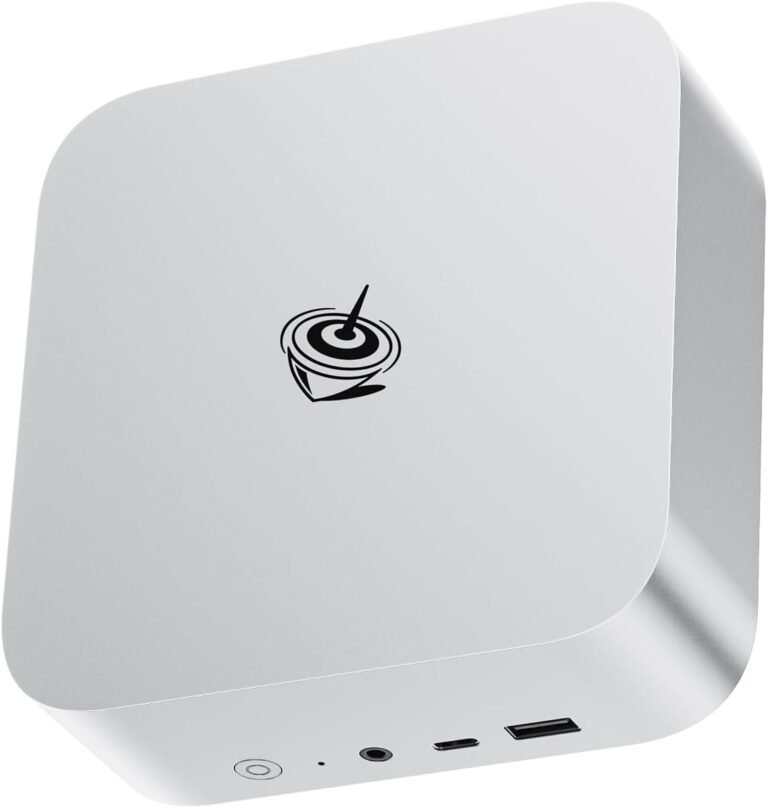
Three 4K outputs over HDMI, DisplayPort and USB4 make the SER8 a favorite for traders and creators, and its SO-DIMM slots allow 64GB later. Wi-Fi 6 rather than 6E and a single LAN port are the compromises. On warranty, Beelink’s warranty page says three years while its service summary says one: ask for written confirmation for your order.
Beelink SER8
Triple 4K output over HDMI, DisplayPort and USB4, with memory in two SO-DIMM slots.
Check current price on Amazon- Triple 4K output
- USB4
- Upgradeable to 64GB
- Wi-Fi 6 only
- No OCuLink
- Warranty length unclear
4. ACEMAGIC M5: best for CPU-heavy work
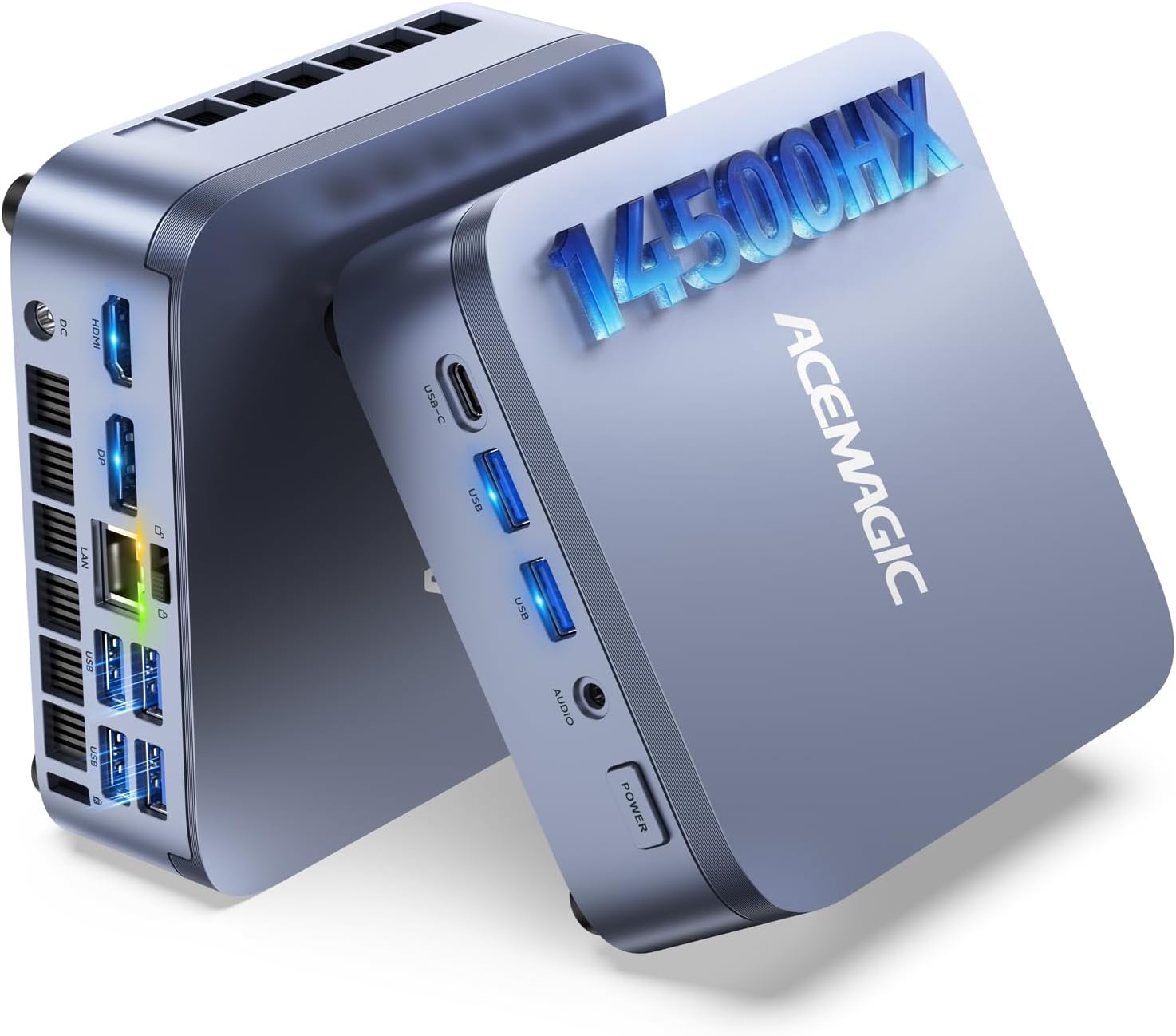
The M5 takes a different route: a laptop-class Core i5-14500HX with 14 cores and 20 threads, against 8 cores and 16 threads for the Ryzen 7 picks, in a 128 mm box with three 4K outputs and two SO-DIMM slots up to 64GB. That suits compiling, rendering, many browser tabs and several virtual machines. It has only Intel UHD graphics and Gigabit LAN, so it is not a gaming PC. StarryHope reports that the 16GB version ships with a single 16GB stick, leaving a slot free for 32GB in dual channel. ACEMAGIC shipped malware on some 2024 units of other models; our ACEMAGIC M5 review explains the incident and the checks to run on day one.
ACEMAGIC M5
A 14-core Core i5-14500HX with two SO-DIMM slots, two M.2 slots and three 4K outputs, for multi-core work rather than gaming.
Check current price on Amazon- 14 cores / 20 threads
- Two SO-DIMM slots, up to 64GB
- Windows 11 Pro, VESA mount
- Intel UHD graphics, no gaming
- Gigabit LAN only
- 55W chip, fan works hard under load
5. GEEKOM A8: best for office and warranty
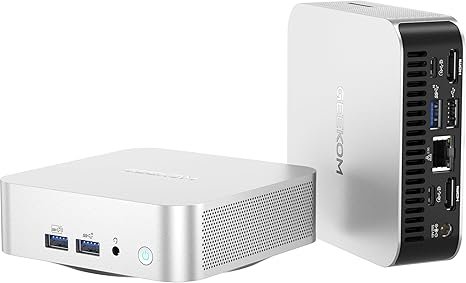
GEEKOM’s A8 targets offices and home workers: Windows 11 Pro preinstalled, support for four displays, USB4 and Wi-Fi 6E in a compact case, with a Ryzen 7 8845HS or 8745HS depending on the listing. It has the longest warranty here, three years through official GEEKOM channels, though GEEKOM only accepts change-of-mind returns on unopened units. Performance matches the UM880 Plus without the OCuLink port.
GEEKOM A8
A Ryzen 7 with Windows 11 Pro, USB4, Wi-Fi 6E and four-display support, backed by a three-year warranty.
Check current price on Amazon- 3-year warranty (official channels)
- Four-display support
- Wi-Fi 6E, USB4
- No OCuLink
- Single M.2 slot
- Often near the top of this budget
6. ACEMAGIC M1: best for less
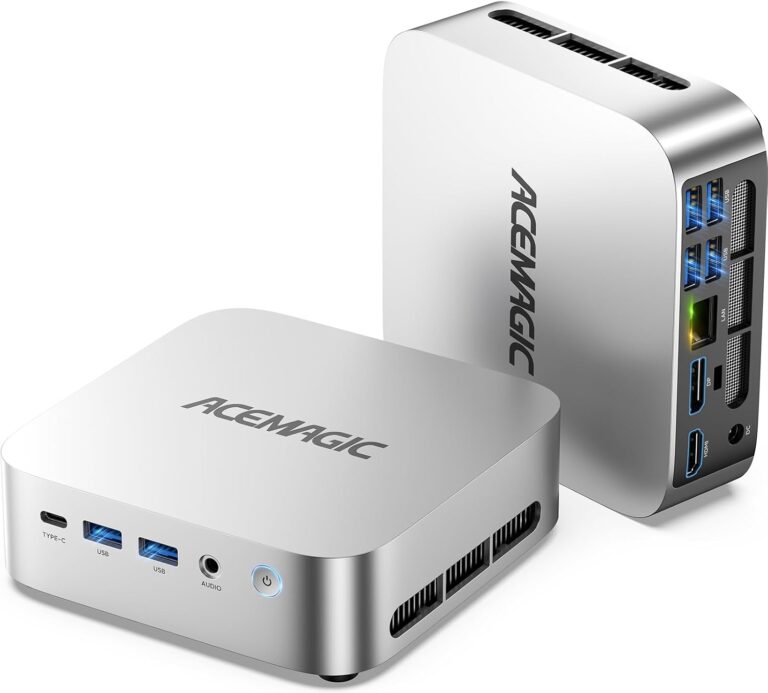
The M1 is the cheapest way into an eight-core Ryzen 7: a 7735HS with Radeon 680M graphics, 24GB of LPDDR5, 2.5GbE, Wi-Fi 6 and three 4K outputs. StarryHope listed it well under $500 in July 2026, and PCWorld reported deals below that in June. The memory is soldered, so 24GB is what you keep, and the 680M handles 4K video and lighter games rather than recent AAA titles. Read our ACEMAGIC M1 overview.
ACEMAGIC M1
An eight-core Ryzen 7 7735HS with 24GB, 2.5GbE and three 4K outputs: the lowest-cost Ryzen 7 route in this guide.
Check current price on Amazon- 8 cores / 16 threads
- 24GB included, 2.5GbE
- Two M.2 slots
- 24GB soldered, not upgradeable
- Radeon 680M, older graphics
- No USB4
Also worth a look
- Beelink SER9: a Ryzen 7 H 255 with fast LPDDR5X (soldered), triple display up to 4K 240Hz and built-in microphone and speakers. See our Beelink SER9 review.
- Minisforum UM790 Pro: a Ryzen 9 7940HS with two USB4 ports and two HDMI 2.1 outputs, for desks with many peripherals.
- KAMRUI Hyper H2 (Core i7-14650HX, 32GB, 1TB): the same box idea as the M5 with 16 cores and 32GB in SO-DIMM slots, worth it when a sale brings it under $700. Our KAMRUI H2 vs ACEMAGIC M5 comparison explains the differences.
- ACEMAGIC K5 (Ryzen 5 PRO 7640HS): Radeon 760M, 16GB soldered and 2.5GbE for well under this budget. See our ACEMAGIC K5 review.
| Model | CPU | Graphics | Memory | Network | Ports / displays | Price |
|---|---|---|---|---|---|---|
| GMKtec K6 | Ryzen 7 7840HS · 8 cores / 16 threads | Radeon 780M | DDR5-5600 · 2 SO-DIMM, up to 64GB | Dual 2.5GbE · Wi-Fi 6E | USB4 · HDMI 2.0 · DP 1.4 | Check price |
| Minisforum UM880 Plus | Ryzen 7 8845HS · 8 cores / 16 threads | Radeon 780M | DDR5 · 2 SO-DIMM, up to 96GB | 2.5GbE · Wi-Fi 6E | USB4 · HDMI 2.1 · DP 1.4 · OCuLink via adapter | Check price |
| Beelink SER8 | Ryzen 7 8745HS or 8845HS · 8 cores / 16 threads | Radeon 780M | DDR5 · 2 SO-DIMM, up to 64GB | 2.5GbE · Wi-Fi 6 | USB4 · HDMI 2.1 · DP 1.4 | Check price |
| ACEMAGIC M5 | Core i5-14500HX · 14 cores / 20 threads · 55W | Intel UHD Graphics | 16GB (1 stick) or 32GB DDR4-3200 · 2× SO-DIMM, up to 64GB | Gigabit LAN | HDMI 2.0 · DP 1.4 · USB-C (DP) · 3 displays at 4K60 | Check price |
| GEEKOM A8 | Ryzen 9 8945HS, 7 8845HS or 7 8745HS (by listing) | Radeon 780M | DDR5 · up to 64GB | 2.5GbE · Wi-Fi 6E | USB4 · 2× HDMI · SD reader (4 displays) | Check price |
| ACEMAGIC M1 | Ryzen 7 7735HS · 8 cores / 16 threads | Radeon 680M | 24GB LPDDR5 (soldered) | 2.5GbE · Wi-Fi 6 | HDMI 2.0 · DP 1.4 · USB-C (3 displays at 4K60) | Check price |
How to choose under $700
Decide first whether you will game. If yes, any Radeon 780M pick works and the UM880 Plus leaves room for a graphics card; if not, the M5’s 14 cores do more work for the money.
- Gaming at 1080p: any 780M pick; for a future 1440p upgrade, the UM880 Plus and its OCuLink port. For more GPU now, see our gaming mini PC guide.
- Several monitors: Beelink SER8 (triple 4K), GEEKOM A8 (four displays), UM790 Pro (two HDMI 2.1 + two USB4).
- Home server or router: the GMKtec K6 and its two 2.5GbE ports.
- Memory: 32GB is right for most people. Prefer SO-DIMM models if you may need 64GB, and avoid soldered memory if you plan to keep the machine for years.
- Warranty: buy Minisforum from its own store if you want its warranty; GEEKOM gives the longest coverage; the Amazon “Sold by” line decides who handles a claim. Our mini PC buyer’s checklist lists the other checks.
Smaller budget? See our best mini PCs under $500. Need more power? Under $1,000.
Before you buy: Black Friday and returns
Ryzen 7 and Intel HX mini PCs see deep coupons around Black Friday (November 27, 2026), and Amazon orders placed from November 1 to December 31, 2026 can be returned until January 31, 2027.
That long window is the right time to stress-test a new machine: a long gaming or rendering session, a full Windows update, a check of the memory and SSD reported by Windows against the listing. Compare deals with the model’s usual price, not the crossed-out one (our guide to spotting a fake mini PC deal explains how). Verified offers go on our mini PC deals page and, from Thanksgiving week, on our Black Friday mini PC deals page.
Complete your setup
A Radeon 780M runs lighter games well above 60 fps at 1080p and 1440p, so a fast 1440p screen makes sense for gaming; for office work, a 27-inch 1080p monitor at 120Hz is enough.
Deco Gear 27-inch QHD OLED 280Hz Monitor
A 27-inch 1440p OLED monitor at 280Hz with HDMI 2.1 and DisplayPort, for fast games on a Radeon 780M or a future eGPU.
Check current price on AmazonDeal Current deal at Amazon · ends Nov 20 — See the deal
Amazon Basics 27-inch 120Hz IPS Monitor
A 27-inch 1080p IPS monitor at 120Hz with a USB hub, a simple everyday screen for a mini PC desk.
Check current price on AmazonMore choices in our guide to the best monitor for a mini PC.
FAQ
What is the best mini PC under $700 in 2026?
For most people, the GMKtec K6: a Ryzen 7 7840HS with Radeon 780M graphics, two 2.5GbE ports, USB4 and DDR5 in SO-DIMM slots. Choose the Minisforum UM880 Plus for an OCuLink graphics card later, or the ACEMAGIC M5 for multi-core work without gaming.
Can a mini PC under $700 play games?
Yes, at 1080p. The Radeon 780M runs esports titles smoothly and recent games at low to medium settings with FSR upscaling. For high settings or 1440p, you need a dedicated GPU or an OCuLink external GPU, available on the Minisforum UM880 Plus. The Intel HX models such as the ACEMAGIC M5 are not suited to gaming.
Which mini PCs under $700 have soldered RAM?
Among our picks, the ACEMAGIC M1 (24GB LPDDR5). In “Also worth a look”, the Beelink SER9 and the ACEMAGIC K5 also have soldered memory. The GMKtec K6, Minisforum UM880 Plus, Beelink SER8, ACEMAGIC M5 and GEEKOM A8 use SO-DIMM slots you can upgrade.
Which mini PC brand has the best warranty?
On paper, GEEKOM, with three years through official channels. Minisforum gives two years with the most complete policy, but only for purchases from its own store. ACEMAGIC gives two years, Beelink one or three depending on the page, and GMKtec one year on the whole unit plus two on the memory, SSD and adapter.
Ryzen 7 or Intel HX in a mini PC?
Ryzen 7 if you want one machine for everything, including games: the Radeon 780M is far stronger than Intel UHD graphics. An Intel HX chip such as the i5-14500HX has more cores for compiling, rendering and virtual machines, but needs an external graphics card for gaming and has no OCuLink on the M5.
Is 32GB of RAM enough?
For gaming, office work, photo editing and light virtualization, yes. Choose a model with SO-DIMM slots if you might need 64GB for virtual machines, large video projects or local AI. Memory prices are high in 2026, so buying the capacity you need now is usually cheaper than upgrading later.
Related
- Best mini PCs under $200
- Best mini PCs under $300
- RAM guide for mini PCs
- Best mini PC for a home office
Sources
- Notebookcheck, Radeon 780M and 760M performance with new drivers
- Notebookcheck, Minisforum UM880 Plus with OCuLink and USB4
- StarryHope, ACEMAGIC M5 specifications and configurations (May 2026)
- StarryHope, ACEMAGIC M1 (Ryzen 7 7735HS) specifications (July 2026)
- PCWorld, ACEMAGIC M1 deal (June 2026)
- StarryHope, ACEMAGIC K5 (Ryzen 5 PRO 7640HS) (October 2026)
- Minisforum US store, Warranty, Return and Refund Policy
- GEEKOM, Return & Exchange Policy
- ACEMAGIC, Warranty Policy
- GMKtec, Warranty & Returns & Refund (US store)
- Beelink, Warranty Policy and Service Policy
- PPC Land, Amazon’s January 31 holiday return deadline (October 2026)
- Manufacturer listings (GMKtec, Minisforum, Beelink, GEEKOM, ACEMAGIC, KAMRUI) and AMD and Intel processor specifications, checked November 1, 2026