
ACEMAGIC M1 Mini PC: Ryzen 7 7735HS, Triple 4K & 2.5G LAN
The ACEMAGIC M1 packs an 8-core AMD Ryzen 7 7735HS, Radeon 680M graphics, up to 24GB of LPDDR5 memory, and triple 4K display output into a chassis roughly the size of a paperback. With 2.5G Ethernet, WiFi 6, and a second M.2 slot for storage expansion, it targets users who want serious desktop performance without the footprint.
Affiliate Disclosure: This article contains affiliate links. MiniPCDeals.net participates in the Amazon Associates program and may earn a commission on qualifying purchases at no extra cost to you.
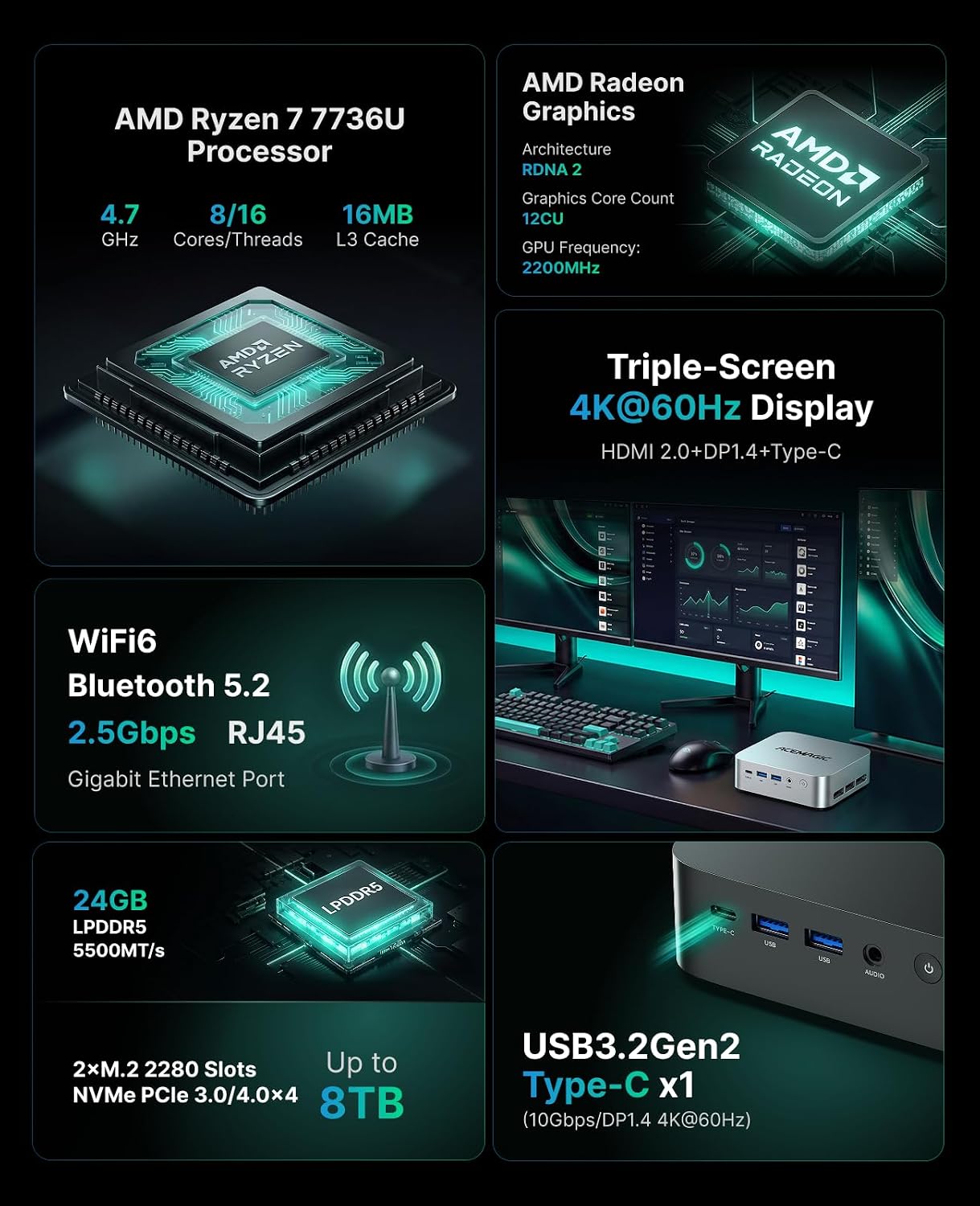
The ACEMAGIC M1 is a compact mini PC built around the AMD Ryzen 7 7735HS (8C/16T, Zen 3+, up to 4.75 GHz), with Radeon 680M integrated graphics, up to 24GB of LPDDR5 memory, and dual M.2 NVMe slots. It supports three simultaneous 4K@60Hz displays via HDMI 2.0, DisplayPort 1.4, and USB-C, and includes 2.5G Ethernet, WiFi 6, and Windows 11 Pro. Its strengths are multi-monitor productivity, office workloads, and light gaming — not demanding AAA titles or local AI inference.
What the ACEMAGIC M1 Is
The ACEMAGIC M1 is a small-form-factor desktop PC powered by AMD’s Ryzen 7 7735HS — an 8-core, 16-thread mobile processor — paired with Radeon 680M integrated graphics and up to 24GB of LPDDR5 memory. It is designed for productivity, multi-monitor work, and light gaming.
The M1 fits into the growing category of mini PCs that use high-performance mobile CPUs rather than low-power efficiency chips. The Ryzen 7 7735HS is a Zen 3+ processor with a 45W TDP — the same class of chip found in gaming laptops — which puts it well above the N100/N150 machines that dominate the budget segment.
What sets the M1 apart at its price point is the combination of three features: triple 4K display output, 2.5G Ethernet, and a second M.2 NVMe slot for storage expansion. Many mini PCs at this level offer only dual displays or Gigabit Ethernet. The M1 covers all three without requiring a discrete GPU.
ACEMAGIC sells the M1 in several variants: AMD Ryzen 7 7735HS or Ryzen 7 6800H with 16GB or 24GB LPDDR5, and Intel Core i9-11900H with 32GB DDR4. The chassis and port layout are largely identical. This article focuses on the AMD Ryzen 7 7735HS configuration.
Full Specifications
| CPU | AMD Ryzen 7 7735HS — 8C/16T · Zen 3+ · 6nm · base 3.2 GHz · boost up to 4.75 GHz · 16MB L3 cache |
|---|---|
| GPU | AMD Radeon 680M — 12 compute units · RDNA 2 · up to 2200 MHz |
| Memory | Up to 24GB LPDDR5 5500 MT/s (12GB × 2) — soldered, not upgradable |
| Storage | 512GB or 1TB M.2 2280 NVMe PCIe 3.0 ×4 SSD — second M.2 slot available (up to 4TB total) |
| Display Outputs | HDMI 2.0 (4K@60Hz) + DisplayPort 1.4 (4K@60Hz) + USB-C (4K@60Hz) — three simultaneous displays |
| Networking | 2.5G Ethernet (RJ45) · WiFi 6 · Bluetooth 5.2 |
| USB | 2× USB 3.2 Gen2 Type-A (10Gbps, front) · 4× USB 3.2 Gen1 Type-A (5Gbps, rear) · 1× USB-C (10Gbps, DP Alt Mode) |
| Audio | 3.5mm headphone/mic jack |
| OS | Windows 11 Pro (pre-installed) |
| Power | DC 19V/3.42A · external power adapter |
| Dimensions | 128.2 × 128.2 × 41 mm |
| Mounting | VESA mount compatible (bracket included) |
Design & Build
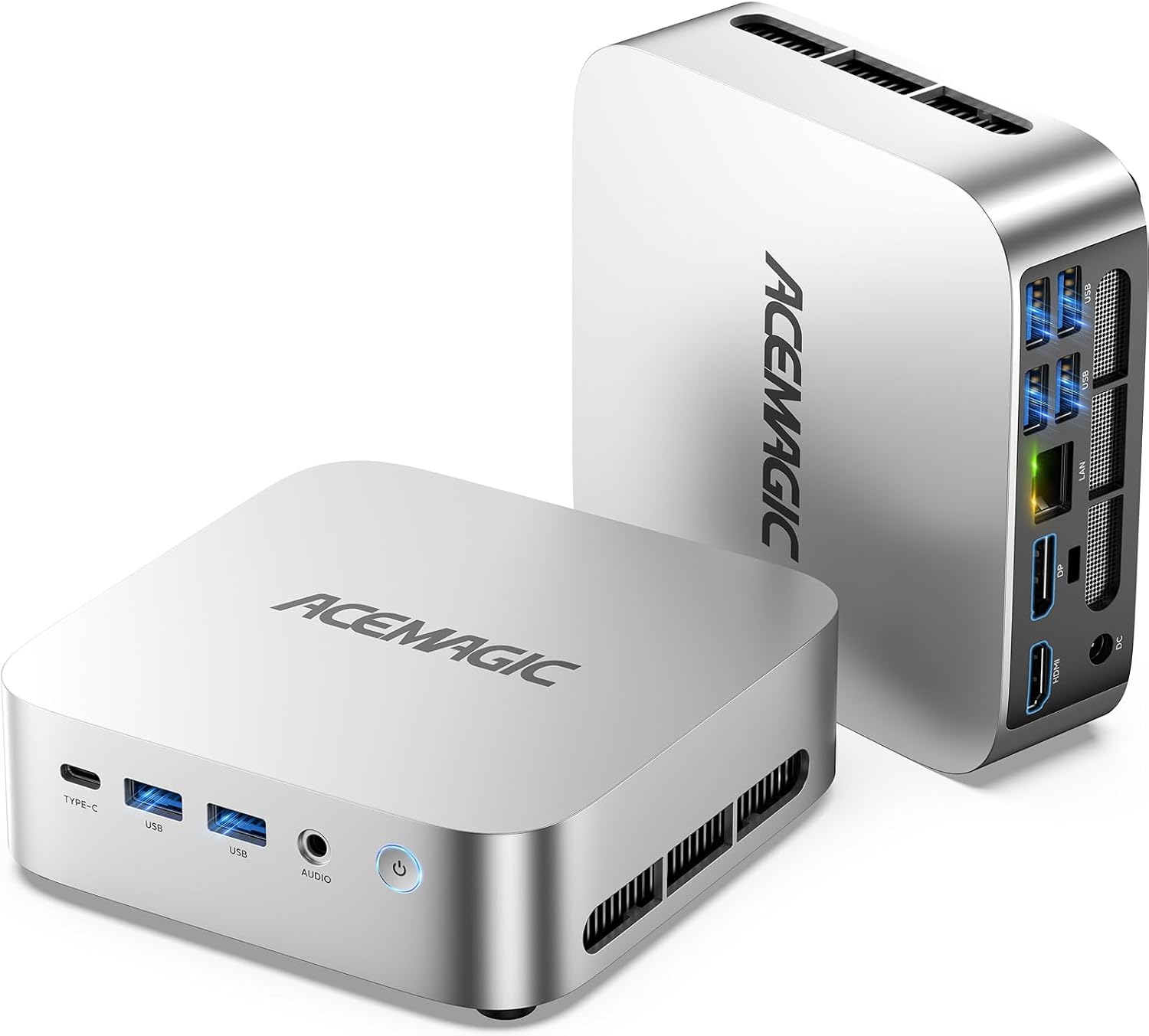
The ACEMAGIC M1 uses a compact 128 × 128 × 41 mm chassis — roughly the footprint of a small paperback — with a silver finish that resists fingerprints. A VESA mounting bracket is included, allowing the PC to be attached to the back of a monitor.
The design follows the familiar rounded-cuboid shape popularized by the Mac Mini, but in a slightly smaller footprint. The case is lightweight yet feels solid enough for everyday use. Four rubber feet raise the unit slightly to allow airflow from the underside — the primary air intake.
Cooling is handled by a combination of dual heat dissipation fins, copper heat pipes, and a centrifugal fan. Hot air exits through vents on the left side and rear of the chassis. User reports on fan noise vary: some describe the M1 as very quiet, while others note it becomes audible under sustained load.
Performance & Use Cases
The Ryzen 7 7735HS is a capable mobile processor that handles office work, software development, photo editing, and light gaming. It is not designed for demanding AAA gaming, video rendering with GPU acceleration, or local AI inference.
Productivity and Multitasking
With 8 cores and 16 threads, the M1 handles heavy multitasking comfortably — large spreadsheets, dozens of browser tabs, video calls, and document editing simultaneously. The 24GB LPDDR5 configuration provides ample memory headroom for most productivity workflows.
Light Gaming
The Radeon 680M (12 CU, RDNA 2) is the same iGPU found in many Ryzen 6000-series mini PCs. It handles esports titles and older games well at 1080p with moderate settings. For reference, user reports on the 6800H configuration note 60+ fps in titles like League of Legends and Overwatch at high settings, and playable performance in more demanding games at medium settings.
Multi-Monitor Workstations
Triple 4K@60Hz output is the M1’s standout feature. For traders, analysts, developers, or anyone running a three-monitor setup, this is a genuine advantage at the M1’s price point. The Radeon 680M handles desktop compositing across all three displays smoothly.
What It’s Not Designed For
Demanding modern AAA gaming at high settings, 3D rendering with GPU acceleration, and local AI inference (LLMs) are outside the M1’s scope. The integrated Radeon 680M and soldered LPDDR5 memory impose hard limits for these workloads.
Ryzen 7 7735HS · Radeon 680M · 24GB LPDDR5 · Triple 4K · 2.5G LAN
Available on Amazon with Windows 11 Pro pre-installed.
Connectivity & Ports
The M1 offers one of the most complete port selections in its size class: 7 USB ports (6 Type-A + 1 Type-C), triple display outputs, 2.5G Ethernet, and a 3.5mm audio jack. The USB-C port supports DisplayPort Alt Mode for video output.
Front Ports
- 2× USB 3.2 Gen2 Type-A (10Gbps)
- 1× USB 3.2 Gen2 Type-C (10Gbps, supports DisplayPort Alt Mode)
- 1× 3.5mm audio jack
- Power button
Rear Ports
- 4× USB 3.2 Gen1 Type-A (5Gbps)
- 1× HDMI 2.0 (4K@60Hz)
- 1× DisplayPort 1.4 (4K@60Hz)
- 1× 2.5G Ethernet RJ45
- 1× DC power input
The USB-C port supports data transfer and DisplayPort output, but it does not accept power input. The M1 must be powered by its included DC adapter. This means you cannot use a single USB-C cable for both power and video, unlike some newer mini PCs.
Storage & Expansion
The M1 ships with a 512GB or 1TB M.2 2280 NVMe SSD and includes a second M.2 slot for adding additional storage — up to 4TB total. However, the RAM is soldered and cannot be upgraded.
The dual M.2 slots are a meaningful advantage over mini PCs with a single storage bay. Users who need more local storage — for media libraries, project files, or dual-boot configurations — can add a second NVMe drive without replacing the original. Both slots support PCIe 3.0 and 4.0 NVMe SSDs.
The soldered LPDDR5 memory is a trade-off. LPDDR5 offers higher bandwidth and lower power consumption than SODIMM DDR5, but it cannot be upgraded after purchase. Buyers should choose their memory configuration (16GB or 24GB) with future needs in mind.
Frequently Asked Questions
Sources & Notes
Specifications sourced from ACEMAGIC’s official product pages (acemagic.com, acemagic.eu) and Amazon product listings, October 2026. User impressions based on verified Amazon customer reviews and published third-party reviews. This content is informational and based on manufacturer-published data and community reports. No test unit was provided by the manufacturer.