
BOSGAME P6 Review: Ryzen 9 6900HX Mini PC, Specs and Analysis (2026)
The BOSGAME P6 puts an 8-core Ryzen 9 6900HX, once a high-end laptop chip, into a small box with three video outputs and Wi-Fi 6E. In 2026 it sells as a value desktop replacement. Here is what it does well, the limits you accept with it (soldered memory, no USB4), the memory change BOSGAME made without renaming the model, and how it compares with newer options.
In short
7.0 / 10
A lot of processor for the money. The 8-core, 16-thread Ryzen 9 6900HX handles office work, coding and heavy multitasking with ease, and the P6 drives three 4K screens. The trade-offs: memory soldered to the board (and cut from 32GB to 24GB on recent units), no USB4 or OCuLink, and a Radeon 680M that is fine for light games only. A good buy for a desk PC that must stay fast for years; not for gaming or upgrades.
What changed in this update (Oct 14, 2026)
We rewrote this page as a specifications and analysis review with published benchmarks. We added the 24GB revision, the conflicting reports on the network speed, and the difficult SSD access noted by GBAtemp. We removed a comparison table with errors: the BOSGAME M4 Plus uses a Ryzen 9 7940HS (not a Zen 5 chip), and the P3 Mix does not have Radeon 680M graphics.
Specifications
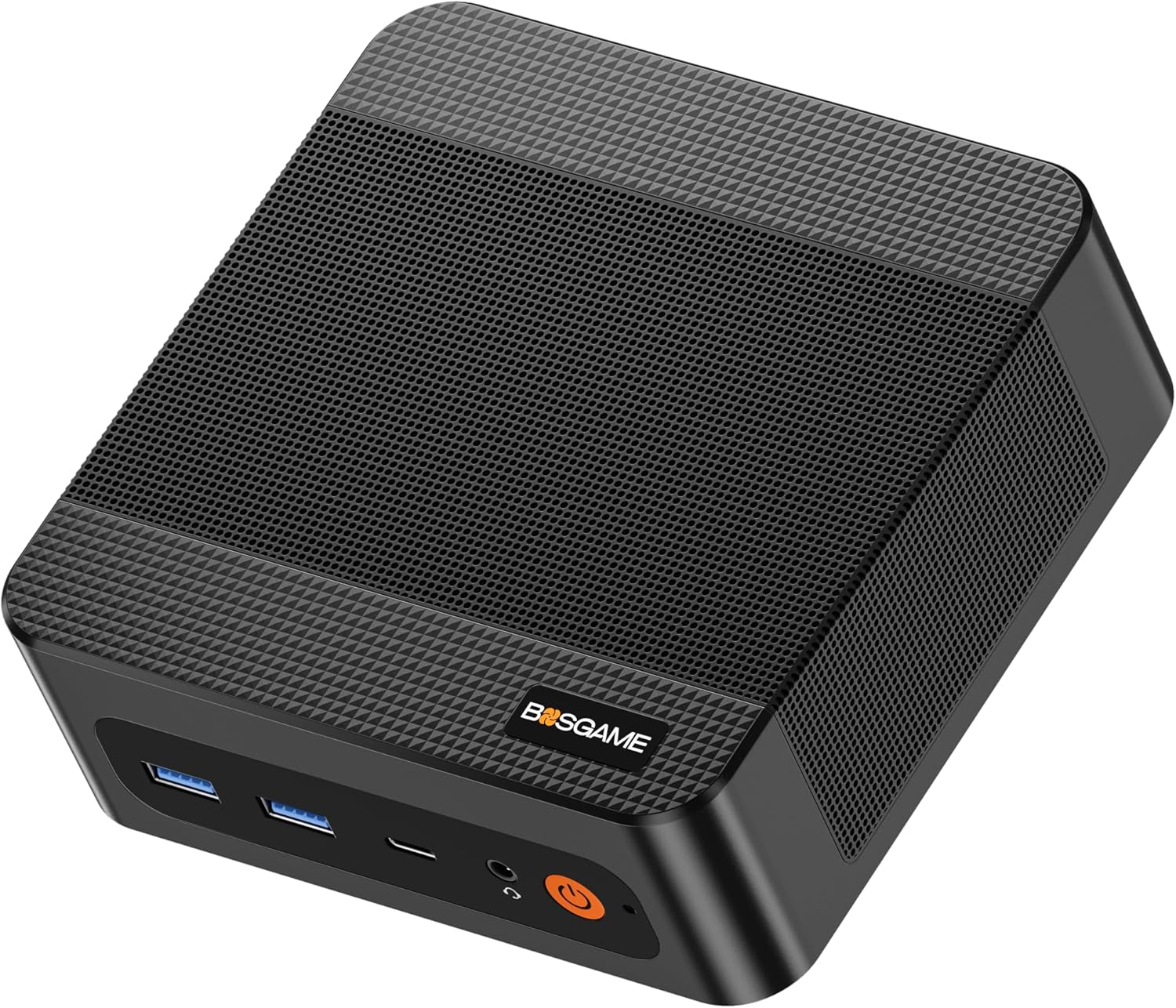
An 8-core Ryzen 9 6900HX with Radeon 680M graphics, 24GB or 32GB of soldered memory, a 1TB PCIe 4.0 SSD plus a free M.2 slot, three video outputs, two Ethernet ports and Wi-Fi 6E.
| Item | Specification |
|---|---|
| Processor | AMD Ryzen 9 6900HX: 8 cores / 16 threads, Zen 3+, 6nm, 3.3–4.9GHz, 45W (2022) |
| Graphics | AMD Radeon 680M, 12 compute units (RDNA 2), up to 2.4GHz |
| Memory | Soldered LPDDR5 (listed as LPDDR5X 6400): 32GB on earlier units, 24GB on recent ones |
| Storage | 1TB M.2 PCIe 4.0 NVMe + a second M.2 NVMe slot |
| Video outputs | HDMI 2.0 · DisplayPort · front USB-C with video: three 4K60 screens |
| Network | Two Ethernet ports (Gigabit per BOSGAME, 2.5G on GBAtemp’s unit) · Wi-Fi 6E (Intel AX210) · Bluetooth 5.3 |
| USB | Front: 2× USB-A 3.2, USB-C (data, video, power delivery) · Rear: USB-A 3.2, USB-A 2.0 · no USB4, no OCuLink |
| Size and weight | 129 × 123 × 44 mm, about 0.53 kg · VESA bracket |
| Other | Wake-on-LAN, auto power-on after an outage, Windows 11 Pro; BOSGAME rates the noise below 36 dB |
Performance
The 6900HX is still a fast processor: about 13,300 points in Cinebench R23 multi-core on average, five times an Intel N150 and about 20% behind a 2025 Ryzen 7 H 255.
Notebookcheck’s averages for the Ryzen 9 6900HX are 13,307 points in Cinebench R23 multi-core and 1,565 in single-core. For comparison, an Intel N150 averages about 2,490, and the Ryzen 7 H 255 in the Beelink SER9 Pro scored 16,402. On the P6 itself, GBAtemp measured 8,574 in Geekbench 6 multi-core (1,928 single-core) and 6,732 in PCMark 10, with a 99.2% pass in the 3DMark Steel Nomad Light stress test, a sign that the cooling holds the chip’s speed under sustained load.
| Test | BOSGAME P6 (6900HX) | Ryzen 7 H 255 (SER9 Pro) | Intel N150 |
|---|---|---|---|
| Cinebench R23 multi-core | ~13,300 | 16,402 | ~2,490 |
| Cinebench R23 single-core | ~1,565 | 1,718 | ~910 |
| Geekbench 6 multi-core | 8,574 | 12,507 | ~2,850 |
Geekbench 6 for the H 255 comes from GSMArena’s SER9 Pro review; N150 figures are Notebookcheck averages. Results vary with each machine’s power settings.
In practice: dozens of browser tabs, large spreadsheets, code compilation, a few virtual machines or containers, and 4K video playback are all comfortable. Video exports are fast for a mini PC because they lean on the 8 cores.
Graphics and light gaming
The Radeon 680M handles light and older games at 1080p, but it is a generation behind the 780M and the P6 has no USB4 or OCuLink to add an external graphics card later.
GBAtemp measured more than 100 fps in Monster Hunter Rise at 1080p Low and about 65 fps at 1080p Medium, and a stable 60 fps in Atelier Resleriana at 1080p. A demanding demo fell to around 10–30 fps even at minimum settings. If games matter, a Radeon 780M box like the Beelink SER9 Pro or an OCuLink model like the BOSGAME M4 Plus is the better route; our gaming mini PC guide compares them.
Memory: soldered, and smaller on recent units
The memory cannot be upgraded, and BOSGAME reduced it from 32GB to 24GB on later units without changing the model name. Check the figure on the listing before you buy.
Soldered LPDDR5 is fast and efficient, which helps the integrated graphics, but you keep the amount you buy for the life of the PC. GBAtemp’s review unit had 24GB and the reviewer criticized the silent downgrade; Starry Hope notes the same two versions. 24GB is enough for office work and development; 32GB gives more room for virtual machines. If you need 64GB or more, choose a model with SO-DIMM slots, such as the BOSGAME M4 Plus.
Ports, network and storage
Three video outputs, Wi-Fi 6E and two Ethernet ports cover most desk and home-lab needs; the network speed is reported differently by BOSGAME and reviewers, and reaching the SSD means removing an inner plate.
- Network: BOSGAME’s listing says dual Gigabit LAN; GBAtemp’s unit had two 2.5G ports. Both work for a pfSense or OPNsense router; for 2.5G internet or a fast NAS, confirm the speed with the seller.
- Storage: the 1TB PCIe 4.0 SSD can be replaced and a second M.2 slot is available, but GBAtemp found it awkward to reach behind a plate that carries the Wi-Fi antennas.
- Missing: no USB4, Thunderbolt or OCuLink, no SD card reader. Bluetooth 5.3 needs Intel’s current driver (it shows as 5.2 with the stock driver, per Starry Hope).
Who is it for?
People who want a fast, quiet desk PC for work, coding or multitasking with up to three screens, and who don’t plan to upgrade memory or game seriously.
- Good fit: home office, software development, a three-monitor trading or analytics desk, a small home lab with containers.
- Poor fit: 1080p gaming in recent titles, local AI models (memory is fixed and the 680M is weak for AI), anyone who wants USB4 docks or an external GPU.
Alternatives
The ACEMAGIC M1 is a similar Ryzen 680M box; the Beelink SER9 Pro is faster with Radeon 780M and USB4; the BOSGAME M4 Plus adds OCuLink and upgradable memory.
| Model | CPU | Graphics | Memory | Storage | Network | Ports / displays | Price |
|---|---|---|---|---|---|---|---|
| BOSGAME P6 | Ryzen 9 6900HX · 8 cores / 16 threads | Radeon 680M | 32GB LPDDR5 6400 (soldered) | 1TB NVMe + free M.2 slot | Dual Gigabit LAN · Wi-Fi 6E | HDMI · DP · USB-C (3 displays at 4K60) | Check price |
| ACEMAGIC M1 | Ryzen 7 7735HS · 8 cores / 16 threads | Radeon 680M | 24GB LPDDR5 (soldered) | 512GB or 1TB NVMe + free M.2 slot | 2.5GbE · Wi-Fi 6 | HDMI 2.0 · DP 1.4 · USB-C (3 displays at 4K60) | Check price |
| Beelink SER9 Pro (Ryzen 7 H 255) | Ryzen 7 H 255 · 8 cores / 16 threads | Radeon 780M | 32GB LPDDR5X-6400 (soldered) | 1TB NVMe + free M.2 slot | — | USB4 · HDMI · DP | Check price |
| BOSGAME M4 Plus | Ryzen 9 7940HS · 8 cores / 16 threads | Radeon 780M | 32GB DDR5 · upgradable to 64GB | 1TB NVMe | Dual 2.5GbE | OCuLink · USB4 · HDMI 2.0 · DP 1.4 | Check price |
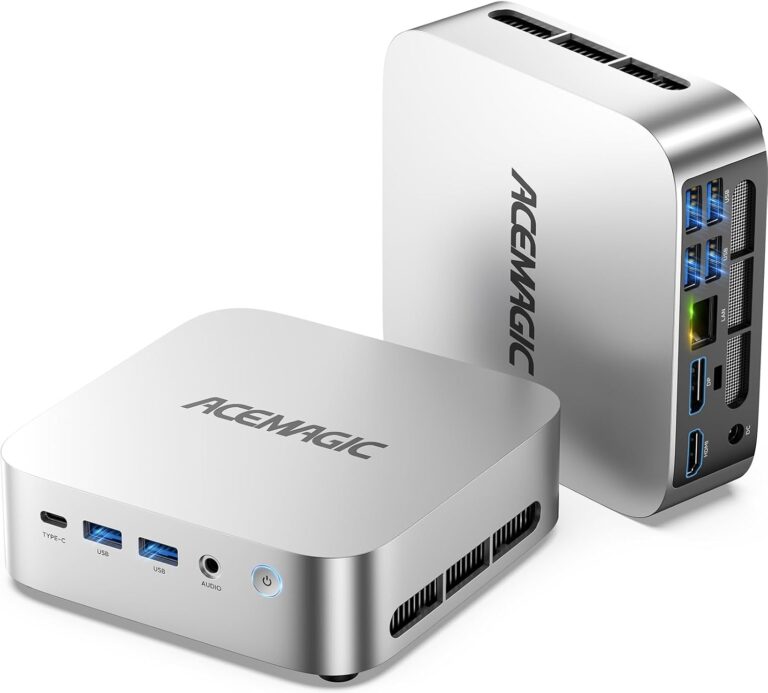
ACEMAGIC M1 (Ryzen 7 7735HS)
An 8-core Ryzen 7 7735HS with Radeon 680M graphics, 2.5GbE and three 4K outputs: the closest rival, so compare prices and memory sizes.
Check current price on Amazon- 2.5GbE · Wi-Fi 6
- Three 4K outputs
- Soldered 24GB memory
- Same 680M graphics
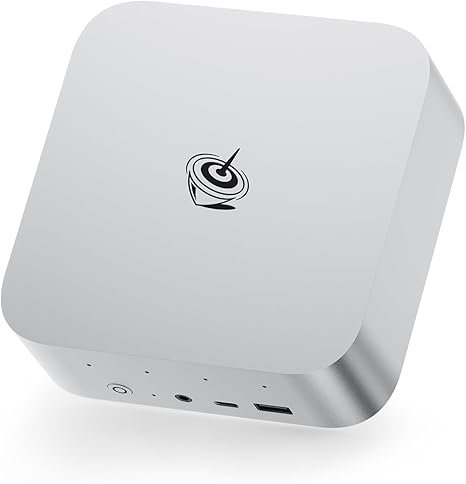
Beelink SER9 Pro (Ryzen 7 H 255)
Zen 4, Radeon 780M graphics, USB4 and 2.5GbE: about 20% faster in multi-core work and clearly better for light gaming, for a higher price.
Check current price on AmazonRead our Beelink SER9 Pro (Ryzen 7 H 255) review
- Radeon 780M
- USB4 40Gbps
- 2.5GbE
- Soldered memory too
- Costs more
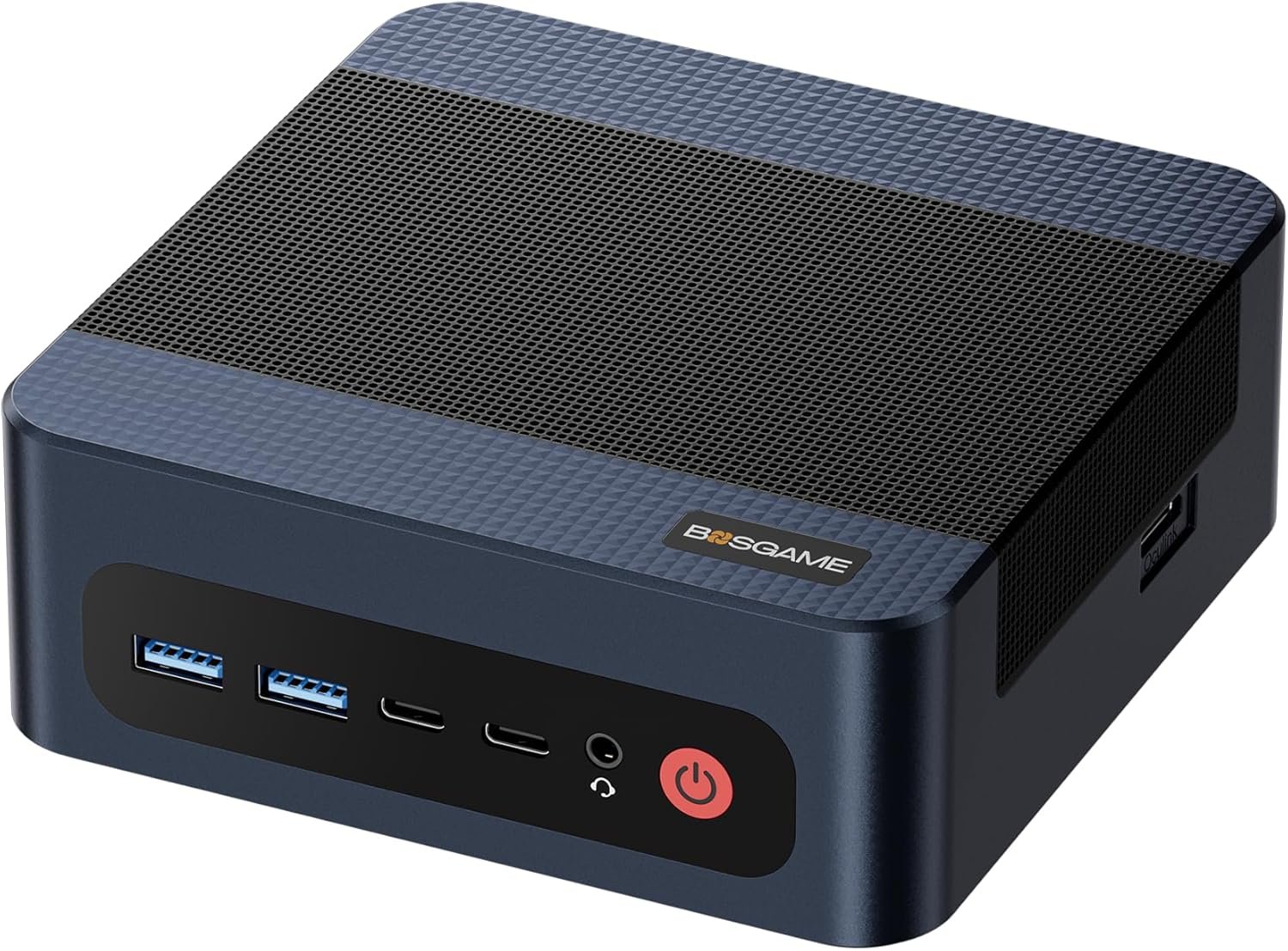
BOSGAME M4 Plus (Ryzen 9 7940HS)
Radeon 780M, dual 2.5GbE, USB4 and an OCuLink port for an external graphics card, with memory in upgradable slots.
Check current price on AmazonRead our BOSGAME M4 Plus review
- OCuLink + USB4
- Upgradable DDR5
- Dual 2.5GbE
- Costs more
- Wi-Fi 6, not 6E
More options in our guides under $500 and under $700.
Pros and cons
Fast 8-core processor, three screens and Wi-Fi 6E for the price; fixed memory, no USB4 and a dated graphics chip.
- 8 cores / 16 threads, strong multi-core speed
- Three 4K video outputs
- Wi-Fi 6E (Intel AX210), two Ethernet ports
- PCIe 4.0 SSD + second M.2 slot
- Held its speed in GBAtemp’s stress test
- Soldered memory; 24GB on recent units
- No USB4, Thunderbolt or OCuLink
- Radeon 680M: light games only
- Network speed reported inconsistently
- SSD hard to reach
Verdict
A strong value for a fast desk PC if you accept fixed memory and no USB4. Choose the SER9 Pro for better graphics and USB4, or the M4 Plus if you want to upgrade later.
The P6 shows that a 2022 high-end laptop chip still makes an excellent desktop in 2026: everyday work, development and multitasking are fast, and three screens are easy. Its weak points are about the future rather than today: no memory upgrades and no fast port for a dock or graphics card. Check that the listing shows the memory size you want, and it is a sensible buy.
FAQ
Is the BOSGAME P6 fast?
For office work, development and multitasking, yes. Its Ryzen 9 6900HX has 8 cores and 16 threads; Notebookcheck’s average is 13,307 points in Cinebench R23 multi-core, about five times an Intel N150 and roughly 20% below a newer Ryzen 7 H 255.
Can I upgrade the RAM in the BOSGAME P6?
No. The memory is soldered to the board. Early units had 32GB and later ones 24GB under the same P6 name, so check the memory size on the listing before you buy. The SSD can be replaced and a second M.2 slot is available.
Does the BOSGAME P6 have 2.5GbE?
Sources disagree. BOSGAME’s listing describes dual Gigabit LAN, while GBAtemp’s review unit had two 2.5G ports. If 2.5GbE matters for your setup, confirm it on the listing or with the seller before ordering.
Can the BOSGAME P6 play games?
Light and older games at 1080p. GBAtemp measured over 100 fps in Monster Hunter Rise at 1080p Low and about 65 fps at Medium. The Radeon 680M is a generation behind the 780M, and the P6 has no USB4 or OCuLink port for an external graphics card.
How many monitors does the BOSGAME P6 support?
Three: HDMI 2.0, DisplayPort and a front USB-C port with video, each up to 4K at 60Hz according to BOSGAME.
Related
- BOSGAME M4 Plus review
- ACEMAGIC M1 review (Ryzen 7 7735HS)
- Beelink SER9 Pro review (Ryzen 7 H 255)
- What is OCuLink?
- Mini PC buyer’s checklist
Sources
- Notebookcheck, AMD Ryzen 9 6900HX specifications and benchmarks
- GBAtemp, BOSGAME P6 mini PC review (24GB unit: benchmarks, games, ports, SSD access)
- Starry Hope, BOSGAME P6 model page (24GB and 32GB versions, ports, dimensions)
- Notebookcheck, Beelink SER9 Pro (Ryzen 7 H 255) review and GSMArena review (comparison figures)
- Notebookcheck, Intel N100 vs N150 benchmark averages
- BOSGAME P6 Amazon listing (configuration, network, Wi-Fi; checked October 2026)