
Beelink EQ14 Review: The Quiet N150 Box for Home Servers and Simple Desks
A built-in power supply, dual LAN, OpenWrt and PXE support and a 3-year warranty make the Beelink EQ14 one of the most complete Intel N150 mini PCs. Its entry-level chip limits it to light work — so whether it is a good buy depends on what you need and what it costs the day you shop.
In short
7.0 / 10
The Beelink EQ14 is a very good always-on home server and a solid quiet desktop for office work and streaming, thanks to its internal power supply, dual LAN and 3-year warranty. Buy it when it costs about the same as other N150 mini PCs; if it is listed near Ryzen 5 or Ryzen 7 machines, those are the better buy for general use.
What changed in this update (Oct 8, 2026)
We removed written prices, which go out of date within days; the button below always shows the current one. We updated the configuration (the current listing describes dual 2.5GbE and a 500GB SSD) and corrected the processor’s power rating. Our April score of 5.5 was driven by a listing price well above other N150 mini PCs; the score now rates the machine itself, and the buying advice tells you when the price makes sense.
Specifications
An Intel N150 with 16GB of DDR4, an NVMe SSD, two HDMI 4K60 outputs, dual LAN, Wi-Fi 6 and an internal power supply, in a 126 mm square case.
| Component | Specification |
|---|---|
| Processor | Intel N150 (Twin Lake) · 4 cores / 4 threads · up to 3.6GHz · 6W rated power |
| Memory | 16GB DDR4 · one SO-DIMM slot (single-channel) |
| Storage | 500GB NVMe SSD on the current listing (1TB on earlier listings) · M.2, upgradeable |
| Display | 2× HDMI 2.0 · 4K at 60Hz · two monitors maximum |
| USB | USB 3.2 Type-A ports + USB-C (data) |
| Network | Dual LAN — 2.5GbE on the current listing, Gigabit on earlier units · Wi-Fi 6 · Bluetooth 5.2 |
| Server features | Wake on LAN · PXE boot · RTC wake · auto power-on · OpenWrt / soft-router support |
| Power supply | Internal — standard AC cord, no external brick |
| Size | 126 × 126 × 39 mm |
| OS / warranty | Windows 11 Home · 3-year warranty |
Several EQ14 configurations exist
Beelink has sold the EQ14 with different SSD sizes and network chips under the same name. Before you buy, check two lines of the listing: storage (500GB or 1TB) and LAN speed (2.5GbE or 1GbE). The 2.5GbE version is the one to prefer for a home server or NAS.
Design and ports
A plain, compact box whose best feature is invisible: the power supply is inside, so a standard AC cord plugs straight into it.
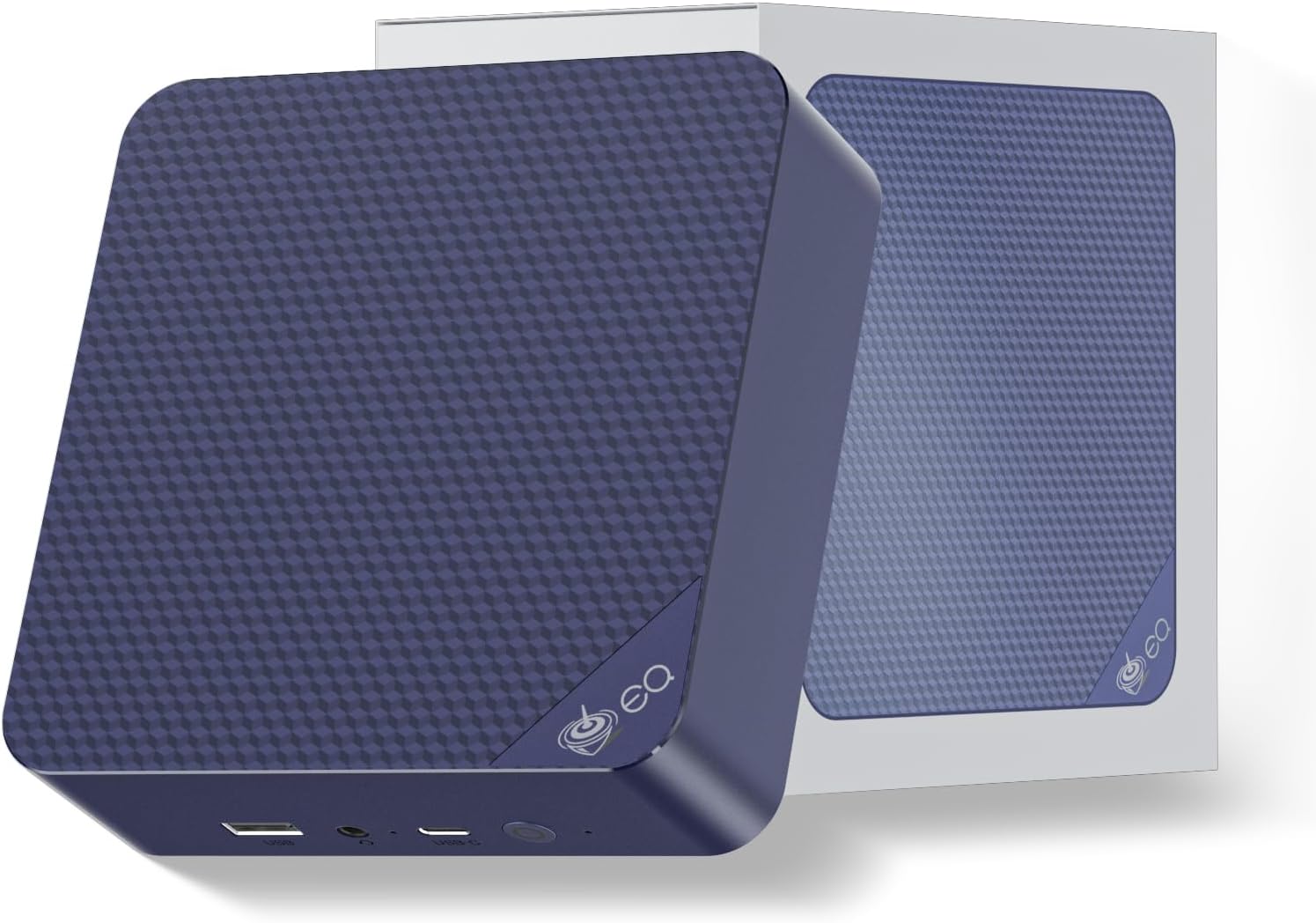
No power brick on the floor or behind the desk is a real everyday advantage, and Beelink has kept it across the EQ line. Two HDMI 2.0 ports drive two 4K60 monitors; the USB-C port is for data only — Notebookcheck confirmed it carries no video on the units it tested — so a third screen is not possible.
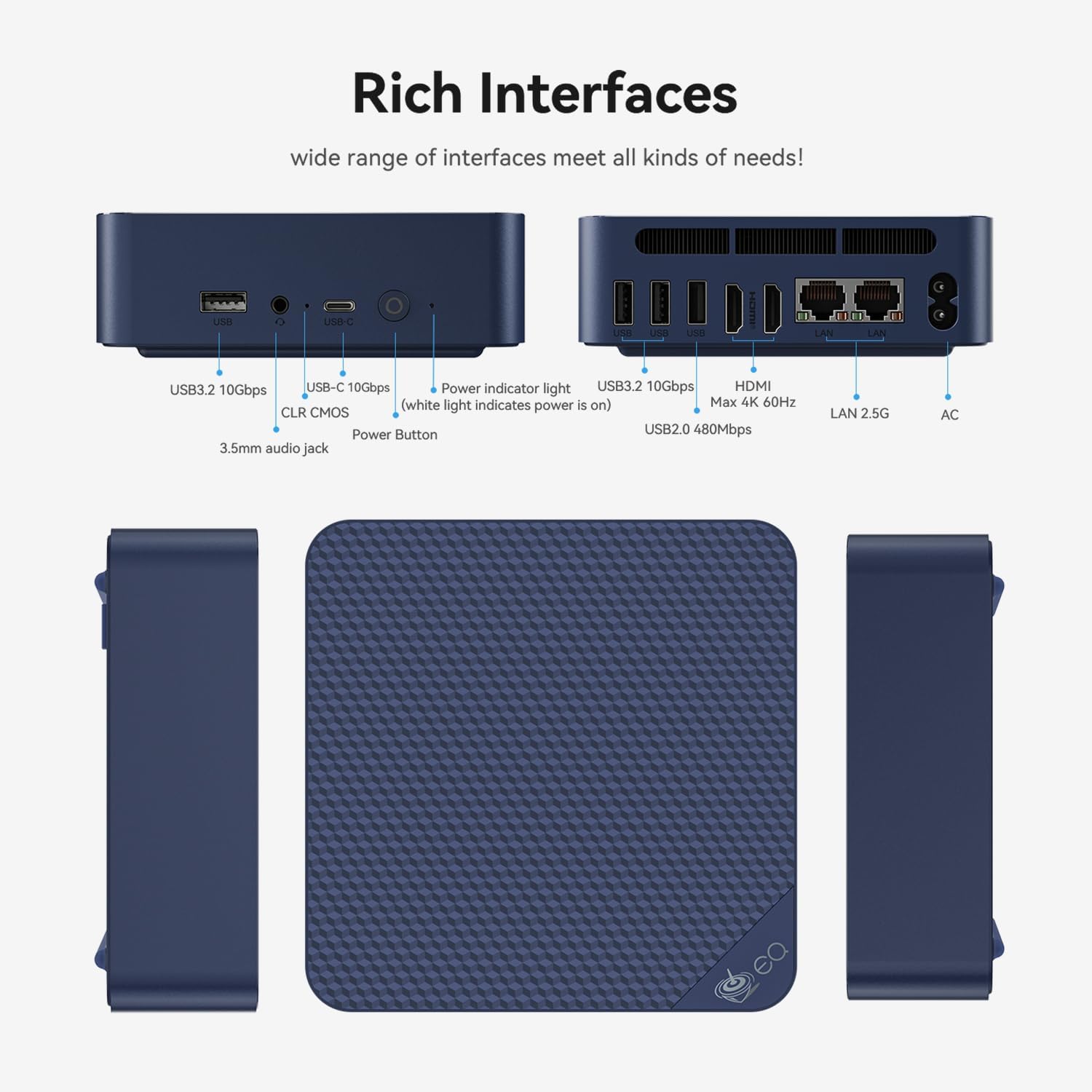
The two RJ45 ports are what make the EQ14 interesting for networking: one can face your modem and the other your local network when it runs as a router or firewall. Notebookcheck found the machine very quiet, even under load.
Performance for everyday use
Fine for documents, browsing, video calls and 4K streaming; not for gaming, video editing or heavy multitasking.
The N150 is a 4-core efficiency chip. In Notebookcheck’s testing it was only marginally faster than the older N100, and the single memory slot means single-channel memory, which holds back the integrated graphics. Intel Quick Sync handles hardware decoding of 4K HEVC and AV1, so streaming is smooth. Large spreadsheets, photo exports or many apps at once will feel slow next to a Ryzen 5 or Ryzen 7 mini PC.
| Use | Rating | Comment |
|---|---|---|
| 4K streaming | 8.8 | Quick Sync hardware decoding |
| Web and office (light) | 8.5 | Smooth with 16GB |
| Network appliance / router | 8.5 | Dual LAN, OpenWrt, PXE, WOL |
| Video calls | 8.0 | No built-in microphone |
| Home server / Docker | 8.0 | Low power, 16GB limits virtual machines |
| Gaming | 2.0 | Casual and older titles only |
| Video editing | 1.8 | Not suited |
Home server: where the EQ14 shines
Dual LAN, OpenWrt, PXE boot, Wake on LAN, an internal power supply and a 3-year warranty make it one of the most complete N150 boxes for always-on use.
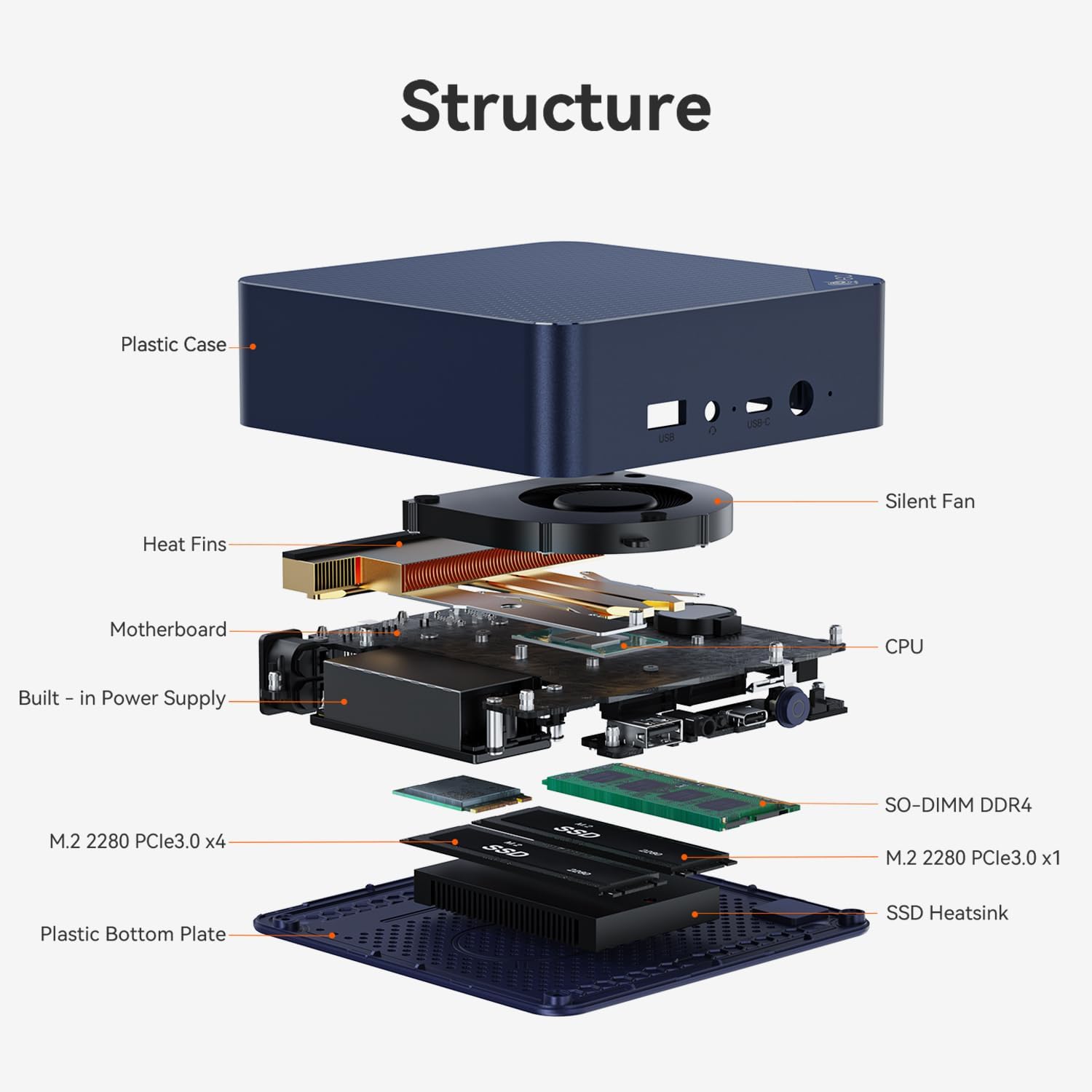
Typical jobs it handles well at the same time: Home Assistant, Pi-hole, Nextcloud, Plex with Quick Sync transcoding, or a dual-NIC soft router running OpenWrt. A low-power N150 also keeps the electricity bill of a 24/7 machine small. The limits: one memory slot capped by the platform, and a 4-core CPU that is not meant for several virtual machines or multiple 4K transcodes at once — for that, a Ryzen model such as the GMKtec M5 Plus has far more headroom. See our best mini PCs for Plex and home servers and best mini PCs for NAS.
When the EQ14 is a good buy
Compare its price with other N150 mini PCs, not with Ryzen machines: if it sits in the same range, its extras (internal PSU, dual LAN, warranty) make it the better pick.
- Priced like other N150 boxes (such as the GMKtec G3 Plus or KAMRUI Essenx E1): buy the EQ14 for its internal power supply, second LAN port and 3-year warranty.
- Priced close to Ryzen 5 / Ryzen 7 mini PCs: for general use, buy the Ryzen machine; keep the EQ14 only if you specifically need its networking features.
- Wait for a sale if you are not in a hurry: budget mini PCs are often discounted during Black Friday. Memory prices have pushed 2026 prices up, as explained in our RAM crisis guide.
Alternatives to consider
| Model | CPU | Why choose it |
|---|---|---|
| GMKtec G3 Plus | Intel N150 | Often cheaper; 2.5GbE and Wi-Fi 6, external power brick. Review |
| MINIX Z150-0dB | Intel N150, fanless | Completely silent, 2.5GbE, Windows 11 Pro |
| Beelink SER5 | Ryzen 5 5500U, 6 cores | Much faster for multitasking, three 4K monitors |
| GMKtec M5 Plus | Ryzen 7 5825U, 8 cores | 32GB, dual 2.5GbE, triple 4K: the stronger home server. Review |
| KAMRUI Pinova P2 | Ryzen 3 4300U, 4 cores | Ryzen graphics and triple display. Review |
Who should buy it
- want an always-on home server or soft router with two LAN ports
- need a quiet desktop for office work, streaming and video calls on one or two screens
- value an internal power supply and a 3-year warranty
- are replacing an old Windows 10 PC used for basic tasks
- need three monitors
- run heavy spreadsheets, photo editing or several virtual machines
- want to play games
- need Windows 11 Pro out of the box
Pros and cons
- Internal power supply, no brick
- Dual LAN (2.5GbE on the current listing)
- OpenWrt, PXE boot, Wake on LAN, RTC wake
- Very quiet, low power
- 3-year warranty
- Quick Sync for 4K streaming and Plex
- Entry-level 4-core CPU
- Single-channel memory, one slot
- Two monitors maximum, no video over USB-C
- Configurations vary between listings
- Windows 11 Home, no built-in microphone
Verdict
7.0/10 — one of the best-equipped N150 mini PCs, ideal as a home server or a quiet basic desktop, as long as you pay N150 money for it.
The EQ14 does not try to be fast; it tries to be complete, quiet and reliable, and it succeeds. The internal power supply, second LAN port, server features and 3-year warranty set it apart from most N150 boxes. Its limits are those of its chip: two screens, light workloads, and a price that only makes sense next to other N150 machines. If that matches your needs, it is an easy recommendation; it is also our pick for most people in our guide to replacing a Windows 10 PC and features in our best mini PCs under $300.
FAQ
Is the Beelink EQ14 worth buying?
Yes, if you want a quiet, low-power box for office work, streaming or an always-on home server, and it costs about the same as other Intel N150 mini PCs. If it is listed close to the price of Ryzen 5 or Ryzen 7 mini PCs, those give much more performance for general use.
Does the Beelink EQ14 have 2.5GbE?
It depends on the configuration. The listing we link (October 2026) describes dual 2.5GbE ports with a 500GB NVMe SSD, while earlier listings and the units Notebookcheck tested had dual Gigabit ports. Check the network line of the listing before you buy.
What is the Beelink EQ14 good for?
Office work, web browsing, video calls and 4K streaming on one or two monitors, and always-on home server tasks such as Home Assistant, Pi-hole, Plex with Intel Quick Sync, Nextcloud or a soft router with OpenWrt. It is not designed for gaming or video editing.
Can the Beelink EQ14 drive three monitors?
No. It has two HDMI 4K60 outputs, and its USB-C port did not carry video on the units Notebookcheck tested, so two monitors is the maximum. For three screens, look at a Ryzen model such as the Beelink SER5.
Can I run Linux or Proxmox on the Beelink EQ14?
Yes. The Intel N150 is well supported by current Linux kernels, and Ubuntu, Debian, Proxmox and TrueNAS are common choices on N-series mini PCs. Beelink also lists OpenWrt and PXE boot support for network appliance use.
Can the Beelink EQ14 replace an old Windows 10 PC?
For email, web, documents and video calls, yes: it ships with Windows 11 Home, uses far less power than an old tower and keeps your monitor, keyboard and printer. For heavier work, a Ryzen mini PC is a better replacement.
Related
- Best mini PCs under $300 (2026)
- Best mini PCs under $500
- Best mini PC for Plex and home server
- Best mini PC for home office
- Replacing a Windows 10 PC with a mini PC
Sources
- Notebookcheck, Beelink EQ14 review
- Intel, Processor N150 specifications
- Beelink EQ14 product listing on Amazon (checked October 8, 2026)