
Windows 10 Got One More Year: Should You Still Replace Your PC?
Free Windows 10 security updates were supposed to stop on October 13, 2026. They didn’t: Microsoft quietly extended them to October 12, 2027. Here is what changed, your four options, and the mini PCs that make the cheapest, simplest replacement when the time comes.
In short
Windows 10 security updates did not end on October 13, 2026. Microsoft extended the consumer Extended Security Updates (ESU) program to October 12, 2027. If you are already enrolled, you are covered automatically. If your PC cannot run Windows 11, use this extra year to replace it calmly — a mini PC such as the Beelink EQ14 keeps your monitor and keyboard, takes no desk space and comes with Windows 11.
What changed, and the dates that matter
Windows 10 itself reached end of support on October 14, 2025. Since then, only PCs enrolled in ESU get security updates — and that program now runs one year longer than planned.
Microsoft made the change on June 25, 2026, through an update to its ESU documentation rather than a formal announcement. “Coverage will now be available through October 12, 2027,” the company wrote, explaining that “moving to a new PC can take time.” Enrolled devices continue automatically; nobody needs to re-enroll.
| Date | What happens |
|---|---|
| Oct 14, 2025 | Windows 10 end of support. PCs not enrolled in ESU stop receiving security updates. |
| Oct 13, 2026 | Original end of consumer ESU — no longer applies. Nothing changes on this date. |
| Oct 12, 2027 | New end of consumer ESU. Last security updates for enrolled home PCs, unless Microsoft extends again. |
Not enrolled yet? You have not missed it
You can enroll at any time until October 12, 2027, and you receive the updates released before you joined. Go to Settings › Update & Security › Windows Update and look for the ESU enrollment link. You need Windows 10 version 22H2, the latest updates and an administrator Microsoft account. Our step-by-step ESU enrollment guide walks you through it.
Your four options
Stay on Windows 10 with ESU, upgrade to Windows 11 for free, replace the PC, or switch operating systems. Which one fits depends mostly on whether your PC can run Windows 11.
1. Stay on Windows 10 with ESU (until October 2027)
The lowest-effort option. Enrollment is free if you sync your settings with Windows Backup, costs 1,000 Microsoft Rewards points, or $30 one-time. In the European Economic Area, signing in with a Microsoft account is enough. One license covers up to 10 devices on the same account. Good for: a PC that still does the job and that you plan to replace within a year.
2. Upgrade to Windows 11 for free
If your PC is compatible, this is the best long-term answer, and it costs nothing. Windows 11 needs a supported 64-bit processor (generally Intel 8th generation or AMD Ryzen 2000 series and newer), 4GB of RAM, 64GB of storage, UEFI with Secure Boot and TPM 2.0. Download Microsoft’s PC Health Check app: it tells you in a minute whether your PC qualifies.
3. Replace the PC with a mini PC
If PC Health Check says no — typical for desktops bought before 2018 — a new computer is the clean solution. A mini PC is the cheapest way to do it: you keep your monitor, keyboard, mouse and printer, the box mounts behind the screen, it uses a fraction of the power of an old tower and it ships with Windows 11. Our picks are below.
4. Switch to another operating system
Linux distributions such as Linux Mint or Zorin OS, or Google’s ChromeOS Flex, run well on older hardware and are free. It works if you mostly browse, email and stream, and are comfortable learning a new system. If you would rather leave PCs altogether, the Mac mini M4 is the obvious compact alternative.
Our advice
Enroll in ESU today if you have not (it is free), check Windows 11 compatibility, and if your PC fails, replace it before summer 2027 rather than in a rush next October. There is no reason to buy in a hurry this week: a sales event such as Black Friday is a better moment.
Best mini PCs to replace a Windows 10 PC
Every model below ships with Windows 11, supports at least two monitors and fits behind a screen or on a shelf. We picked them from our catalogue for the most common situations, from email-and-browsing machines to PCs you will keep for many years.
- 1Beelink EQ14Best for most people · Intel N150, 16GB, 500GBDetails ↓
- 2GEEKOM Air12Best for small desks & photos · triple display, SD slotDetails ↓
- 3Beelink SER5 MaxBest family PC · Ryzen 7 6800U, 24GBDetails ↓
- 4ACEMAGIC M5Best for heavy work · Core i5-14500HX, 14 coresDetails ↓
- 5GEEKOM A9 MaxBest to keep for years · Copilot+ PC, 32GB, 2TBDetails ↓
- 6MINIX Z150-0dBBest silent PC · fanless Intel N150Details ↓
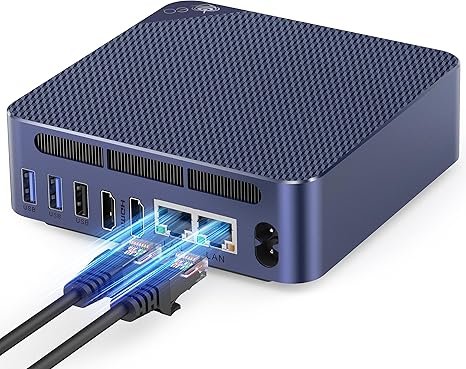
Beelink EQ14
The simple, quiet replacement for an old family or office tower: email, web, documents, video calls and 4K streaming.
Check price on AmazonIf your old PC spends its days on a browser, Office and the occasional video call, the EQ14 does all of that faster than a 2015-era desktop, silently and on a few watts. Its two HDMI ports drive two monitors, and 16GB of memory is the comfortable amount for Windows 11 in 2026. It will not edit video or play recent games — that is what picks 3 to 5 are for. See our full Beelink EQ14 review, or our best mini PCs under $300 for more budget options.
- Very quiet, very low power
- 16GB and NVMe SSD included
- Two monitors over HDMI
- Entry-level performance
- No video over USB-C
- Not for gaming or video editing
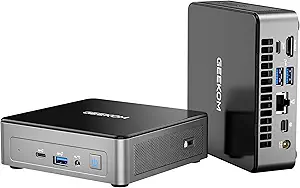
GEEKOM Air12
A built-in SD card slot for camera photos, three display outputs and upgradeable DDR5 memory in a very small box.
Check price on AmazonMany people keep their old PC for one reason: it is where the family photos live. The Air12’s SD slot makes the move easier for anyone who still shoots with a camera, and its three video outputs (HDMI 2.0, Mini DisplayPort 1.4 and USB-C) give more monitor options than most entry models. The memory sits in a standard slot, so it can be upgraded later. Performance is in the same everyday class as the EQ14.
- SD card slot
- Triple 4K display support
- Upgradeable DDR5 memory, VESA mount
- N95 is an entry-level chip
- Single memory slot
- Not for gaming or editing
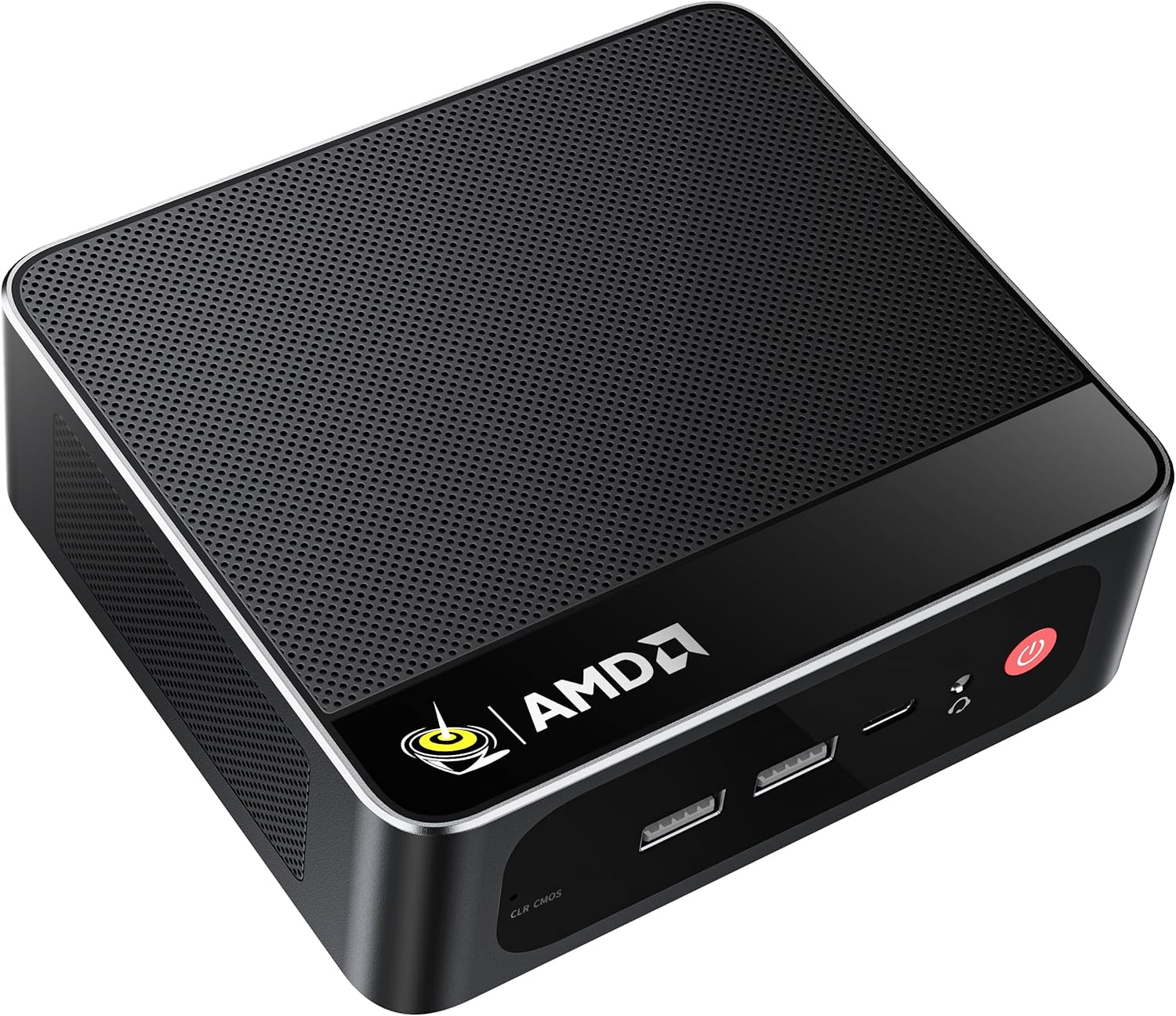
Beelink SER5 Max
Eight Ryzen 7 cores and capable Radeon graphics: homework, photo editing, many browser tabs and light games on one machine.
Check price on AmazonThis is the step up for a household PC that several people use for different things. The Ryzen 7 6800U is in a different league from N-series chips for multitasking, and its Radeon 680M graphics handle photo editing and older or lighter games at 1080p. 24GB of fast LPDDR5 is generous. The catch: that memory is soldered, so what you buy is what you keep — fine for a family PC, less so for tinkerers. More in our Beelink SER5 Max review.
- 8 cores, strong for the class
- 24GB fast memory
- Triple 4K, 2.5GbE, Wi-Fi 6
- Memory soldered, not upgradeable
- 500GB may need an extra SSD
- Older Zen 3+ generation
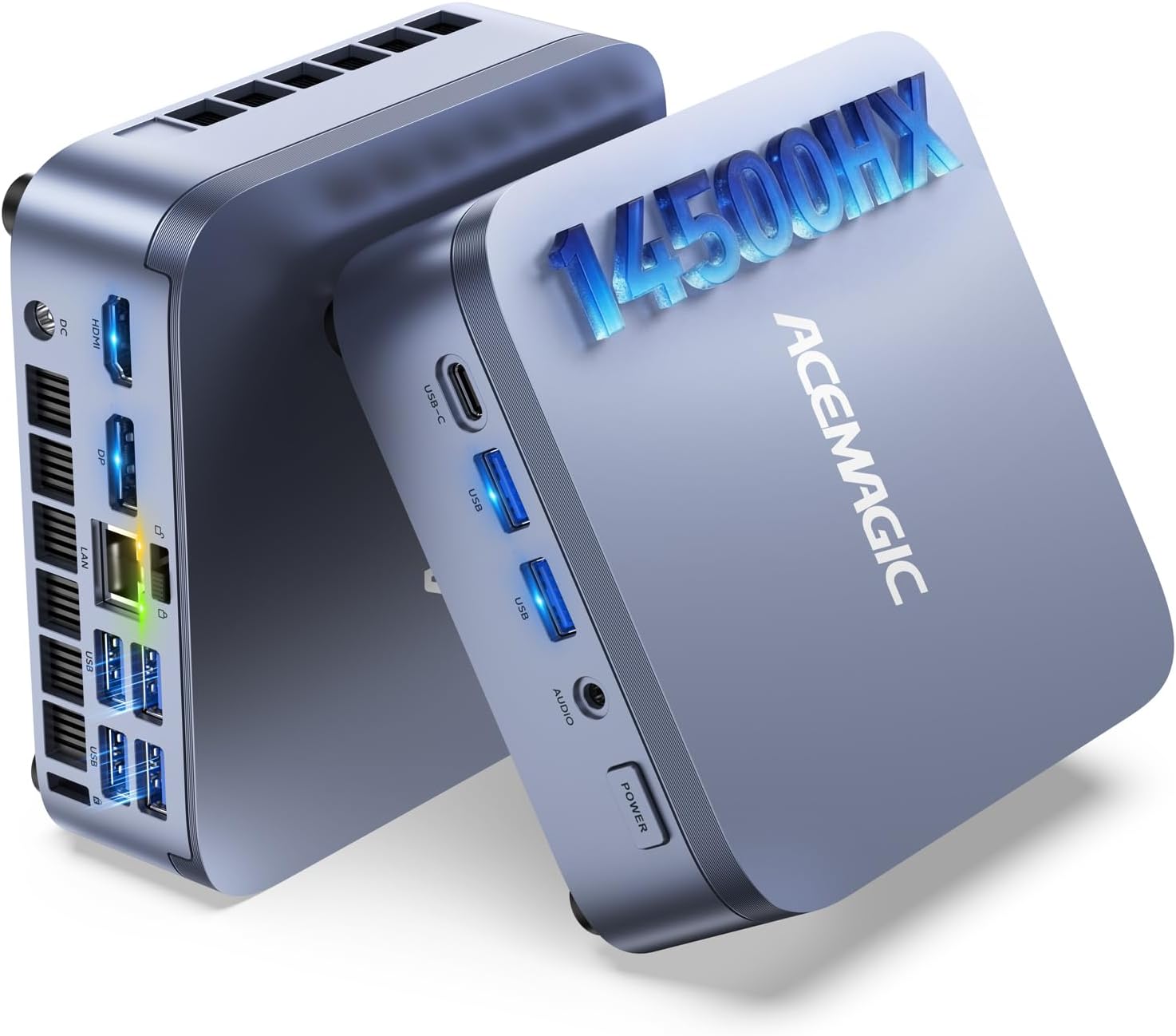
ACEMAGIC M5
A laptop-class HX processor with 14 cores: the replacement for an old workstation used for spreadsheets, coding or photo batches.
Check priceHX chips are the high-power processors normally found in gaming laptops, and in multi-threaded work the i5-14500HX outpaces every other pick here except the Ryzen AI 9. It is a strong fit for a small business or a home office that runs heavy spreadsheets, compiles code or processes photos in batches, and it ships with Windows 11 Pro. Two trade-offs: a 55W processor needs a real fan, so it is louder under load than the N-series boxes, and its integrated graphics are basic — this is a work machine, not a gaming PC. Details in our ACEMAGIC M5 review.
- 14 cores, high multi-thread power
- Triple 4K output
- Windows 11 Pro included
- Audible fan under heavy load
- Basic integrated graphics
- 16GB fills up with heavy workloads
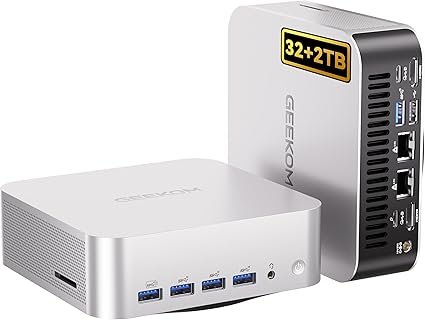
GEEKOM A9 Max
A Copilot+ PC with 32GB, 2TB, Wi-Fi 7 and USB4 — the configuration to buy once and forget about for the next decade.
Check price on AmazonIf you are replacing a PC that lasted ten years, it can make sense to aim high again. The A9 Max qualifies as a Copilot+ PC — the category Microsoft is pushing Windows 10 users toward — thanks to its 50-TOPS NPU, and its Radeon 890M graphics are among the fastest integrated GPUs available. It ships with Windows 11 Pro and a 3-year warranty, and its memory uses standard DDR5 modules rather than soldered chips. It is overkill for email; it is ideal for a creator, a power user or a household that never wants to think about this again. Read our GEEKOM A9 Max review.
- Copilot+ PC, fastest chip here
- 32GB upgradeable, 2TB storage
- 3-year warranty, Wi-Fi 7, USB4
- Premium price
- Overkill for basic use
- Fan audible under sustained load
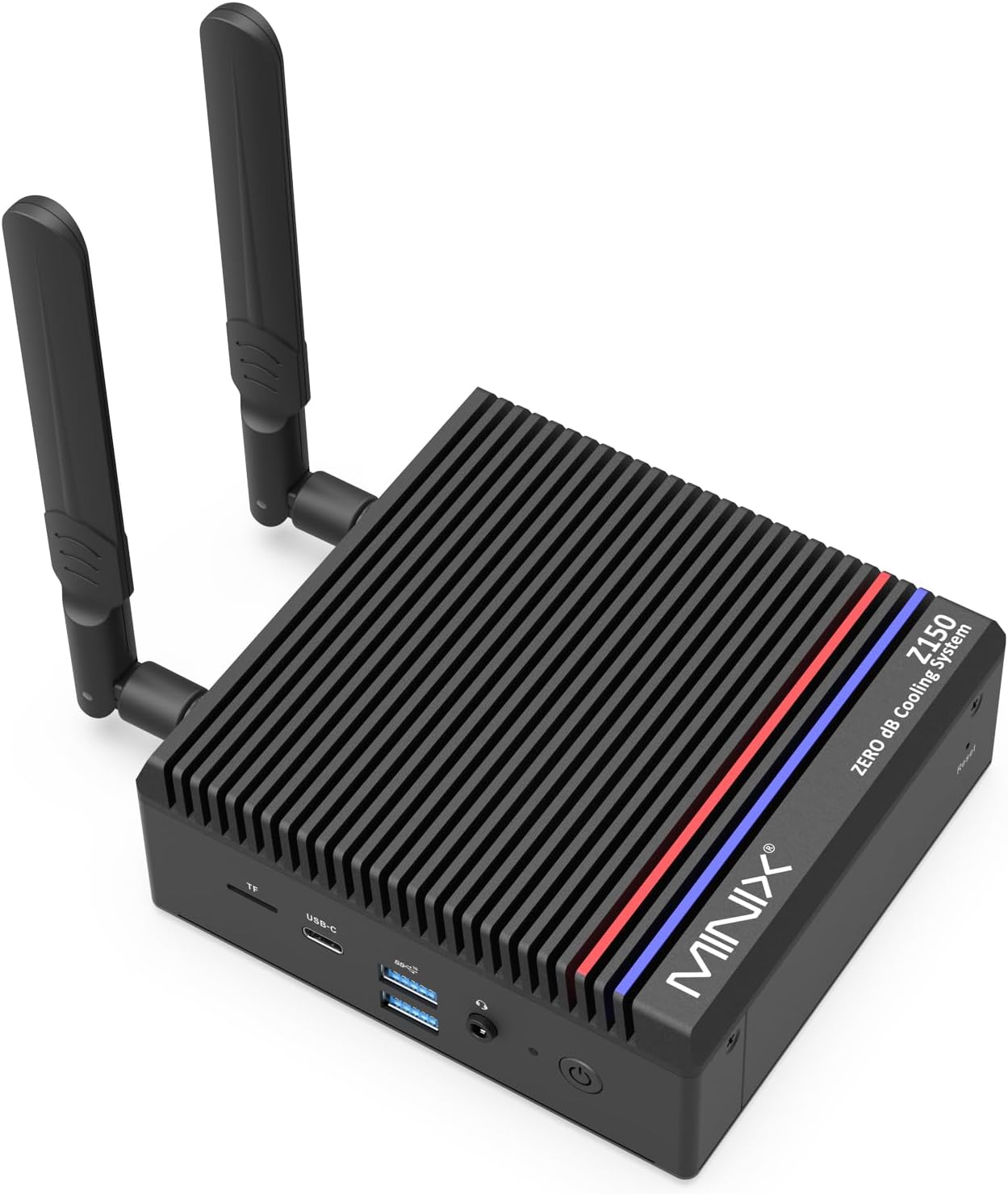
MINIX Z150-0dB
No fan at all: total silence in a bedroom, a living room or a quiet office, with no dust sucked inside over the years.
Check price on AmazonSame everyday performance as the EQ14, in a passively cooled case that makes no noise whatsoever. Fanless designs also have one less part to wear out, which matters for a PC you want to forget about. It ships with Windows 11 Pro and can power on automatically after an outage — handy if it also serves as a small home server. The case gets warm to the touch; that is how it cools.
- Completely silent
- No fan to clog or fail
- 2.5GbE, Windows 11 Pro
- Entry-level performance
- Case runs warm
- Usually pricier than fan-cooled N150s
Also worth a look
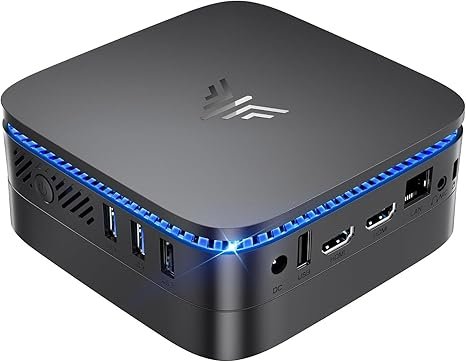 KAMRUI Essenx E1Budget alternative to the EQ14 · Intel N150, 16GB, 256GB SSD
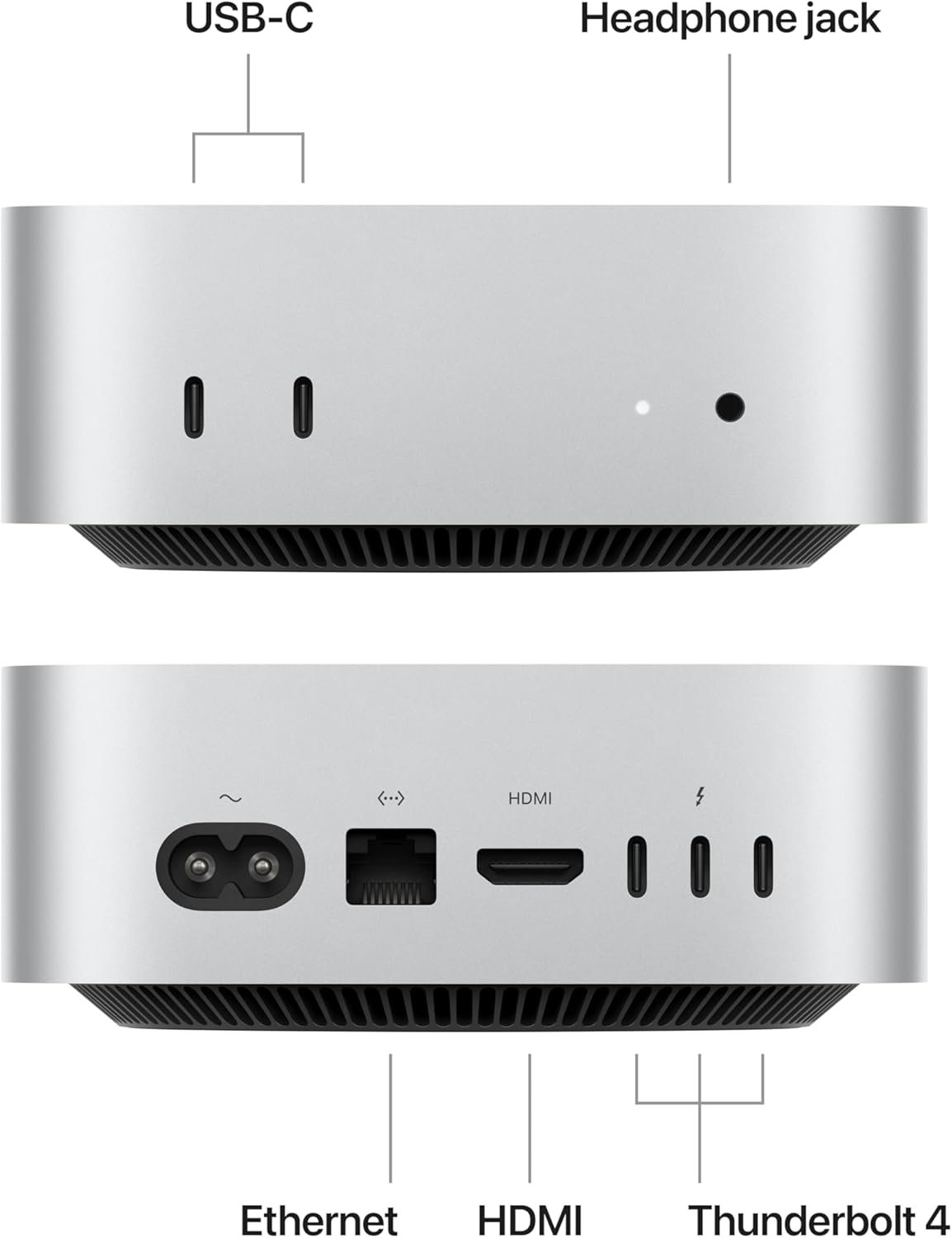 Apple Mac mini M4Leaving Windows? M4, 16GB unified memory, 512GB SSD
HP 24 Touchscreen All-in-OneReplacing an all-in-one? 23.8″ Full HD touchscreen, 16GB, 512GB SSD, Wi-Fi 6
Apple Mac mini M4Leaving Windows? M4, 16GB unified memory, 512GB SSD
HP 24 Touchscreen All-in-OneReplacing an all-in-one? 23.8″ Full HD touchscreen, 16GB, 512GB SSD, Wi-Fi 6Side-by-side comparison
| Model | CPU | RAM / SSD | Monitors | Best for |
|---|---|---|---|---|
| Beelink EQ14 | Intel N150, 4C | 16GB / 500GB | 2 | Email, web, office |
| GEEKOM Air12 | Intel N95, 4C | 16GB / 512GB | 3 | Small desks, photos |
| Beelink SER5 Max | Ryzen 7 6800U, 8C | 24GB / 500GB | 3 | Family PC, light games |
| ACEMAGIC M5 | Core i5-14500HX, 14C | 16GB / 512GB | 3 | Heavy work |
| GEEKOM A9 Max | Ryzen AI 9 HX 370, 12C | 32GB / 2TB | Up to 4 | Long-term, creators |
| MINIX Z150-0dB | Intel N150, 4C (fanless) | 16GB / 512GB | 2 | Silent rooms |
How to move from your old PC to a mini PC
Back up, check your monitor’s inputs, plug everything into the new box and sign in with the same Microsoft account. Most moves take an afternoon.
- Back up your files. Turn on Windows Backup or OneDrive on the old PC, or copy your Documents, Pictures and Desktop folders to an external drive.
- Note your licenses and passwords. Export browser passwords and check which paid software you need to deactivate or reinstall.
- Check your monitor’s inputs. Mini PCs use HDMI, DisplayPort or USB-C. If your monitor only has VGA, buy an active HDMI-to-VGA adapter; for DVI, a simple HDMI-to-DVI cable works.
- Plug in and sign in. Connect monitor, keyboard, mouse and network, then sign in with the same Microsoft account to bring back your settings and OneDrive files.
- Reuse your old drive. If the old PC has an M.2 NVMe SSD, an ACASIS NVMe enclosure turns it into a fast external drive.
- Wipe the old PC before you recycle, sell or donate it (Settings › Update & Security › Recovery › Reset this PC › Remove everything).
Useful extras for the move
- UGREEN USB-C/USB-A SD card reader — for models without an SD slot.
- Logitech MK470 wireless keyboard and mouse — a slim, quiet set if your old ones are worn out.
- Logitech MX Keys S Combo — the premium option for long work days.
What to check before you buy
- 16GB of RAM. The comfortable minimum for Windows 11 in 2026. Prefer upgradeable SO-DIMM memory if you plan to keep the PC for years.
- An NVMe SSD of 500GB or more. If your old PC holds years of photos, check how much space they take before choosing.
- Enough video outputs for all your monitors, and the right ones for your monitor’s inputs.
- Windows 11 Home or Pro. Home is fine for most people; Pro adds BitLocker encryption and remote desktop hosting.
- Prices are higher than in 2025. The 2026 memory shortage pushed mini PC prices up; our RAM crisis guide explains why and what to expect.
FAQ
Did Windows 10 security updates end on October 13, 2026?
No. In June 2026 Microsoft extended the consumer Extended Security Updates (ESU) program by one year. Coverage now runs through October 12, 2027. Windows 10 itself reached end of support on October 14, 2025, so PCs that are not enrolled in ESU have not received security updates since then.
Do I need to re-enroll in Windows 10 ESU for 2027?
No. Microsoft says devices already enrolled are covered automatically through October 12, 2027, with no action needed. If you are not enrolled yet, you can still enroll at any time until the program ends.
Is Windows 10 ESU free?
It can be. You can enroll at no cost by syncing your PC settings with Windows Backup, by redeeming 1,000 Microsoft Rewards points, or by paying a one-time $30 (or local equivalent plus tax). Users in the European Economic Area can get it free by signing in with a Microsoft account. One license covers up to 10 devices on the same Microsoft account.
Can I upgrade my Windows 10 PC to Windows 11 for free?
Yes, if the PC meets Windows 11 requirements: a supported 64-bit processor (generally Intel 8th generation or AMD Ryzen 2000 series and newer), 4GB of RAM, 64GB of storage, UEFI with Secure Boot and TPM 2.0. Run Microsoft’s PC Health Check app to find out, then check Windows Update.
What happens after October 12, 2027?
Windows 10 PCs will stop receiving security updates, unless Microsoft announces another change. The PC keeps working, but it becomes more exposed to new threats, especially for web browsing, email and online banking. Plan to move to Windows 11, a new PC or another operating system before that date.
Can a mini PC use my old monitor, keyboard and printer?
Usually yes. USB keyboards, mice and most printers work with Windows 11. Mini PCs output video over HDMI, DisplayPort or USB-C, so an older monitor with only VGA or DVI needs an adapter; for VGA, use an active HDMI-to-VGA adapter.
Should I buy a replacement PC now or wait?
If your PC is enrolled in ESU, there is no rush: you are covered until October 12, 2027, and you can wait for a sales event such as Black Friday. Keep in mind that memory prices rose sharply in 2026, which pushed mini PC prices up, and they are not expected to fall quickly.
How we chose
This guide combines Microsoft’s official ESU documentation with a selection of mini PCs from our catalogue. It is a research roundup, not a hands-on test of every unit: we compared manufacturer specifications and independent reviews, and favored models with 16GB of memory, SSD storage, multi-monitor support and honest listings. We will update this page if Microsoft changes the Windows 10 timeline again.