
Best Mini PC for Home Office 2026: 5 Picks for Remote Workers
A home office mini PC needs to handle video calls without a separate microphone, drive two or three monitors, stay silent enough not to distract you, and not inflate your electricity bill. Five honest picks — from a $200 budget box to a $1,000 all-in-one remote work powerhouse.
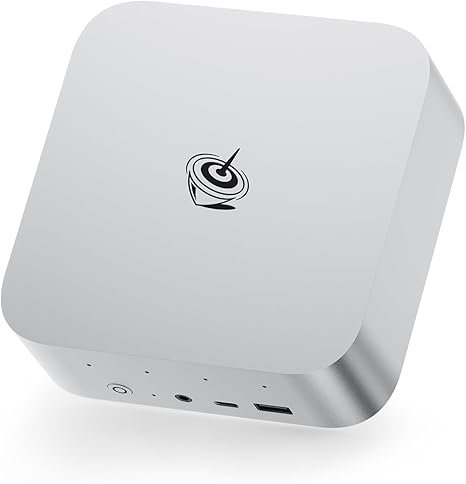
Best home office mini PC overall: Beelink SER9 Pro AI (~$1,000) — built-in 4-microphone array (AI noise cancellation), dual speakers, Ryzen AI 9 HX 370 for fast multitasking, 3-year warranty. No USB mic needed for calls. Best budget home office: Beelink EQ14 (~$200) — Intel N150, 16GB, handles Office, browser, and Zoom without noise or fuss. Best triple-monitor home office: KAMRUI Pinova P2 ($329) — three simultaneous 4K@60Hz displays at a price nothing else matches.
What Actually Matters in a Home Office Mini PC
Home office needs are different from gaming or coding. The five things that genuinely matter: video call quality, monitor support, noise at idle, power draw, and reliability over years of daily use. CPU benchmark scores matter far less than for gaming.
| Criterion | Why it matters | Importance |
|---|---|---|
| Video call audio | Built-in microphones eliminate the need for a separate USB mic. AI noise cancellation matters in open-plan or noisy homes. | ★★★ High |
| Monitor outputs | Two monitors = standard home office. Triple display (code + browser + Slack) increases productivity measurably. | ★★★ High |
| Noise at idle | Fanless or near-silent operation is critical for focus. A mini PC at a desk is a few feet from your face. | ★★★ High |
| Power consumption | Home office PCs run 8+ hours daily. A 15W mini PC costs ~$5/year in electricity vs $60+ for a desktop. | ★★ Medium |
| RAM (for multitasking) | 16GB handles Office + browser + Zoom. 32GB recommended if you also run spreadsheets with large datasets, multiple apps, or extra browser tabs. | ★★ Medium |
| CPU raw performance | Matters for compiling code or video editing, but irrelevant for email, Office, and calls. An N150 chip handles typical office work fine. | ★ Lower |
#1 — Beelink SER9 Pro AI: Best Overall Home Office Mini PC
Ryzen AI 9 HX 370 · 32GB · Built-in 4-mic AI array · Dual speakers · 3-year warranty
The best-rounded home office mini PC in 2026. Fast enough for any office workload, quiet enough to disappear on a desk, and — uniquely — equipped with four AI-powered microphones that handle Zoom and Teams calls without any additional peripheral.
At 32 dB under typical office load, the SER9 Pro AI operates below the threshold of conscious awareness in a home office. The MSC 2.0 cooling system — copper vapor chamber with bottom intake — keeps the machine cool without fan noise in email, Office, or browser-only workloads. The Ryzen AI 9 HX 370 also handles background tasks (file indexing, antivirus scans, OneDrive syncing) without any perceptible slowdown in foreground applications.
The 3-year warranty and Beelink’s established after-sales support track record are significant advantages for a machine that will run 8+ hours daily for years. Beelink has been in the mini PC market longer than most brands in this category, and their support responsiveness is consistently rated highly by users.
✓ Pros for home office
- 4× AI mics — no USB microphone needed
- Dual built-in speakers — no separate audio setup
- 32 dB at office load — near-silent
- 12-core Zen 5 — handles any office workload
- 3-year warranty — best in class
- 50 TOPS NPU — Windows Copilot+ & local AI inference
✕ Watch out
- ~$1,000 — premium vs budget alternatives
- 32GB soldered — no RAM upgrade
- No OCuLink (vs Peladn HO5)
#2 — KAMRUI Pinova P2: Best Triple 4K Home Office at $329
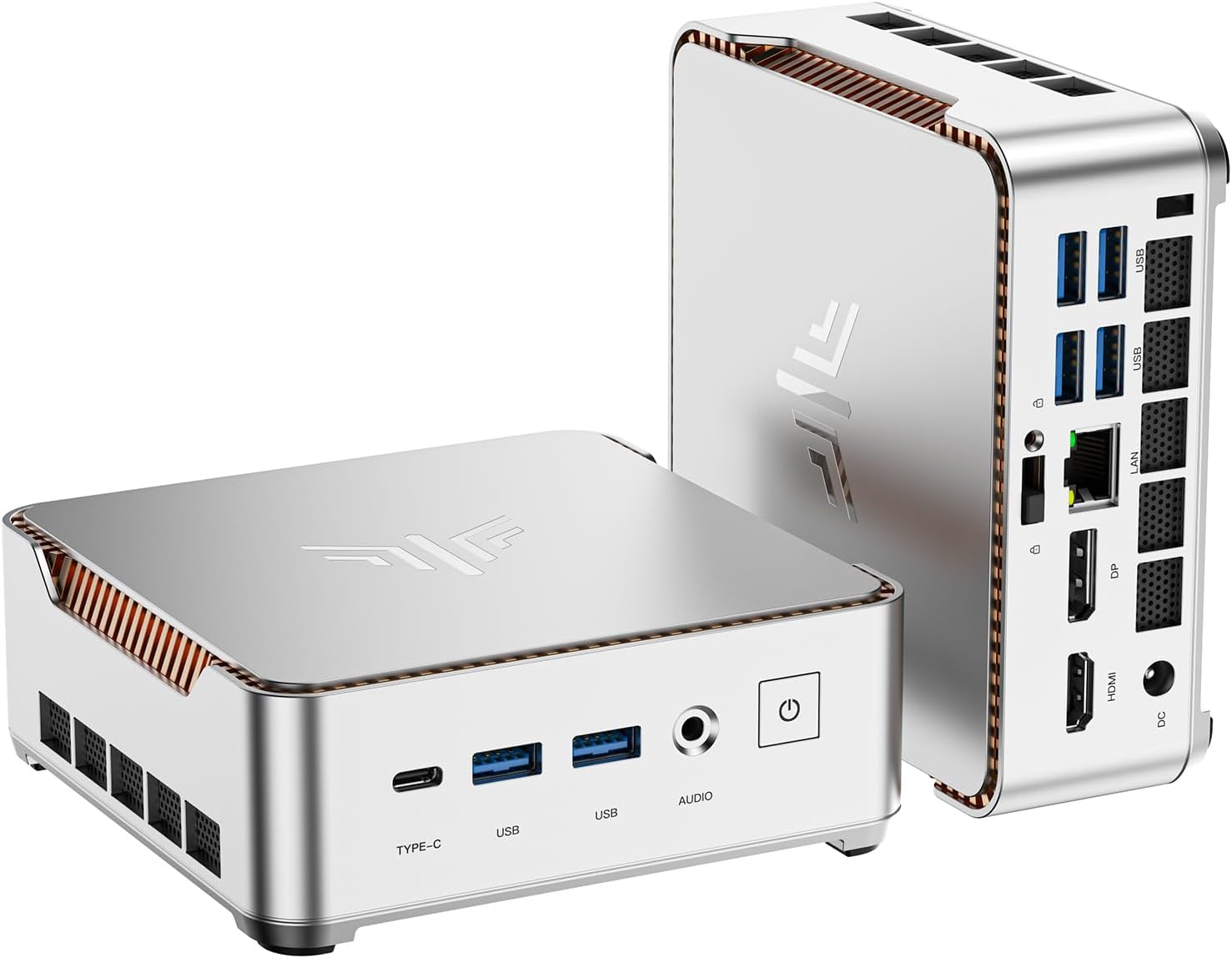
Ryzen 4300U · 16GB DDR4 (upgradeable) · Triple 4K@60Hz · VESA · $329
Three simultaneous 4K monitors from a $329 mini PC mounted invisibly behind your central screen. For home office users who want code + browser + Slack + documentation on separate screens without spending $600+, this is the only option at this price.
The Ryzen 4300U (Zen 2, 2020) is older hardware, but handles all standard home office tasks — Office 365, Google Workspace, Zoom, Teams, browser research, email, PDF — without issue. Where it shows its age: sustained CPU-heavy tasks like large spreadsheet calculations, video export, or running several simultaneous applications with heavy workloads. For a dedicated home office machine that isn’t also a creative workstation, it is entirely sufficient.
#3 — Beelink EQ14: Best Ultra-Budget Home Office Mini PC
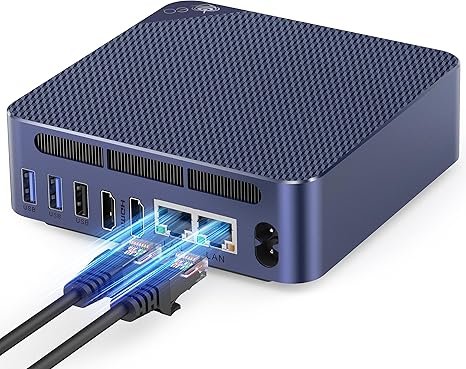
Intel N150 · 16GB DDR4 · Dual 2.5GbE · 4K dual display · ~$200
The honest budget choice. For home office users who primarily do email, Office, browser research, and video calls — and don’t need the power of a Ryzen AI chip — the EQ14 handles everything they need at a fraction of the cost. Dual 2.5GbE is exceptional for this price.
The Intel N150 (Twin Lake, 2023) is a step above the ubiquitous N100 that dominated the budget mini PC market. It handles 20–30 browser tabs, Teams or Zoom video calls, full Office 365, email, and document management without issue. Under typical home office load it draws only 8–15W — quieter and cheaper to run than almost any desktop option.
The dual 2.5 Gigabit Ethernet is a standout at this price — most competitors at $200 offer only a single 1Gbps port. For home office users with a NAS, high-speed router, or who need to connect to two separate networks (work VPN + home), this is a genuine differentiator.
#4 — ACEMAGIC Retro X5: Best for Power Users Who Want Upgradeable RAM
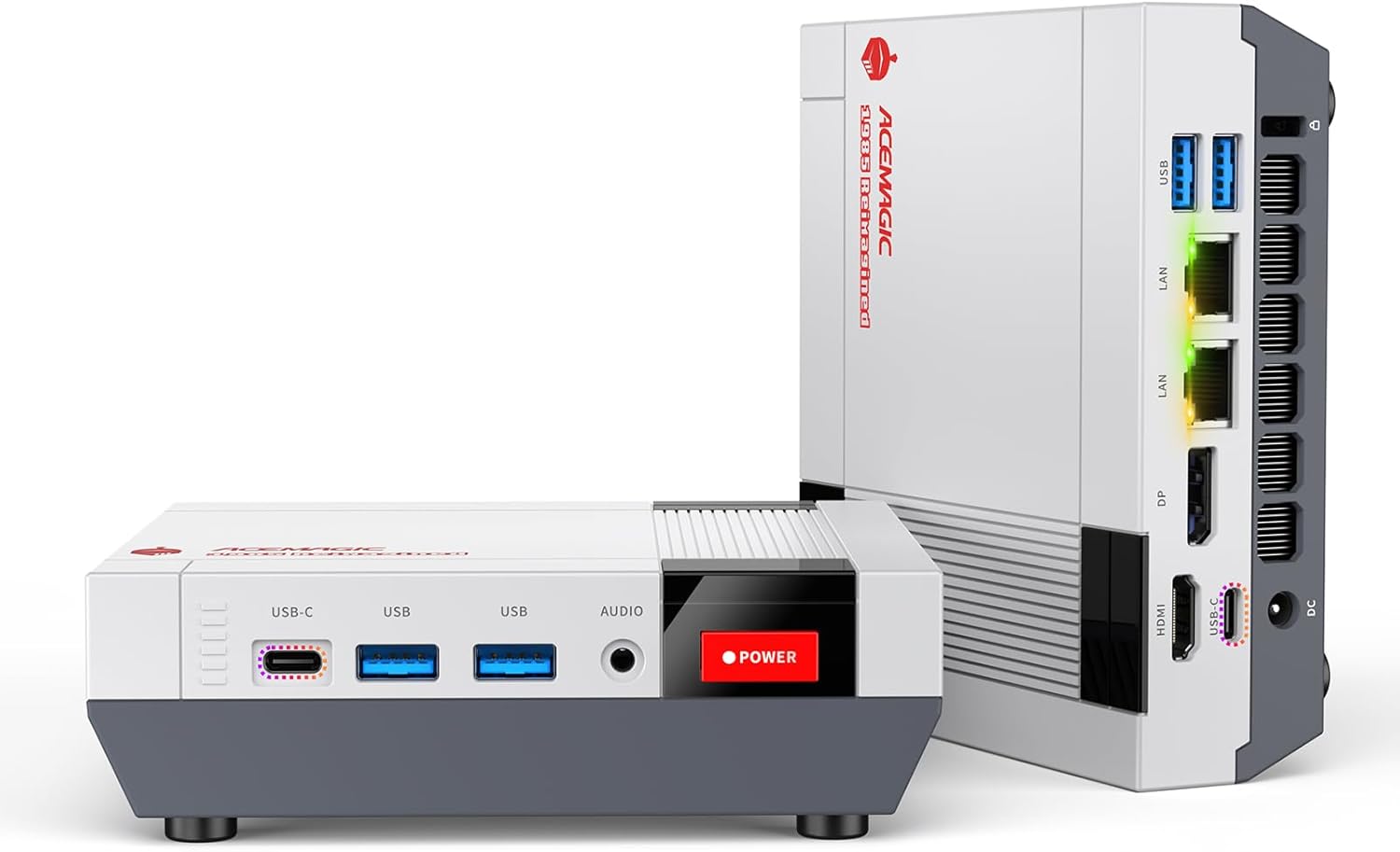
Ryzen AI 9 HX 370 · 32GB DDR5 SO-DIMM (upgradeable) · Tool-free lid
For power users who want to start with 32GB and upgrade to 64 or 128GB as their needs grow. The unique advantage among HX 370 mini PCs: user-accessible SO-DIMM RAM slots. The design stands out on a desk too — retro aesthetic, premium feel.
The Retro X5 is for the home office professional who anticipates their needs growing — moving into heavier data work, adding more VMs, or eventually running local AI models (the HX 370 handles Mistral 7B at 30+ t/s via Ollama). Starting at 32GB covers all current home office needs. Upgrading to 64 or 96GB later future-proofs the machine without replacing it entirely.
#5 — Peladn HO5: Best for Work by Day, Play by Night
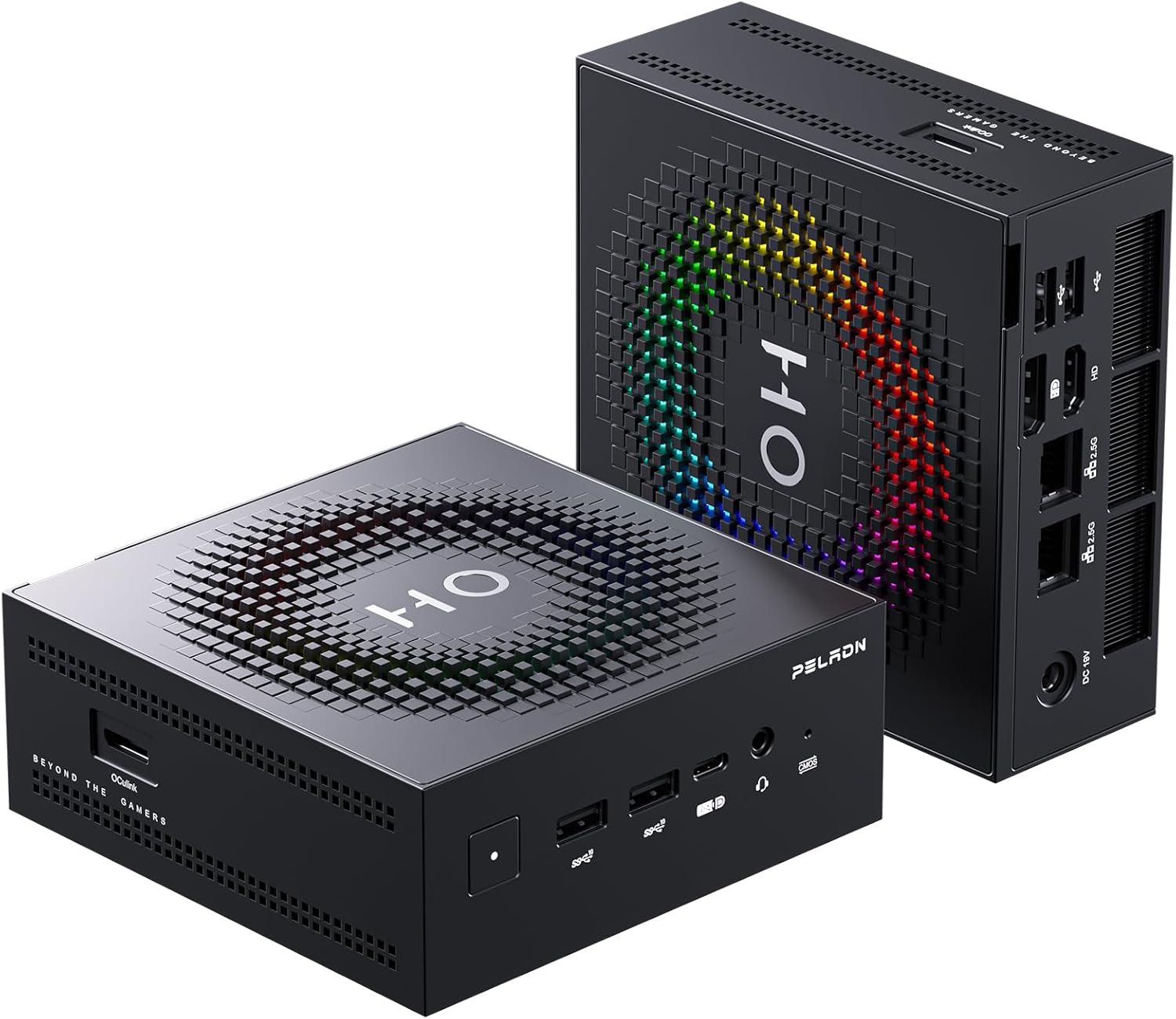
Ryzen AI 9 HX 370 · 32GB · OCuLink · Wi-Fi 7 · Dual 2.5GbE
For home office workers who also want to game in the evenings. The OCuLink port means you can add an eGPU dock for serious gaming performance later — without replacing the machine. Wi-Fi 7 and dual 2.5GbE provide future-proof home network performance.
For home office use, the Peladn HO5 and Beelink SER9 Pro AI deliver near-identical day-to-day performance — same chip, similar TDP config, similar noise levels. The HO5 wins on Wi-Fi 7 and OCuLink; the Beelink wins on built-in audio and warranty. Choose based on your priorities: OCuLink for gaming expansion, or Beelink for video calls and peace of mind. The Peladn HO5 also doubles as a capable local AI machine — its 32GB LPDDR5 and Radeon 890M run Mistral 7B at 30–40 t/s via Ollama, with complete privacy for sensitive work documents.
Full Comparison: Best Mini PCs for Home Office 2026
| Model | Built-in mic | Monitors | Noise | RAM | Power | Price |
|---|---|---|---|---|---|---|
| Beelink SER9 Pro AI | 4× AI mics ✓ | 3× 4K | 32 dB | 32GB LPDDR5X | ~54W load | ~$1,000 |
| KAMRUI Pinova P2 | None | 3× 4K ✓ | Quiet | 16GB DDR4 | ~15W load | $329 |
| Beelink EQ14 | None | 2× 4K | Very quiet | 16GB DDR4 | ~8–15W | ~$200 |
| ACEMAGIC Retro X5 | None | 4× display | Quiet | 32GB (→128GB) | ~54W load | ~$900 |
| Peladn HO5 | None | 3× 4K | Silent idle | 32GB LPDDR5X | ~54W load | ~$940 |
Power figures are at typical home office load (Office + browser + 1 video call). All five models are near-silent at idle.
Frequently Asked Questions
Power consumption figures are based on published TDP specifications and independent testing. Noise figures (32 dB for Beelink SER9 Pro AI) are from Beelink’s published specifications and community testing. This article contains affiliate links — we earn a commission on qualifying purchases at no extra cost to you.