
Best Mini PC Under $400 in 2026:
3 Honest Picks Ranked
The $150–$400 bracket is where most budget mini PC buyers land — and the choice is far less obvious than it looks. Three machines dominate this space in 2026, each built for a different use case. Here is what each one actually does well, and who should buy which.
Best overall under $400: Beelink EQ14 (~$150–200, check Amazon) — N150, dual 2.5GbE, Windows 11 Pro, Beelink reliability. Best everyday mini PC at this price, period.
Best for triple 4K: KAMRUI Pinova P2 (~$329, check Amazon) — only machine under $400 to drive 3 monitors at 4K@60Hz. Ideal home office setup.
Best for networking/homelab: GMKtec G3 Plus (~$160–229, check Amazon) — triple 2.5GbE, Wi-Fi 6, pfSense/OPNsense ideal.
⚠️ All prices fluctuate on Amazon — always verify before purchasing.
Two Tiers — What $150–229 vs $329 Gets You
At $150–229 you get an N150 processor — perfect for everyday tasks, always-on use, and networking. At $329 you get a Ryzen 4300U with triple 4K display support. The $100 gap buys you three monitors, not more speed.
The Intel N150 (used in both the EQ14 and G3 Plus) is a 4-core, 6W efficiency chip. It handles web browsing, Office, Zoom calls, 4K video playback, and light server duties without difficulty, drawing just 6–10W at load. It is not suitable for gaming, video editing, or AI workloads — that is a hardware limitation, not a configuration issue.
The Ryzen 4300U in the KAMRUI Pinova P2 is a 2020 Zen 2 processor — faster than N150 in multi-core tasks, and critically, it powers three simultaneous 4K@60Hz displays via HDMI 2.0, DisplayPort 1.4, and USB-C. No other machine under $400 offers triple 4K output. If a three-monitor home office setup is your goal, the P2 is the only option in this bracket.
#1 — Beelink EQ14: Best Overall Budget Mini PC Under $400
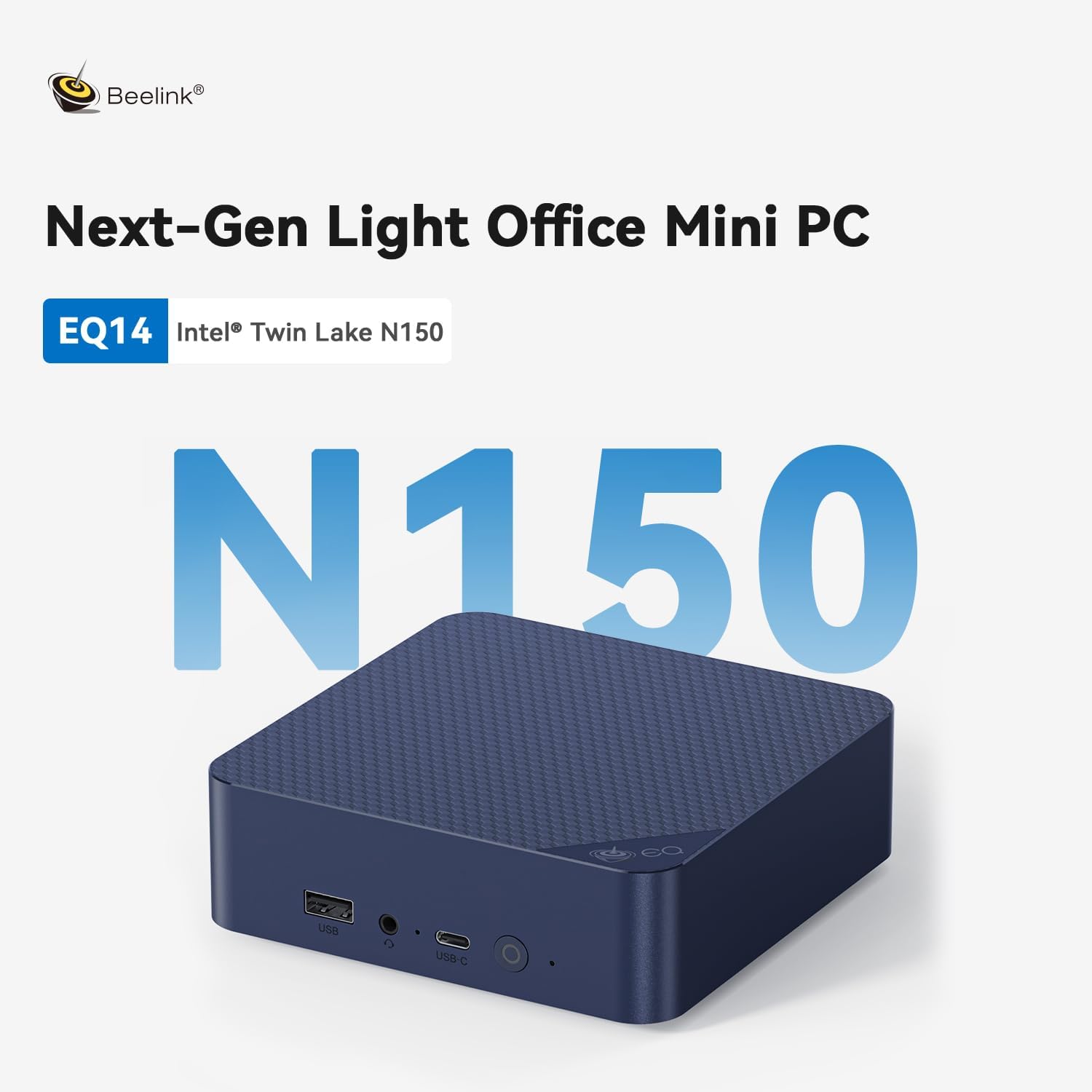
Beelink EQ14 — Intel N150 · Dual 2.5GbE · Windows 11 Pro · ~$150–200*
The cleanest budget mini PC available in 2026. Dual 2.5 Gbps LAN at this price is exceptional — most $200 machines have standard Gigabit. Windows 11 Pro is pre-installed and activated. Beelink’s reliability track record makes it the safest buy under $400.
The EQ14 handles everything on this list without difficulty: 30+ browser tabs, Office 365, Zoom video calls with background blur, 4K YouTube, Plex client playback, Pi-hole, Home Assistant. Intel Quick Sync hardware decoding means 4K HEVC and AV1 play smoothly without CPU stress. At ~6W idle, it costs roughly $10/year to run 24/7 — making it an excellent always-on home server or digital signage machine.
Beelink’s after-sales support and BIOS update history are consistently better than most competing brands at this price. If you are not comfortable troubleshooting hardware issues, Beelink is the right choice. Full review: Beelink EQ14 full review.
✓ Pros
- Beelink — most trusted brand at this price
- Dual 2.5GbE — exceptional at ~$200
- Windows 11 Pro pre-installed (not Home)
- Wi-Fi 6 · BT 5.2
- ~6W idle — ultra-low power 24/7
- Intel Quick Sync — perfect for Plex/Jellyfin
✕ Cons
- Only 2 LAN ports — no triple LAN for pfSense
- N150 — not for gaming or AI
- Dual 4K only — no triple display
- 16GB single-channel RAM
* Prices fluctuate — verify on Amazon before purchasing
#2 — GMKtec NUC Box G3 Plus: Best for Networking & Homelab

GMKtec NUC Box G3 Plus — N150 · Triple 2.5GbE · Wi-Fi 6 · ~$160–229*
The only machine under $400 with three 2.5 Gbps Ethernet ports. This makes it purpose-built for pfSense/OPNsense routing (WAN + LAN + DMZ), Proxmox multi-NIC nodes, or any setup requiring three separate network segments. Same N150 CPU as the EQ14 — same everyday performance, different connectivity.
The G3 Plus’s triple LAN configuration enables network setups that are impossible with the EQ14. Running pfSense with WAN + LAN + DMZ, or a Proxmox cluster with management + storage + VM traffic on separate NICs — these are the specific use cases that justify the G3 Plus over the EQ14. For general home office use without networking requirements, the EQ14 is the better choice. Full review: GMKtec G3 Plus full review.
✓ Pros
- Triple 2.5GbE — unique at this price
- pfSense/OPNsense ideal — 3 NICs
- Wi-Fi 6 · BT 5.2
- Windows 11 Pro pre-installed
- Compact · VESA mountable
✕ Cons
- Slightly more expensive than EQ14
- Triple LAN wasted unless you need 3 ports
- GMKtec — smaller brand than Beelink
- N150 — not for gaming or AI
* Prices fluctuate — verify on Amazon before purchasing
#3 — KAMRUI Pinova P2: Only Triple 4K Mini PC Under $400
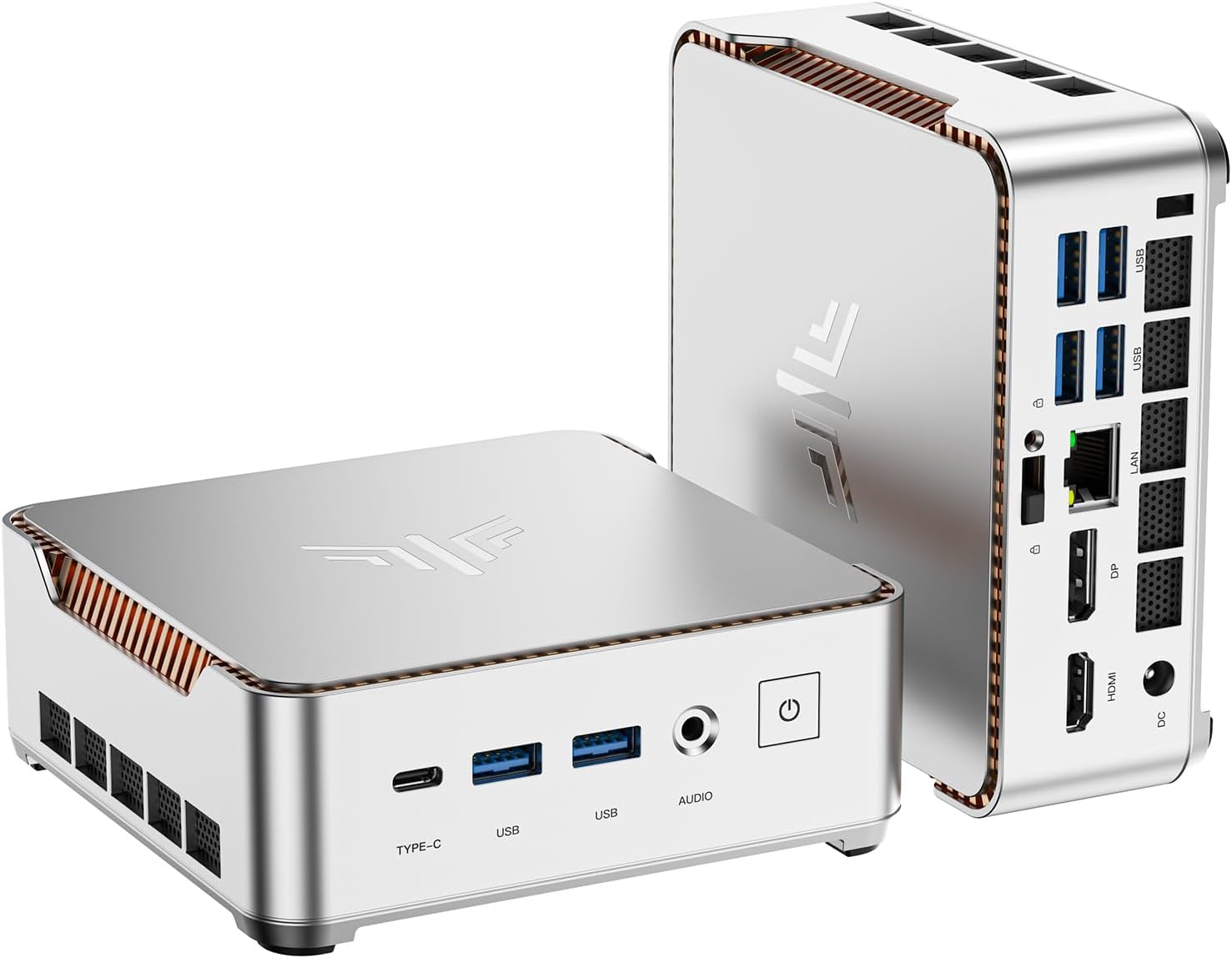
KAMRUI Pinova P2 — Ryzen 4300U · Triple 4K@60Hz · ~$329*
The only machine under $400 that drives three 4K@60Hz monitors simultaneously via HDMI 2.0, DisplayPort 1.4, and USB-C (DP Alt Mode). For home office users who need a triple-monitor setup without spending $500+, nothing else competes at this price.
The P2 ranks #3 — not because it is a worse machine, but because it is more expensive and optimized for a specific use case: triple-monitor home office. If three screens is your requirement, the P2 is the right choice. If two screens is sufficient, the EQ14 at ~$150 is the smarter buy.
One honest note: the Ryzen 4300U is a 2020 processor — two architecture generations behind current Zen 5 chips. It outperforms N150 in multi-core tasks, but for everyday productivity, the practical difference is minimal. The 64GB upgradable RAM is a genuine advantage if you plan to run more demanding workloads over time. Full review: KAMRUI Pinova P2 full review.
✓ Pros
- Triple 4K@60Hz — unique under $400
- RAM upgradable to 64GB (SO-DIMM)
- 2nd M.2 slot for extra storage
- VESA mount included
- Windows 11 Pro · Ryzen 4300U
✕ Cons
- ~$329 — most expensive in this guide
- Ryzen 4300U — 2020 architecture (Zen 2)
- Dual Gigabit only — no 2.5GbE
- KAMRUI — smaller brand than Beelink
- USB-C display needs DP Alt Mode monitor
* Prices fluctuate — verify on Amazon before purchasing
Full Comparison — Best Mini PCs Under $400 (2026)
| Model | CPU | RAM | LAN | Display | Wi-Fi | RAM Upgrade | Price* |
|---|---|---|---|---|---|---|---|
| Beelink EQ14 ← #1 | N150 · 4C · 6W | 16GB DDR4 | Dual 2.5GbE | Dual 4K | Wi-Fi 6 | Soldered | ~$150–200 |
| GMKtec G3 Plus ← #2 | N150 · 4C · 6W | 16GB DDR4 | Triple 2.5GbE | Dual 4K | Wi-Fi 6 | Soldered | ~$160–229 |
| KAMRUI Pinova P2 ← #3 | Ryzen 4300U · Zen 2 | 16GB DDR4 | Dual GbE (1G) | Triple 4K | Wi-Fi | Up to 64GB | ~$329 |
* Prices as of May 2026 — fluctuate regularly on Amazon. Always check current prices before purchasing.
Which One Should You Buy?
For most people: the Beelink EQ14. For triple monitors: KAMRUI P2. For pfSense/homelab networking: GMKtec G3 Plus. All prices vary — check Amazon.
Buy the Beelink EQ14 if
You need a reliable everyday PC for Office, web browsing, video calls, and media. You want the most trusted brand under $400. You don’t need more than two monitors. You want the lowest price with the best long-term BIOS and driver support. This is the right choice for 80% of users in this budget bracket.
Buy the GMKtec G3 Plus if
You specifically need three network interfaces — for pfSense/OPNsense routing, Proxmox multi-NIC, or any homelab setup requiring three separate network segments. If triple LAN is not your requirement, the EQ14 at a lower price is the better choice.
Buy the KAMRUI Pinova P2 if
You need three monitors at 4K@60Hz — home office, trading station, multi-screen productivity. The ~$100–150 premium over the EQ14 buys you a third display output and upgradable RAM. No other machine under $400 offers this. Full context in the KAMRUI P2 review.
Honest Limits of Sub-$400 Mini PCs
All three machines in this guide use N150 or Ryzen 4300U processors. They are excellent for everyday tasks and always-on use — they are not suitable for gaming, video editing, or local AI workloads.
For local AI: N150 and Ryzen 4300U produce 5–10 t/s on 7B models — too slow for interactive use. Minimum useful machine is a Ryzen AI 9 HX 370 (~$800+). See our best mini PC for local AI guide.
For Linux / Proxmox homelab: these three machines run Linux fine, but for a serious homelab server, more RAM and processing power helps. See our home server guide.
For coding: N150 handles light development (web, scripts, markdown) but compilation of large projects is slow. For serious development work, step up to a Zen 5 machine. See our best mini PC for coding guide.
Frequently Asked Questions
Specifications sourced from manufacturer Amazon listings and product pages (Beelink, GMKtec, KAMRUI), May 2026. Prices shown are indicative and fluctuate regularly — always verify current Amazon prices before purchasing. Performance context from Cinebench community benchmarks and Notebookcheck N150 data. All three products reviewed independently on MiniPCDeals.net — see linked full reviews.