
HP EliteBoard G2a vs G1a: The Keyboard PC Gets Newer Chips and a Bigger Price
HP has launched the EliteBoard G2a, the second generation of its Windows PC built into a full-size keyboard. The design is unchanged, the processors move to AMD’s Ryzen AI PRO 400 series, and the starting list price roughly doubles. We compare it with the G1a we covered in April, using published specifications and benchmarks, to see who should buy which, and when a mini PC is the smarter choice.
In short
The EliteBoard G2a is the same keyboard PC with a small chip refresh and a much higher price. Published tests of its Ryzen AI PRO 400 processors show at most about 5% more CPU speed than the G1a’s chips, and none for the base model, while HP’s US list price starts at $3,028 against about $1,500 for the G1a. Wi-Fi 7, Bluetooth 6.0 and a 64GB memory ceiling are welcome, but they do not change what the device is for. If you want a keyboard PC for hot-desking, the G1a is the better value while it is sold; if you work at one desk, a mini PC does more for far less.
EliteBoard G2a: well engineered and still unique, but its price has moved far from the performance it delivers. EliteBoard G1a: 7.4/10 (unchanged), excellent for its niche of office work moving between desks.
What changed in this update (Oct 21, 2026)
This page was our HP EliteBoard G1a review. HP launched the G2a on October 13, 2026, so we turned it into a G2a vs G1a comparison: new chip analysis with Notebookcheck’s measurements, a spec table, HP’s launch list prices and an updated verdict. The G1a details and its 7.4 rating are kept below.
What is the HP EliteBoard G2a?
A Windows 11 Pro desktop inside a 14-inch-wide keyboard with a numpad, about 1.5 lb. One USB-C cable to a compatible monitor carries video, data and power.
Computers inside keyboards go back to the Commodore 64, and the Raspberry Pi 500 revived the idea in 2024. HP’s first EliteBoard, the G1a, was shown at CES in January 2026 and won a CES Innovation Award. It targets offices where people sit at any free desk that already has a monitor: you carry the keyboard instead of a laptop.
The G2a, announced less than a year later, keeps that chassis: 358 × 119 × 18 mm, a full layout with function row and Copilot key, low-profile backlit keys, stereo speakers and microphones, and air drawn in from below and exhausted at the rear. What changes is inside: AMD “Gorgon Point” processors instead of “Krackan Point”, newer wireless chips and a choice between an attached or a detachable USB-C cable.
EliteBoard G2a vs G1a: what actually changed
The processor generation, the wireless chips, the cable option and the price. The chassis, the two USB-C ports, the 50 TOPS NPU, the upgradable memory and SSD and the optional 32Wh battery stay the same.
| Spec | EliteBoard G1a (2026) | EliteBoard G2a (Oct 2026) |
|---|---|---|
| Processors | Ryzen AI 5 PRO 340 (6 cores) or Ryzen AI 7 PRO 350 (8 cores) | Ryzen AI 5 PRO 435 (6 cores) or Ryzen AI 7 PRO 450 (8 cores) |
| Graphics | Radeon 840M (4 CU) or 860M (8 CU) | Radeon 840M (4 CU) or 860M (8 CU) |
| NPU | 50 TOPS, Copilot+ PC | 50 TOPS, Copilot+ PC |
| Memory | DDR5 SO-DIMM, 16 or 32GB | 2× DDR5-5600 SO-DIMM, 16 to 64GB |
| Storage | M.2 NVMe, replaceable | M.2 2280 PCIe 4.0 x4, up to 2TB |
| Ports | USB4 40Gbps + USB-C 10Gbps | USB4 40Gbps + USB-C 10Gbps |
| Cable | Attached USB-C cable | Attached or detachable |
| Wireless | Wi-Fi and Bluetooth | Wi-Fi 7, Bluetooth 6.0 |
| Battery | Optional 32Wh | Optional 32Wh |
| US starting list price | About $1,500 at launch | $3,028 (Oct 13, 2026) |
Sources: HP via Notebookcheck, TechSpot, TweakTown and MiniMachines (G2a); Notebookcheck and our April review (G1a). HP list prices before discounts; they change.
Two details are worth noting. The base G2a gets the Radeon 840M again, a 4-compute-unit GPU, so only the Ryzen AI 7 PRO 450 version brings the stronger Radeon 860M. And the upgrade to a 64GB memory ceiling matters more on paper than in practice for a device built for office software.
Performance: how much faster is the G2a?
Barely. The Ryzen AI PRO 400 chips are a light refresh of the 300 series: about 2 to 5% faster in multi-core tests for the 8-core model, and roughly equal or slightly slower for the 6-core base model.
Notebookcheck describes the Ryzen AI 7 450 as the Ryzen AI 7 350 with a 100 MHz higher boost clock and support for faster LPDDR5x-8533 memory. When it compared two otherwise similar Lenovo IdeaPad Pro 5 laptops, the 450 scored 2.3% higher in Cinebench R23 multi-core and 4.5% higher in Geekbench 6 multi-core, but was 13% slower in a LibreOffice PDF export. Its overall CPU rating was flat (84.1 vs 84.5 points). The EliteBoard uses DDR5-5600 SO-DIMMs, so the faster LPDDR5x support does not apply to it.
The base chip is the more surprising case. The Ryzen AI 5 PRO 435 has two full Zen 5 cores and four compact Zen 5c cores, against three and three on the G1a’s Ryzen AI 5 PRO 340, with a lower top boost (4.5 GHz instead of 4.8 GHz) and half the L3 cache (8MB instead of 16MB). Notebookcheck expects it to be slightly slower than the 340.
| Processor | Used in | Score | Measured in |
|---|---|---|---|
| Ryzen AI 5 PRO 340 | EliteBoard G1a (base) | 11,534 | Notebookcheck’s EliteBoard G1a review |
| Ryzen AI 5 435 | Same silicon as the G2a base chip | 11,333 | Notebookcheck, one laptop |
| Ryzen AI 7 350 | Same silicon as the G1a top chip | 17,899 | Notebookcheck, Lenovo IdeaPad Pro 5 |
| Ryzen AI 7 450 | Same silicon as the G2a top chip | 18,316 | Notebookcheck, Lenovo IdeaPad Pro 5 |
The PRO versions add business security and management features (and ECC memory support) but use the same cores and clocks. Results depend on each PC’s power limits; the EliteBoard G1a runs at 33W sustained and 54W in short bursts.
In daily use, that means the G2a will feel exactly like the G1a: office work, browsing and video calls run comfortably, and the 50 TOPS NPU unlocks Copilot+ features such as Recall, live captions with translation and Windows Studio Effects (see our NPU explainer). In Expert Reviews’ tests the G1a scored 237 points in a 4K Handbrake benchmark and ran Doom (2016) at about 50 fps in Full HD; Notebookcheck measured its SSD at about 7,000 MB/s, while Expert Reviews’ unit read at 4,722 MB/s, so the drive HP fits varies. Notebookcheck also recorded DPC latency problems and a few dropped frames in 4K60 video playback on the G1a, worth watching for in G2a reviews.
For local AI chatbots, memory bandwidth and graphics matter more than the NPU, and both EliteBoards are limited there. Our local AI guide lists machines that make sense for that job.
Price: why does the G2a cost twice as much?
HP lists the G2a from $3,028 in the US, about twice the G1a’s launch price, for a similar machine. Memory costs explain part of it; business list prices that are rarely paid explain the rest.
On HP’s US store at launch (Oct 13, 2026), the Ryzen AI 5 PRO 435 model with 16GB and 512GB was listed at $3,028 with the attached cable or $3,053 with the detachable one; the Ryzen AI 7 PRO 450 model with 32GB and 512GB at $4,167 or $4,191. The G1a’s base model started at about $1,500, according to Notebookcheck and TechSpot. TechSpot expects the new price to “likely make it a niche product”.
Two factors soften that picture. First, DRAM contract prices have risen sharply through 2026, which pushes up every PC with 16GB or more; our RAM crisis explainer covers why. Second, HP’s business list prices are often discounted: Notebookcheck saw the UK base model at £1,379.99 against a £2,317.82 list price, about 40% off within days of launch. Companies buying in volume rarely pay list. For an individual, though, the gap with a mini PC is now very large.
Ports, monitors and battery
Still two USB-C ports only: a 40Gbps USB4 port for power, video and data, and a 10Gbps port that also outputs video. HDMI, USB-A, Ethernet and headphones come from the monitor, a dock or a hub.
The ideal setup is a USB-C monitor with power delivery: one cable gives the EliteBoard power, video and the monitor’s USB ports. With an HDMI-only monitor you need a hub; Expert Reviews found HP’s own hub awkward and used a third-party dock instead. Two 4K screens need a dock with two video outputs or monitors that support DisplayPort daisy chaining. Our desk setup guide covers docks and monitor choices, and the Beelink EX Mate Pro is one USB4 dock that adds storage and ports.
HP ships the G2a with a 65W USB-C charger. The optional removable 32Wh battery returns: HP quotes about 3 hours of standard use on the G2a, and on the G1a Expert Reviews measured just over 5 hours of video playback and about 4 hours of writing. Enough to move between desks without shutting down, not to work a full day unplugged.
| Component | Specification |
|---|---|
| CPU | Ryzen AI 5 Pro 340 or Ryzen AI 7 Pro 350 |
| Graphics | Radeon 840M (base model) |
| Memory | DDR5 SO-DIMM, 16GB or 32GB (up to 64GB) |
| Storage | M.2 NVMe, user-replaceable |
| Ports / displays | USB4 40Gbps (power + video) · USB-C 10Gbps |
| Other | PC built into a full-size keyboard · 50 TOPS NPU |
Design, repairability and durability
Remove the back panel and you reach two SO-DIMM slots, the M.2 SSD, the Wi-Fi card and the battery; the keyboard itself is a replaceable part. The open question is how a $3,000 PC survives life as a keyboard.
That repairability is rare in such a compact PC and a real plus for an IT department managing many units. Reviewers praised the G1a’s typing feel; the typing angle is fixed and flat, which not everyone likes, and Notebookcheck found the arrow keys narrow. Speakers and microphones are good for calls (Expert Reviews measured 75 dBA at 1 m with good stereo separation), but there is still no webcam.
MiniMachines raises the durability concern well: a keyboard collects spills, crumbs and wear, and on the attached-cable version a damaged cable can take the whole PC out of service. The detachable-cable option of the G2a addresses that last point for about $25 more. HP sells the keyboard as a spare part (MiniMachines found it at around €80 to €90 before tax in France), so a worn keyboard does not mean a new PC.
HP EliteBoard vs a mini PC
A mini PC beats either EliteBoard on performance for the money by a wide margin. The EliteBoard only wins on integration: keyboard, PC, speakers, microphones and battery in one device you carry between desks.
If you work at one desk, these two cover the same jobs with more power or for much less:
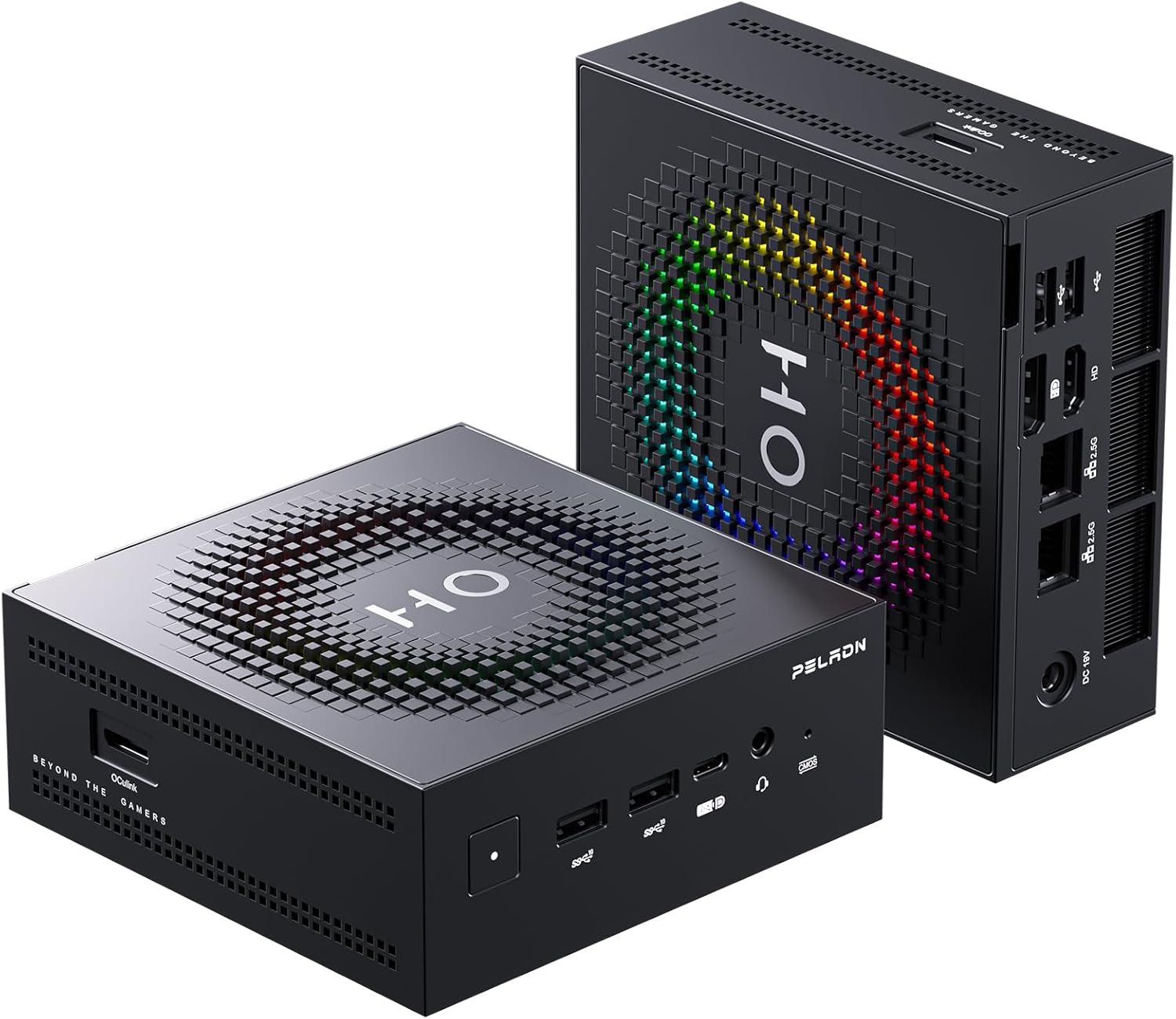
Peladn HO5
A 12-core Ryzen AI 9 HX 370 with Radeon 890M graphics and a Copilot+ NPU: twice the cores of the base EliteBoard and much faster graphics.
Check current price on Amazon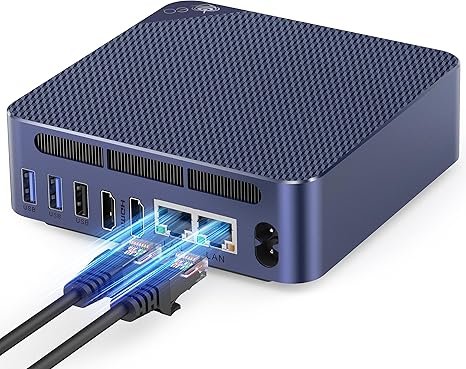
Beelink EQ14
An Intel N150 mini PC for email, documents and video calls, quiet and frugal.
Check current price on AmazonFor more options by use case and budget, see how to choose a mini PC and our home office picks, or check today’s verified mini PC deals.
Verdict: G2a, G1a or a mini PC?
Buy an EliteBoard only if you hot-desk at stations with USB-C monitors. Then the G1a is the better value while stock lasts; choose the G2a for Wi-Fi 7, a detachable cable or a 64GB fleet standard. Everyone else should buy a mini PC.
- EliteBoard G2a: companies standardizing on new hardware, buyers who want the detachable cable or Wi-Fi 7, and anyone who will get a business discount off HP’s list price.
- EliteBoard G1a: the same experience and practically the same speed, for much less while it remains on sale.
- A mini PC: a fixed home desk, gaming, creative work, local AI, HDMI-only monitors or a need for a built-in webcam.
HP took a real risk with the EliteBoard and the engineering works. The problem is still price: Expert Reviews called the G1a an answer “to a question no one has actually asked”, and the second generation doubles the bill without changing the answer. A cheaper model, perhaps with an Intel N-series or Wildcat Lake chip and a USB-A port as MiniMachines suggests, would give the idea legs.
FAQ
What is the difference between the HP EliteBoard G2a and G1a?
The G2a uses AMD Ryzen AI PRO 400 processors (AI 5 PRO 435 or AI 7 PRO 450) instead of the Ryzen AI PRO 300 chips of the G1a, adds Wi-Fi 7 and Bluetooth 6.0, supports up to 64GB of memory and offers a detachable USB-C cable. The chassis, ports, 50 TOPS NPU and optional 32Wh battery are the same, and the US starting list price rises from about $1,500 to $3,028.
Is the HP EliteBoard G2a faster than the G1a?
Only slightly. Published tests show the Ryzen AI 7 450 about 2 to 5% ahead of the Ryzen AI 7 350 in multi-core benchmarks, and the 6-core Ryzen AI 5 435 roughly equal to or slightly slower than the Ryzen AI 5 340. In everyday office use you will not notice a difference.
How much does the HP EliteBoard G2a cost?
At launch on Oct 13, 2026, HP’s US store listed the Ryzen AI 5 PRO 435 model with 16GB and 512GB from $3,028, and the Ryzen AI 7 PRO 450 model with 32GB from $4,167, with about $25 more for the detachable cable. Business list prices are often discounted, so check the current price.
What ports does the HP EliteBoard have?
Two USB-C ports on both generations: one 40Gbps USB4 port that carries power, video and data, and one 10Gbps USB-C port that can also drive a display. There is no HDMI, USB-A, Ethernet or headphone jack; use a USB-C monitor, a dock or a hub.
Can you upgrade the RAM and SSD in the HP EliteBoard?
Yes. Both generations use DDR5 SO-DIMM memory (two slots, up to 64GB on the G2a) and a standard M.2 NVMe SSD, reachable after removing the back panel. The Wi-Fi card, battery and keyboard are also replaceable.
HP EliteBoard or a mini PC?
Choose an EliteBoard if you move between desks that already have USB-C monitors and want one device that is both keyboard and PC. If you work at one desk, a mini PC such as the Peladn HO5 gives you more cores and much faster graphics for far less money.
Related
Sources
- Notebookcheck, HP releases compact keyboard mini PC with AMD Gorgon Point (Oct 13, 2026): configurations, US and UK prices
- TechSpot, HP’s keyboard PC is back with AMD’s Ryzen AI 400 chip (Oct 14, 2026): cores, memory, storage, charger, weight
- TweakTown, HP EliteBoard G2a keyboard PC launches with Ryzen AI PRO 400 (Oct 13, 2026)
- MiniMachines, HP EliteBoard G2a (Oct 14, 2026, in French): chip details, battery, spare keyboard, durability
- Notebookcheck, HP EliteBoard G1a AI review (May 2026, Spanish edition): 76%, Cinebench, SSD, latency
- Notebookcheck, AMD Ryzen AI 5 PRO 435 specifications and Ryzen AI 5 435 benchmarks
- Notebookcheck, AMD Ryzen AI 5 PRO 340 specifications and benchmarks
- Notebookcheck, AMD Ryzen AI 7 450 specifications and benchmarks
- Notebookcheck, Ryzen AI 7 450 vs Ryzen AI 7 350 in the Lenovo IdeaPad Pro 5 (May 2026, Polish edition)
- Expert Reviews, HP EliteBoard G1a review (Aug 6, 2026): benchmarks, battery, audio
- Engadget, HP EliteBoard G1a review
- The Register, HP EliteBoard G1a puts a PC inside a keyboard (May 2026)
- Microsoft, Copilot+ PCs (40+ TOPS NPU)