

What Is OpenClaw?
The Complete Guide for Mini PC Users
OpenClaw is the open-source AI agent framework that went from 0 to 247,000 GitHub stars in 60 days. It connects AI models directly to your messaging apps and computer — and actually executes tasks for you. Here’s what it is, how it works, what hardware you need, and what the security warnings really mean.
OpenClaw is a free, open-source AI agent that runs on your machine and connects AI models to your messaging apps (WhatsApp, Telegram, Slack) — then executes real tasks on your behalf. It works in two modes: cloud API (cheap hardware, you pay per token) or local LLM (needs 16–32GB RAM, but free and private). A dedicated mini PC running 24/7 is the ideal hardware. Important: Microsoft has warned against running it on a standard workstation due to significant security vulnerabilities. Read the security section before installing.
- 01 What Is OpenClaw? The Simple Explanation
- 02 History: From Clawdbot to OpenClaw
- 03 How It Works: Architecture Explained
- 04 Cloud API Mode vs Local LLM Mode
- 05 What Can You Actually Do With It?
- 06 Hardware Requirements for a Mini PC
- 07 Best Mini PCs for OpenClaw
- 08 Security: What You Must Know
- 09 How to Get Started
- 10 FAQ
What Is OpenClaw? The Simple Explanation
Open-source AI agent framework · MIT License · Created by Peter Steinberger · 247k+ GitHub stars · openclaw.ai
OpenClaw is an open-source AI agent framework. Unlike a chatbot that only answers questions, OpenClaw actually executes tasks on your computer — managing files, running shell commands, sending emails, browsing the web — triggered through the messaging apps you already use.
The simplest way to understand it: imagine sending a WhatsApp message saying “research the three cheapest flights from Paris to Tokyo next month and add the best option to my calendar.” With OpenClaw running on your machine, that message goes to an AI agent that browses the web, compares flights, and adds the event to your calendar — without you doing anything else.
That’s the fundamental shift. Traditional AI tools like ChatGPT are stateless assistants — you ask, they answer. OpenClaw introduces a different paradigm: autonomous agents that plan and execute multi-step tasks. You set a goal; the agent figures out how to achieve it.
SOUL.md file where you define the agent’s personality, goals, and preferences, and a heartbeat scheduler that wakes it up at regular intervals to act proactively — even without prompting from you.A few real examples from the community — all documented publicly:
One developer tasked his OpenClaw with buying a car. The agent scraped local dealer inventories, filled out contact forms, forwarded competing PDF quotes to each dealer, and played them against each other over several days. Final result: $4,200 below sticker price, with the developer only showing up to sign. Another user’s agent discovered a rejected insurance claim in his inbox, drafted a rebuttal citing policy language, and sent it without explicit instruction — Lemonade Insurance reopened the investigation. A third user had OpenClaw build a complete Laravel web application while he went for coffee.
These are not edge cases. They represent OpenClaw’s actual design intent: an agent that takes initiative, maintains context across conversations, and operates continuously on your behalf.
History: From Clawdbot to OpenClaw
OpenClaw launched in late 2025 as Clawdbot, created by Peter Steinberger — the Austrian developer who founded PSPDFKit. It reached 100,000 GitHub stars in weeks, was renamed twice, and became OpenClaw in January 2026 after going viral across the developer community.
- •Late 2025Launched as Clawdbot — Peter Steinberger releases the first version. Designed as a local-first, API-driven personal assistant connecting LLMs to messaging apps.
- •January 2026Renamed to Moltbot, then quickly to OpenClaw due to trademark issues. The GitHub repository surpasses 100,000 stars — one of the fastest-growing repos in GitHub history. Viral growth across LinkedIn, Reddit, and X.
- •February 2026First major security vulnerability disclosed (CVE-2026-25253, CVSS 8.8). Microsoft publishes an official security advisory. The ClawHub skill registry grows from 2,857 to 10,700+ entries in two weeks. Steinberger joins OpenAI; project transferred to an independent foundation.
- •March 5, 2026Jensen Huang (Nvidia CEO) calls it “probably the single most important release of software, probably ever” at the Morgan Stanley TMT Conference. Enterprise adoption accelerates sharply.
- •March 16, 2026Nvidia releases NemoClaw — an enterprise security add-on with OpenShell sandboxing specifically for OpenClaw deployments. Mini PC manufacturers begin shipping units with OpenClaw pre-installed.
- •March 18–21, 2026Nine CVEs disclosed in four days, including one rated 9.9/10 on the CVSS scale. Over 135,000 exposed instances found publicly. Belgium’s cybersecurity centre issues a “Patch Immediately” advisory.
- •April 2026247,000+ GitHub stars. Active development continues with regular security patches. The project remains MIT-licensed and community-governed under the independent foundation.
How It Works: Architecture Explained
OpenClaw runs as a local gateway process on your machine. It connects your messaging apps to an LLM, wraps the model with tools (file system, browser, shell, APIs), and operates a continuous loop that can act without prompting.
Key architectural components
SOUL.md — A Markdown file where you define the agent’s personality, goals, communication style, and priorities. Think of it as the agent’s “character file.” Fully editable.
Skills — Modular extensions that give the agent capabilities. Each skill is a small script (usually a SKILL.md file) defining what the skill does and how it works. Over 100 are built in; 700+ are available on ClawHub (the community skill registry). Skills include: web browsing, file management, GitHub integration, Notion, Google Calendar, Apple Notes, smart home devices, shell execution, and more.
Memory — Stored as Markdown files on your local disk using SQLite. The agent remembers context across conversations and sessions. It knows your preferences, past interactions, and ongoing tasks without you re-explaining every time.
Heartbeat — A scheduler that wakes the agent at configurable intervals. It can check emails, monitor directories, or run proactive workflows without any message from you. This is what makes it a true always-on agent rather than a reactive chatbot.
Cloud API Mode vs Local LLM Mode
OpenClaw works in two fundamentally different ways depending on where the AI model runs. Cloud mode is easy and cheap to set up. Local mode requires more hardware but gives complete privacy and eliminates ongoing API costs.
Use Claude, GPT or Gemini via API
- Minimal hardware: 8GB RAM sufficient
- Fast response times (API inference)
- Easy setup — just add your API key
- Pay per token used ($6–$200+/month at moderate use)
- Your prompts go to external servers
- Depends on provider uptime and availability
- Best for: getting started quickly, low hardware budget
Run Llama, Qwen, Mistral via Ollama
- Requires 16GB RAM minimum, 32GB recommended
- NPU or GPU strongly recommended for speed
- Setup more complex (Ollama + model download)
- Zero ongoing API costs after hardware purchase
- Complete data privacy — nothing leaves your machine
- Works offline
- Best for: sensitive data, heavy usage, privacy requirements
What Can You Actually Do With OpenClaw?
OpenClaw’s usefulness depends entirely on which skills you install and how you configure your SOUL.md. The built-in capabilities cover productivity automation, file management, web research, coding workflows, smart home control, and communication management.
Practical use cases, verified by community reports
Personal productivity — Manage your day across Apple Notes, Apple Reminders, Notion, Obsidian, and Trello from a single conversation in WhatsApp or Telegram. Set tasks, retrieve information, and update projects by sending messages from your phone.
Email and communication management — Monitor your inbox and triage email in the background. Draft responses based on your writing style. Flag important messages. The agent acts on email with your configured level of autonomy — from flagging only to sending on your behalf.
Web research and automation — Scrape data from websites, compare prices, fill contact forms, and aggregate information from multiple sources into structured summaries. The car purchase example described earlier is representative of this capability.
Developer workflows — Automate debugging, manage GitHub issues and pull requests, run tests, and handle DevOps tasks via webhook triggers while you sleep. Integrated with GitHub, Cursor, Codex and other developer tools.
Smart home control — Connect to Home Assistant or direct IP hooks. Control lights, thermostats, and other devices based on your calendar or biomarker inputs. One user manages air quality in their room via their WHOOP fitness tracker and OpenClaw.
Multi-agent workflows — Run multiple OpenClaw instances that coordinate with each other. One agent plans tasks; others execute specialized jobs; results are combined automatically. This requires 32GB+ RAM for local LLM mode.
Hardware Requirements for a Mini PC
OpenClaw’s hardware needs split entirely by mode. Cloud API mode runs on any modern PC. Local LLM mode requires 16GB RAM minimum, an NVMe SSD, and ideally a CPU with a dedicated NPU for 24/7 efficient operation.
Why a dedicated mini PC makes sense
OpenClaw is designed to run 24/7. Running it on your laptop has two problems: the agent stops when you close the lid or run out of battery, and it competes with your other applications for CPU and RAM. A dedicated always-on machine — running headlessly, consuming 8–15W — is the intended deployment model. A mini PC is ideal: compact, silent, energy-efficient, and powerful enough for any OpenClaw workload.
RAM: the most critical spec for local mode
If you run out of physical RAM and the system starts swapping to disk, inference speed drops by over 90% — the agent effectively stalls. RAM allocation for a typical local 8B model setup: operating system (~4GB) + model weights at 4-bit quantization (~6GB) + context window and browser automation (~6GB) = 16GB minimum with virtually no headroom. 32GB is the practical baseline for comfortable local LLM operation.
| Component | Cloud API Mode | Local 8B Model | Local 32B+ Model |
|---|---|---|---|
| RAM | 8GB min | 16GB min / 32GB rec | 64GB+ required |
| CPU | Any quad-core | Ryzen 7 / Core i7 | Ryzen AI 9 + NPU |
| NPU | Not needed | Recommended (50 TOPS) | Required for efficiency |
| Storage | 256GB SSD | 512GB NVMe | 1TB+ NVMe |
| Node.js | v22+ required across all modes | ||
| OS | Linux (native) / Windows 11 (via WSL2) / macOS | ||
| Est. cost/month (API) | $6–$200+ | $0 after hardware | $0 after hardware |
The NPU advantage for local inference
A standard CPU handling LLM matrix multiplication spikes power consumption above 65W. A dedicated NPU (Neural Processing Unit) — like the 50 TOPS unit in AMD’s Ryzen AI 9 HX 370 — handles the same workload at under 15W. For a machine running OpenClaw around the clock, this difference matters significantly: lower temperatures, less fan noise, lower electricity costs, and longer hardware lifespan. It also keeps the main CPU cores idle for other tasks. For a detailed comparison of which mini PCs deliver the best local AI performance at each price point, see our best mini PCs for local AI in 2026.
Best Mini PCs for OpenClaw
The picks below focus on OpenClaw’s specific requirements — always-on operation, Node.js gateway performance, and optionally local LLM inference. If your primary goal is running large language models locally (beyond OpenClaw), our dedicated best mini PC for local AI 2026 guide benchmarks tokens/sec and RAM allocation across all price tiers.
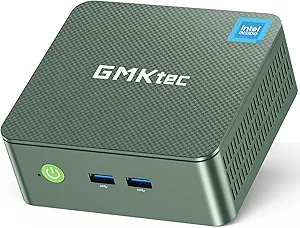
GMKtec NUC Box G3 Plus — Entry Point for Cloud API Mode
Intel N150, 16GB DDR4, 512GB NVMe, Wi-Fi 6, 2.5GbE. The lowest-cost always-on dedicated OpenClaw machine.
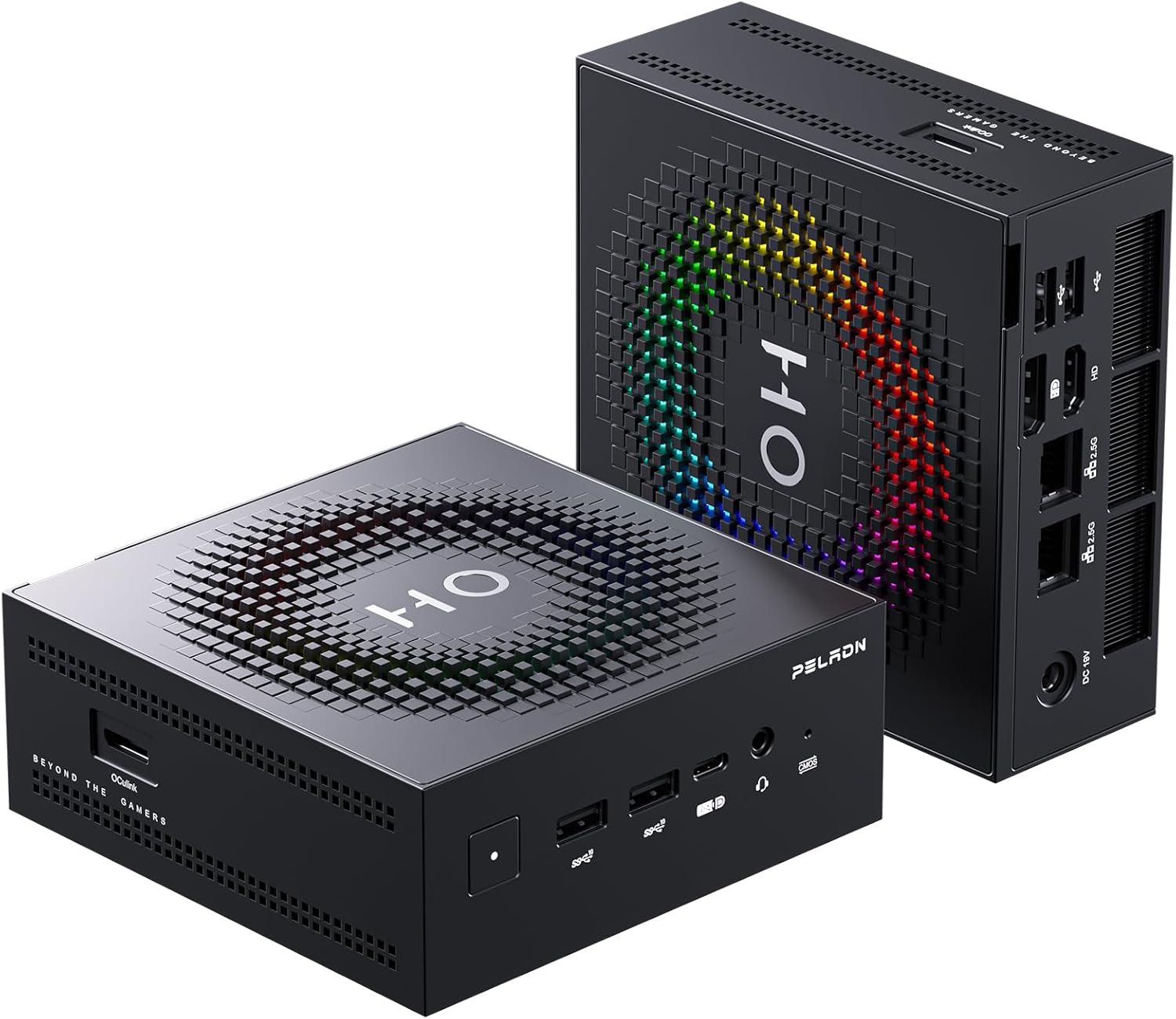
Peladn HO5 — Best Value for Local LLM Mode
Ryzen AI 9 HX 370, 32GB LPDDR5, 50 TOPS NPU, OCuLink. The most capable OpenClaw mini PC under $1,000 for running local models 8B–32B continuously.
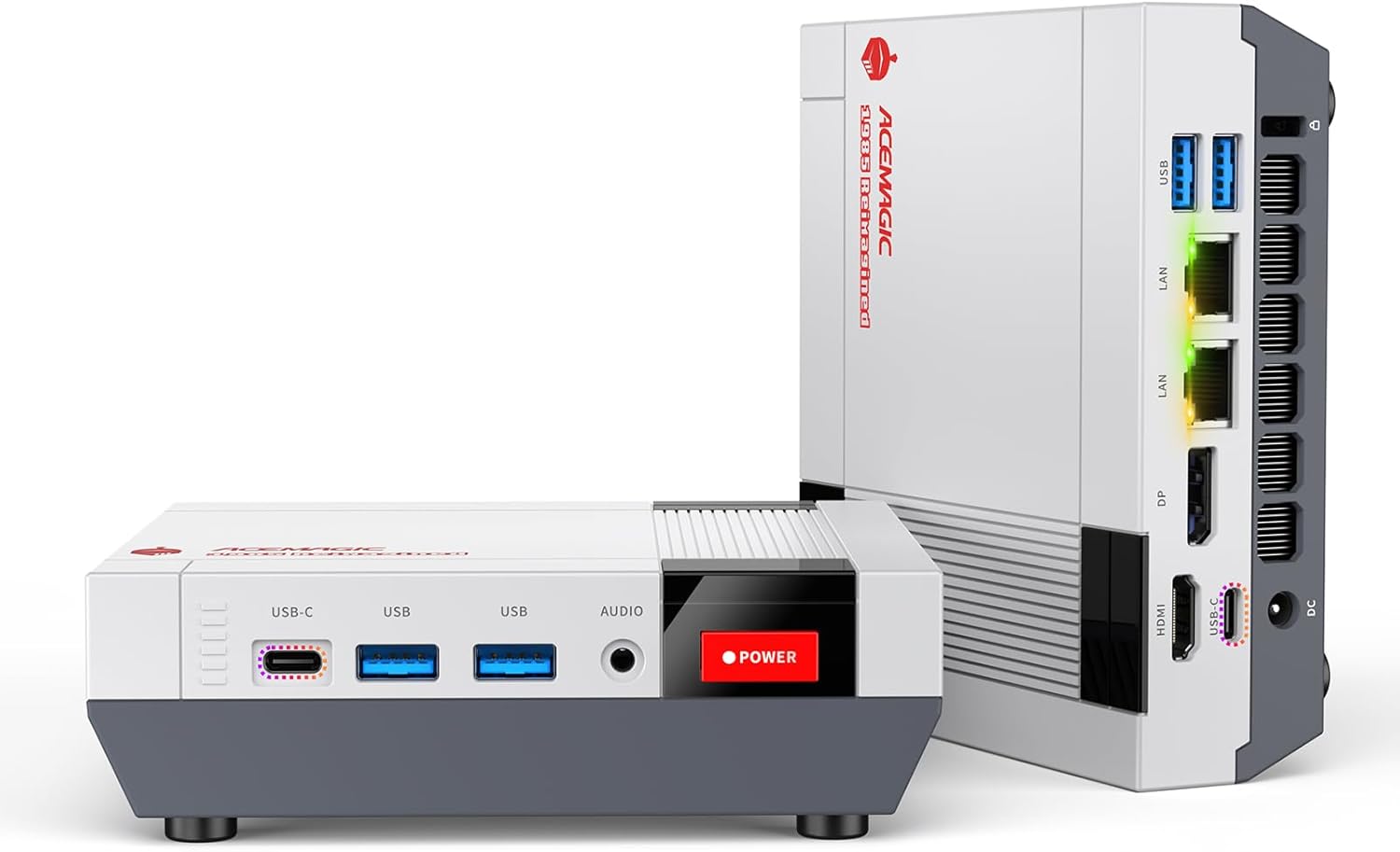
ACEMAGIC Retro X5 — Same Chip, Upgradeable RAM + OpenClaw Option
Ryzen AI 9 HX 370 with SO-DIMM slots supporting up to 128GB DDR5. ACEMAGIC offers configurations with OpenClaw and local LLM pre-installed. Unique upgradeable RAM for future-proofing.
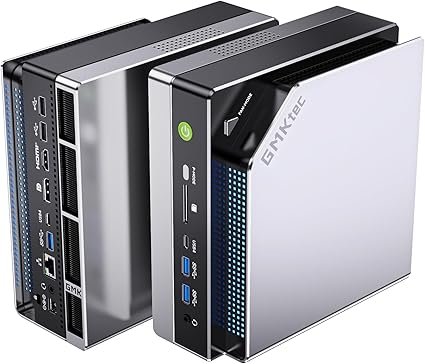
GMKtec EVO-X2 128GB — 70B Models & Multi-Agent Deployments
Ryzen AI Max+ 395, 128GB LPDDR5X, Radeon 8060S. The only consumer mini PC with enough unified memory to run 70B parameter models — or multiple simultaneous OpenClaw instances with large models.
Security: What You Must Know Before Installing OpenClaw
OpenClaw gives an AI agent access to your file system, shell, browser, and connected services. This is what makes it powerful — and what makes its security vulnerabilities more consequential than those of ordinary software. Read this section before proceeding.
Why the security risks are more serious than typical software
In a standard application, a security vulnerability might expose data stored by that app. In OpenClaw, a vulnerability exposes everything the agent has access to: your files, browser session cookies, API keys for every connected service, your email, your calendar. An attacker who compromises OpenClaw doesn’t just steal a password — they gain a fully operational agent that can impersonate you across all your connected systems.
Key vulnerabilities disclosed (all now patched in current versions)
The current vulnerability tracker lists 156+ total security advisories. This is not unusual for a project that grew from 0 to 247,000 GitHub stars in 60 days — security research attention is proportional to adoption. The important point: all critical vulnerabilities have been patched in current releases. Running an outdated version is the primary risk.
Safe deployment practices
2. Always run the latest version. Most serious vulnerabilities are patched quickly. Update regularly with
npm update -g openclaw.3. Never expose the gateway port to the public internet. Use a VPN or SSH tunnel for remote access. The default port (18789) should not be publicly accessible.
4. Use dedicated, limited-scope credentials. Don’t give OpenClaw your primary admin accounts. Create separate accounts with only the permissions it needs.
5. Review every ClawHub skill before installing. Read the source code or at minimum check the skill’s GitHub issues and recent reviews before installing third-party skills.
6. Start with read-only and approval-required modes. Configure the agent to request approval before sending emails, modifying files, or executing shell commands until you understand its behaviour.
How to Get Started with OpenClaw on a Mini PC
OpenClaw installs via npm in one command. The setup process takes 20–45 minutes depending on whether you’re using cloud API mode or local LLM mode. Here are the main steps.
sudo apt-get install -y nodejs
ollama.com), download a model (ollama pull llama3), and point OpenClaw to the local Ollama endpoint.npm install -g pm2
# Start OpenClaw with PM2
pm2 start openclaw
# Auto-start on reboot
pm2 startup && pm2 save
Frequently Asked Questions
All OpenClaw information sourced from the official OpenClaw website (openclaw.ai), the GitHub repository and CVE tracker (jgamblin/OpenClawCVEs), KDnuggets, DigitalOcean, Microsoft Security Blog, Milvus, TechRadar, Sangfor, and ARMO Security (all April 2026). Hardware specifications from official manufacturer listings. Security CVE data from RedPacket Security and ARMO. This article contains affiliate links.