
Beelink EQ14 Review: Intel N150 at $439 — Worth It?
The EQ14 has genuine strengths: 1TB SSD, server-grade features (OpenWrt, PXE Boot, dual GbE), four 10Gbps USB ports, and Beelink’s 3-year warranty. But at $439, Ryzen 7 mini PCs with 32GB RAM exist. This review tells you exactly who should buy it — and who shouldn’t.
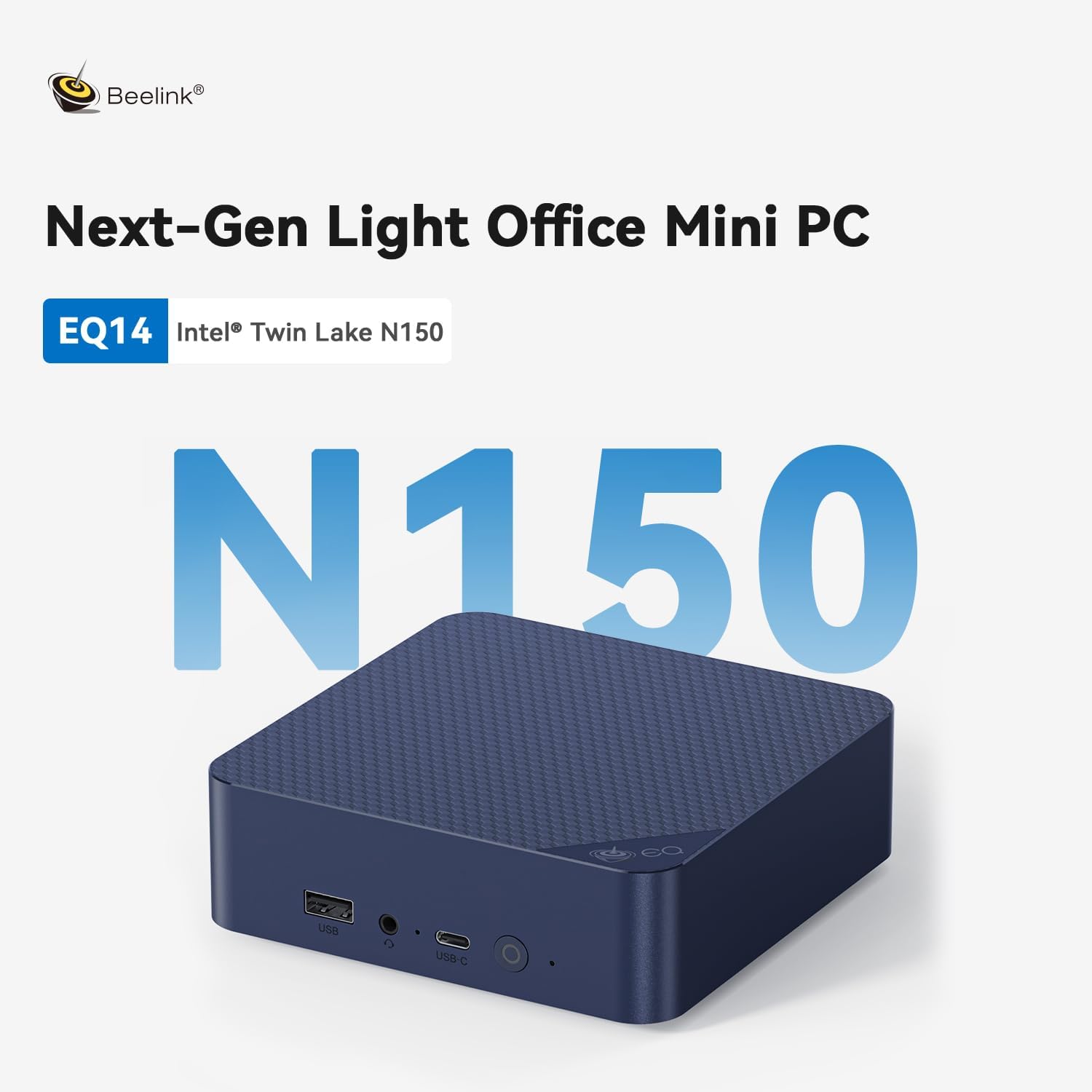
At $439, the Beelink EQ14 is hard to recommend for most buyers. The Intel N150 is an entry-level efficiency chip — at this price, the under $400 guide shows you Ryzen 7 5825U machines with 32GB RAM and Radeon graphics. Where it makes sense: home server and network appliance users who specifically need OpenWrt support, dual Gigabit LAN, PXE Boot, and Wake on LAN in a machine with Beelink’s 3-year warranty and the excellent 1TB SSD + 4× USB 10Gbps port set.
Price Context — What $439 Buys Elsewhere
At $439, the EQ14’s Intel N150 competes against Ryzen 7 5825U machines with 32GB RAM, Radeon Vega 8 graphics, and significantly more CPU performance. This is the essential context for this review.
| Machine | CPU | RAM | GPU | Networking | Price |
|---|---|---|---|---|---|
| Beelink EQ14 (this review) | Intel N150 · 4C | 16GB DDR4 | Intel UHD | Dual 1GbE | $439 |
| Beelink SER5 Pro | Ryzen 7 5825U · 8C | 32GB DDR4 | Radeon Vega 8 | 1GbE | ~$380 |
| GMKtec M5 Plus | Ryzen 7 5825U · 8C | 32GB DDR4 | Radeon Vega 8 | Dual 2.5GbE | ~$400 |
| KAMRUI Pinova P2 | Ryzen 4300U · 4C | 16GB DDR4 | Radeon Vega 6 | 1GbE | $329 |
Full Specifications
All specifications from Beelink’s official Amazon listing. Note: dual LAN is 1000Mbps (Gigabit), not 2.5GbE. The USB connectivity — four 10Gbps ports — is exceptional for this category.
| Component | Specification |
|---|---|
| CPU | Intel N150 (Twin Lake) · 4C/4T · up to 3.6GHz · ~15W TDP |
| RAM | 16GB DDR4 · SO-DIMM (user-accessible) |
| Storage | 1TB NVMe SSD · M.2 (upgradeable) |
| Display | 2× HDMI 2.0 · 4K@60Hz · dual display only |
| USB | 3× USB 3.2 Gen 2 (10Gbps) · 1× USB-C (10Gbps) — all four ports at 10Gbps |
| Network | 2× RJ45 1000Mbps (1GbE) · Wi-Fi 6 (AX101) · BT 5.2 |
| Audio | 1× 3.5mm combo jack (headphone + mic) |
| Server features | Wake on LAN · PXE Boot · RTC Wake · Auto Power On · OpenWrt / soft routing |
| PSU | Internal — standard AC cord (no external brick) |
| Size | 126 × 126 × 39mm |
| OS | Windows 11 Home (not Pro) |
| Warranty | 3 years · lifetime technical support · FCC / RoHS / CE |
Design, Ports & Build Quality
The EQ14’s physical design is unremarkable but solid. The real story is in the port specification: four USB 3.2 Gen 2 (10Gbps) ports — three Type-A plus one USB-C — is unusually generous for this form factor. The internal PSU keeps the desk clean.
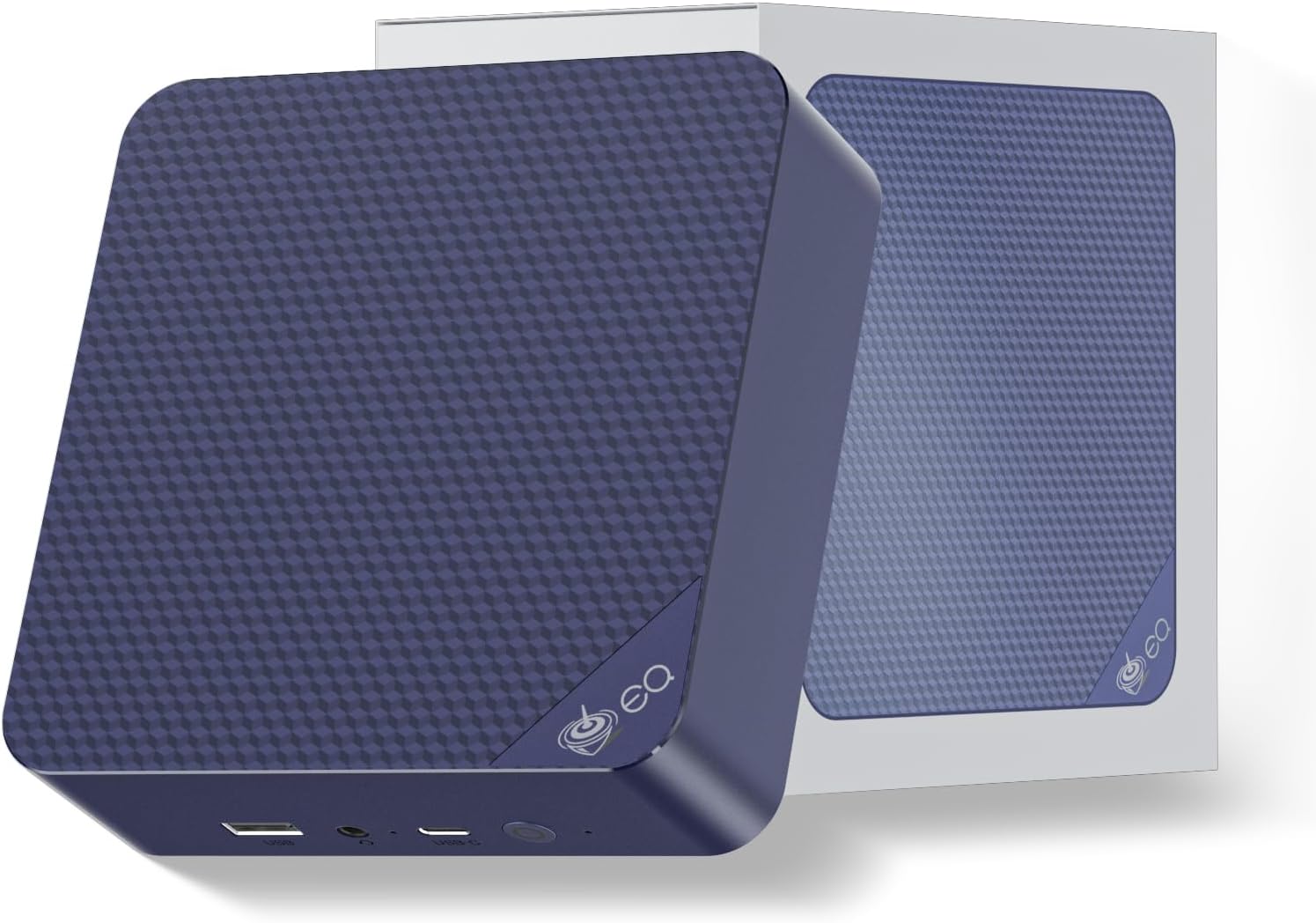
126 × 126 × 39mm — standard mini PC footprint.
The internal power supply is a genuine differentiator — you plug a standard AC cord directly into the machine. No power brick on the desk or under the table. Beelink has built this into the EQ line for years and it remains a meaningful quality-of-life improvement over competing units that ship with external adapters.
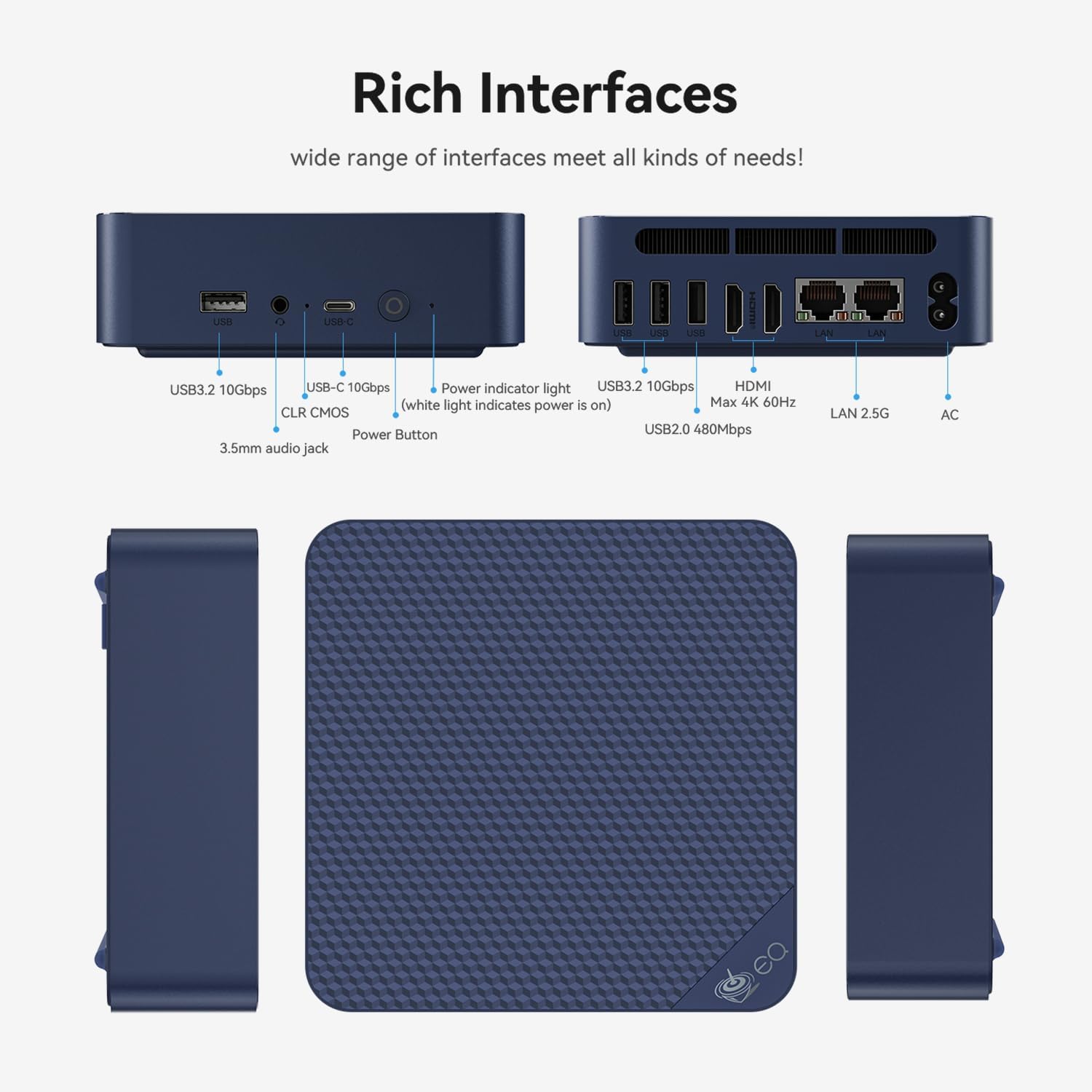
Port layout: 3× USB 3.2 (10Gbps), USB-C (10Gbps), 2× HDMI 2.0, 2× RJ45 (1GbE), 3.5mm jack, DC in.
Four 10Gbps USB ports is excellent for a machine in this category. Most N150 competitors offer a mix of USB 3.2 Gen 1 (5Gbps) and Gen 2 (10Gbps). The EQ14 runs all four at 10Gbps — useful for external storage, docking, or running multiple peripherals without bandwidth bottlenecks.
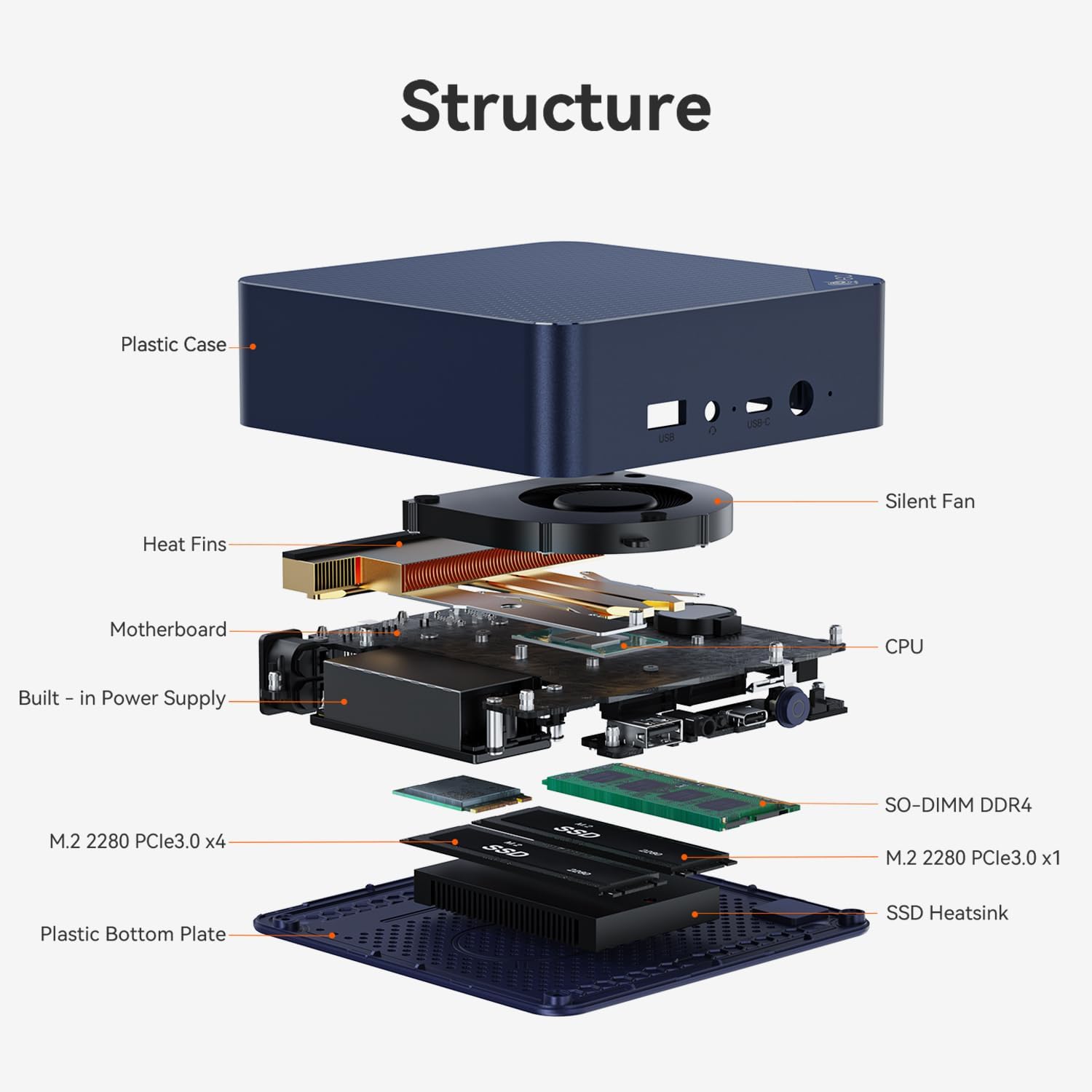
Internal cooling: fan, heatsink and drive cooler. Under typical home office load the machine is near-silent.
Performance for Home Office Use
The Intel N150 handles standard home office tasks — Office 365, browser, Zoom, email, 4K streaming — without issue. It is not suited for gaming, video editing, or heavy multitasking. At $439, this performance level is hard to justify versus Ryzen alternatives.
In day-to-day home office use — documents, emails, video calls, browser research — the N150 performs adequately. Intel Quick Sync provides hardware-accelerated 4K HEVC and AV1 decoding, so 4K video playback is smooth. The machine stays near-silent under light loads.
Where the gap becomes painful at $439: any task that pushes CPU. Large Excel files with complex calculations, Lightroom exports, sustained compilation, running multiple apps simultaneously — all of these will expose the N150’s limits in ways a Ryzen 7 5825U simply does not. A user spending $439 on a machine for general productivity work is making a poor value decision here.
Performance Ratings
Home Server — The Strong Case for the EQ14
For home server and network appliance use, the EQ14’s feature set — OpenWrt support, dual Gigabit LAN, PXE Boot, WOL, 1TB SSD, 3-year warranty, and near-zero idle power — creates a genuinely compelling niche that its competitors don’t match at this exact specification.
The EQ14’s server feature list is unusually complete for a consumer mini PC. OpenWrt support means it can run as a full soft router or network appliance, replacing dedicated router hardware. PXE Boot enables network-based OS installation for thin clients or lab setups. Wake on LAN allows remote power-up from sleep. RTC Wake schedules automatic boot times. These features require deliberate hardware and software support — they don’t appear by accident.
Who Should Buy the Beelink EQ14 — and Who Shouldn’t
Pros & Cons
✓ What We Like
- 1TB SSD included — generous, no upgrade needed
- 4× USB 10Gbps (3× Type-A + 1× USB-C) — excellent I/O
- 3-year warranty + lifetime technical support
- OpenWrt + PXE Boot + WOL + RTC Wake — full server feature set
- Dual Gigabit LAN — useful for dual-NIC configurations
- Internal PSU — no external brick
- Intel Quick Sync — hardware 4K transcoding for Plex
- Near-silent at idle, ~8–10W always-on power
✕ Watch Out For
- Intel N150 — entry-level chip, at $439 it’s poor value for general use
- Ryzen 7 alternatives exist for $380–$400 with far more performance
- Dual 1GbE — not 2.5GbE (despite some descriptions)
- Dual HDMI only — 2 displays max, no triple monitor
- Windows 11 Home — not Pro
- No built-in microphone (needs external for calls)
- 16GB RAM — cannot run multiple demanding VMs
Final Verdict
The Beelink EQ14 is a genuinely useful machine — just not for the user most people assume it’s aimed at. At $439, its Intel N150 processor cannot be justified for general home office, student, or multimedia use when Ryzen 7 5825U machines with 32GB RAM cost $50–$60 less.
Where the EQ14 earns its price is in the details: the server feature set (OpenWrt, PXE, WOL, dual GbE), the 1TB SSD, the four 10Gbps USB ports, the internal PSU, and Beelink’s 3-year warranty. For a user building an always-on home server or network appliance who values Beelink’s brand reputation and warranty coverage, this combination at $439 is defensible. For everyone else, look at the under $400 ranking first.
Frequently Asked Questions
All specifications sourced from Beelink’s official Amazon product listing (verified April 2026). Competitor pricing from Amazon April 2026. No sample unit provided. This article contains affiliate links — we earn a commission on qualifying purchases at no extra cost to you. Our policy is to give honest assessments regardless of affiliate relationship.