
Best Mini PC for Windows 11 2026:
4 Picks Ranked by Use Case
Every modern mini PC ships with Windows 11 pre-installed — but “compatible” and “optimised” are different things. This guide explains what Windows 11 actually requires, what Copilot+ means, and which mini PC performs best at each budget from $200 to $940.
Best budget Windows 11 mini PC (~$200): Beelink EQ14 — N150, 16GB, dual 2.5GbE, full Win 11 out of the box.
Best mid-range (~$489): BOSGAME M4 — Ryzen 7 8745HS, 32GB, Windows 11 with fast iGPU, OCuLink.
Best Copilot+ Windows 11 (~$940): Peladn HO5 — Ryzen AI 9 HX 370, 50 TOPS NPU, the best sub-$1,000 Copilot+ mini PC.
Best premium (~$1,999): GMKtec EVO-X2 — Ryzen AI Max+ 395, 128GB, Copilot+ + local AI in one machine.
- 01 What Windows 11 Actually Requires in 2026
- 02 Copilot+ — What It Is and Who Needs It
- 03 #1 — Beelink EQ14: Best Budget Windows 11 Mini PC
- 04 #2 — BOSGAME M4: Best Mid-Range Windows 11
- 05 #3 — Peladn HO5: Best Copilot+ Windows 11
- 06 #4 — GMKtec EVO-X2: Best Premium Windows 11
- 07 Full Comparison Table
- 08 FAQ
What Windows 11 Actually Requires in 2026
Windows 11 requires TPM 2.0, UEFI Secure Boot, a 64-bit dual-core CPU, 4GB RAM and 64GB storage. Every mini PC sold in 2024–2026 meets these requirements by default — they come with Windows 11 Pro pre-installed and properly configured.
Windows 10 reached end-of-life on October 14, 2025. Microsoft no longer provides security updates for Windows 10. If you’re buying a mini PC in 2026, you’re getting Windows 11 — and every modern mini PC is built to run it properly. The requirements that caused headaches in 2021 (TPM 2.0, Secure Boot) are standard on all current hardware.
Copilot+ — What It Is and Who Needs It
Copilot+ is Microsoft’s AI-enhanced tier of Windows 11 PCs. It requires a 40+ TOPS NPU and unlocks on-device AI features that run entirely locally — no cloud, no internet required. It is not required for standard Windows 11 use.
Copilot+ PCs run AI features on a dedicated Neural Processing Unit (NPU) built into the processor — not on remote servers. The practical features this unlocks in Windows 11 include Windows Recall (AI-searchable memory of your screen history), live captions in any language in real time, real-time translation in Teams and Zoom calls, and generative image creation in Paint. These run at full speed even offline.
Of the four picks in this guide, the Peladn HO5 (Ryzen AI 9 HX 370, 50 TOPS) and GMKtec EVO-X2 (Ryzen AI Max+ 395, 50 TOPS) are Copilot+ certified. The Beelink EQ14 and BOSGAME M4 run Windows 11 fully and correctly, but without NPU-accelerated Copilot+ features.
#1 — Beelink EQ14: Best Budget Windows 11 Mini PC
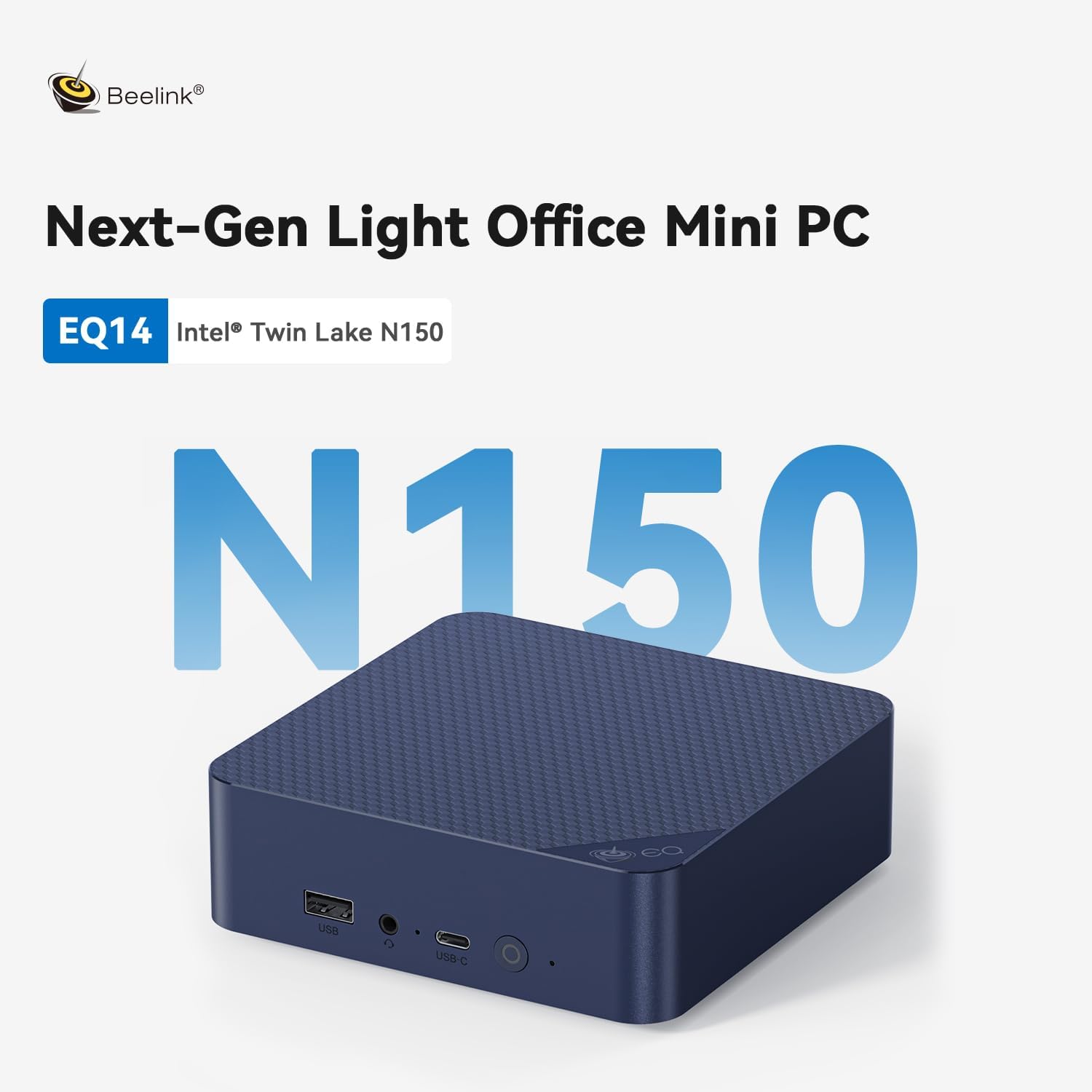
Beelink EQ14 — Intel N150 · 16GB · Windows 11 Pro · ~$200
The most affordable Windows 11 mini PC that gets everything right. Ships with Windows 11 Pro — not Home — already activated. TPM 2.0 and Secure Boot are enabled by default. Dual 2.5GbE makes it excellent for home network setups, NAS access, and Proxmox.
The EQ14 is the right pick if your use case is everyday Windows 11 — Office, web browsing, video calls, media — without paying for features you won’t use. Windows 11 Pro (not Home) means you get BitLocker encryption, Remote Desktop, and domain join out of the box. The dual 2.5GbE is unusual at this price and excellent for home office users with a fast network switch. Read our full Beelink EQ14 review.
✓ Pros
- Windows 11 Pro pre-installed, activated
- TPM 2.0 + Secure Boot ready out of box
- Dual 2.5GbE — unusual at $200
- ~10W idle — quiet, low electricity cost
- Beelink brand reliability
✕ Cons
- No Copilot+ NPU
- N150 too slow for video editing or AI inference
- 16GB RAM limit (upgradeable on some configs)
#2 — BOSGAME M4: Best Mid-Range Windows 11 Mini PC
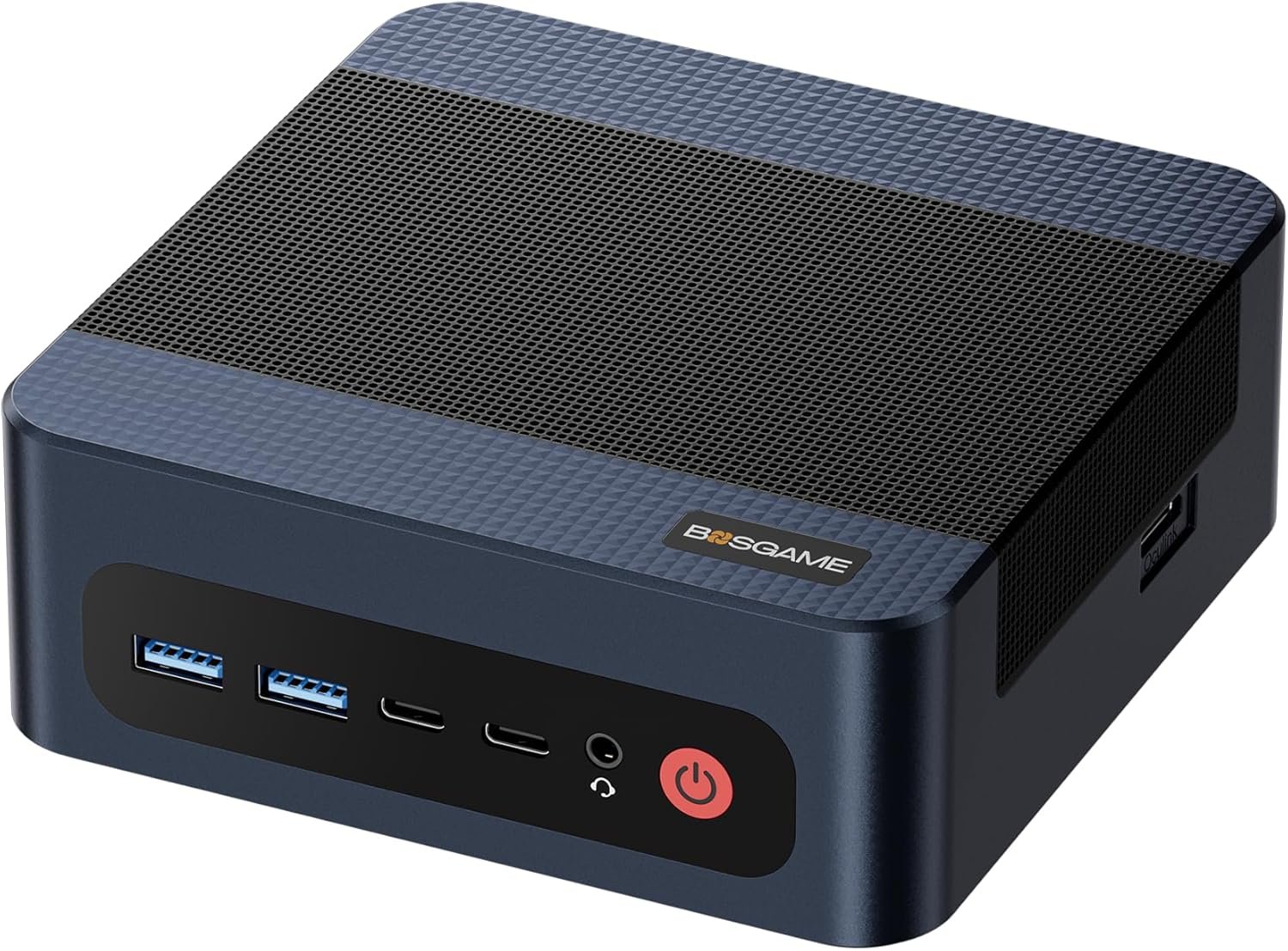
BOSGAME M4 — Ryzen 7 8745HS · 32GB · OCuLink · Windows 11 Pro · ~$489
The sweet spot for Windows 11 power users. 32GB of RAM means Windows 11 never feels constrained — you can run Office, a browser with 30 tabs, Zoom with background processing, and a development environment simultaneously without any slowdown.
The 8-core Ryzen 7 8745HS is genuinely fast at Windows tasks — cold boot time under 10 seconds, app launches feel instant, and sustained workloads like video exports or code compilation are 3–4× faster than N150 machines. The Radeon 780M handles hardware-accelerated video decode, light gaming, and multi-monitor setups (up to 3× 4K displays). Full review: BOSGAME M4 review.
✓ Pros
- 32GB RAM — Windows 11 never feels constrained
- 8-core Ryzen 7 — fast boot, fast app launches
- OCuLink for future discrete GPU upgrade
- Dual 2.5GbE · USB4 · Wi-Fi 6E
- Windows 11 Pro pre-installed, activated
✕ Cons
- No Copilot+ — no 40+ TOPS NPU
- $489 — significant jump from EQ14
- Soldered 32GB — no RAM upgrade
#3 — Peladn HO5: Best Copilot+ Windows 11 Mini PC
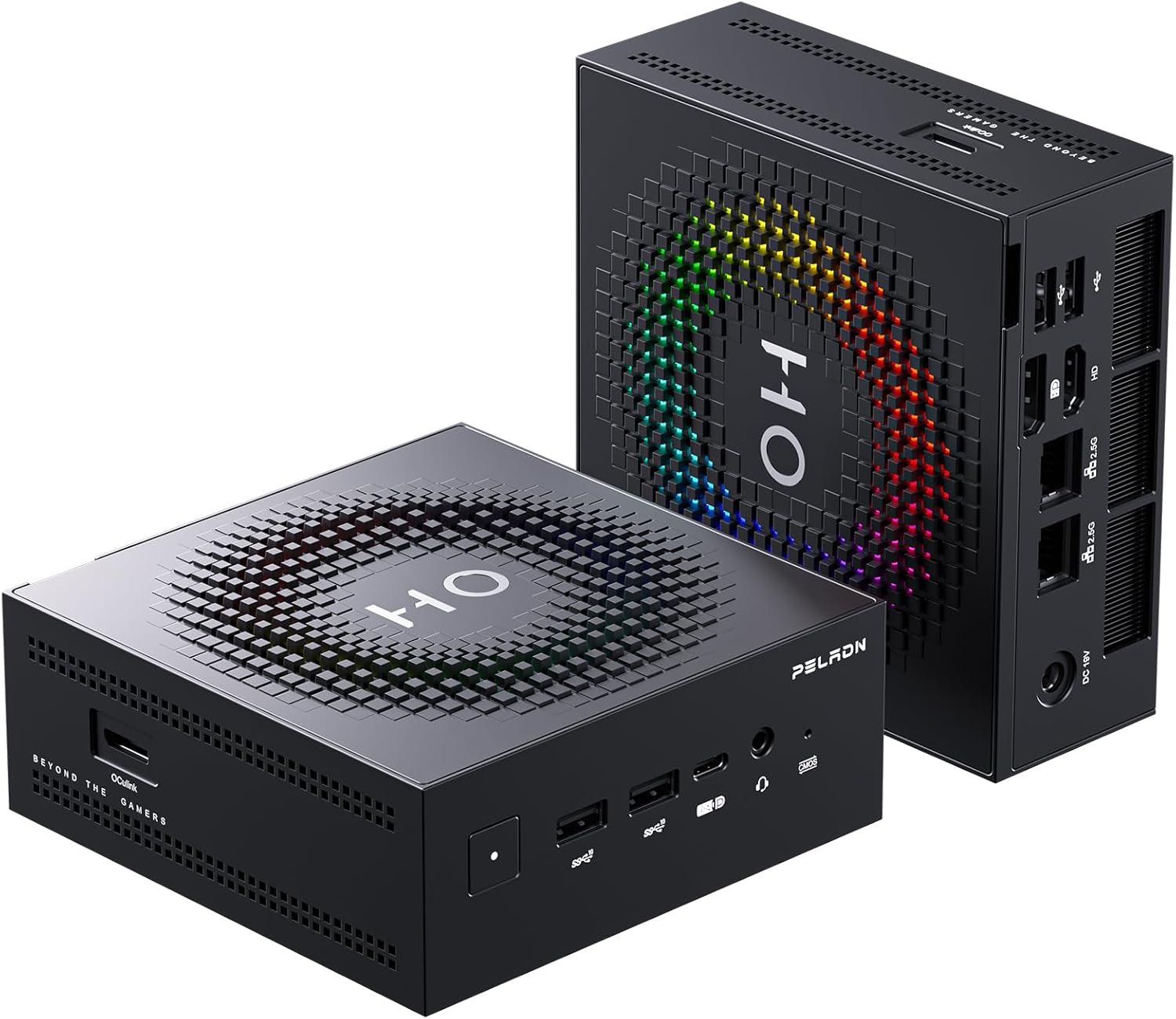
Peladn HO5 — Ryzen AI 9 HX 370 · 50 TOPS · Copilot+ · ~$940
The best Copilot+ mini PC under $1,000. The Ryzen AI 9 HX 370’s XDNA 2 NPU delivers 50 TOPS — exceeding Microsoft’s 40 TOPS Copilot+ threshold — enabling the full suite of on-device Windows 11 AI features. Also the best iGPU gaming mini PC in this tier.
The Peladn HO5 is the first mini PC where the 50 TOPS NPU genuinely matters for everyday Windows use. Windows Recall builds an AI-searchable timeline of everything you’ve done on your PC — find that document, screenshot, or website you saw three weeks ago in seconds, entirely on-device. Live captions translate any audio in real time, even in apps that don’t natively support subtitles. All of this runs on the NPU without loading the CPU or connecting to the cloud.
Beyond Copilot+, the Ryzen AI 9 HX 370’s 12 cores handle compilation, containerised development, and video editing faster than the BOSGAME M4’s Ryzen 7. And the Radeon 890M delivers 1080p gaming — see our gaming guide for benchmarks. Read the full Peladn HO5 review.
✓ Pros
- Copilot+ certified — full on-device AI features
- 50 TOPS NPU — exceeds Microsoft’s 40 TOPS requirement
- Windows Recall, Live Captions — offline, private
- 12-core Zen 5 — fastest CPU in this guide
- Radeon 890M — 1080p gaming + Stable Diffusion
- OCuLink for eGPU upgrade · Wi-Fi 7
✕ Cons
- $940 — nearly 2× the BOSGAME M4
- Soldered 32GB — no RAM upgrade
- Peladn = smaller brand than Beelink
#4 — GMKtec EVO-X2: Best Premium Windows 11 Mini PC
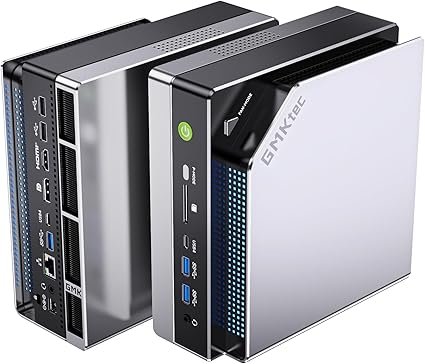
GMKtec EVO-X2 128GB — Ryzen AI Max+ 395 · Copilot+ · 128GB · ~$1,999
Windows 11 without limits. 128GB of unified RAM, 96GB allocatable as GPU VRAM, and a 50 TOPS NPU — the EVO-X2 runs any Windows workload without constraint, plus local AI models (Llama 3 70B, Qwen3 235B) that no other mini PC can handle.
The EVO-X2 is the only Windows 11 mini PC that can run frontier-class AI models locally — Llama 3 70B at 18–25 tokens/sec, Qwen3 235B at ~11 t/s. For professionals who need both a powerful Windows 11 workstation and private local AI inference, nothing else compares. See our full EVO-X2 review and the best mini PC for local AI guide.
✓ Pros
- 128GB RAM — Windows 11 absolutely unlimited
- Copilot+ 50 TOPS — all on-device AI features
- Runs 70B+ AI models locally (unique)
- Radeon 8060S — fastest iGPU for gaming + SDXL
- 256 GB/s bandwidth — fastest iGPU performance
✕ Cons
- $1,999 — very expensive for everyday use
- Soldered 128GB — no upgrade
- Overkill for standard Windows 11 workflows
Full Comparison — Best Mini PCs for Windows 11 2026
| Model | CPU | RAM | Win 11 | Copilot+ | Best for | Price |
|---|---|---|---|---|---|---|
| Beelink EQ14 | N150 · 4C | 16GB DDR4 | Pro ✓ | No | Budget · everyday · homelab | ~$200 |
| BOSGAME M4 | Ryzen 7 · 8C | 32GB LPDDR5X | Pro ✓ | No | Dev · heavy multitask · gaming | ~$489 |
| Peladn HO5 | Ryzen AI 9 · 12C | 32GB LPDDR5 | Pro ✓ | 50 TOPS ✓ | Best Copilot+ · AI · gaming | ~$940 |
| GMKtec EVO-X2 | Ryzen AI Max+ · 16C | 128GB LPDDR5X | Pro ✓ | 50 TOPS ✓ | Local AI + workstation | ~$1,999 |
All models ship with Windows 11 Pro pre-installed and activated, with TPM 2.0 (AMD fTPM / Intel PTT) and Secure Boot enabled by default. Prices as of April 2026.
Power user, developer, gamer: BOSGAME M4 (~$489). 32GB and 8 cores handle any standard Windows workload.
Want Copilot+ AI features: Peladn HO5 (~$940). The only sub-$1,000 Copilot+ mini PC with a proper 50 TOPS NPU and OCuLink for later GPU upgrades.
No compromises, local AI too: GMKtec EVO-X2 (~$1,999). The only mini PC that runs 70B models.
Frequently Asked Questions
Windows 11 system requirements from Microsoft official documentation (microsoft.com/windows/windows-11-specifications). Copilot+ requirements (40+ TOPS NPU, 16GB RAM, 256GB SSD) from Microsoft official specification page. Windows 10 end-of-life date (October 14, 2025) confirmed via Microsoft support documentation. Product specifications from manufacturer listings and Amazon product pages, April 2026.