
Best Mini PC for Local AI 2026: Run LLMs Privately at Home
Running an AI model locally means your conversations never leave your device, there’s no subscription, no usage limits, and no internet required. In 2026, this is genuinely practical on a mini PC — a $940 machine handles Mistral 7B at 35 tokens per second, fast enough for interactive use. A $1,999 mini PC runs Qwen3 235B, a model competitive with GPT-4, on a device the size of a paperback. Here’s what to buy and why.
Best for most users (7B–32B models): Peladn HO5 (~$940) or Beelink SER9 Pro AI (~$790–$999, prices vary) — Ryzen AI 9 HX 370, 32GB unified RAM, handles Mistral 7B at 30–40 t/s, Llama 3 32B at 8–12 t/s interactively. Best for large models (70B–235B): GMKtec EVO-X2 128GB (~$1,999) — the only mini PC that can run Qwen3 235B locally at ~11 t/s, with 96GB allocatable as GPU memory. Budget entry (Beelink SER9 Pro AI, ~$790–$999) — same Ryzen AI 9 HX 370, 30–38 t/s on Mistral 7B. Prices vary — check current Amazon price.
Why Run AI Locally in 2026?
Local AI gives you complete data privacy, zero subscription cost after hardware purchase, offline operation, and the ability to run models fine-tuned for specific tasks — at the cost of requiring more capable hardware and some technical setup.
The case for local AI has strengthened considerably in 2025–2026. Open-source models have dramatically improved: Qwen3 235B (Alibaba) and Llama 3 70B (Meta) deliver responses that rival GPT-4 class models on most benchmarks. Mistral 7B and Qwen3 7B — which run on any modern mini PC with 16GB RAM — match or exceed GPT-3.5 on most tasks. The quality gap between local and cloud AI has closed significantly.
The hardware required has also become more accessible. The breakthrough is unified memory architecture in AMD’s Strix Halo and Strix Point APUs: because the CPU and GPU share the same physical memory pool, a 128GB mini PC can allocate up to 96GB as GPU VRAM — enabling models that previously required a $15,000 multi-GPU workstation to run on a $2,000 mini PC that fits in a backpack.
How Much RAM Do You Actually Need for Local AI?
RAM is the single most important spec for local AI. A 7B model needs 6–8GB of GPU memory; a 70B model needs 40–48GB; a 235B model needs 80–96GB. The mini PC’s total RAM must exceed these figures to also run the operating system and other software.
| Model Size | Example Models | RAM Needed (Q4) | Mini PC RAM Needed | Speed (HX 370) |
|---|---|---|---|---|
| 3B–7B | Mistral 7B, Qwen3 7B, Llama 3.2 3B | 4–6 GB VRAM | 16GB min | 30–50 t/s |
| 13B–14B | Qwen3 14B, Llama 3.1 8B | 8–10 GB VRAM | 16GB min | 20–35 t/s |
| 30B–32B | Qwen3 32B, Mistral 22B | 18–22 GB VRAM | 32GB recommended | 8–14 t/s |
| 70B–72B | Llama 3.1 70B, Qwen3 72B | 40–48 GB VRAM | 64GB+ required | 3–6 t/s |
| 235B (MoE) | Qwen3 235B, DeepSeek-V3 | 80–96 GB VRAM (Q2) | 128GB required | ~11 t/s (EVO-X2) |
The table reveals a clear decision tree: for most everyday use cases — summarisation, coding assistance, writing help, Q&A — a 7B to 14B model at 20–50 tokens/second is entirely sufficient, and any HX 370 mini PC with 32GB handles it. Step up to 32B if you need better reasoning and nuanced responses. The jump to 70B+ is for power users who genuinely need frontier-model capability locally and are prepared to pay for 128GB hardware.
#1 — GMKtec EVO-X2 128GB: The Only Mini PC for Very Large Models
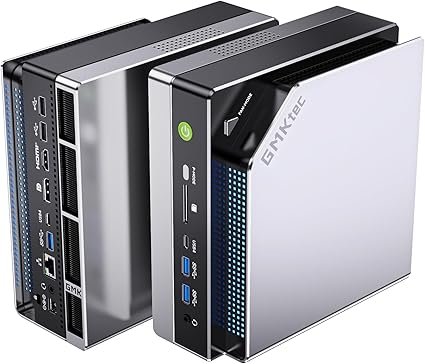
GMKtec EVO-X2 — Ryzen AI Max+ 395, 128GB LPDDR5X-8000
The only consumer mini PC that can run 70B+ models at interactive speeds. With 128GB of LPDDR5X-8000, up to 96GB can be dynamically allocated as GPU VRAM — allowing Qwen3 235B and Llama 3 70B to run entirely in memory without offloading to slow system RAM.
The key enabler is AMD’s unified memory architecture — the same principle as Apple Silicon, but on x86. The GPU can access all 128GB of system RAM directly, with no PCIe transfer bottleneck. For Mixture-of-Experts models like Qwen3 235B — which activate different subsets of parameters per token — this large unified memory pool allows the entire model to stay loaded in memory, avoiding the catastrophic slowdown of CPU offloading that destroys performance on GPU-limited setups.
AMD claims Strix Halo delivers 2.2× more tokens per second than an RTX 4090 on Llama 70B — a claim community benchmarks broadly confirm. The explanation: the RTX 4090’s 24GB VRAM forces quantization to Q4 with heavy RAM offloading, degrading both quality and speed. The EVO-X2’s 96GB VRAM allocation runs the full Q4 model in memory at full bandwidth.
✓ Pros
- Only mini PC that runs 70B+ models at interactive speeds
- 96GB allocatable as VRAM — more than any discrete GPU
- Also a capable 1440p gaming machine (Radeon 8060S)
- 50 TOPS NPU for Windows Copilot+ AI features
- 256 GB/s memory bandwidth — fast inference
✕ Cons
- $1,999 for 128GB model — most expensive in this list
- Soldered RAM — no upgrade after purchase
- 256 GB/s is half Apple M4 Max bandwidth (for comparison)
- Qwen3 235B at Q2 quality is good, not perfect
#2 — Peladn HO5: Best Value for 7B–32B Models
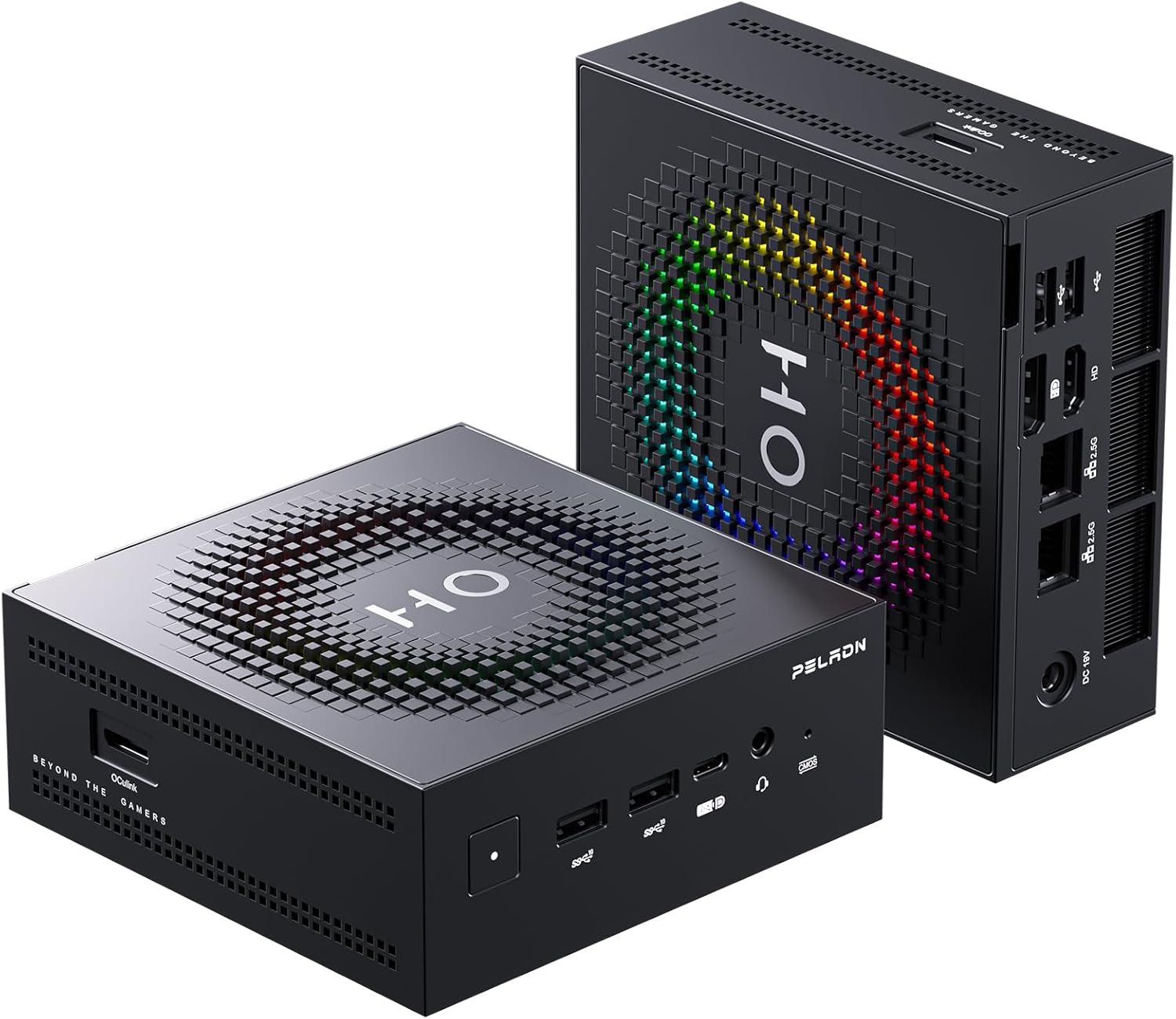
Peladn HO5 — Ryzen AI 9 HX 370, 32GB LPDDR5-7500
The most practical local AI mini PC for most users: 32GB of unified RAM handles 7B through 32B models at speeds that feel genuinely interactive, OCuLink for a future eGPU upgrade, and enough headroom for a daily desktop and AI work simultaneously.
At 8–12 tokens/second, Qwen3 32B on the HO5 is genuinely usable for most tasks — conversations feel like typing pace, and for writing assistance, code generation, and summarisation, this is more than adequate. The 50 TOPS NPU accelerates Windows Copilot+ features (live captions, image generation, AI-assisted search) in the background without loading the CPU or GPU.
The OCuLink port is the most important long-term differentiator: as open-source models continue to improve, adding an RTX 4060 eGPU via OCuLink gives a significant boost to smaller model speeds (RTX 4060’s 8GB GDDR6 handles 7B Q8 models at 80–100 t/s), while the CPU continues handling larger models via the iGPU path.
✓ Pros
- Best value for 7B–32B local AI at $940
- 30–40 t/s on Mistral 7B — genuinely interactive
- OCuLink for eGPU upgrade (speed boost for small models)
- 50 TOPS NPU for Windows AI features
- Also a great daily desktop and light gaming machine
✕ Cons
- 32GB — cannot run 70B+ models
- Soldered RAM — no upgrade path
- Qwen3 32B at 8–12 t/s feels slow for impatient users
#3 — Beelink SER9 Pro AI: Trusted Brand for Local AI
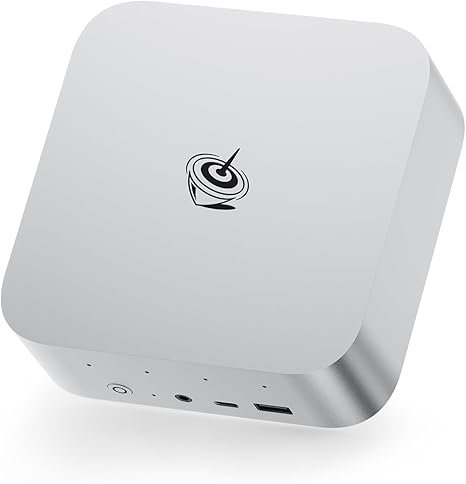
Beelink SER9 Pro AI — Ryzen AI 9 HX 370, 32GB DDR5
The same Ryzen AI 9 HX 370 as the Peladn HO5, from Beelink — one of the most established and trusted mini PC brands. Similar AI performance, no OCuLink, but a stronger track record for software support and after-sales service.
Performance is essentially identical to the Peladn HO5 — the same processor, similar TDP configuration, similar memory bandwidth. The trade-off is clear: no OCuLink limits future eGPU upgrade options, but Beelink’s established brand reputation and wider community support make it a lower-risk choice for users who aren’t comfortable troubleshooting less-known brands.
✓ Pros
- Beelink — one of the most trusted mini PC brands
- Same AI performance as Peladn HO5
- Better long-term BIOS and driver support history
- Wi-Fi 7 + USB4
✕ Cons
- No OCuLink — USB4 eGPU only
- Soldered RAM — no expansion
- Slightly pricier than Peladn HO5 for same performance
#4 — ACEMAGIC Retro X5: Upgradable RAM for Future-Proofing
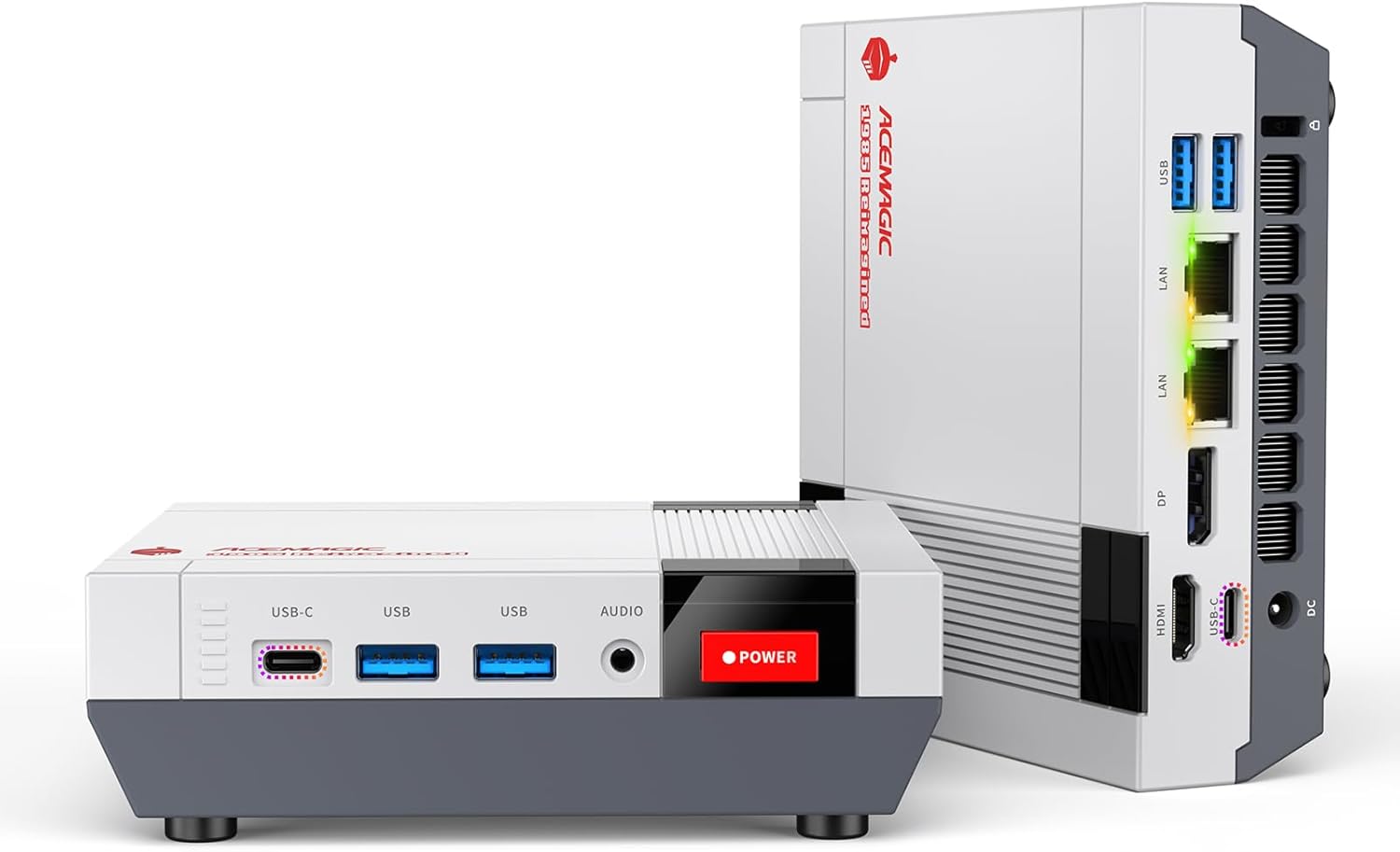
ACEMAGIC Retro X5 — Ryzen AI 9 HX 370, Upgradable SO-DIMM
The unique selling point for AI users: the Retro X5 has user-accessible SO-DIMM slots supporting up to 128GB of DDR5. Buy it with 32GB today, upgrade to 96GB or 128GB when you need more — something the Peladn HO5 and Beelink SER9 Pro AI cannot offer.
At 32GB, AI performance is identical to the Peladn HO5. The differentiation comes later: if you upgrade to 64GB SO-DIMM DDR5, you can run Llama 3.1 70B Q4 in full — something the 32GB competition cannot do. At 96–128GB, you can run models that previously required a Strix Halo mini PC at $1,999. The bandwidth is lower than the EVO-X2 (DDR5 SO-DIMM ~90 GB/s dual-channel vs LPDDR5X-8000 256 GB/s), which means token generation is slower — but the model fits in memory.
✓ Pros
- Upgradable SO-DIMM RAM — unique among HX 370 mini PCs
- Start at 32GB, upgrade to 128GB as needed
- Can eventually run 70B models after upgrade
- Retro design — unique aesthetic appeal
- Tool-free lid access
✕ Cons
- DDR5 SO-DIMM bandwidth lower than LPDDR5X (slower AI)
- 128GB DDR5 SO-DIMM kits still expensive (~$200–$300)
- No OCuLink — USB4 eGPU only
- ACEMAGIC is a newer, less established brand
Full Comparison: Best Mini PCs for Local AI 2026
| Model | Max RAM | Mistral 7B | Qwen3 32B | Llama 70B | Max Model | Price |
|---|---|---|---|---|---|---|
| GMKtec EVO-X2 | 128GB LPDDR5X | 55–65 t/s | 25–35 t/s | 18–25 t/s | 235B (Q2) | ~$1,999 |
| Peladn HO5 | 32GB LPDDR5 | 30–40 t/s | 8–12 t/s | Cannot fit | 32B (Q4) | ~$940 |
| Beelink SER9 Pro AI | 32GB LPDDR5 | 30–38 t/s | 8–11 t/s | Cannot fit | 32B (Q4) | ~$790–$999* |
| ACEMAGIC Retro X5 | 32GB (→128GB) | 28–36 t/s | 7–10 t/s | 5–8 t/s* | 70B at 128GB* | ~$900–$1,400 |
* ACEMAGIC Retro X5 70B performance at 128GB DDR5 SO-DIMM upgrade — lower bandwidth than Strix Halo. Speed estimates based on memory bandwidth calculations.
⚠️ Prices shown are indicative as of April 2026 and may vary. Always check current Amazon price before purchasing — mini PC prices fluctuate regularly.
Best Software for Running AI Models on a Mini PC
Three tools dominate local AI on mini PCs in 2026: LM Studio (best for beginners), Ollama (simplest command-line setup), and llama.cpp (best performance and control). All three are free and support AMD GPUs via Vulkan or HIP backend.
Where to get models
Hugging Face (huggingface.co) is the primary repository for GGUF-quantized models compatible with llama.cpp, LM Studio, and Ollama. Search for “GGUF” alongside the model name (e.g., “Mistral 7B GGUF”) and filter by the quantization level you need. The Bartowski and LoneStriker Hugging Face accounts maintain high-quality GGUF quantizations of most major open-source models updated shortly after each new release.
Frequently Asked Questions
Token generation speed figures in this article are sourced from community benchmarks on r/LocalLLaMA, llama.cpp GitHub issues, independent YouTube testing, and AMD’s published performance claims. Figures represent averages across multiple runs and may vary depending on specific model version, quantization file, backend configuration, and system state. We recommend running your own benchmarks before making purchasing decisions for latency-sensitive applications.