
ACEMAGIC M5 Review: i5-14500HX Mini PC for Students & Home Office
Desktop-grade HX-class power in a 128×128×41mm box. The ACEMAGIC M5 brings Intel’s i5-14500HX — 14 cores, 55W sustained TDP — to a compact mini PC with triple 4K display output, expandable RAM, and Windows 11 Pro. Here’s who should buy it and who shouldn’t.
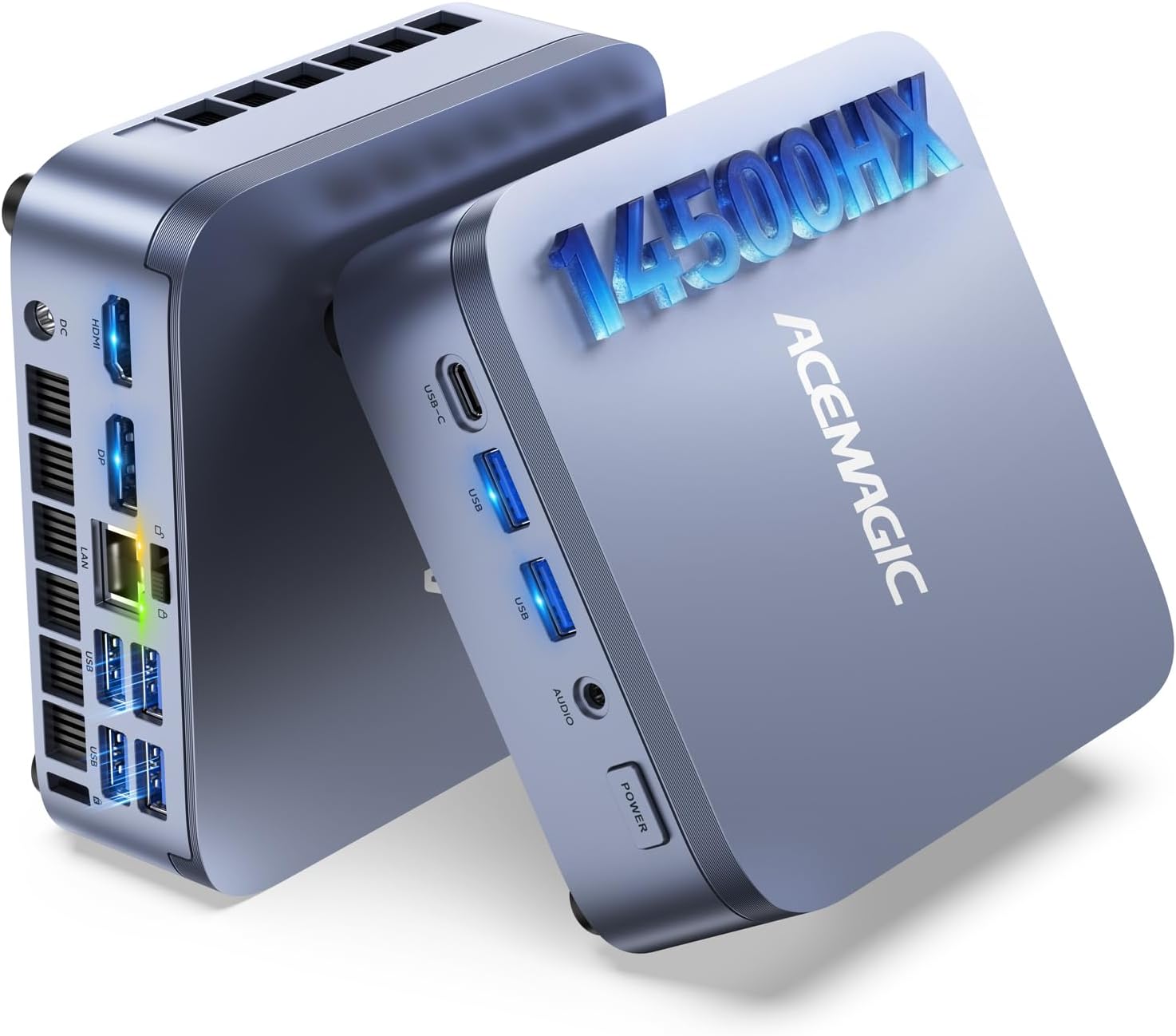
The ACEMAGIC M5 is one of the few mini PCs running Intel’s HX-class processor at full 55W sustained TDP — a meaningful step above the U/H-series chips in most mini PCs. For students, developers, and home office workers who need serious CPU performance in a compact machine, it delivers. Triple 4K display support, expandable DDR4 RAM, dual M.2 storage, and Windows 11 Pro round out a capable all-round package. It is not a gaming machine — the integrated Intel UHD graphics are purely functional — but as a productivity workhorse at an accessible price, the M5 has real appeal.
What Is HX-Class and Why It Matters
Intel’s HX-class processors are desktop-grade chips in a mobile package — they run at higher sustained TDP (55W for the i5-14500HX) than typical U-series (15W) and H-series (45W) laptop chips. In a mini PC, this translates to sustained performance that doesn’t throttle under load.
Most mini PCs use Intel N-series (6–15W) or AMD Ryzen U/H-series (15–28W) processors — efficient chips designed for thin laptops. The i5-14500HX is a different category: it’s Intel’s HX platform, originally designed for high-performance gaming laptops and mobile workstations. At 55W sustained TDP, it maintains its clock speeds during prolonged tasks — compiling code, rendering, running multiple VMs — without the throttling that affects lighter chips.
The 14-core configuration (6 Performance-cores + 8 Efficient-cores) also means genuine multi-thread capability. Running a coding IDE, Docker containers, a video call, and a browser simultaneously won’t exhaust this processor. For students and professionals who push their machines hard, this headroom matters.
Full Specifications
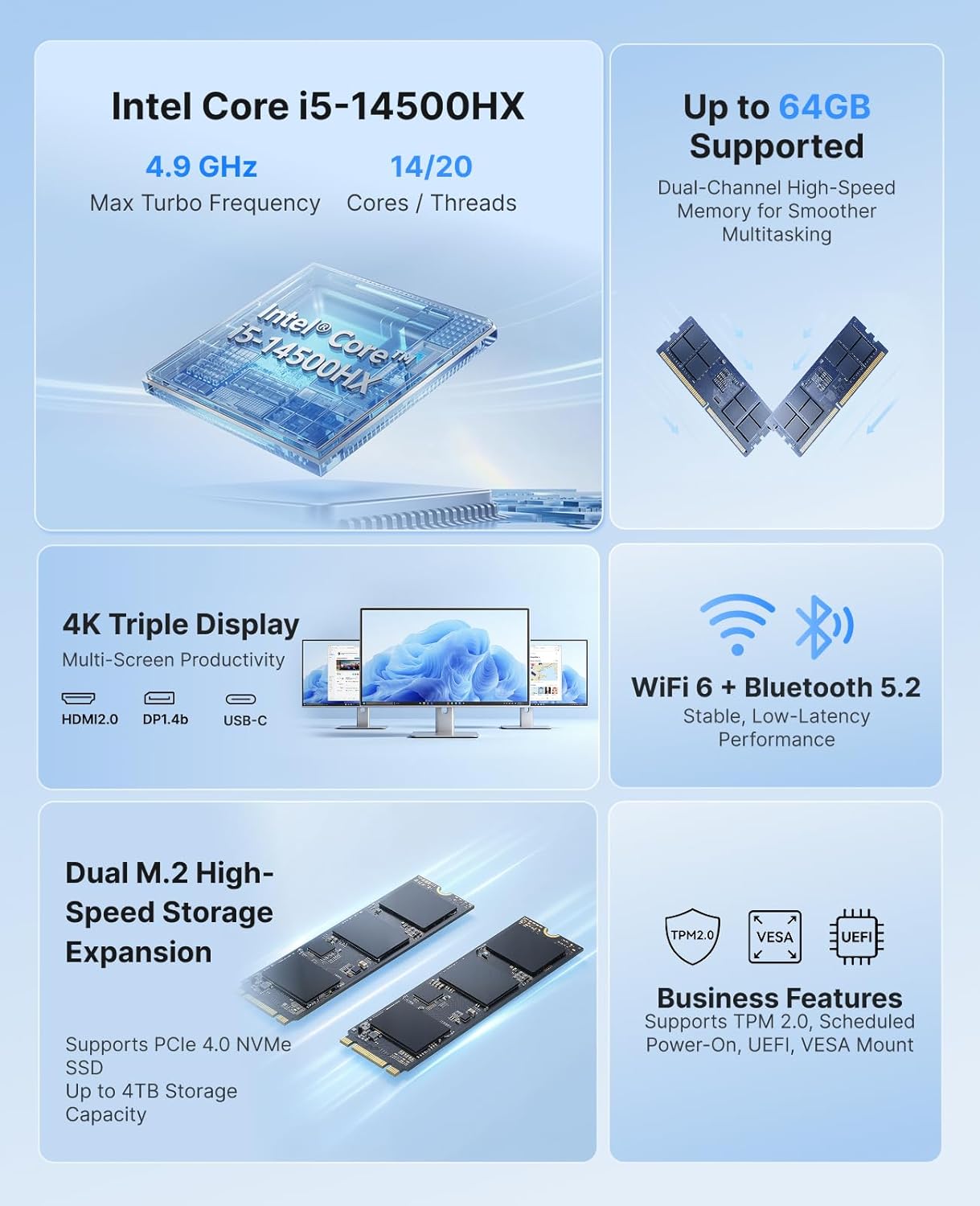
| CPU | Intel Core i5-14500HX — 14C/20T (6P+8E) — Raptor Lake-HX — up to 4.9 GHz — 55W TDP |
|---|---|
| GPU (integrated) | Intel UHD Graphics — functional for 4K display output, not for gaming |
| RAM | 16GB DDR4 3200MHz (base) — 2× SO-DIMM — expandable to 64GB |
| Storage | 512GB PCIe NVMe SSD — 2× M.2 slots — expandable to 4TB total |
| Display outputs | HDMI 2.0 + DisplayPort 1.4 + USB-C (DP Alt Mode) — up to 3× 4K@60Hz |
| USB | 6× USB ports total — USB-C with 10 Gbps data + video + 15W PD |
| Networking | Wi-Fi 6 · Bluetooth 5.2 · Gigabit Ethernet |
| OS | Windows 11 Pro (pre-installed) |
| Size | 128 × 128 × 41.3 mm — VESA mount included |
| Certifications | FCC, RoHS, CE |
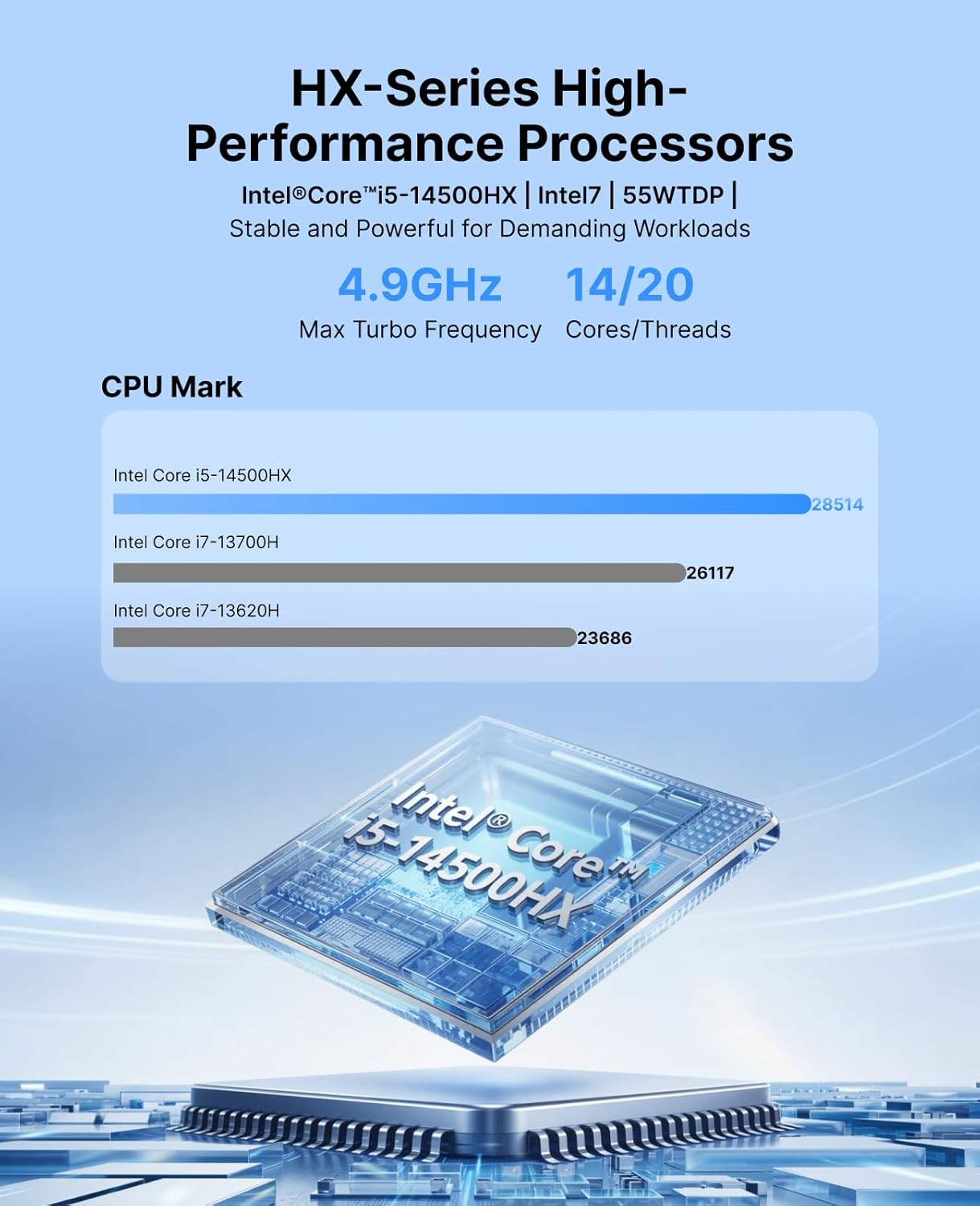
16GB vs 32GB — Which Version to Buy
Both versions use the identical i5-14500HX processor. The choice is purely about how much RAM and storage you need now — and how much you want to avoid an upgrade later.
CPU Performance — i5-14500HX at 55W
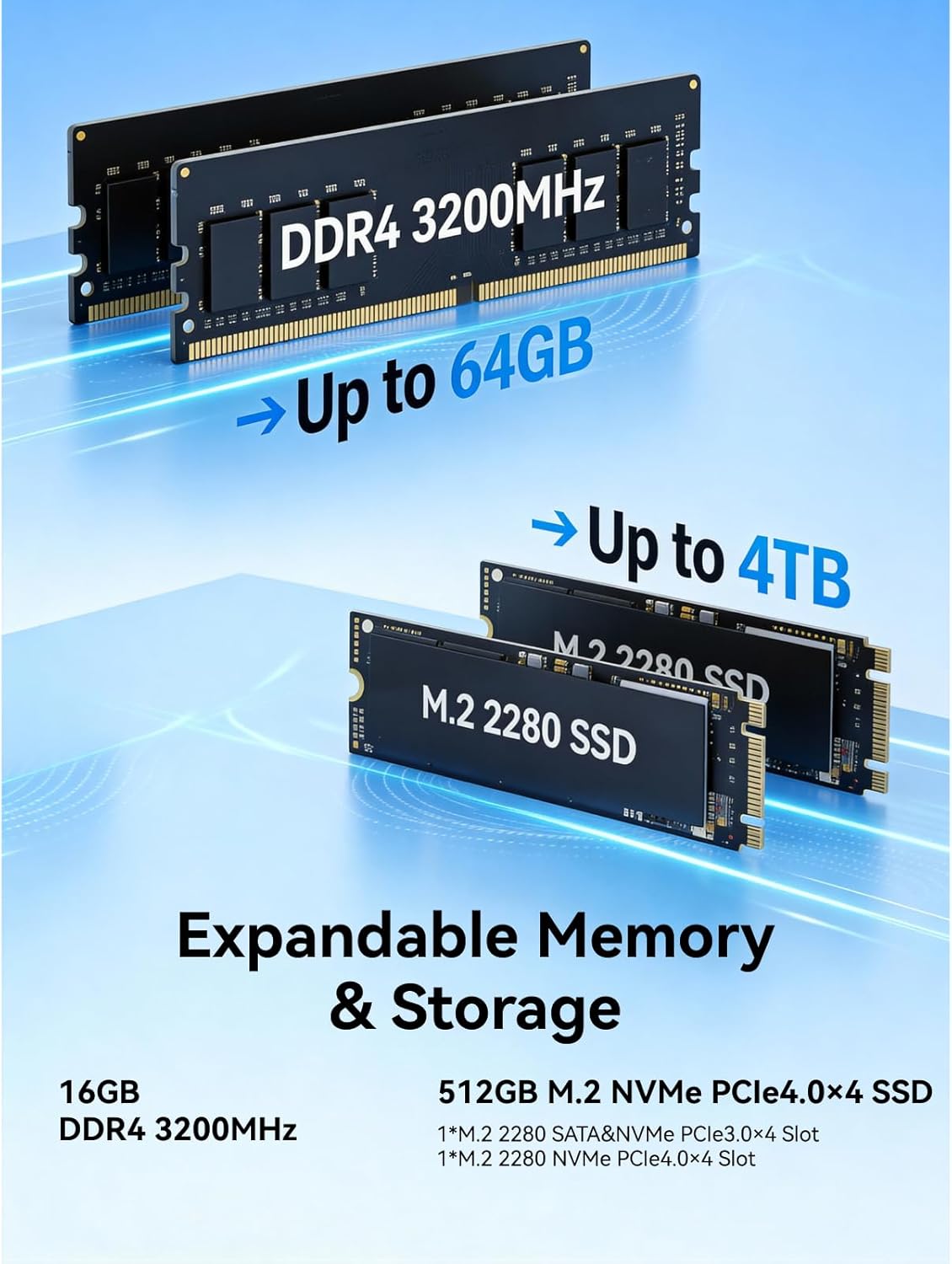
The i5-14500HX is a well-documented processor. Published Cinebench R23 multi-core results at similar TDP configurations cluster around 14,000–17,000 points — significantly above budget N-series mini PCs and competitive with AMD’s Ryzen AI 9 HX 370 in raw multi-thread throughput.
The practical takeaway: the M5 is comfortably in the mid-to-high performance tier for CPU work. It outperforms every N-series and U-series mini PC significantly. It sits just below the latest Zen 5 chips (Ryzen AI 9 HX 370) in multi-core benchmarks, but the difference won’t be perceptible in everyday use — it only shows up in sustained rendering or batch compilation tasks.
Everyday Use, Students & Coding
The ACEMAGIC M5 excels at the workloads that define student and professional computing: coding, multitasking, virtual machines, and productivity software. The i5-14500HX’s 14 cores handle parallel workflows that overwhelm lighter processors — and the 55W sustained TDP means it doesn’t slow down mid-session.
For students
Whether you’re running Python environments, compiling C++ projects, running Jupyter notebooks, or managing Git repositories while attending a video lecture — the M5 handles all of it simultaneously without any perceptible slowdown. 16GB of DDR4 is comfortable for most student workloads; opt for 32GB if you’re working in machine learning, data science, or virtualization. The Windows 11 Pro license (included) also provides Remote Desktop access, useful for connecting to university servers or lab machines.
For developers and coders
Docker containers, multiple IDE instances, local databases, browser tabs, and build processes running simultaneously — this is the M5’s comfort zone. Published benchmarks for the i5-14500HX show compile times competitive with desktop-class processors at similar price points. The dual M.2 slots allow a fast NVMe for the OS and a second drive for project storage and virtual machine images — a practical setup for developers.
For home office and business
The Windows 11 Pro preinstall unlocks BitLocker encryption, Remote Desktop, Hyper-V, and domain join — all relevant for business deployments. The 6× USB ports, Wi-Fi 6, Gigabit Ethernet, and triple 4K display support cover the connectivity needs of a full professional workstation. The VESA mount means zero desk footprint when mounted behind a monitor.
Display Output & Connectivity
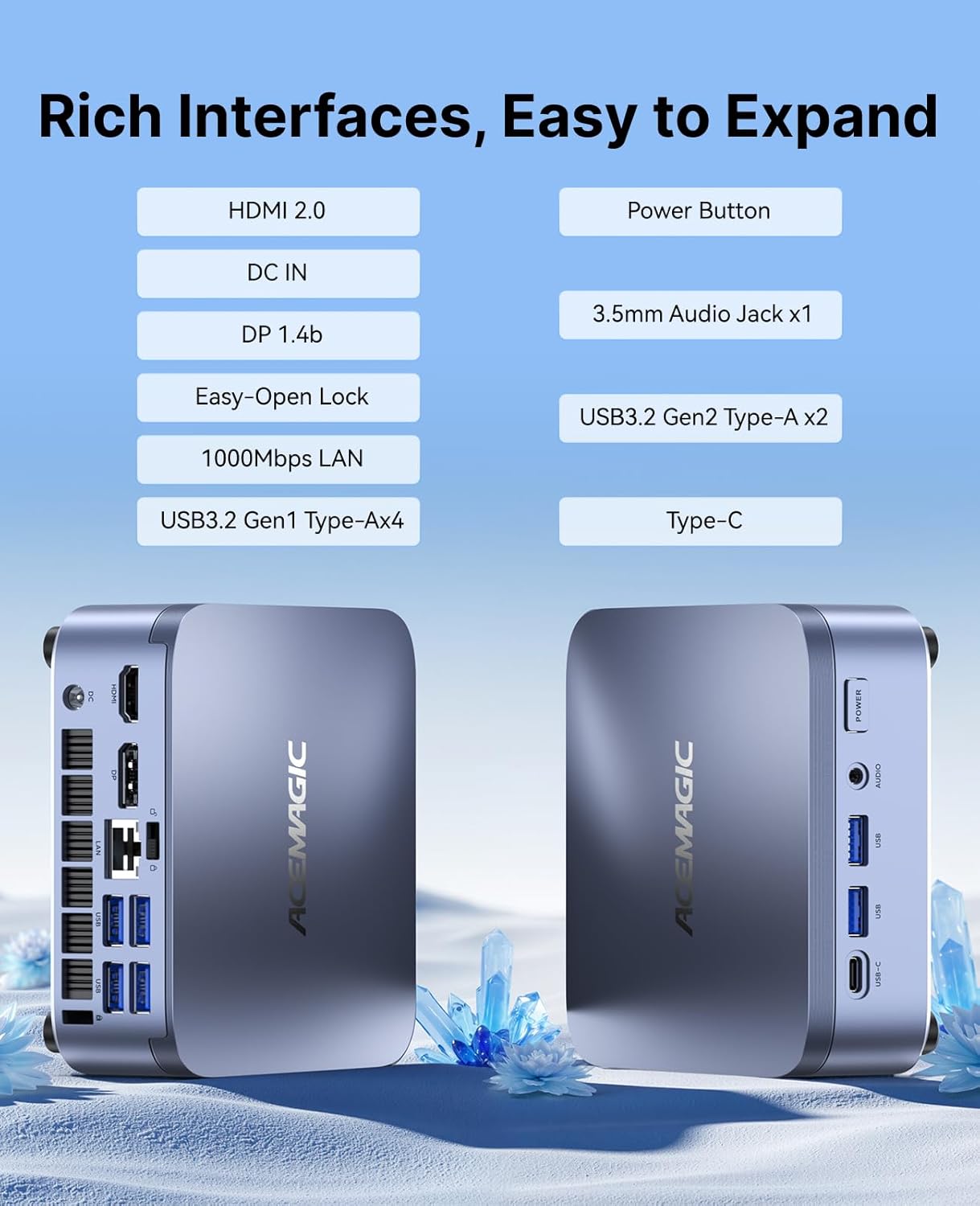
The M5 supports three simultaneous 4K@60Hz displays via HDMI 2.0, DisplayPort 1.4, and USB-C with DisplayPort Alt Mode. For a triple-monitor trading desk, development setup, or home office command center, this is genuinely useful. The USB-C port is full-featured: 10 Gbps data transfer, video output, and 15W Power Delivery input — enabling one-cable monitor and dock setups.
- HDMI 2.0 → Display 1 (4K@60Hz)
- DisplayPort 1.4 → Display 2 (4K@60Hz)
- USB-C (DP Alt Mode) → Display 3 (4K@60Hz) + 10 Gbps data + 15W PD
- Wi-Fi 6 (802.11ax) — significantly faster and more reliable than Wi-Fi 5 in congested environments
- Gigabit Ethernet for wired connections
- Bluetooth 5.2 for peripherals
- 6× USB ports total — exact breakdown between USB-A and USB-C per ACEMAGIC’s spec sheet
Who Is the ACEMAGIC M5 For?
Pros & Cons
✓ What We Like
- 14-core HX-class CPU at full 55W — real desktop-grade sustained performance
- Expandable DDR4 RAM (SO-DIMM) — up to 64GB
- Dual M.2 NVMe slots — separate OS and data drives
- Triple 4K@60Hz display support
- Wi-Fi 6 — faster and more reliable than Wi-Fi 5
- Windows 11 Pro — BitLocker, Remote Desktop, domain join
- VESA mount — zero desk footprint option
- Compact 128×128×41mm chassis
✕ Watch Out For
- Intel UHD Graphics — no gaming capability
- Raptor Lake-HX (2022) — older architecture than current Zen 5/Core Ultra
- No AI NPU — lacks the 50 TOPS acceleration of Ryzen AI HX 370
- DDR4 (not DDR5) — lower bandwidth than current-gen platforms
- Gigabit Ethernet only — no 2.5GbE
- Exact USB port breakdown not fully specified in listing
Category Scores
Final Verdict
The ACEMAGIC M5 occupies a clear niche: it’s the most affordable way to get Intel HX-class desktop-grade processing in a mini PC form factor. The i5-14500HX’s 14 cores at 55W sustained TDP deliver performance that embarrasses every N-series machine and holds its own against mid-range Ryzen competitors. For students who code, developers who containerize, and home office workers who multitask hard, it’s a compelling machine at an accessible price.
The honest trade-offs: the architecture is from 2022 and lacks the NPU acceleration or modern iGPU of current Zen 5 mini PCs. It uses DDR4 rather than the faster DDR5 of newer platforms. And Intel’s integrated graphics mean gaming is off the table. These are real limitations — but they don’t undermine the M5’s core proposition as a CPU-first productivity machine.
Frequently Asked Questions
CPU performance estimates are based on published Notebookcheck and AnandTech benchmark data for the Intel Core i5-14500HX at comparable TDP configurations. No sample unit was provided — all information is based on publicly available specifications and independent test data. This review was produced as part of an Amazon Associates campaign. Commission rates disclosed: 12% through November 2026.