
Best Mini PCs Under $300 in 2026
4 budget mini PCs compared for home office, home server, triple display and everyday use — ranked by real-world value with verified specifications.
More Than You Think — If You Know What You’re Buying
The sub-$300 mini PC market in 2026 is dominated by the Intel N150 (Twin Lake) platform — a 4-core efficiency chip that replaces the older N100. At $199–$249, these machines handle Office 365, web browsing with 20+ tabs, Zoom calls, 4K streaming, and light home server duties without issue. They consume just 8–15W under typical load — costing under $10/year in electricity at average US rates.
What they cannot do: gaming beyond very light titles, video editing, running multiple virtual machines, or parallel CPU-intensive builds. Every claim in this article is based on publicly verifiable specifications. We do not invent performance figures.
Office & Productivity
Office 365, Google Workspace, email, Zoom/Teams calls with background blur, and 20+ browser tabs. The Intel N150 handles all of this comfortably.
4K Streaming & Media
Hardware-accelerated HEVC and AV1 decoding (Intel Quick Sync) enables smooth 4K Netflix, YouTube, Plex playback with minimal CPU load.
Home Server
At 8–15W under load, N150 mini PCs are ideal for always-on Home Assistant, Pi-hole, Nextcloud, Plex (hardware transcode), and 8–12 Docker containers.
Multi-Monitor Setup
All four models support dual 4K output. The KAMRUI Pinova P2 uniquely supports three simultaneous 4K@60Hz displays — exceptional at this price tier.
Students & Learning
Python scripting, web development with VS Code, front-end frameworks, and online learning platforms all run well on N150-based machines with 16GB RAM.
Cloud Gaming
GeForce Now, Xbox Cloud Gaming, and Amazon Luna all run excellently — the network handles the heavy lifting, and Wi-Fi 6 keeps latency low.
All 4 Models at a Glance
| # | Model | CPU | RAM | Storage | Networking | Displays | Price |
|---|---|---|---|---|---|---|---|
| 1 | GMKtec NUC Box G3 PlusBest Value | Intel N150 | 16GB DDR4 | 512GB NVMe | 2.5GbE · Wi-Fi 6 | 2× 4K@60Hz | ~$229 |
| 2 | GEEKOM Mini Air 12Best Quality | Intel N95 | 16GB DDR5 | 512GB NVMe | 1GbE · Wi-Fi 6 | 3× 4K@60Hz · VESA | ~$249 |
| 3 | ACEMAGIC K1Best I/O | Intel N150 | 16GB DDR4 | 512GB NVMe | 2.5GbE · Wi-Fi 6 | 3× 4K@60Hz | ~$299 |
| 4 | KAMRUI Pinova P2Best Triple 4K | Ryzen 4300U | 16GB DDR4 | 512GB NVMe | 1GbE · Wi-Fi | 3× 4K@60Hz · VESA | ~$329 |
Detailed Rankings & Reviews
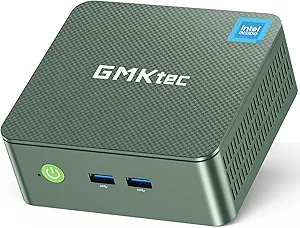
GMKtec NUC Box G3 Plus — Intel N150 + 2.5GbE + Ultra-Compact at $229
The GMKtec NUC Box G3 Plus is the best starting point in this ranking. At $229 it delivers the Intel N150 (Twin Lake, 2023), 16GB DDR4, a 512GB NVMe SSD, and a 2.5 Gigabit Ethernet port — all in one of the most compact chassis available. Measuring approximately 4.49 × 4.17 × 1.65 inches, it disappears behind a monitor or tucks into the tightest spaces.
Under typical home office load, the N150 handles Office 365, browser tabs, Zoom calls, and 4K streaming without issue. The Intel Quick Sync engine covers hardware-accelerated HEVC and AV1 decoding for 4K media. GMKtec has significantly improved support responsiveness and BIOS update cadence over recent years, making this a reliable choice for a known brand at this price point.
| CPU | Intel N150 (4C/4T, up to 3.6GHz, Twin Lake, 2023) |
|---|---|
| RAM | 16GB DDR4 · SO-DIMM |
| Storage | 512GB PCIe NVMe SSD |
| Display | 2× 4K@60Hz (dual HDMI or HDMI + DisplayPort per variant) |
| Networking | 2.5 Gbps LAN · Wi-Fi 6 · BT 5.2 |
| Size | ~4.49 × 4.17 × 1.65 inches — ultra-compact |
| OS | Windows 11 Pro (pre-installed) |
✓ Pros
- Lowest price in ranking at $229
- 512GB SSD — generous base storage
- 2.5GbE — fast wired networking
- Ultra-compact — smallest footprint here
- Wi-Fi 6 · BT 5.2 · VESA compatible
✕ Watch out
- Single 2.5GbE only (no dual LAN)
- 2 display outputs only (no triple monitor)
- N150 — not for gaming or video editing
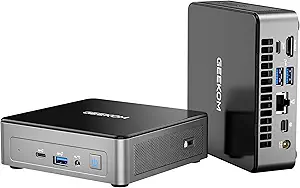
GEEKOM Mini Air 12 — Intel N95 + Triple 4K + VESA + 3-Year Warranty at ~$249
The GEEKOM Mini Air 12 is the premium quality pick in this ranking. GEEKOM is one of the most established mini PC brands globally, and the Air 12 reflects that: 3-year warranty, the Iceblast cooling system tested across 339 rigorous quality checks, and a premium metal chassis with VESA mount. At ~$249, it delivers Intel N95 (4C/4T, up to 3.4GHz), 16GB DDR5 (non-soldered — user-upgradeable), and triple 4K@60Hz output via HDMI 2.0 + MiniDP 1.4 + USB-C.
The triple display support, included VESA mount, and SD card slot make this the most complete productivity setup in the sub-$250 range. The N95 is slightly slower than the N150 in benchmark terms (3.4GHz vs 3.6GHz) but the real-world difference for office use is imperceptible. GEEKOM’s 3-year warranty and support track record provide meaningful confidence for a machine you’ll use daily.
| CPU | Intel N95 (4C/4T, up to 3.4GHz, Alder Lake) |
|---|---|
| RAM | 16GB DDR5 · non-soldered (user-upgradeable) |
| Storage | 512GB NVMe SSD · SD card slot |
| Display | Triple 4K@60Hz — HDMI 2.0 + MiniDP 1.4 + USB-C |
| Networking | 1 Gbps LAN · Wi-Fi 6 · BT 5.2 |
| Extras | VESA mount · Iceblast cooling · 339 quality tests |
| Warranty | 3 years · GEEKOM lifetime support |
✓ Pros
- 3-year warranty — best in this ranking
- Triple 4K@60Hz — more displays than G3 Plus
- VESA mount included — zero desk footprint
- DDR5 non-soldered — user-upgradeable RAM
- SD card slot — useful for photographers and transfers
- GEEKOM quality — 339 rigorous tests
✕ Watch out
- Intel N95 — slightly slower than N150 (3.4GHz vs 3.6GHz)
- Only 1GbE (not 2.5GbE)
- ~$249 — slightly more than G3 Plus
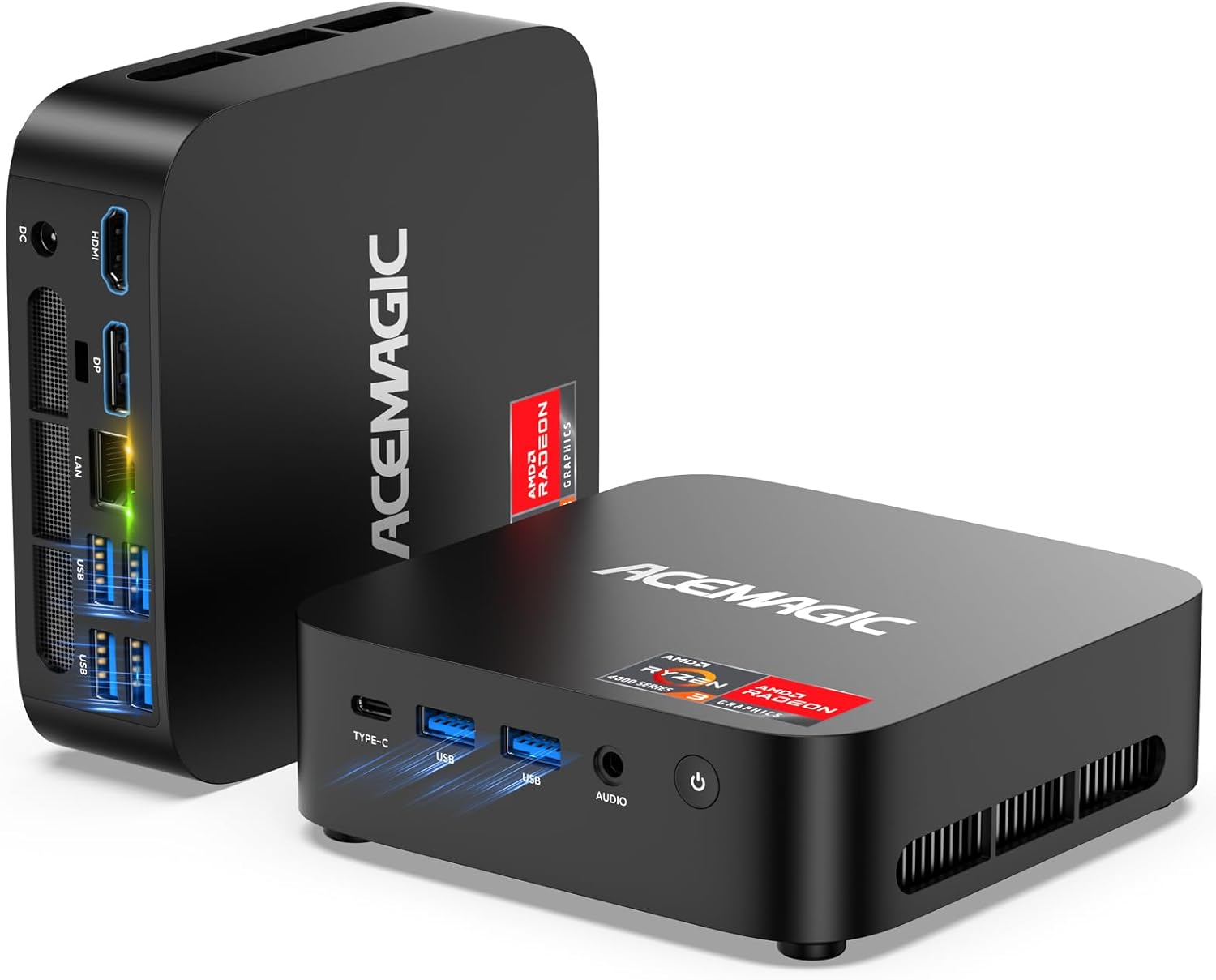
ACEMAGIC K1 — Triple 4K + Wi-Fi 6 + USB-C at $299
The ACEMAGIC K1 fills an important gap: it’s the most affordable N150 mini PC with three simultaneous display outputs. Via HDMI + DisplayPort + USB-C (DisplayPort Alt Mode), it drives three 4K@60Hz monitors simultaneously — a capability that most N150-class machines simply don’t offer. For home office users who want a triple-monitor productivity setup under $300, this is the only N150 option that delivers it.
CPU performance is identical to the GMKtec G3 Plus and GEEKOM Mini Air 12 — the Intel N150 platform runs at the same speed across all three N150 machines in this ranking. The K1 has a single 2.5GbE port and adds a third display output compared to the G3 Plus. ACEMAGIC is a newer brand than Beelink; their Amazon commission campaign (10% commission) reflects their current push to build market share with competitive pricing and affiliate support.
| CPU | Intel N150 (4C/4T, up to 3.6GHz, Twin Lake) |
|---|---|
| RAM | 16GB DDR4 · SO-DIMM |
| Storage | 512GB PCIe NVMe SSD |
| Display | Triple 4K@60Hz — HDMI + DP + USB-C (DP Alt) |
| Networking | 2.5 Gbps LAN · Wi-Fi 6 · BT 5.2 |
| OS | Windows 11 Pro (pre-installed) |
✓ Pros
- Triple 4K — unique in N150 category under $300
- Wi-Fi 6 · USB-C DisplayPort — modern I/O
- Competitive price at $299 for triple display capability
- 512GB SSD — good base storage
✕ Watch out
- Single 2.5GbE — no dual LAN for server use
- ACEMAGIC — newer brand, less warranty history than Beelink
- Third display needs USB-C DP Alt Mode compatible monitor or adapter
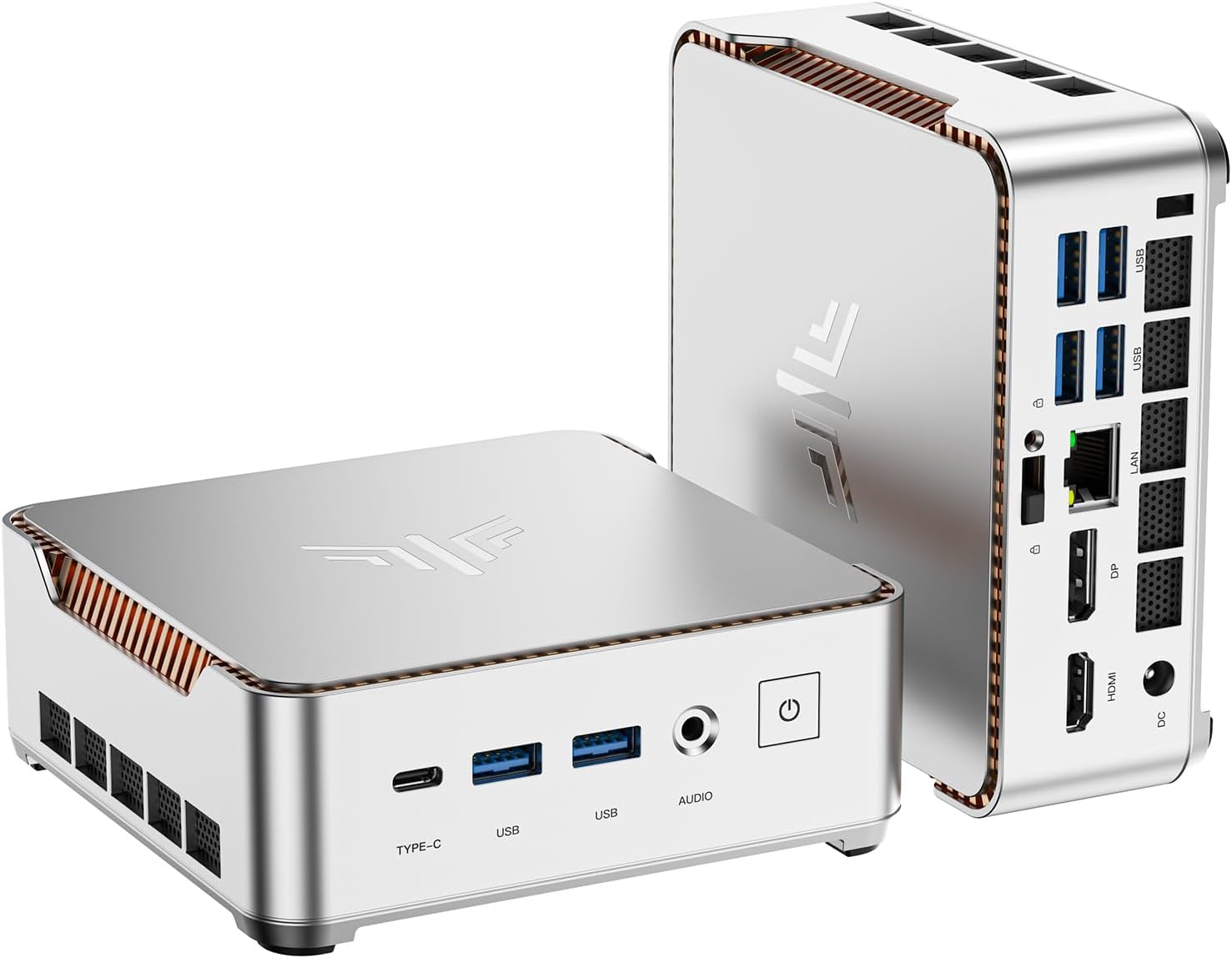
KAMRUI Pinova P2 — Ryzen 4300U + Triple 4K + VESA at ~$329
The KAMRUI Pinova P2 sits just above the strict $300 threshold (typically $329 list, frequently discounted), but earns its place here for two reasons: it runs a Ryzen 4300U (Zen 2, 4C/4T — meaningfully more CPU performance than N150) and it supports triple 4K@60Hz simultaneously via HDMI 2.0 + DisplayPort 1.4 + USB-C. The included VESA mount allows completely invisible behind-monitor installation.
RAM is upgradeable via SO-DIMM to 64GB — unique in this category. The Ryzen 4300U is older hardware (2020, Zen 2), but outperforms the N150 on multi-core tasks like compilation, larger spreadsheets, and sustained CPU workloads. For home office users who want the cleanest desk setup (VESA + triple 4K + zero cables) at the lowest possible cost, no competitor matches this combination.
| CPU | AMD Ryzen 4300U (4C/4T, up to 3.7GHz, Zen 2, 2020) |
|---|---|
| RAM | 16GB DDR4 · SO-DIMM upgradeable to 64GB |
| Storage | 512GB PCIe NVMe SSD · 2nd M.2 slot available |
| Display | Triple 4K@60Hz — HDMI 2.0 + DP 1.4 + USB-C (DP Alt) |
| Networking | 1 Gbps LAN · Wi-Fi · BT |
| Special | VESA mount included · Tool-free M.2 access |
| OS | Windows 11 Pro (pre-installed) |
✓ Pros
- Ryzen 4300U — more CPU power than N150
- Triple 4K@60Hz — best multi-monitor setup in category
- VESA mount included — zero desk footprint
- RAM upgradeable to 64GB — unique at this price
- 2nd M.2 slot for storage expansion
✕ Watch out
- Ryzen 4300U is Zen 2 (2020) — older than N150 architecture
- Only 1GbE — no 2.5GbE for server/NAS use
- Typically $329 — slightly above $300 at full price
- 15% Amazon commission campaign — deadline 01/05/2026
Which Mini PC Under $300 Is Right for You?
Four machines, four different strengths. Here’s the quick decision guide:
Best all-round value?
The GMKtec NUC Box G3 Plus (~$229) — 2.5GbE, 512GB SSD, ultra-compact chassis. Best price for a solid N150 machine.
Home server or NAS?
The GMKtec NUC Box G3 Plus — 2.5GbE, Intel Quick Sync for Plex transcoding, low idle power. Or the GEEKOM Mini Air 12 for triple display + VESA if you want more versatility.
Triple monitor home office?
The ACEMAGIC K1 (~$299) for N150 performance + triple 4K. Or the KAMRUI Pinova P2 (~$329) for more CPU power + VESA mount — the cleanest zero-footprint desk setup available.
Smallest possible footprint?
The GMKtec NUC Box G3 Plus (~$229) — ultra-compact chassis, VESA compatible, fits behind any monitor or in a network cabinet with ease.
Student or first PC?
The GMKtec NUC Box G3 Plus (~$229) — compact, reliable, handles coursework and online learning. Or the KAMRUI Pinova P2 if you want more CPU headroom for coding projects.
Future-proof RAM?
The KAMRUI Pinova P2 — only machine here with SO-DIMM upgradeable RAM (to 64GB). All others have fixed 16GB. If you anticipate needing more RAM, the P2 is the only upgradeable option.
Looking for More Performance?
Explore our full mini PC rankings — from the $300 tier up to $1,000+ gaming and AI workstations.