
Minisforum G1 Pro Review: Desktop RTX 5060 in a 3.8L Mini PC — 230 FPS Cyberpunk
A real desktop RTX 5060 at 145W in a 3.8-litre chassis. Not a laptop GPU. Not a rebadge. 3DMark Time Spy 13,573 — beating most standard desktop RTX 5060 builds. With DLSS 4 + Frame Generation: 230 FPS in Cyberpunk 2077 1440p Ultra. Honest benchmarks, thermal reality check, and full verdict.
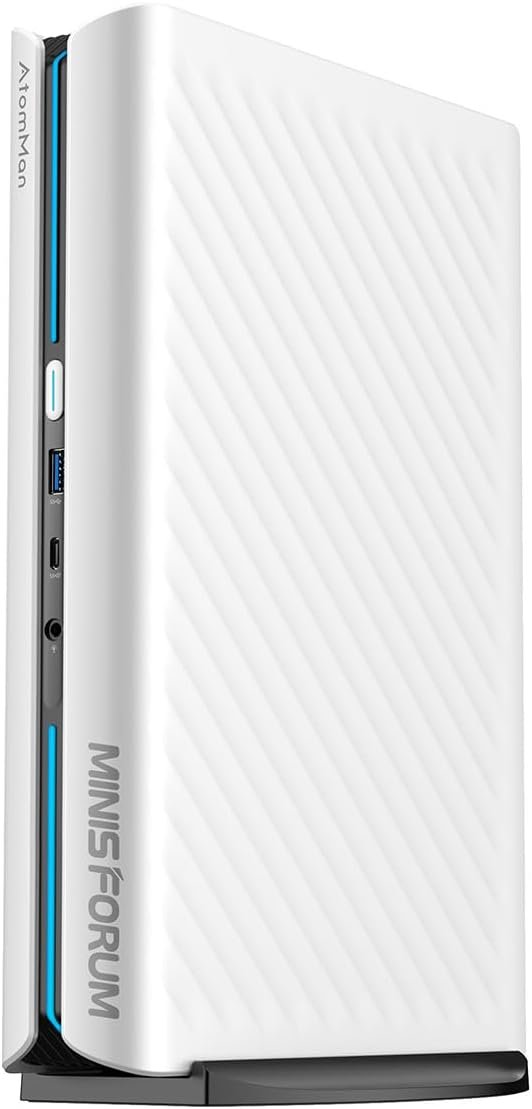
The Minisforum G1 Pro is the most powerful gaming mini PC in 2026. A full desktop RTX 5060 at 145W — 20–30% more sustained performance than laptop variants — in a 3.8L chassis with no external PSU. 3DMark Time Spy: 13,573 (above desktop RTX 5060 average). With DLSS 4 + Frame Generation: 57 native FPS becomes 230 FPS in Cyberpunk 2077 1440p Ultra. The only caveats: audible fans at full gaming load and thermal throttling under extreme synthetic stress (not real gaming).
Design & Build Quality
The G1 Pro measures approximately 3.8 litres — smaller than a PS5 Pro — in a vertical orientation with front intake and rear exhaust. Build is solid matte white with subtle RGB. The integrated 300W PSU is the headline design feature: no external brick, clean desk.
The vertical orientation improves natural convection, with a large front intake and rear exhaust grille. Build quality is solid — matte white finish with subtle RGB accents. The lighting is the one underwhelming element: individual LED dots are visible, giving a slightly budget feel despite the premium internals. If you use it as a living room or desk piece, the muted aesthetic still works well.
3.8L chassis packs desktop RTX 5060 — density is impressive but adds weight (~4.5kg).
Access to internals requires removing the base stand with a tool — less convenient than tool-free designs. Once open, you get easy access to the second M.2 slot (with heatsink pre-installed) and dual SO-DIMM slots (up to 96GB DDR5). The integrated 300W PSU eliminates the external brick entirely — a meaningful quality-of-life improvement for clean builds.
Full Specifications
The G1 Pro uses a desktop RTX 5060 Low Profile (Gigabyte variant) at full 145W TDP — 25–30% more power budget than laptop variants. This unlocks higher sustained clocks and better performance in long gaming sessions.

Desktop GPU + mobile CPU: the core innovation of the G1 Pro’s design.
| Component | Specification | Expert note |
|---|---|---|
| CPU | AMD Ryzen 9 8945HS — 16C/32T — up to 5.4GHz | Excellent multi-thread (Cinebench R24 ~1,150). Zen 4c cores slightly lower clocks under heavy combined load. |
| GPU | NVIDIA RTX 5060 Desktop LP — 8GB GDDR7 — 145W TDP | Full desktop silicon. 20–30% faster sustained vs laptop 115W variants. |
| RAM | 32GB DDR5-5200 — dual SO-DIMM — upgradeable to 96GB | Verify dual-channel. Single-channel loses 15–20% bandwidth — critical for GPU performance. |
| Storage | 1TB Kingston NVMe PCIe 4.0 (~6,000 MB/s) + 1× M.2 slot with heatsink | Gen4/Gen5 compatible. Extra slot supports RAID 0 or 8TB+ expansion. |
| PSU | Integrated 300W | Stable voltage delivery. No external brick — the cleanest desk setup in the category. |
| Connectivity | 5GbE LAN · Wi-Fi 7 · Quad 4K/8K display outputs | Wi-Fi 7 reaches 5Gbps+ in ideal conditions. 5GbE ideal for NAS or high-speed LAN gaming. |
| Chassis | ~3.8 litres · vertical · ~4.5kg · matte white + RGB | Smaller than PS5 Pro. Tool needed to open base for SO-DIMM/M.2 access. |
Synthetic Benchmarks
In 3DMark Time Spy Graphics, the G1 Pro scores 13,573 — above the desktop RTX 5060 average of ~13,152. Higher TDP + optimized low-profile cooling sustains boost clocks longer than standard-sized cards relying on oversized heatsinks.
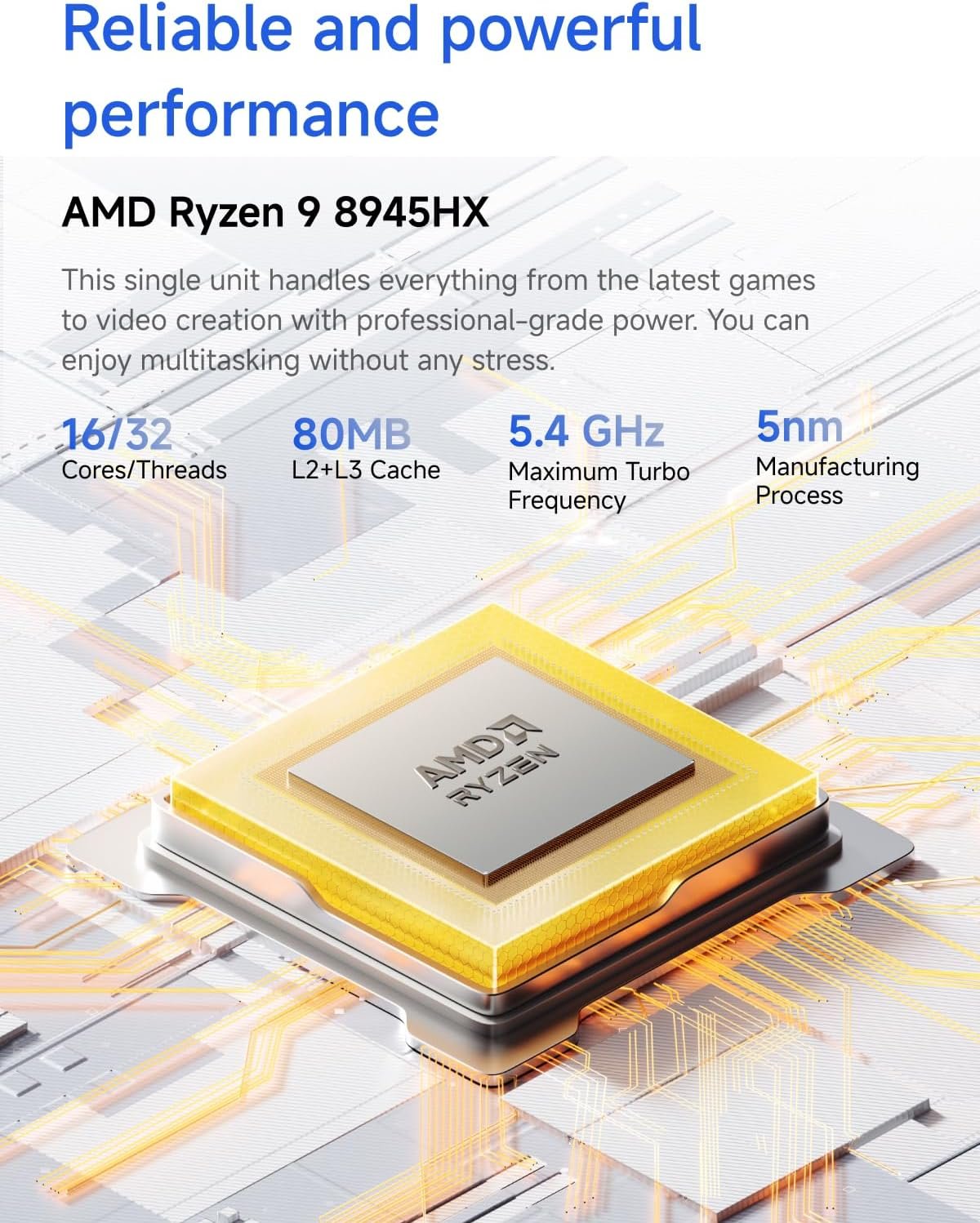
3DMark and Cinebench scores show full desktop parity in a compact form factor.
| Benchmark | G1 Pro | Desktop RTX 5060 avg | Difference |
|---|---|---|---|
| 3DMark Time Spy Graphics | 13,573 | ~13,152 | +3.2% |
| Cinebench R24 Multi-Core | ~1,150 | ~1,000–1,100 (i5-12600K) | +5–15% |
| CrystalDiskMark Seq. Read | ~6,000 MB/s | Comparable Gen5 SSD | Equal |
Real-World Gaming Performance
Native 1440p Ultra (Cyberpunk 2077): 57 FPS. With DLSS 4 + Frame Generation: 230 FPS. At 4K Ultra with RT: 38–42 FPS native, 126 FPS with DLSS 4. Esports titles (Valorant, CS2) run at 300–450 FPS at 1080p/1440p without upscaling.
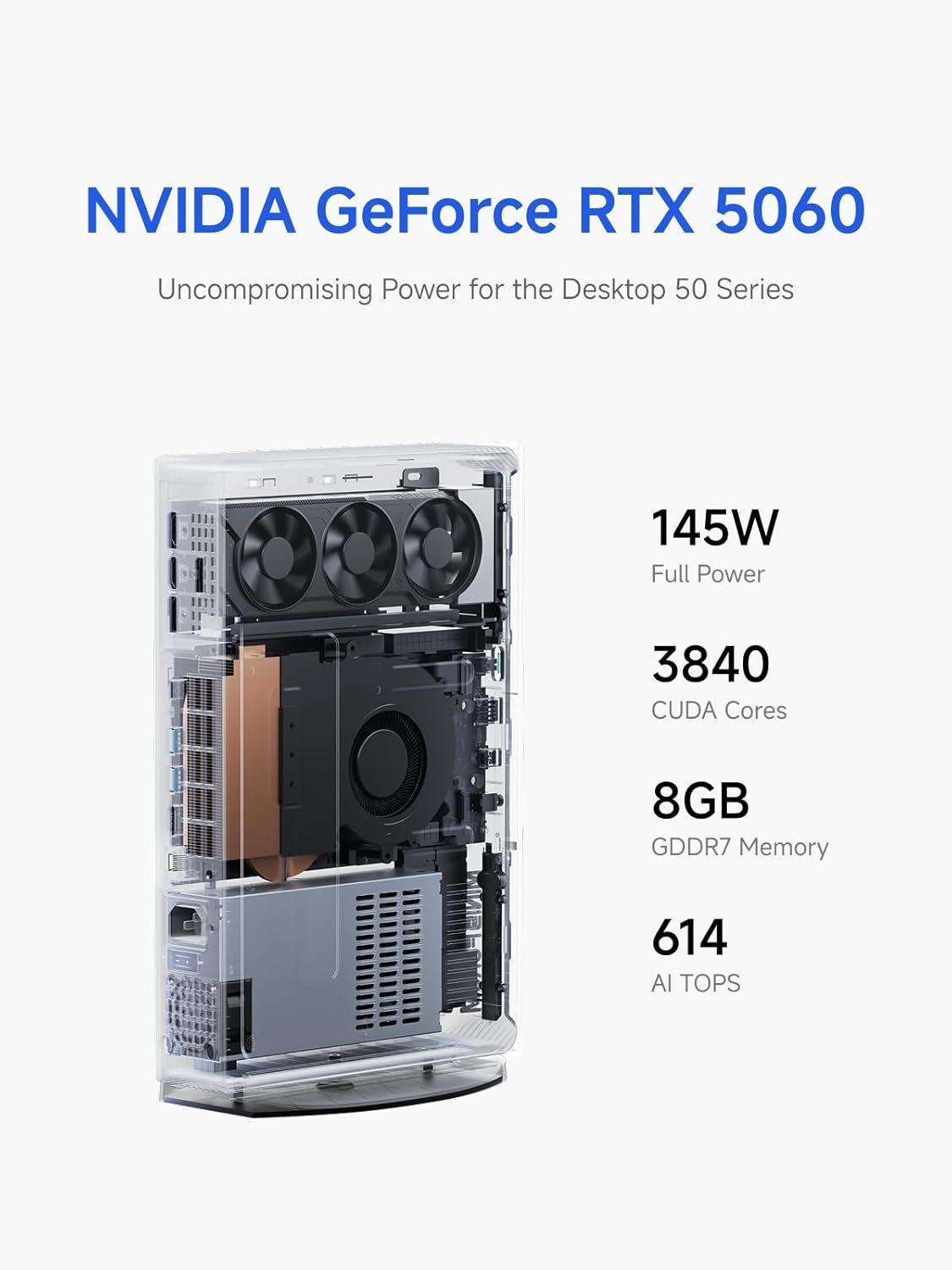
The desktop RTX 5060 LP card — full 145W, 8GB GDDR7, all NVIDIA features including DLSS 4.
| Game | Resolution / Preset | Native FPS | DLSS 4 + FG FPS |
|---|---|---|---|
| Cyberpunk 2077 | 1440p Ultra + RT | 57 | 230 |
| Cyberpunk 2077 | 4K Ultra + RT | ~38–42 | 126 |
| Valorant / CS2 | 1080p / 1440p Max | 300–450 | N/A |
Thermals & Noise
In real gaming (Cyberpunk, CPU at ~40% load): no observable throttling in 2–3 hour sessions. GPU stabilizes at 82–85°C. Fans reach 45–55 dB under load — audible but not disruptive. Throttling only occurs under extreme synthetic stress (OCCT 100% CPU+GPU for 45+ minutes).
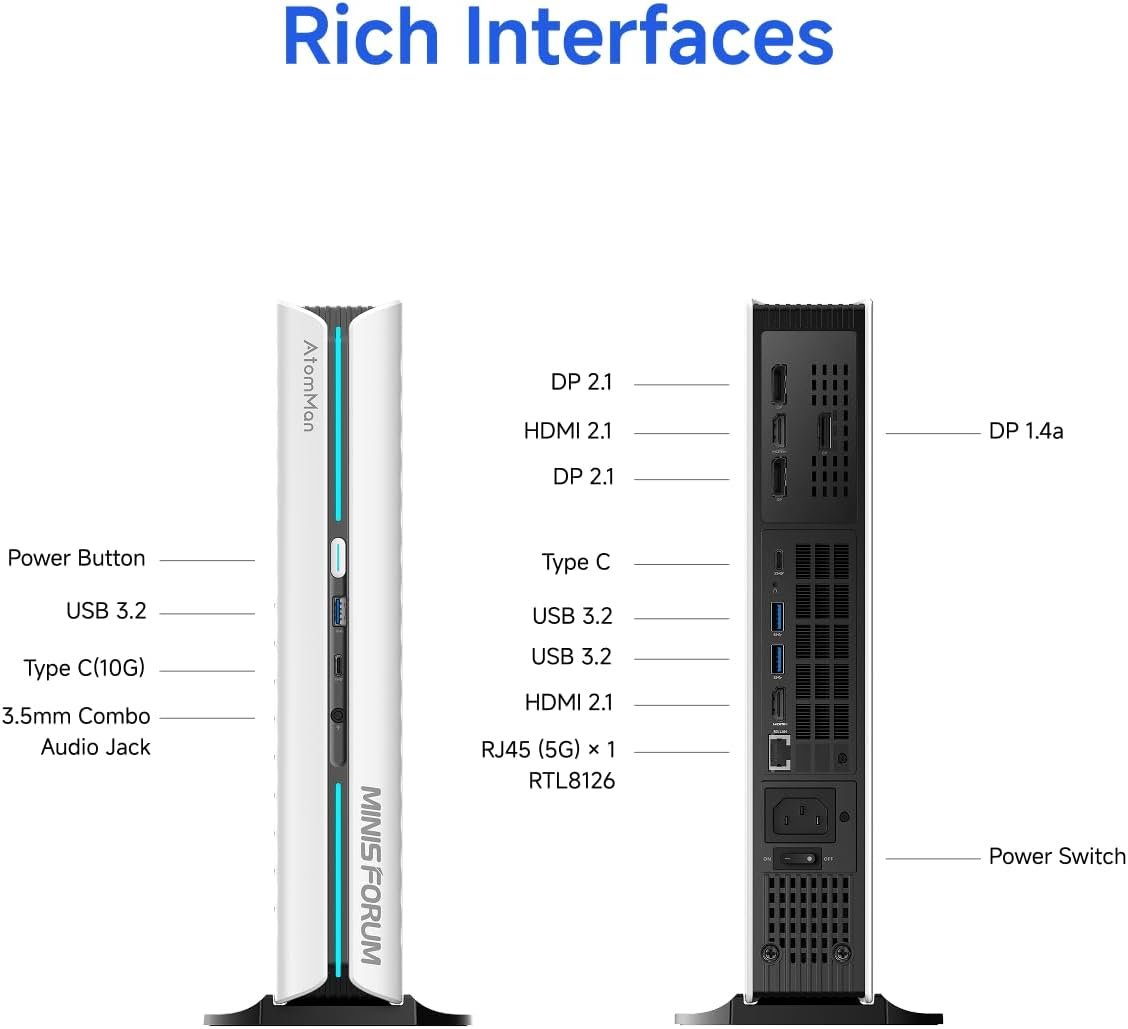
Rear I/O: 5GbE, Wi-Fi 7 antenna, USB4, quad display outputs.
The compactness has a ceiling. Under OCCT 100% CPU+GPU stress for 45+ minutes, the CPU throttles aggressively to ~0.5 GHz to stay under 90°C. This is a stress scenario no real gaming session approaches — Cyberpunk loads the CPU at approximately 40%, leaving substantial thermal headroom for the GPU.
Undervolting via Ryzen Master or MSI Afterburner can drop 5–10°C and extend sustained boost clocks further. For rendering or AI workloads that do push CPU+GPU simultaneously at 100% for hours, the G1 Pro’s thermal limits will be felt. For gaming: it handles everything without issue.
Pros & Cons
✓ What We Like
- Desktop RTX 5060 at 145W — 20–30% better than mobile versions
- 3DMark Time Spy 13,573 — beats desktop RTX 5060 average
- DLSS 4 + Frame Gen — 57 FPS native becomes 230 FPS
- Integrated 300W PSU — no external brick, clean desk
- Wi-Fi 7 + 5GbE — future-proof networking
- Expandable: dual M.2 (heatsink included), up to 96GB DDR5
- Quad 4K/8K display support
✕ Watch Out For
- Throttles under extreme synthetic stress (not real gaming)
- Some units shipped single-channel RAM — verify after purchase
- Fans audible at full gaming load (45–55 dB)
- Chassis access requires tools (no tool-free design)
- RGB quality underwhelming — visible individual LEDs
- ~4.5kg — heavier than a typical mini PC
Performance Ratings
Vs Towers, Gaming Laptops & Consoles
vs Full tower: 95–100% of the performance at 1/5 the volume. vs Gaming laptop: 20–30% faster GPU due to TDP advantage. vs PS5 Pro: superior ray tracing, DLSS 4, modding, multi-monitor, and raw FPS. Console wins in simplicity and exclusives.
Recommended Accessories
These accessories pair well with the G1 Pro’s performance and clean SFF aesthetic.
Final Verdict
The Minisforum G1 Pro exists in its own category. No other mini PC offers a desktop-class GPU at this TDP level. The RTX 5060 at 145W is not a compromise — it genuinely outperforms the desktop average in 3DMark. DLSS 4 with Frame Generation is the multiplier that makes this machine feel absurd for its size: 230 FPS in Cyberpunk 2077 from a box smaller than a PS5.
The thermal behaviour under extreme synthetic loads is real, but it is not a gaming limitation — real gaming sessions never push CPU+GPU to 100% simultaneously for 45 minutes straight. The audible fans are the more relevant consideration for daily use in a quiet environment.
For the user who needs maximum gaming performance in minimum desk space, the G1 Pro has no direct competition. For the user who primarily games and doesn’t care about size, a standard tower with the same GPU will be quieter and cooler. Know which one you are.
Frequently Asked Questions
Benchmark data (3DMark Time Spy, Cinebench R24) from independent published testing of the Minisforum G1 Pro and Ryzen 9 8945HS platform. Gaming FPS from published independent reviews. Thermal data from community testing and Minisforum’s published specifications. This article contains affiliate links — we earn a commission on qualifying purchases at no extra cost to you.