
MINISFORUM G1 Pro review: desktop RTX 5060 in a mini PC
145W desktop RTX 5060 Low Profile in a 3.8 L chassis. Real benchmarks, thermals under OCCT, DLSS 4 gaming performance, and verdict for SFF enthusiasts.
Desktop power, mini footprint
- True desktop RTX 5060 at 145W — 20–30% ahead of mobile variants in sustained loads
- Ryzen 9 8945HS crushes multi-thread workloads; Cinebench rivals full desktop CPUs
- DLSS 4 + Frame Generation turns 57 FPS native into 230 FPS in Cyberpunk 1440p Ultra
- Integrated 300W PSU — no external brick, clean desk setups
- Thermal throttling in synthetic extremes: CPU drops under prolonged 100% load.
Table of contents
Design & build quality
The MINISFORUM G1 Pro redefines what a small form factor gaming PC can be. At roughly 3.8 liters (smaller than a PS5 Pro), it houses components that traditionally require 15–25 L towers. The vertical orientation improves natural convection, with a large front intake and rear exhaust grille. Build quality is solid: matte white finish with subtle RGB accents, but the lighting itself is underwhelming—individual LED dots are visible, giving a slightly budget feel despite the premium internals.
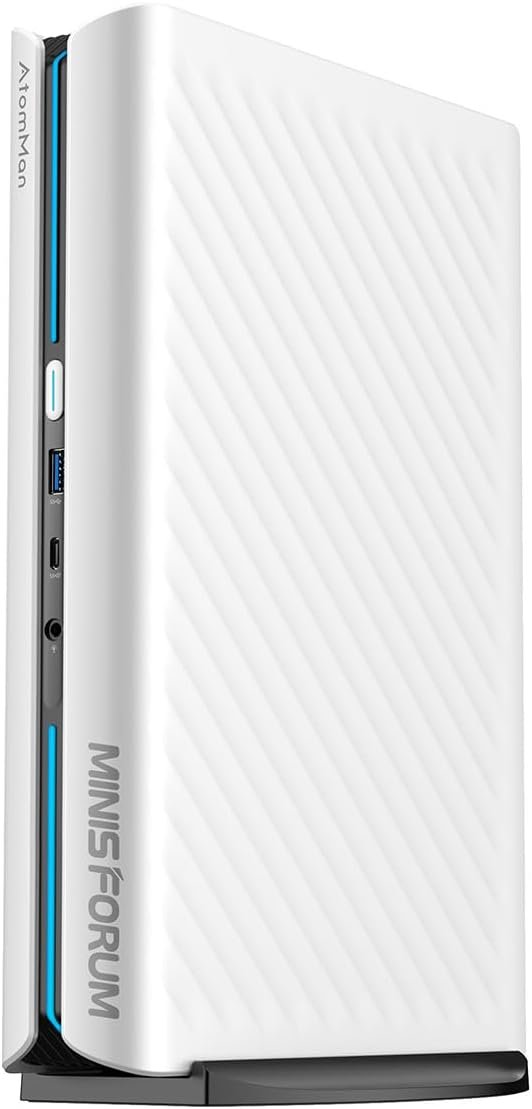
The integrated 300 W PSU is a major win—no bulky external brick cluttering your desk. Access to internals requires removing the base stand (tool needed), which is less convenient than tool-free designs, but once open, you get easy access to the second M.2 slot (with heatsink pre-installed) and dual SO-DIMM slots (up to 96 GB DDR5). The chassis feels dense and premium in hand, though more aluminum would improve perceived quality and heat dissipation.
Full specifications
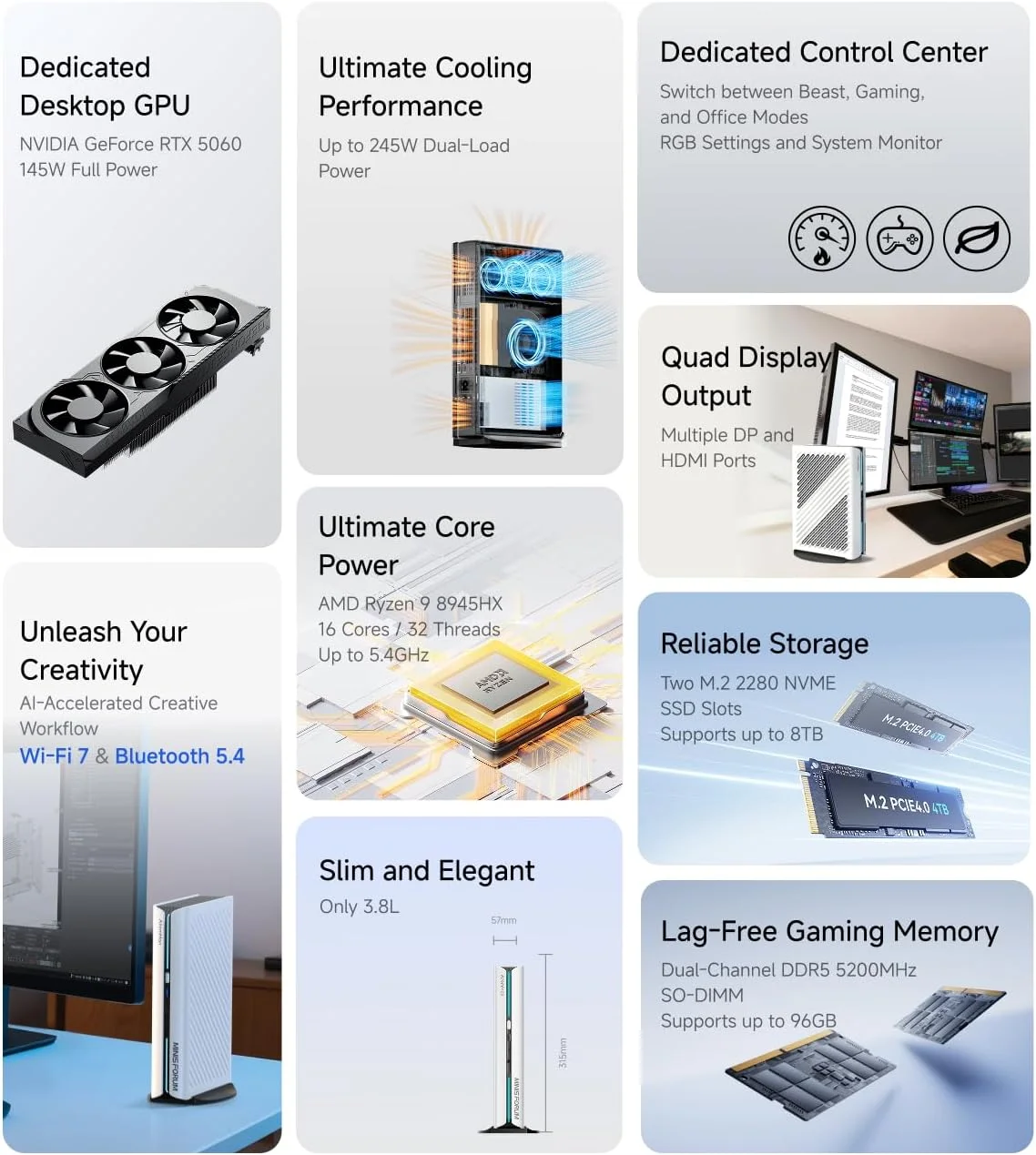
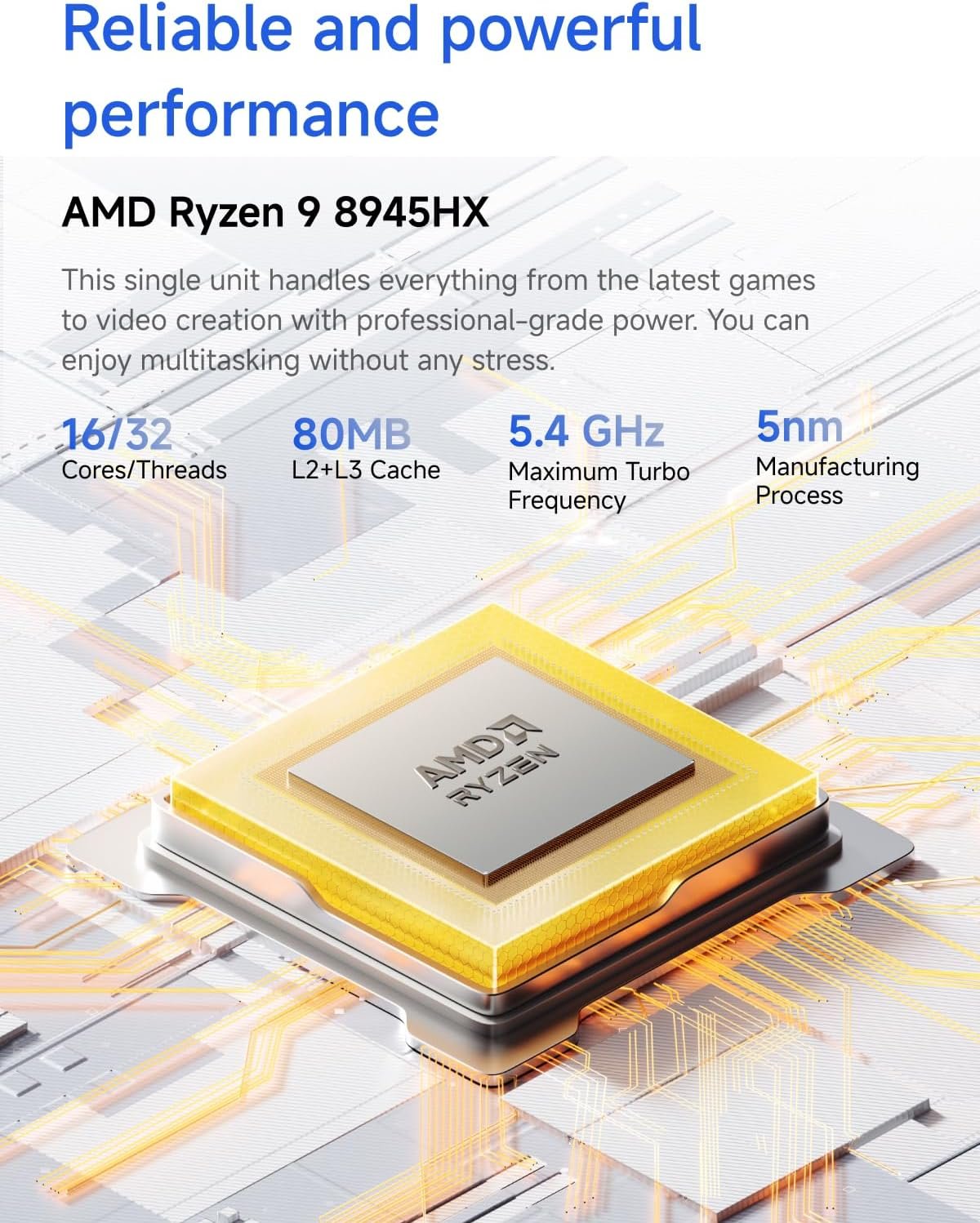
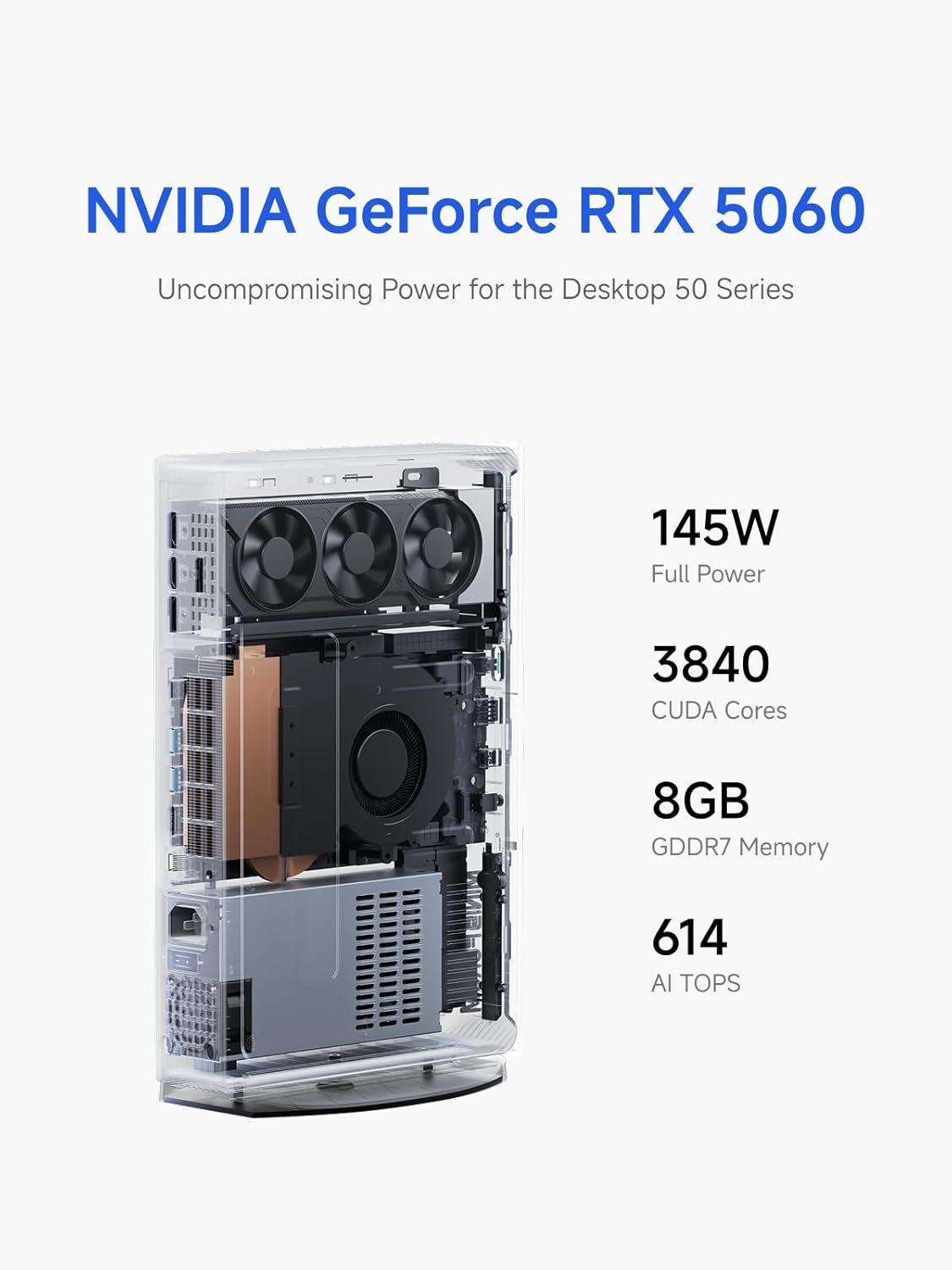
The G1 Pro breaks the mobile GPU ceiling by using a **desktop RTX 5060 Low Profile** (Gigabyte variant) at full 145 W TDP—25–30% more power budget than laptop versions. This unlocks higher sustained clocks and better performance in long sessions.
| Component | Specification | Expert notes |
|---|---|---|
| CPU | AMD Ryzen 9 8945HS (16C/32T, up to 5.4 GHz) | Excellent multi-thread (Cinebench ~1,150), Zen 4c cores slightly lower clocks under heavy load. |
| GPU | NVIDIA GeForce RTX 5060 Desktop Low Profile 8GB GDDR7, 145W TDP | Full desktop silicon. 20–30% faster sustained than mobile 115W variants. |
| RAM | 32GB DDR5-5200 (dual-channel capable, up to 96GB) | Single-channel configs lose 15–20% bandwidth—critical for GPU performance. Verify yours. |
| Storage | 1TB Kingston NVMe (~6,000 MB/s read) + 1× M.2 slot with heatsink | Gen4/Gen5 compatible. Extra slot supports RAID 0 or 8TB+ expansion. |
| PSU | Integrated 300W | Stable delivery, no voltage sag. Major win for clean builds. |
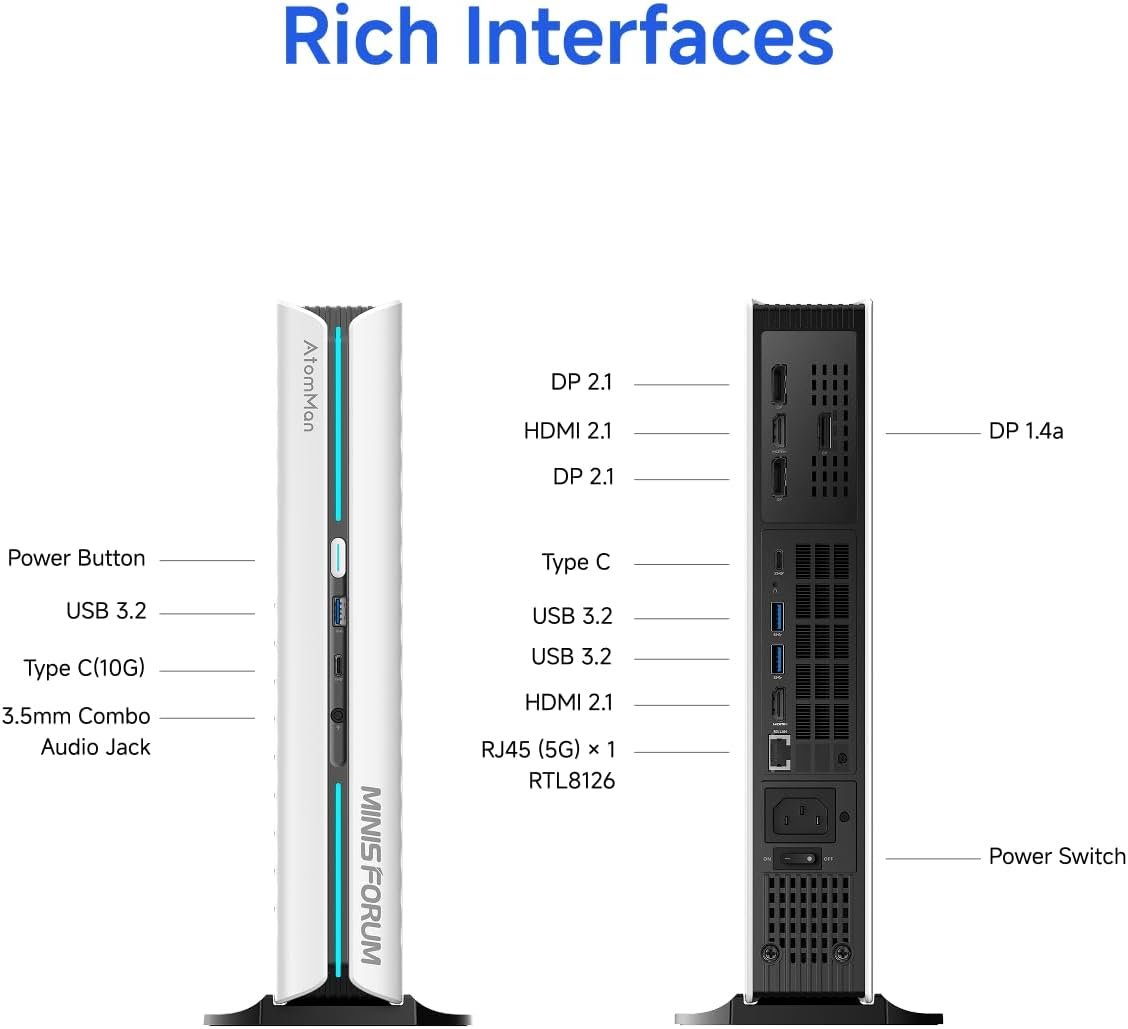
| Connectivity | 5GbE LAN, Wi-Fi 7, Quad 4K/8K outputs | Wi-Fi 7 reaches 5Gbps+ in ideal conditions. 5GbE perfect for NAS or high-speed LAN gaming. |
Synthetic benchmarks
The G1 Pro delivers desktop-level scores in a fraction of the volume. In 3DMark Time Spy Graphics, it hits 13,573—surpassing many standard desktop RTX 5060 configs (average ~13,152). This isn’t luck: higher TDP + optimized low-profile cooling sustains boost clocks longer than bulkier cards relying on oversized fans for marketing.
| Benchmark | G1 Pro | Reference (desktop RTX 5060) | Difference | Notes |
|---|---|---|---|---|
| 3DMark Time Spy Graphics | 13,573 | 13,152 | +3.2% | Higher TDP sustains boosts; low-profile cooling surprisingly efficient. |
| Cinebench R24 Multi-Core | ~1,150 | ~1,000–1,100 (i5-12600K) | +5–15% | 16 cores/32 threads shine in rendering, streaming + gaming workloads. |
| CrystalDiskMark Sequential Read | ~6,000 MB/s | Comparable Gen5 SSD | Equal | Kingston drive delivers near-instant game/OS loads. |
Single-channel RAM (seen in some early units) reduces bandwidth by ~15–20%—a measurable hit in GPU-bound tests. Always confirm dual-channel configuration.
Real-world gaming performance
Without upscaling, the G1 Pro delivers respectable native performance: 57 FPS in Cyberpunk 2077 1440p Ultra. But DLSS 4 + Frame Generation changes everything—jumping to **230 FPS** average. This isn’t just numbers; it transforms demanding titles into smooth experiences even on a compact platform with thermal constraints.
| Game | Resolution / Preset | Native FPS | DLSS 4 + FG FPS | Notes |
|---|---|---|---|---|
| Cyberpunk 2077 | 1440p Ultra + RT | 57 | 230 | AI upscaling compensates perfectly for thermal limits. |
| Cyberpunk 2077 | 4K Ultra + RT | ~38–42 | 126 | Surpasses PS5 Pro in ray-traced 4K scenarios. |
| Valorant / CS2 | 1080p / 1440p Max | 300–450 | N/A | Esports titles run flawlessly; low input lag with Wi-Fi 7. |
DLSS 4 uses AI tensor cores more efficiently than previous generations, reducing artifacts while pushing frame rates far beyond native capability. Competitive games feel effortless—no stutters, thanks to fast GDDR7 VRAM and low-latency networking.
Thermals, noise & sustained loads
Compactness has limits. In OCCT (100% CPU + GPU stress), the G1 Pro saturates after ~45 minutes: GPU stabilizes at 82–85°C, CPU throttles aggressively to ~0.5 GHz to stay under 90°C. Fans reach 45–55 dB—noticeable but not jet-engine loud.
Real gaming is very different: Cyberpunk loads CPU at only ~40%, leaving thermal headroom. No observable throttling in 2–3 hour sessions. Undervolting (Ryzen Master / Afterburner) can drop 5–10°C and extend boosts further. It’s not silent, but optimized for bursty gaming—not 24/7 rendering.
Pros and cons
Pros
- Desktop RTX 5060 145W — 20–30% better sustained performance than mobile equivalents
- Integrated 300W PSU — clean, cable-free builds
- DLSS 4 + Frame Gen — 57 → 230 FPS in demanding titles
- Expandable: dual M.2 (heatsink included), up to 96GB DDR5
- Future-proof I/O: Wi-Fi 7, 5GbE, quad 4K/8K support
Cons
- Thermal throttling in extreme synthetic loads (OCCT-style)
- Single-channel RAM on some units — 15–20% bandwidth penalty
- RGB quality underwhelming — visible LEDs
- Chassis access requires tools — not fully tool-free
- Fans audible under heavy load (45–55 dB)
Comparison with towers, laptops & consoles
Vs. full towers: 95–100% performance at 1/5 the volume. Vs. laptops: 20–30% faster GPU due to TDP advantage. Vs. PS5 Pro: superior ray tracing, upscaling, modding, and multi-monitor support. It’s a niche luxury for space-conscious gamers who refuse compromises.
Perfect accessory pairings
These accessories complement the G1 Pro’s performance and clean SFF aesthetic. All links are Amazon affiliate (we earn a commission at no extra cost to you).
Ready for desktop power in mini form?
Limited stock – secure yours today
View MINISFORUM G1 Pro on Amazon