
Complete guide to cloud gaming in 2026: advantages, disadvantages, leaders, and why it’s perfect for mini PCs
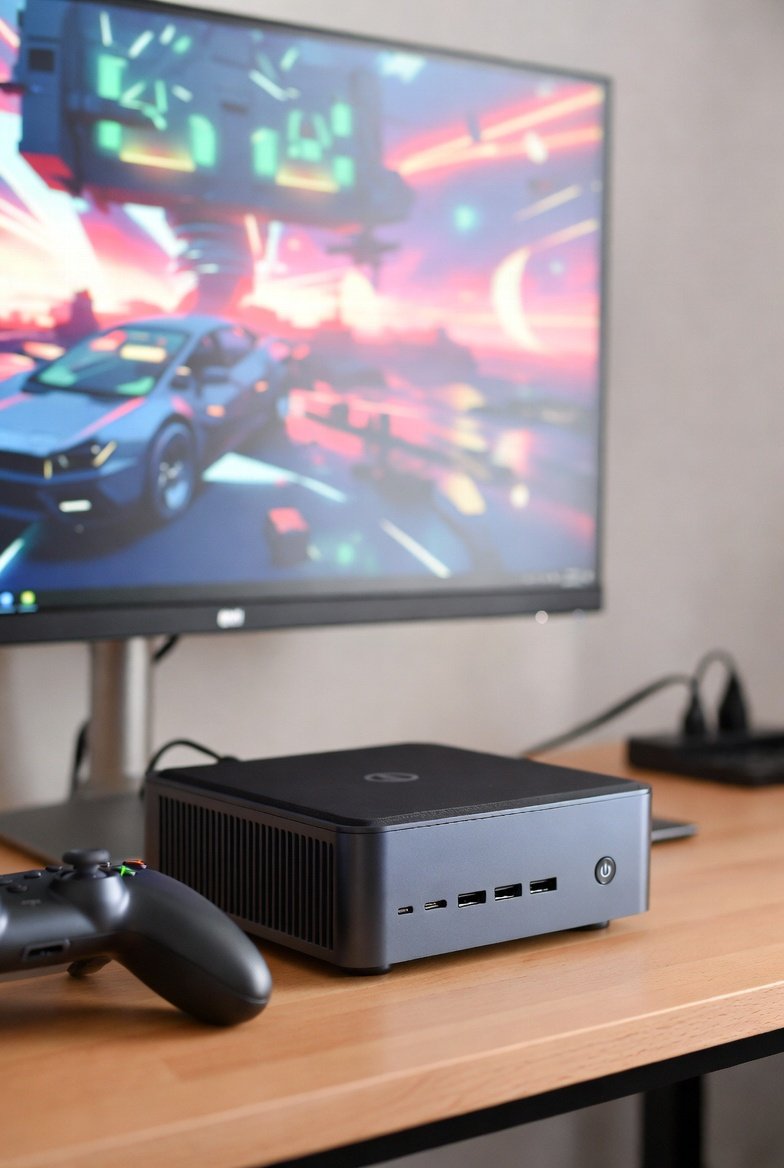
Table of contents
What is cloud gaming?
Cloud gaming, also known as game streaming, is a technology that allows users to play high-end video games without needing powerful hardware on their end. Instead of running games locally on a console or PC, the processing happens on remote servers in data centers. The gameplay is then streamed to your device over the internet, much like watching a video on Netflix or YouTube.
This paradigm shift began gaining traction around 2010 with services like OnLive (now defunct), but it exploded in popularity during the 2020s thanks to advancements in 5G, fiber optics, and edge computing. By 2026, cloud gaming has become a mainstream option, with over 500 million active users worldwide according to Statista reports. It’s not just for casual gamers; esports tournaments are now incorporating cloud-based setups for global accessibility.
Key components include:
- Remote Servers: High-powered GPUs (like NVIDIA A100 or AMD Instinct) handle rendering.
- Low-Latency Streaming: Technologies like WebRTC and proprietary codecs reduce input lag to under 50ms.
- Client Devices: Anything from smartphones to mini PCs, as long as it has a stable internet connection (minimum 25 Mbps for 1080p, 50 Mbps for 4K).
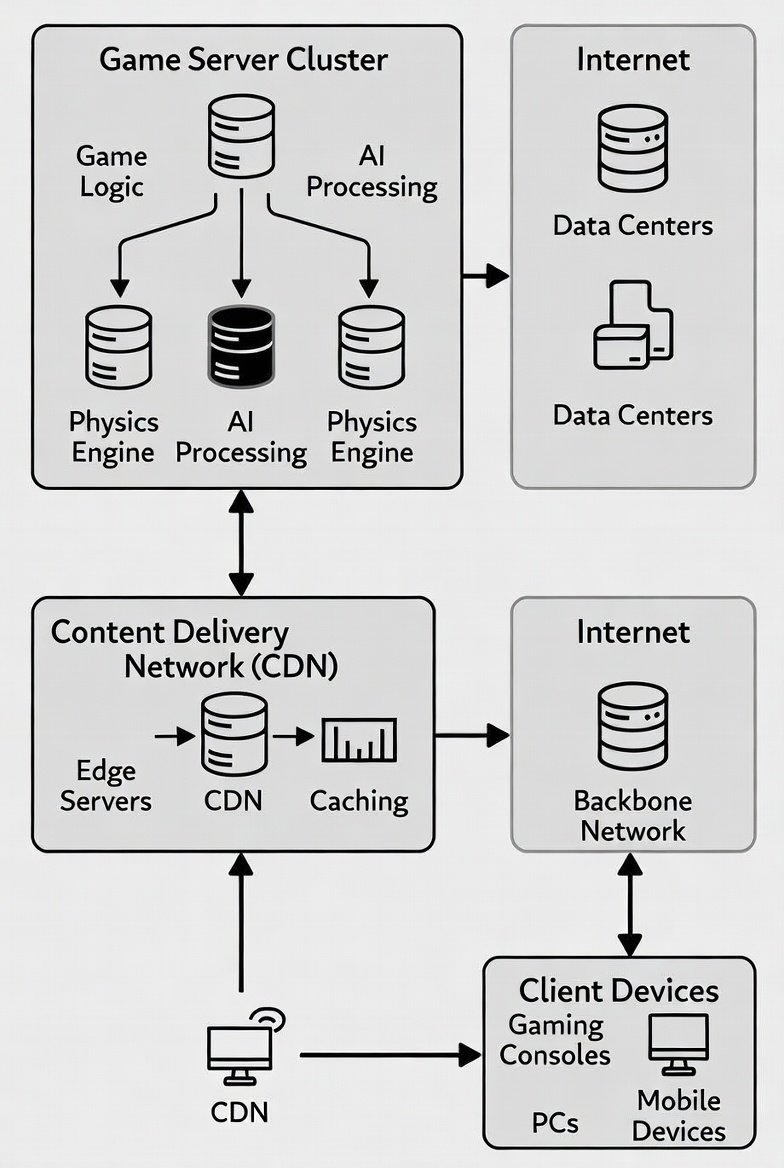
Cloud gaming infrastructure: Servers process games and stream to devices.
Advantages of cloud gaming
Cloud gaming democratizes access to premium gaming experiences. Here’s why it’s revolutionary:
Hardware independence
No need for expensive GPUs or CPUs. A budget mini PC like the KAMRUI Essenx E1 ($199) can run AAA titles at 4K/60FPS via streaming.
Instant access and updates
Games launch in seconds without downloads (up to 100GB saved per title). Patches happen server-side, eliminating downtime.
Cross-platform play
Seamless switching between devices—start on your mini PC, continue on mobile. Supports controllers, keyboards, and touch inputs.
Cost savings
Subscription models ($10-20/month) provide access to libraries of 1,000+ games, cheaper than buying hardware ($1,000+ for a gaming rig).
Environmental benefits
Centralized servers optimize energy use; one study from the Lawrence Berkeley National Laboratory estimates 30% less power consumption compared to local gaming setups.
These perks make cloud gaming especially appealing in 2026, where hardware shortages and inflation have driven up costs for traditional PCs.
Disadvantages of cloud gaming
Despite its appeal, cloud gaming isn’t perfect. Here are the key drawbacks:
Internet dependency
Requires stable, high-speed connections. In rural areas or during peak hours, buffering and lag (over 100ms) can ruin immersion.
Input lag
Even with advancements, competitive gamers report 20-50ms delays, unacceptable for esports like FPS titles.
Data caps and bandwidth
4K streaming consumes 15-25GB/hour. With average US data caps at 1TB/month, heavy users risk overage fees.
Game ownership issues
Subscriptions mean access, not ownership. If a service removes a game (e.g., Stadia’s shutdown in 2023), you lose it.
Quality compression
Streaming artifacts can degrade visuals, especially in fast-paced scenes. Not as crisp as native 4K on high-end hardware.
These issues are improving with 6G rollouts and AI-enhanced compression, but they’re still barriers for some users.
Input lag remains a challenge in cloud gaming setups.
Leading cloud gaming platforms in 2026
The market is dominated by tech giants. Here’s a comparison based on user bases, libraries, and features (data from Newzoo and platform reports):
| Platform | Provider | Users (Millions) | Key Features | Price |
|---|---|---|---|---|
| Xbox Cloud Gaming | Microsoft | 150+ | Game Pass library (500+ titles), 4K/120FPS, console integration | $15/month (Ultimate) |
| GeForce Now | NVIDIA | 100+ | RTX 4080 servers, supports owned games (Steam/Epic), 8K/240FPS | $20/month (Ultimate) |
| Amazon Luna | Amazon | 80+ | Twitch integration, family sharing, 4K HDR | $10/month + channels |
| PlayStation Cloud | Sony | 70+ | PS5 exclusives, DualSense haptics, 4K/60FPS | $18/month (Premium) |
| Boosteroid | Independent | 20+ | Budget-friendly, EU-focused, 1080p/60FPS | $10/month |
Leaders like Xbox and GeForce Now excel due to vast libraries and low-latency tech. Emerging players like Netflix Games (mobile-focused) and Antstream Arcade (retro) niche down.
Why cloud gaming is ideal for mini PCs
Mini PCs, with their compact form and affordability, pair perfectly with cloud gaming. Here’s why:
- Low Hardware Requirements: A basic mini PC like the KAMRUI Essenx E1 ($199) with 8GB RAM and integrated graphics suffices for streaming, freeing budget for peripherals.
- Portability and Versatility: Plug into any TV or monitor for instant gaming. Ideal for travel or home offices.
- Energy Efficiency: Mini PCs consume 20-50W vs. 300W+ for gaming rigs, reducing electricity bills during long sessions.
- Future-Proofing: As games demand more (e.g., ray tracing), cloud handles upgrades server-side—no need to replace your mini PC.
- Accessories Synergy: Pair with a Xbox Controller ($59) or Logitech G305 Mouse ($49) for console-like experience.
In tests by PCMag, mini PCs achieved sub-30ms latency on GeForce Now, rivaling dedicated consoles.
A compact mini PC setup transforms into a cloud gaming station.
Cloud gaming amid soaring RAM prices in 2026
With AI and data center demands exploding, RAM prices have surged 40-60% in 2026 (per TrendForce). DDR5 modules now cost $100+ for 16GB, making high-RAM builds unaffordable.
Cloud gaming sidesteps this: Servers handle memory-intensive tasks (e.g., 64GB+ for ray-traced worlds), while your mini PC needs only 8-16GB for smooth streaming. This saves $200-500 on upgrades. Amid shortages, it’s a lifeline—run Cyberpunk 2077 on a $200 mini PC without local RAM bottlenecks.
Experts like Gartner predict cloud gaming adoption will rise 25% due to hardware inflation, making mini PCs the go-to for budget-conscious gamers.
How to set up cloud gaming on a mini PC
Step-by-step guide:
- Choose a platform (e.g., Xbox Cloud via browser or app).
- Ensure 50Mbps+ internet; use Ethernet for stability.
- Install apps: GeForce Now, Xbox App on Windows 11.
- Connect controller: Xbox Wireless ($59).
- Optimize: Enable VRR monitors, low-latency modes.
Pro tip: Use a UGREEN USB Hub ($29) for extra ports on mini PCs.
The future of cloud gaming
By 2030, cloud gaming could capture 30% of the market (IDG forecast). Trends include:
- AI upscaling for 8K streaming.
- VR/AR integration (e.g., Meta’s cloud VR).
- Edge computing for <10ms latency.
- Hybrid models: Local + cloud for offline fallback.
Mini PCs will evolve as “streaming hubs,” with built-in 5G and optimized software.
Conclusion
Cloud gaming in 2026 offers unparalleled accessibility, especially for mini PC users facing RAM price hikes. While challenges like latency persist, leaders like Xbox and NVIDIA are pushing boundaries. If you’re budget-conscious, start with a KAMRUI Mini PC and a GeForce Now sub—it’s the future of gaming.
Explore best mini PCs for cloud gaming