
Can a Mini PC Truly Replace Your Desktop Tower?
The definitive, data-driven guide on whether compact computers can match or exceed traditional desktop towers for gaming, editing, and professional use in 2025.
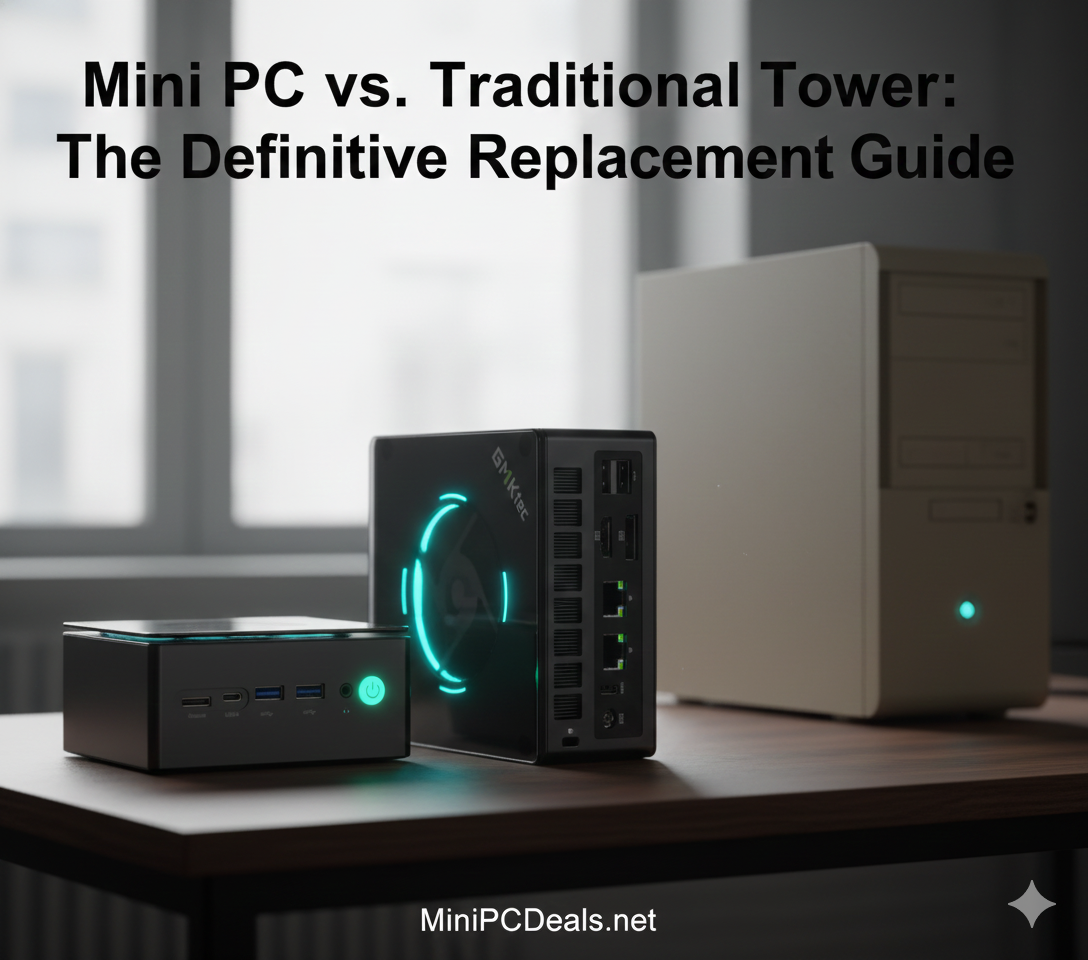
Mini PCs now offer performance that rivals—and sometimes exceeds—entry to mid-range desktop towers.
Table of Contents
The Performance Myth: Is the Power Gap Closed?
For decades, the standard advice for anyone seeking high performance—whether for gaming, professional video editing, or software development—was simple: buy or build a desktop tower. The logic was irrefutable: towers offered superior cooling, dedicated graphics cards, and unlimited upgrade paths. Mini PCs were relegated to basic office tasks or digital signage, often dismissed as underpowered or novelty machines.
However, the technological landscape of 2025 has dramatically shifted. Today’s most powerful Mini PCs, leveraging innovations like AMD’s Ryzen AI series and Intel’s Core Ultra architecture, are actively challenging that dominance. The “power gap” has been substantially narrowed, making the question not if a Mini PC can replace a tower, but when and for whom.
The Component Revolution: Desktop Performance in a Palm-Sized PC
Modern mobile components (which Mini PCs utilize) have achieved unprecedented efficiency. High-end integrated GPUs (iGPUs) like the Radeon 8000 series, including the one in the revolutionary GMKtec EVO-X2, now deliver performance previously exclusive to mid-range dedicated desktop GPUs, often matching the RTX 4060 class. This efficiency allows for desktop-class performance in a chassis that is up to 95% smaller than a typical mid-tower.
The total power consumption profile is the most compelling data point. The most powerful Mini PCs, such as the GMKtec EVO-X2, draw around 120W under full load. A comparable tower system with a dedicated GPU can easily draw 350W to 500W for the same tasks. This efficiency translates directly into lower operating temperatures and lower electricity costs in the long run.
The only areas where a traditional tower remains indisputably superior are:
- Extreme Enthusiast Gaming & Rendering: Where a user requires an RTX 4090-class GPU or similar top-tier card paired with a maximum-TDP desktop CPU.
- Complex Workstations: Requiring 4 or more PCIe expansion cards (e.g., dedicated capture cards, multi-port Fibre Channel HBAs).
- Maximum Upgradability: The ability to swap out the CPU, motherboard, and multiple components simultaneously.
For the vast majority of users—including mainstream gamers, content creators, and professionals—a Mini PC is now a viable, often superior, choice due to the efficiency and raw power density of modern chips.
5 Undeniable Advantages of the Mini PC Form Factor
Beyond simply matching performance for most tasks, Mini PCs offer tangible benefits that translate into cost savings and a better user experience:
1. Massive Space Savings and Aesthetics
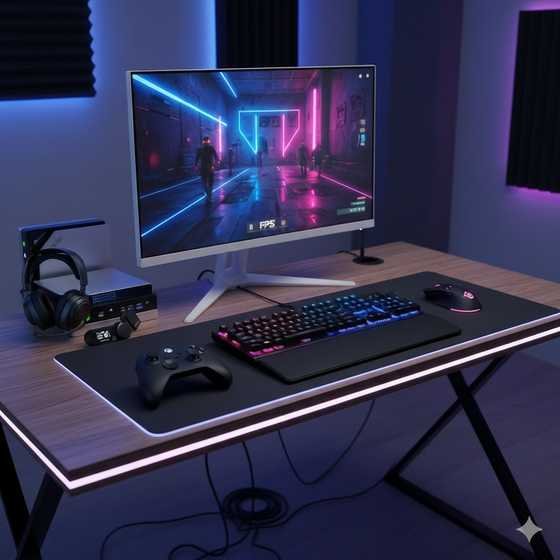
Mini PCs typically occupy less than 1 liter of volume, compared to 40–60 liters for an average ATX mid-tower. This dramatically reduces desktop clutter and allows the PC to be VESA-mounted behind a monitor, making it virtually invisible. They integrate seamlessly into any modern setup, offering a minimalist, high-tech look.
2. Superior Power Efficiency (Lower Utility Bills)
A Mini PC under full load often draws 65W to 120W (USD $0.12-$0.25 per day, estimated), whereas a desktop tower can easily draw 350W to 600W (USD $0.70-$1.50 per day). Over a year of daily use, this efficiency translates to significant cost savings on electricity, especially for businesses or users in high-cost energy regions.
3. True Portability (The “PC in a Backpack”)
Weighing between 0.5 kg and 2 kg, a Mini PC can be carried in a backpack or suitcase, allowing you to easily move your entire computing environment between a home office, a client site, or a LAN party. This flexibility is impossible with a traditional tower.
4. Significantly Lower Noise Levels
Due to their power-efficient mobile processors and optimized cooling designs, Mini PCs are typically much quieter than desktop towers, particularly under light to moderate load. Many remain near-silent (30-35 dB) during productivity tasks, contributing to a better focus environment.
5. Excellent Cost-to-Performance Ratio
Because Mini PCs rely on mass-produced, highly efficient mobile components, they often present a lower overall sticker price for equivalent CPU and integrated graphics performance compared to building a custom desktop tower with individual components.
Best Mini PCs to Replace Towers for Every Workload
Choosing the right Mini PC means matching the hardware to your primary task. We’ve selected top-tier models that successfully replace towers in four critical use cases, based on their specifications and real-world utility:
1. Office Productivity & Multitasking
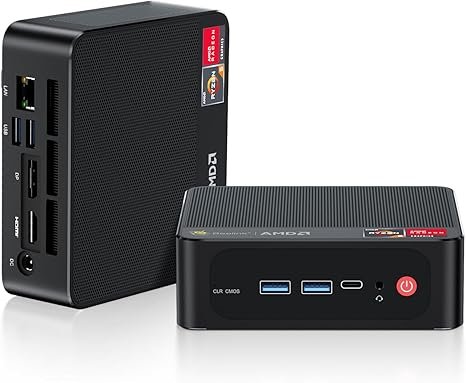
For a standard office setup, intensive browsing, document work, and triple-monitor support, you do not need a dedicated GPU. A mid-range AMD Ryzen 5 or Intel Core i5 processor delivers all the performance required with excellent stability.
Recommended Model: Beelink SER5 Mini PC (AMD Ryzen 5 5500U)
The Beelink SER5 series excels here. Featuring a powerful 6-core/12-thread CPU, it offers snappy multitasking and sufficient iGPU performance for multimedia viewing and running full office suites like Microsoft 365 or Google Workspace. It easily replaces any bulky, pre-built office desktop, typically starting under $350 USD.
Upgrade Your Office: Get the Beelink SER5 Today
Check Latest Price for the Beelink SER5 on Amazon2. 4K Video Editing & Content Creation
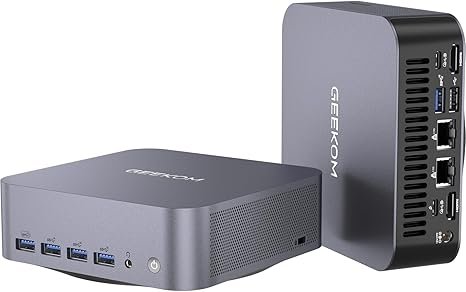
Video editing requires strong multi-core performance (CPU) and robust media accelerators (GPU/iGPU). Intel’s Core Ultra processors, with their dedicated integrated Neural Processing Unit (NPU) and powerful Arc graphics, are highly optimized for applications like Adobe Premiere Pro and DaVinci Resolve. The inclusion of an NPU allows for accelerated AI effects, background processing, and faster exports through hardware media acceleration.
Recommended Model: GEEKOM GT1 Mega AI (Intel Core Ultra)
This model is a true compact workstation, capable of handling complex 4K timelines and effects rendering better than most mid-range towers from a few years ago, all while consuming a fraction of the power. This is the ideal balance of portability and professional-grade performance for creators.
Boost Your Editing Workflow with the GEEKOM GT1 Mega AI
Buy the GEEKOM GT1 Mega AI on Amazon3. AI, Machine Learning, and Local LLMs
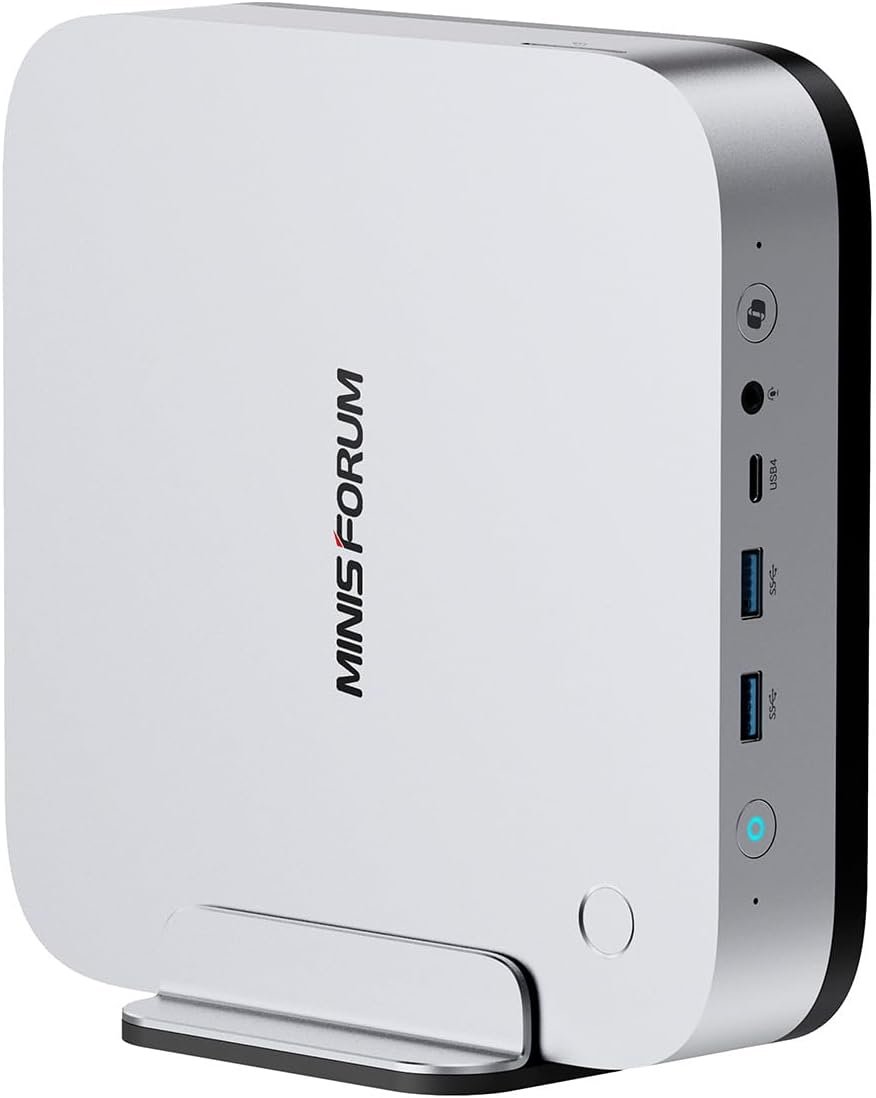
The latest Mini PCs are designed for the on-device AI revolution. AMD and Intel’s newest chips feature NPUs that significantly accelerate AI tasks, such as image generation, upscaling, and, crucially, running Local Large Language Models (LLMs) for private, fast inference. This capability bypasses the need for costly, privacy-compromising cloud subscriptions.
Recommended Model: MINISFORUM AI-X1 Pro-370 Mini-PC
Equipped with a high-TOPS (Tera Operations Per Second) NPU and high-speed memory, the AI-X1 is an example of a future-proof device built specifically for modern AI workloads. It offers a powerful platform for developers and enthusiasts to run generative AI applications locally and privately, making it an ideal personal AI workstation.
Explore Local AI: Get the MINISFORUM AI-X1 Pro-370
Find the AI-X1 Pro-370 on Amazon4. High-End Gaming (1080p to 1440p)
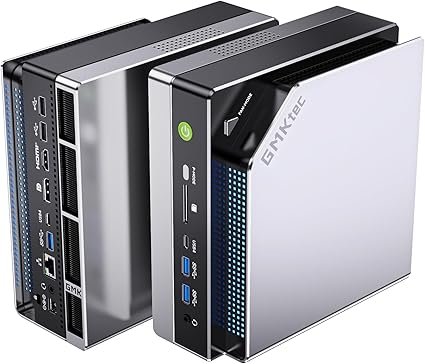
This is where the Mini PC form factor has seen the most rapid advancement. Modern iGPUs have made 1080p gaming effortless and 1440p gaming widely accessible. A Mini PC can now reliably replace any gaming tower that doesn’t host a high-end dedicated graphics card.
Elite Performer: GMKtec EVO-X2 (AMD Strix Halo)
The EVO-X2, featuring the revolutionary AMD Strix Halo architecture, is a game-changer. It delivers performance previously unheard of in this size class. For instance, the system is reported to achieve approximately 85 FPS in Cyberpunk 2077 at 1440p, placing its integrated graphics on par with the desktop RTX 4060. This makes it a legitimate PS5/Xbox Series X killer in terms of raw computing power and flexibility.
Mid-Range Performer: GMKtec K8 Plus (AMD Ryzen 7 8845HS)
For high-refresh rate 1080p gaming and multimedia, the Ryzen 7 8845HS with its Radeon 780M iGPU remains a phenomenal choice. The K8 Plus offers a powerful 8-core/16-thread processor, making it a versatile machine that handles both gaming and heavy CPU tasks with ease.
| Model | Target Resolution | Key Feature | Price (Approx.) | Affiliate Link |
|---|---|---|---|---|
| GMKtec EVO-X2 (Strix Halo) | 1440p (High-Settings) | RTX 4060-class iGPU Performance | $1,500+ USD | Shop EVO-X2 on Amazon |
| GMKtec K8 Plus (Ryzen 7 8845HS) | 1080p (High/Ultra) | Powerful Ryzen 7 CPU, Excellent 780M iGPU | $600-$800 USD | Shop K8 Plus on Amazon |
Understanding the Trade-offs: Upgradability and Cooling
While Mini PCs have conquered the performance gap for most users, they still necessitate two main trade-offs compared to a full tower:
1. Limited Internal Upgradability
The internal components of most Mini PCs are constrained. While RAM (SO-DIMM) and storage (M.2 SSDs) are typically user-upgradable, the CPU and GPU are usually soldered to the motherboard. You cannot easily swap out a Ryzen 5 for a Ryzen 9 or upgrade the graphics card. Your core configuration is fixed for the life of the machine, which is a major difference from a custom-built tower.
2. Cooling and Sustained Thermal Load
Despite sophisticated cooling systems (like the dual blowers in the EVO-X2), a smaller chassis inherently limits heat dissipation capacity. In tasks that sustain maximum load for very long periods (e.g., all-day 8K rendering or scientific simulations), a Mini PC is more likely to experience thermal throttling (a reduction in clock speed to manage heat) than a tower with a massive cooler. For burst-performance tasks (e.g., gaming, quick rendering jobs), this is not usually an issue.
The eGPU Solution: Expanding Performance
For users who need maximum GPU power but still want the Mini PC form factor, the latest models offer a solution: eGPU (External GPU) docks. Premium Mini PCs, such as those with high-bandwidth ports like USB4 (40 Gbps) or Thunderbolt, can connect to an external enclosure hosting a full-sized desktop GPU. This setup provides the best of both worlds: compact size and true desktop-class graphics power.
Need Maximum Power? Explore External GPU Docks
View Best eGPU Docks on MiniPCDeals.netThe Final Verdict: Farewell, Traditional Tower?
In 2025, the traditional desktop tower is officially a niche product. For the average user, the mainstream gamer, and the professional content creator, the Mini PC is not just a viable alternative—it’s often the smarter choice.
Unless your workflow specifically requires a top-tier dedicated graphics card (like an RTX 4080/4090) or extensive internal PCIe expansion, a modern Mini PC offers over 95% of the performance at a significantly lower running cost, a fraction of the size, and dramatically better power efficiency. The technological leap in integrated graphics and the rise of AI accelerators mean the era of the bulky, power-hungry desktop tower is largely over for the mainstream market. The Mini PC is now the new standard.
Frequently Asked Questions (FAQ)
Are Mini PCs better value than traditional desktops?
Generally, yes. Mini PCs often offer better performance-per-watt and performance-per-liter. They are typically sold as complete, pre-built, and optimized systems, which often results in a lower overall price for a comparable feature set than sourcing and building a custom tower.
Do Mini PCs use laptop components?
Yes, they primarily utilize mobile-class components, such as SO-DIMM RAM, M.2 SSDs, and power-efficient mobile CPUs (like the AMD HS or Intel U/H series). This is the key to their compact size and superior energy efficiency, though high-end chips are often near-desktop performance.
Can I connect multiple monitors to a Mini PC?
Absolutely. Most mid-to-high-end Mini PCs support triple-display setups (and sometimes quad) using a combination of HDMI, DisplayPort (DP), and high-speed USB4/Thunderbolt ports. For example, the high-end GMKtec EVO-X2 supports up to 8K@60Hz output or 4K@120Hz for gaming.
Are Mini PCs easy to upgrade?
RAM and internal SSD storage are usually very easy to upgrade in Mini PCs. However, the CPU and GPU are generally soldered (not socketed), meaning major component upgrades are not possible, making the initial purchase decision more critical.
Join the Compact Computing Revolution!
Follow MiniPCDeals.net for the best global offers and deep dives: