
How to Choose a Mini PC in 2026: A Buyer’s Guide by Use Case
Mini PCs now range from palm-size office boxes to 128GB machines that run AI models at home, and the spec sheets all look alike. The way through is to start from what you will actually do with the computer, then check a handful of specifications in the right order. This guide explains each choice with published benchmarks, shows what each budget buys, and lists the mistakes we see most often.
In short
Pick the processor class for your main use first: an Intel N150 for office work, streaming and a home server; a Ryzen 7 with Radeon 780M or a Ryzen AI 9 HX 370 for gaming, editing and an all-round desktop; a Ryzen AI Max+ 395 with 64–128GB for local AI. Then check memory (16GB minimum, 32GB for most people, and buy the final size if it’s soldered), an NVMe SSD of 1TB or a free slot, the ports you need (displays, USB4 or OCuLink, 2.5GbE), and noise. Before paying, check the Windows license, the warranty and the price history.
What changed in this update (Oct 13, 2026)
We rewrote this guide and merged our older “How to choose a mini PC” article into it. We removed results presented as our own tests (we don’t have those units) and claims we couldn’t source, including “interactive speed” for 70B AI models (published results are about 5 tokens per second on Strix Halo) and an OCuLink advantage of 30–40% (published tests show 20–28% over USB4). We also corrected the idea that local AI depends mainly on NPU TOPS, and removed all prices.
1. Start with what you will do with it
Write down the one job the PC will do most of the time. Office work, gaming, editing, a home server and local AI need very different processors, memory and ports, and buying for the wrong one means overspending or being disappointed.
| Main job | Processor class | Memory | Must-have | Our guide |
|---|---|---|---|---|
| Web, email, office, 4K streaming | Intel N150 / N97 | 16GB | NVMe SSD, two screens | N150 vs N100 vs N97 |
| Home server, Plex, Home Assistant | Intel N150 or N355 | 16–32GB | Low idle power, 2.5GbE, two M.2 slots | Fanless · Plex |
| Heavy multitasking, photo editing, coding | 8-core Ryzen 7 / Ryzen 9, Core Ultra | 32GB | Three screens, USB4 | Under $500 · Under $700 |
| 1080p gaming | Radeon 780M or 890M | 32GB, dual channel | OCuLink for a future graphics card | Gaming guide |
| 1440p gaming at high settings | Dedicated RTX 5060 / 5070 | 32GB | Good cooling, room on the desk | Over $1,000 |
| Local AI models | Ryzen AI Max+ 395 (Strix Halo) | 64–128GB | Large, fast unified memory | Local AI guide |
2. The processor: tiers that matter in 2026
Mini PC processors fall into clear tiers. An Intel N150 handles office work; an 8-core Ryzen is about five to six times faster in multi-core work; a Ryzen AI 9 HX 370 adds about a third on top; Strix Halo is in workstation territory.
| Tier | Examples | Cinebench R23 multi | Graphics | Good for |
|---|---|---|---|---|
| Budget efficiency | Intel N150, N97, N100 | ~2,490 (N150 average) | Intel, 24 EU | Office, streaming, home server |
| Older 8-core value | Ryzen 9 6900HX, Ryzen 7 6800U / 7735HS | ~13,300 (6900HX average) | Radeon 680M | Multitasking, coding, light games |
| Zen 4 mainstream | Ryzen 7 8845HS, 8745H, H 255 | 16,402 (H 255, SER9 Pro) | Radeon 780M | All-round desktop, 1080p gaming |
| Zen 5 flagship | Ryzen AI 9 HX 370 | 21,897 (SER9 with HX 370) | Radeon 890M | Editing, gaming, Copilot+ |
| Workstation | Ryzen AI Max+ 395 (Strix Halo) | 37,334 (MS-S1 Max) | Radeon 8060S, 40 CU | Local AI, 3D, heavy creation |
Notebookcheck results and averages; each mini PC’s power settings and cooling change the figures.
Always find the exact processor name on the listing. “Up to 4.9GHz” or “8 cores” says little: a Ryzen 7 H 255 and a Ryzen AI 9 HX 370 can sit in the same chassis with very different results, as our Beelink SER9 Pro review shows. Also check that Windows 11 supports the chip: Microsoft’s lists start at Intel’s 8th-generation Core and AMD’s Ryzen 2000, and some cheap boxes still use older processors.
3. NPU and AI: what it does and doesn’t do
An NPU of 40 TOPS or more is needed for Windows Copilot+ features. For running AI chatbots locally, memory size and bandwidth matter far more, because popular tools run the models on the graphics chip.
Microsoft reserves Copilot+ features (Recall, live captions with translation, image tools) for PCs with an NPU of at least 40 TOPS: Ryzen AI 300 and Strix Halo chips, Intel Core Ultra 200V and Snapdragon X qualify. Intel N-series chips have no NPU, and the Ryzen 7 H 255 has none active.
Local language models are a different story. Ollama and LM Studio mainly run models on the integrated graphics, so what limits you is how much fast memory the GPU can use. Published measurements on Strix Halo show about 5–6 tokens per second for a 70B model, but 30 and more for mixture-of-experts models such as GPT-OSS 120B. A Ryzen AI 9 HX 370 with 32GB is comfortable with 7B–14B assistants. Our local AI guide has the full figures.
4. Graphics: integrated, dedicated or OCuLink
Integrated Radeon 780M or 890M graphics cover 1080p gaming with sensible settings. For high settings at 1440p, choose a dedicated GPU, or an OCuLink port to add a desktop graphics card later.
- Radeon 780M: Notebookcheck measured 78 fps in Dota 2 and 53 fps in Strange Brigade at 1080p Ultra on the SER9 Pro, and about 30 fps in Cyberpunk 2077 at medium in GSMArena’s test.
- Radeon 890M: about 15% faster than the 780M in Notebookcheck’s comparison of the two SER9 versions.
- Radeon 8060S (Strix Halo): 40 compute units, a different class, at a much higher price.
- Dedicated GPU: mini PCs like the Minisforum G1 Pro (desktop-class RTX 5060) or GMKtec NEO-X1 Pro (RTX 5070) are larger, louder and cost more, but handle 1440p at high settings.
OCuLink connects an external desktop graphics card over PCIe 4.0 x4 (64Gbit/s). Published tests found the same card 20–28% faster over OCuLink than over USB4. Our OCuLink guide explains the setup and lists compatible mini PCs.
5. Memory: how much, and soldered or not
16GB is the minimum for Windows 11, 32GB suits most people, 64GB and more is for virtual machines and local AI. Check whether the memory is in SO-DIMM slots or soldered: soldered LPDDR5X is faster but can never be upgraded.
- SO-DIMM slots (“DDR5 SO-DIMM, 2 slots”): you can add memory later. Buy two identical modules for dual channel, which matters a lot for integrated graphics.
- Soldered LPDDR5X (most Ryzen AI 9 and all Strix Halo machines): higher bandwidth, fixed for life. If you hesitate between two sizes, take the larger one.
- Intel N-series: single-channel by design; Intel lists 16GB as the maximum.
Memory prices rose sharply in 2026, so a model that already has the memory you need is often cheaper than upgrading later. See our RAM crisis guide and the RAM and SSD upgrade guide.
6. Storage
Choose an M.2 NVMe SSD of 1TB, or 512GB plus a free M.2 slot. PCIe 4.0 is plenty; a second slot is worth more than a faster first drive.
Avoid eMMC storage except on the cheapest single-purpose boxes. PCIe 5.0 drives run at PCIe 4.0 speed in most mini PCs and get hotter. Check the size of any second slot (2280, 2242 or 2230) and whether it is NVMe or SATA. Games and AI models are large: a single 70B model file can take 40GB or more.
7. Ports and network
Count your screens and devices first. Then look for USB4 for docks and fast drives, OCuLink if you may add a graphics card, 2.5GbE for a NAS or home server, and Wi-Fi 6E or 7 if the PC won’t be wired.
| Need | Look for |
|---|---|
| Two or three monitors | HDMI 2.0/2.1, DisplayPort 1.4, USB-C or USB4 with video |
| Single-cable dock, fast external SSD | USB4 or Thunderbolt (40Gbit/s) |
| Desktop graphics card later | OCuLink (PCIe 4.0 x4) |
| NAS, home server, firewall | 2.5GbE, two ports for a router project |
| Cameras and drives | Front USB ports, SD card reader (many mini PCs have none) |
8. Size, cooling, noise and power
Low-power chips can be silent and frugal; fast chips need fans. Decide whether silence, running cost or performance comes first.
Fanless N-series boxes make no noise at all and suit bedrooms, studios and 24/7 servers; CNX Software measured whole-system idle power around 8–11W for N97 and N100 machines. Ryzen boxes sustaining 45–54W, like the SER9 Pro, stay quiet in office work but spin up under load. Strix Halo and dedicated-GPU models are audible when gaming or running AI. Also check for a VESA bracket (to hide the PC behind the monitor) and whether the power supply is built in or a brick.
9. Windows, warranty and where to buy
Make sure Windows 11 Home or Pro is preinstalled and activated, the brand publishes drivers and BIOS updates for your model, and you know the warranty length and the return deadline.
Buy from the brand’s official store or a retailer that handles returns itself rather than an unknown marketplace seller. Most brands allow memory and SSD upgrades, and in the US the FTC has said “warranty void if removed” stickers generally can’t be used to deny coverage. When the PC arrives, check the specs in Task Manager and test every port while you can still return it.
10. What each budget buys
Under $300 buys an efficient N150 office box; $300–$700 an 8-core Ryzen with good integrated graphics; up to $1,000 a Ryzen AI 9 HX 370 flagship; above that, dedicated graphics or Strix Halo.
| Budget | What you get | Our guide |
|---|---|---|
| Under $200–$300 | Intel N150, 16GB, 512GB NVMe, two 4K screens | Under $200 · Under $300 |
| $300–$500 | 8-core Ryzen 7, 32GB, triple display, sometimes OCuLink | Under $500 |
| $500–$700 | Zen 4 Ryzen with Radeon 780M, USB4, 2.5GbE | Under $700 |
| $700–$1,000 | Ryzen AI 9 HX 370, Radeon 890M, Copilot+, OCuLink options | Under $1,000 |
| Over $1,000 | Dedicated RTX graphics, or Strix Halo with 64–128GB | Over $1,000 · Local AI |
Our starting points by use
Four models that illustrate each tier well; our buying guides compare the alternatives.
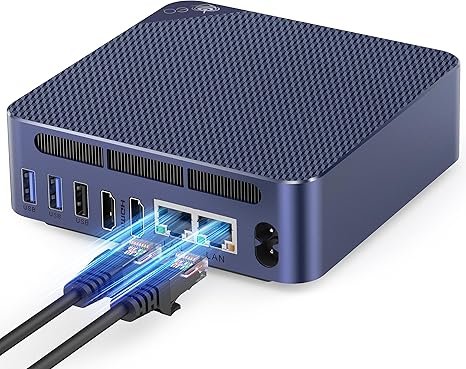
Beelink EQ14 (Intel N150)
An Intel N150 mini PC with 16GB, dual 2.5GbE and a built-in power supply: quiet, frugal and enough for office work, streaming and light server duty.
Check current price on Amazon- Dual 2.5GbE
- Internal power supply
- Upgradable SO-DIMM
- Light tasks only
- Two screens
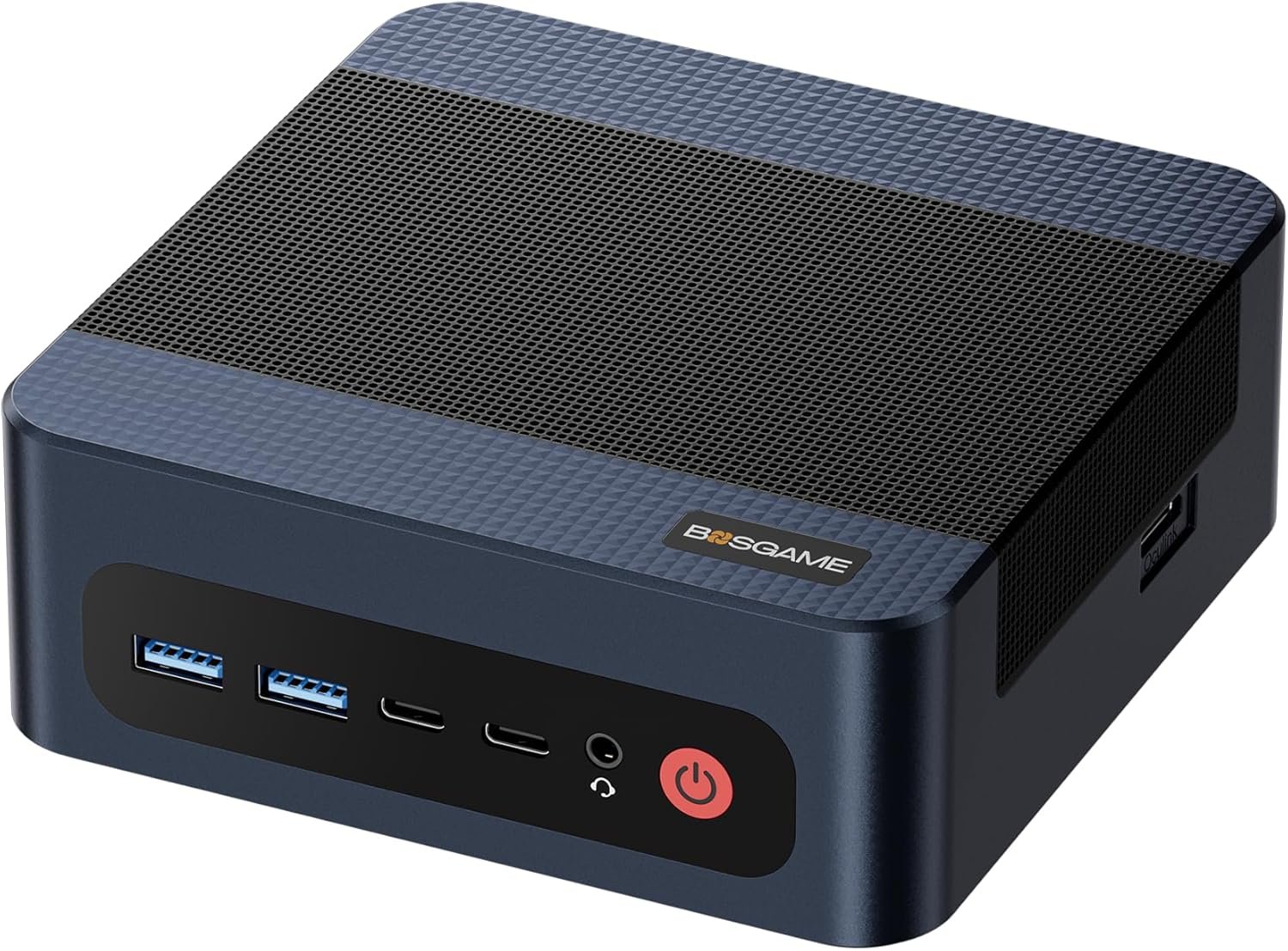
BOSGAME M4 Plus (Ryzen 9 7940HS)
Radeon 780M graphics, USB4, dual 2.5GbE and an OCuLink port for a desktop graphics card later, with DDR5 in upgradable slots.
Check current price on AmazonRead our BOSGAME M4 Plus review
- OCuLink + USB4
- Upgradable DDR5
- Dual 2.5GbE
- Wi-Fi 6, not 6E
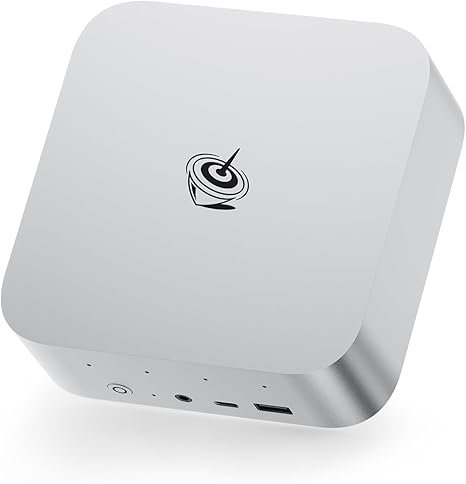
Beelink SER9 Pro AI (Ryzen AI 9 HX 370)
A 12-core Ryzen AI 9 HX 370 with Radeon 890M, a Copilot+ NPU, USB4 and built-in microphones in a compact case.
Check current price on AmazonRead our Beelink SER9 Pro (Ryzen AI 9 HX 370) review
- Zen 5, 12 cores
- Radeon 890M
- Copilot+ NPU
- Soldered memory
- No OCuLink
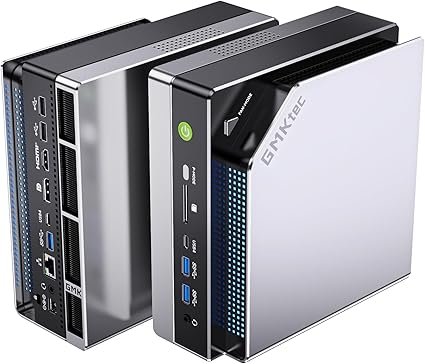
GMKtec EVO-X2 (Ryzen AI Max+ 395)
Strix Halo with Radeon 8060S graphics and 64GB or 128GB of LPDDR5X-8000: the class of mini PC that runs large AI models at home.
Check current price on Amazon- Up to 128GB unified memory
- 40-CU integrated graphics
- USB4 · Wi-Fi 7
- Expensive
- Audible under AI load
Five mistakes to avoid
Most disappointing purchases come from the same few errors: an old processor, too little soldered memory, a misread name, the wrong ports, or a fake discount.
- An old processor in a new box: some cheap mini PCs still use chips that Windows 11 doesn’t support, such as the Core i3-5005U.
- Too little soldered memory: 16GB of LPDDR5X can’t grow; for gaming or editing take 32GB from the start.
- Trusting the model name: the same name can hide different processors (SER9 Pro vs SER9 Pro AI); read the exact chip.
- Forgetting the ports: no USB4 or OCuLink means no fast dock or graphics card later; one Ethernet port rules out most router projects.
- A crossed-out “list price”: compare with the last 30–90 days and the same configuration before calling it a deal.
Take the checklist with you
Our free Mini PC Buyer’s Checklist turns this guide into 40 boxes to tick, printable or saved in your browser, from the processor to the first-day checks.
FAQ
What is the most important spec when choosing a mini PC?
The processor class, chosen for your main use: an Intel N150 for office work and streaming, a Ryzen 7 with Radeon 780M or better for light gaming and editing, and a Ryzen AI Max+ 395 with 64GB or more for local AI. Memory size comes second, especially when it is soldered and can’t be upgraded.
How much RAM does a mini PC need in 2026?
16GB for office work and streaming, 32GB for gaming, editing and heavy multitasking, 64GB for virtual machines and mid-size local AI models, and 96–128GB for the largest local models. If the memory is soldered (LPDDR5X), buy the size you will need for the life of the PC.
Do I need an NPU in a mini PC?
Only for Windows Copilot+ features, which require an NPU of 40 TOPS or more. Popular local AI tools such as Ollama and LM Studio mainly run models on the graphics chip and depend on memory size and bandwidth, so for local chatbots the amount of fast memory matters more than NPU TOPS.
Is integrated graphics enough for gaming?
For 1080p, yes, with sensible settings. A Radeon 780M runs esports and older games well and recent games at low to medium settings; the Radeon 890M is about 15% faster. For high settings at 1440p, choose a mini PC with a dedicated graphics card or an OCuLink port for an external one.
Is a mini PC worth it instead of a laptop or tower?
If you work at a desk, usually yes: for the same money you get more performance than a laptop, with your own monitor and keyboard, and far less space and noise than a tower. A tower still wins for high-end gaming and for upgrading parts over many years.
Which mini PC brands are reliable?
Beelink, GEEKOM, Minisforum, GMKtec, ASUS and MINIX all publish drivers and BIOS updates and sell through official stores. Whatever the brand, check the warranty length, who handles returns, and whether the support page lists your exact model.
Related
- Mini PC buyer’s checklist (printable)
- Intel N150 vs N100 vs N97
- What is OCuLink?
- Best gaming mini PCs
- Mini PC desk setup
Sources
- Notebookcheck, Intel N100 vs N150 and Ryzen 9 6900HX benchmark averages
- Notebookcheck, Beelink SER9 Pro (Ryzen 7 H 255) review, with SER9 HX 370 comparison
- GSMArena, Beelink SER9 Pro review (gaming results)
- CNX Software, Intel N95 vs N97 vs N100 vs Core i3-N305 (idle power)
- Microsoft, Copilot+ PCs (40+ TOPS NPU) and Windows 11 supported processors
- FTC, staff warning on warranty-void stickers (April 2018)
- MiniPCDeals analyses with their own sources: MS-S1 Max (Strix Halo benchmarks), local AI token speeds, OCuLink vs USB4 tests