
Best Budget Mini PC (2026): 6 Cheap Picks for Every Use
A budget mini PC in 2026 costs roughly $200 to $500: memory prices pushed the old $150 bargains up, and the cheapest machine is rarely the best value. This guide picks the least expensive model that does each job well — everyday desktop, home office, media center, home server — and links to our price guides when you want more choice.
In short
The best budget mini PC for most people is the Beelink EQ14: quiet, simple, with a built-in power supply and two 2.5GbE ports. For a faster everyday desktop under $300, choose the Chuwi LarkBox X (10-core Core i3) or the GMKtec G10 (16GB, 2.5GbE). For the most performance per dollar, the GMKtec M5 Plus brings 8 cores and 32GB. Home-lab builders should look at a refurbished Lenovo ThinkCentre Tiny.
- 1Beelink EQ14Best for most · Intel N150 · quiet, internal power supplyDetails
- 2Chuwi LarkBox XBest everyday desktop · Core i3-1220P, 10 coresDetails
- 3GMKtec G10Best value with 16GB · Ryzen 5 · 2.5GbE · triple 4KDetails
- 4Beelink SER5Most upgradeable · Ryzen 5 5500U · up to 64GBDetails
- 5GMKtec M5 PlusMost performance per dollar · Ryzen 7, 32GBDetails
- 6Refurbished ThinkCentre TinyBest for home labs · business-grade · two RAM slotsDetails
What changed in this update (Oct 10, 2026)
This guide now also replaces our “Top Budget Mini PCs of 2025” article. We rewrote it as a research roundup: the previous version said the models were tested in-house and gave per-use scores we had not measured. It also contained errors that we corrected: the GEEKOM Air12 is not fanless, the GMKtec G3 Plus has neither USB4 nor dual 2.5GbE, and our Beelink EQi12 button pointed to a Core i5 model, not the N100 described. Printed prices are gone; the buttons show current prices.
How much should a budget mini PC cost in 2026?
Plan on $200 to $300 for an everyday desktop and $300 to $500 for a fast, upgradeable one. Under $200 you are mostly choosing between 8GB models, sales and refurbished PCs.
The memory shortage that started in late 2025 hit budget models hardest, because memory and storage are a large part of their cost; our RAM crisis guide explains why. In PCWorld’s October 2026 deals roundup, the cheapest mini PC was a $323 Ryzen 3 model. Here is what each budget buys today:
| Budget | Typical hardware | Good for | Our guide |
|---|---|---|---|
| Under $200 | Intel N150 with 8GB, or refurbished Core i5 business PCs | Media, Home Assistant, light desktop use | Under $200 |
| $200–$300 | Intel N150 with 16GB, Core i3-1220P, Ryzen 5 3500U | Office, browsing, 4K streaming | Under $300 |
| $300–$500 | Ryzen 5 5500U and Ryzen 7 5825U with 16–32GB | Heavy multitasking, several monitors, home servers | Under $500 |
| $500–$700 | Ryzen 7 with Radeon 780M, 32GB DDR5 | 1080p gaming, creative work | Under $700 |
Which budget mini PC for your use?
Match the machine to the job: an efficient Intel N150 for media and always-on tasks, more cores for a family or office desktop, upgradeable memory for a home lab.
| Use | Pick | Why |
|---|---|---|
| Living-room media PC | Beelink EQ14 | Quiet, no power brick, 4K hardware decoding |
| Home office and video calls | Chuwi LarkBox X | 10 cores stay responsive with many tabs and apps |
| Two or three monitors | GMKtec G10 | Three 4K outputs, 16GB in dual-channel |
| Long-term desktop | Beelink SER5 | Six cores, memory slots up to 64GB |
| Photo editing, heavy multitasking | GMKtec M5 Plus | Eight cores and 32GB included |
| Home lab, Proxmox, Docker | Refurbished ThinkCentre Tiny | Two memory slots, Intel network, proven reliability |
| Pi-hole, Home Assistant, small server | GMKtec G3 Plus or Beelink EQ14 | Very low power for 24/7 use, 2.5GbE |
1. Beelink EQ14 — best budget mini PC for most people
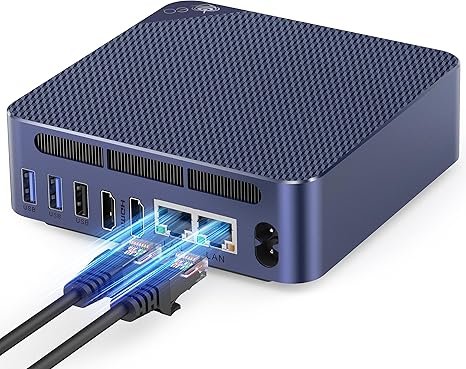
Beelink EQ14
An Intel N150 mini PC with a built-in power supply, two 2.5GbE ports, 16GB and a 3-year warranty — plug it in and forget it.
Check current price on AmazonFor browsing, documents, video calls and 4K streaming, the EQ14 does everything most households need while staying very quiet, according to Notebookcheck. Its internal power supply keeps cables tidy behind a TV or monitor, and its two network ports also make it a capable small router or home server. The N150 is a 4-core efficiency chip, so heavy multitasking is not its strength; if that is your use, the Core i3 and Ryzen picks below are faster. Read our Beelink EQ14 review (7.0/10).
- Internal power supply, no brick
- Very quiet, low power draw
- Dual 2.5GbE, 3-year warranty
- Single-channel memory
- Only two displays, no video over USB-C
- Light workloads only
2. Chuwi LarkBox X — best everyday desktop under $300
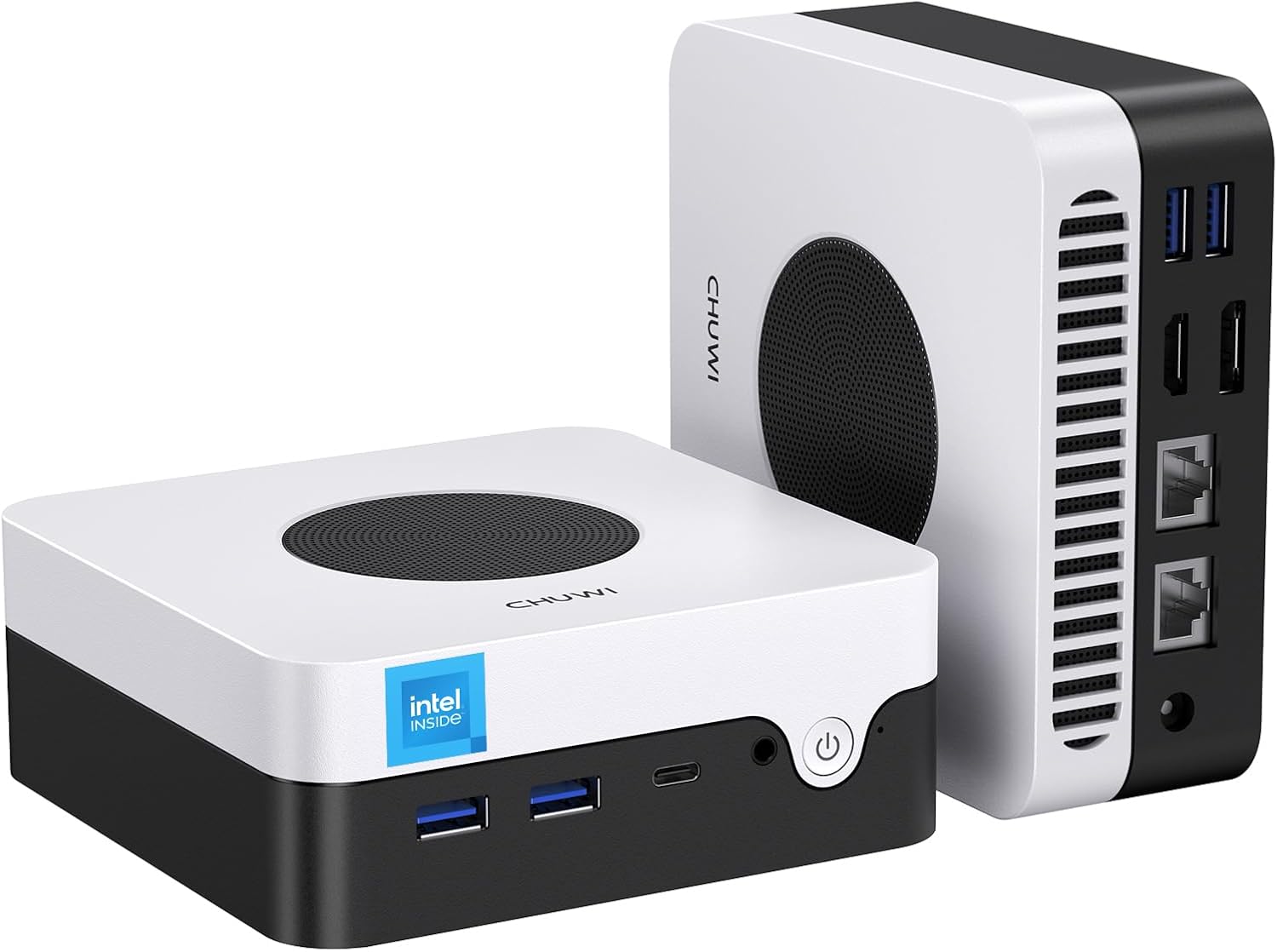
Chuwi LarkBox X
A 10-core Core i3-1220P, Wi-Fi 6, dual Ethernet and two memory slots: the most capable processor at this price.
Check current price on AmazonThe i3-1220P combines 2 performance cores and 8 efficient cores, which keeps a family or home-office desktop responsive with a browser, office apps and a video call open together. Mini PC Review praised its build quality and dual Ethernet, and measured about 45 to 50 dB under full load. The base 8GB is the compromise: plan a 16GB upgrade through the two SO-DIMM slots.
- 10-core processor, responsive with many apps
- Two SO-DIMM and two M.2 slots
- USB-C with video, dual LAN, Wi-Fi 6
- Only 8GB in the base configuration
- 256GB fills up quickly
- Audible fan under full load
3. GMKtec G10 — best value with 16GB
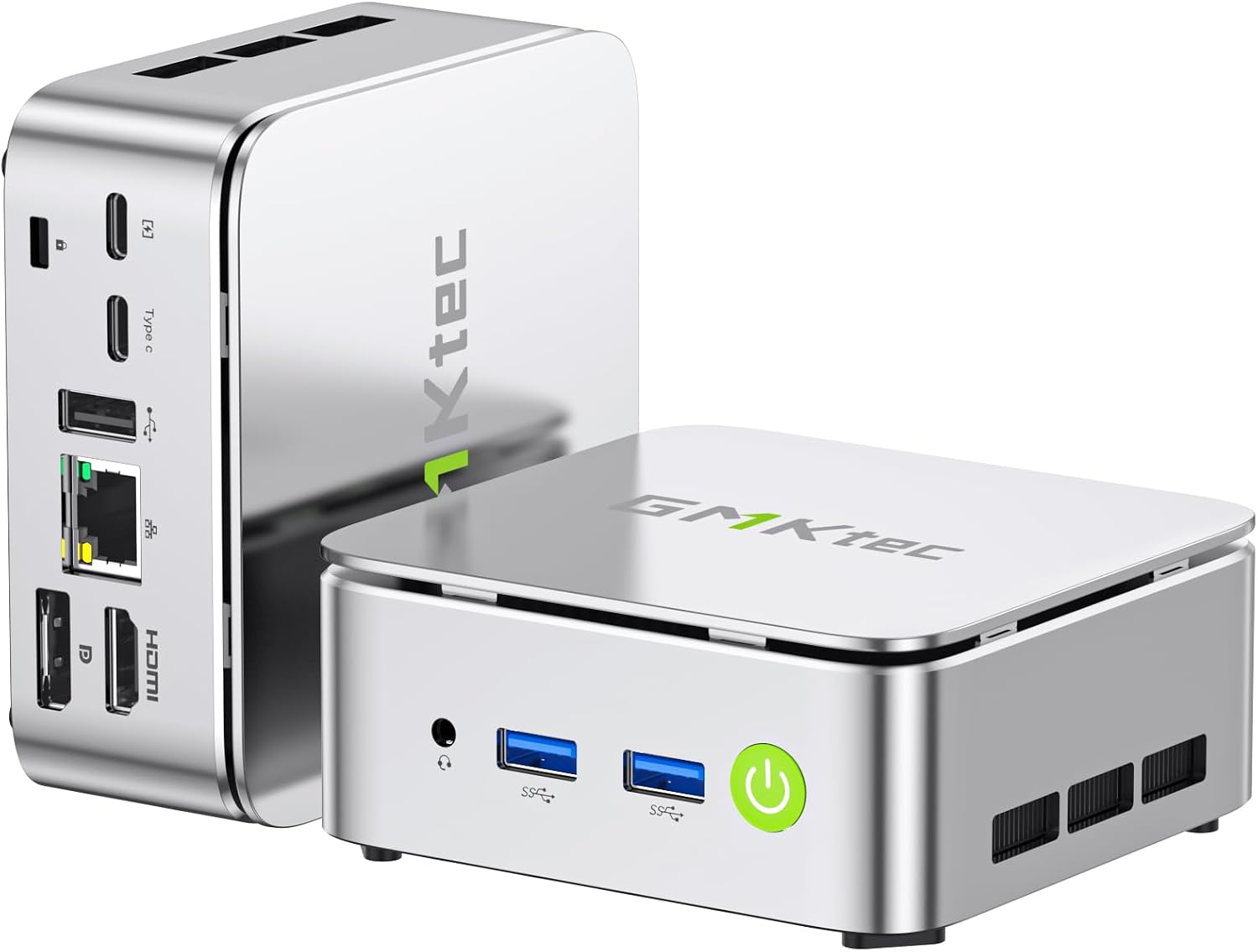
GMKtec G10
16GB in dual-channel, a 2.5GbE port and three 4K outputs, with room left in the budget.
Check current price on AmazonThe G10 is the configuration we would choose for a family PC or a small office desk with several screens: 16GB is installed as two modules, so it runs in dual-channel mode, and HDMI 2.1, DisplayPort 1.4 and USB-C drive three 4K monitors. The Ryzen 5 3500U dates from 2019 and the Wi-Fi is the older Wi-Fi 5, but for office work, browsing and streaming that is plenty.
- 16GB dual-channel included
- 2.5GbE and triple 4K output
- Two M.2 slots
- Older Zen+ processor (2019)
- Wi-Fi 5
- Higher idle power than an N150
4. Beelink SER5 — the most upgradeable
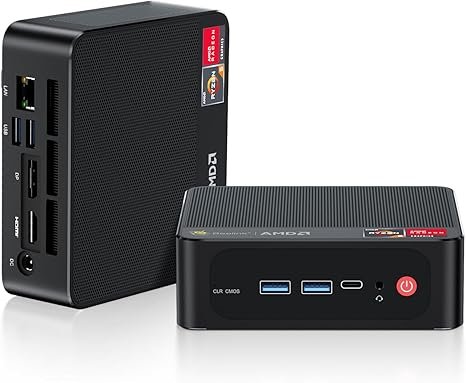
Beelink SER5 (Ryzen 5 5500U)
Six cores and twelve threads, memory slots that take up to 64GB and three 4K outputs: a desktop that can grow with you.
Check current price on AmazonThe Ryzen 5 5500U is roughly 90% faster than an Intel N150 in multi-threaded tests, according to Mini PC Lab, which makes the SER5 a comfortable desktop for heavier multitasking, several monitors and light photo editing. Its memory sits in SO-DIMM slots that accept up to 64GB, so it can serve for years. Its price has risen in 2026 and it now often sits above $300, so compare it with the M5 Plus below before buying.
- 6 cores / 12 threads
- Up to 64GB in SO-DIMM slots
- Triple 4K, Wi-Fi 6
- Gigabit LAN only
- Higher idle power than an N150
- Price has climbed in 2026
5. GMKtec M5 Plus — most performance per dollar
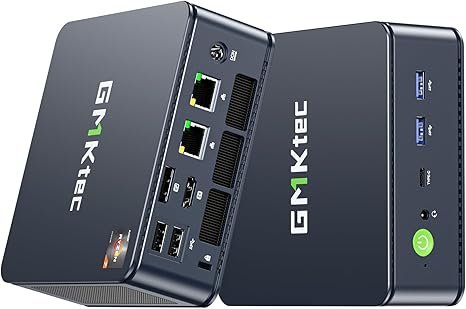
GMKtec M5 Plus
An 8-core Ryzen 7 5825U with 32GB, a 1TB SSD, dual 2.5GbE and Wi-Fi 6E: the most complete package under $500.
Check current price on AmazonIf your budget reaches the upper end of the range, the M5 Plus gives the most for the money: eight Zen 3 cores, 32GB already installed, a 1TB SSD, two 2.5GbE ports and three 4K outputs. It handles office work, Plex, home-lab duties and photo editing with ease; the Vega 8 graphics limit gaming to esports and older titles. Read our GMKtec M5 Plus review.
- 8 cores, 32GB and 1TB included
- Dual 2.5GbE and Wi-Fi 6E
- Triple 4K output
- Older Vega 8 graphics, light gaming only
- Top of the budget range
- Larger than N150 boxes
6. Refurbished ThinkCentre Tiny — best for home labs
Business mini PCs such as the Lenovo ThinkCentre M720q and M920q are built to run for years, take up to 32GB or 64GB in two slots depending on the model, and often cost less than new budget models.
For Proxmox, Docker or a small NAS, memory capacity matters more than processor speed, and refurbished business PCs offer the most memory per dollar. Because they use DDR4, they were less affected by the 2026 shortage. Expect an 8th or 9th-generation Core i5 or i7 with six cores, Intel Gigabit Ethernet, an NVMe slot and an external power brick; Wi-Fi is not always included. Buy from a seller with at least a 90-day warranty and check that memory, storage and the power adapter are in the box.
Also worth a look
- GMKtec G3 Plus — an Intel N150 with an Intel 2.5GbE port and a memory slot up to 32GB, often the cheapest base for a home server. Review
- KAMRUI Essenx E1 — the simplest cheap Windows box, with an N150 and Wi-Fi 5. See our under-$200 guide.
- MINIX Z150-0dB — a completely silent fanless N150 for bedrooms and studios; see our fanless guide.
Comparison table
The five new picks side by side, in the configurations we link.
| Model | CPU | Memory | Storage | Network | Ports / displays | Price |
|---|---|---|---|---|---|---|
| Beelink EQ14 | Intel N150 · 4 cores, 6W | 16GB DDR4 · 1 SO-DIMM | 500GB NVMe · M.2 | Dual 2.5GbE · Wi-Fi 6 | 2× HDMI 4K60 · USB-C (data) | Check price |
| Chuwi LarkBox X | Core i3-1220P · 10 cores / 12 threads | 8GB DDR4 · 2 SO-DIMM, up to 32GB | 256GB NVMe · 2 M.2 slots | Dual Gigabit LAN · Wi-Fi 6 | HDMI · DP · USB-C with video | Check price |
| GMKtec G10 | Ryzen 5 3500U · 4 cores / 8 threads | 16GB DDR4 dual-channel · up to 32GB | 512GB · 2 M.2 PCIe 3.0 slots | 2.5GbE · Wi-Fi 5 | HDMI 2.1 · DP 1.4 · USB-C (triple 4K) | Check price |
| Beelink SER5 | Ryzen 5 5500U · 6 cores / 12 threads | 16GB DDR4 · 2 SO-DIMM, up to 64GB | 500GB NVMe | Gigabit LAN · Wi-Fi 6 | HDMI · DP · USB-C (triple 4K) | Check price |
| GMKtec M5 Plus | Ryzen 7 5825U · 8 cores | 32GB DDR4 · up to 64GB | 1TB NVMe · 2 M.2 slots | Dual 2.5GbE · Wi-Fi 6E | HDMI · DP · USB-C (triple 4K) | Check price |
What to avoid on a budget
Soldered 8GB or less, eMMC storage, old Celeron and Pentium chips, and listings whose title promises more than the specification table.
- Soldered 4GB or 8GB with eMMC storage: slow today and impossible to upgrade.
- Older Celeron J4125, N4020 or N5095 chips: the N100 and N150 are clearly faster for the same money.
- “Beats the i7” titles: compare the processor name, memory configuration and SSD type in the specifications.
- Missing details: single- or dual-channel memory, NVMe or SATA, and whether USB-C carries video all affect daily use.
FAQ
What is the best budget mini PC in 2026?
For most people, the Beelink EQ14: an Intel N150 with 16GB, a built-in power supply, two 2.5GbE ports and a 3-year warranty. For a faster desktop, the Chuwi LarkBox X (Core i3-1220P) or the GMKtec G10 (Ryzen 5 with 16GB); for the most performance per dollar, the GMKtec M5 Plus.
What is the cheapest mini PC worth buying?
An Intel N150 model such as the GMKtec G3 Plus or KAMRUI Essenx E1, ideally with 16GB or a memory slot to upgrade later. A refurbished Lenovo ThinkCentre Tiny is often cheaper and faster, at the cost of higher power use.
Is a budget mini PC good enough for office work and Zoom?
Yes. Even the N150 models handle Microsoft 365, Google Workspace, Teams and Zoom calls. With many browser tabs open, a Core i3 or Ryzen 5 model and 16GB feel noticeably smoother.
Can a cheap mini PC stream 4K video?
Yes. Intel N150 and recent Ryzen processors decode H.265, VP9 and AV1 in hardware, so Netflix, YouTube and Plex play smoothly in 4K with very little processor load.
Can I upgrade the memory in a budget mini PC?
On most of the picks here, yes: the EQ14 and G3 Plus have one SO-DIMM slot, the LarkBox X, SER5 and refurbished ThinkCentre have two. Avoid models with soldered memory if you plan to keep the PC for years.
Mini PC or Raspberry Pi 5 for a small budget?
For a Windows desktop, a mini PC. For a low-power Linux project, a Raspberry Pi 5 can work and may cost less, but the mini PC gives you an x86 processor that runs Windows, more ports and standard NVMe storage.
Related
- Best mini PC under $200
- Best mini PCs under $300
- Best mini PCs under $500
- Intel N150 vs N100 vs N97
- Replacing a Windows 10 PC with a mini PC
Sources
- Notebookcheck, Beelink EQ14 review
- Mini PC Review, Chuwi LarkBox X review (Feb 2026)
- Layer3 Labs, GMKtec G10 review (Aug 2026)
- Mini PC Lab, Intel N150 vs Ryzen 5 5500U
- PCWorld, best mini PC deals (October 2026)
- ThatNerdKnows, best homelab mini PC in the 2026 memory shortage (August 2026)
- Manufacturer specifications and Amazon listings (checked October 2026); our reviews of the Beelink EQ14 and GMKtec M5 Plus