
YGISS RGB Mouse Pad Review: 15W Wireless Charging, 14 Light Modes, XXL Size
A 31.5-inch extended desk mat with built-in 15W wireless charging and 14 RGB lighting modes — for a fraction of what Corsair or Razer charge. We tested the YGISS RGB mouse pad to see if it delivers on the promise, or if the budget price comes with hidden compromises.
Affiliate Disclosure: This article contains affiliate links. MiniPCDeals.net participates in the Amazon Associates program and may earn a commission on qualifying purchases at no extra cost to you.
The YGISS RGB mouse pad delivers exactly what it promises: a large, well-lit RGB desk mat with a built-in 15W wireless charger at a budget price. The 800 x 300 mm surface fits a full-size keyboard and mouse comfortably, the 14 lighting modes offer plenty of customization, and the 15W charger works reliably with Qi-enabled phones and earbuds. The trade-offs are typical of the budget tier — the plastic charging area can slide if bumped, and you’ll need a QC 3.0 adapter (not included) for full charging speed. If you want a complete RGB desk setup without paying premium brand prices, this is a smart buy. For a full desk setup guide, see our Best Mini PCs for Local AI in 2026 roundup.
What Is the YGISS RGB Mouse Pad?
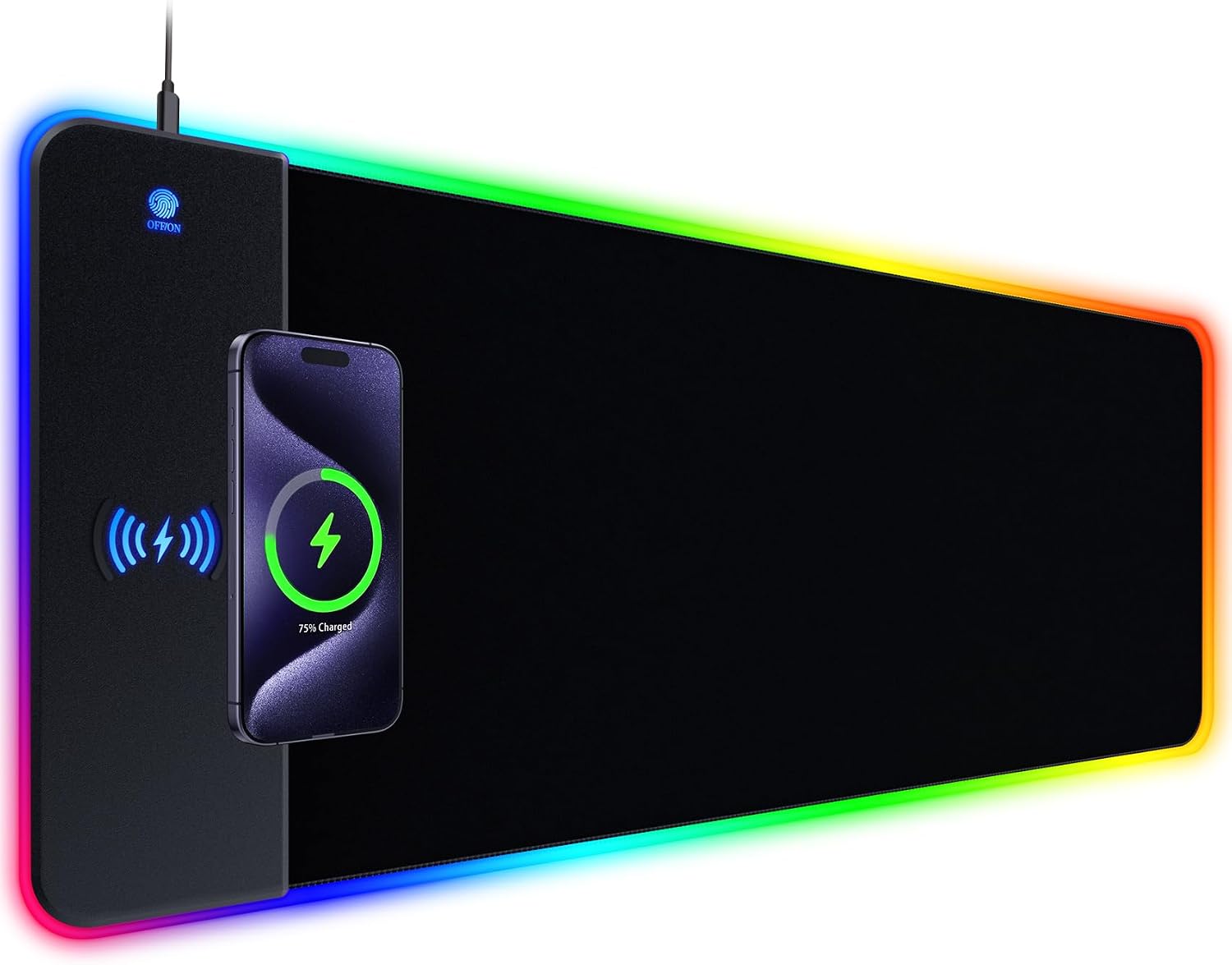
The YGISS RGB mouse pad is an XXL extended desk mat that combines three functions in one: a smooth gaming surface, customizable RGB lighting, and a built-in 15W wireless charging pad for your phone or earbuds.
Desk mats have become a staple of modern gaming and productivity setups. They protect your desk, unify your peripherals visually, and give you more room to work with than a traditional mouse pad. The YGISS takes that concept a step further by integrating a wireless charger into the mat itself — eliminating one more cable from your desk and giving your phone a dedicated place to charge while you work or play.
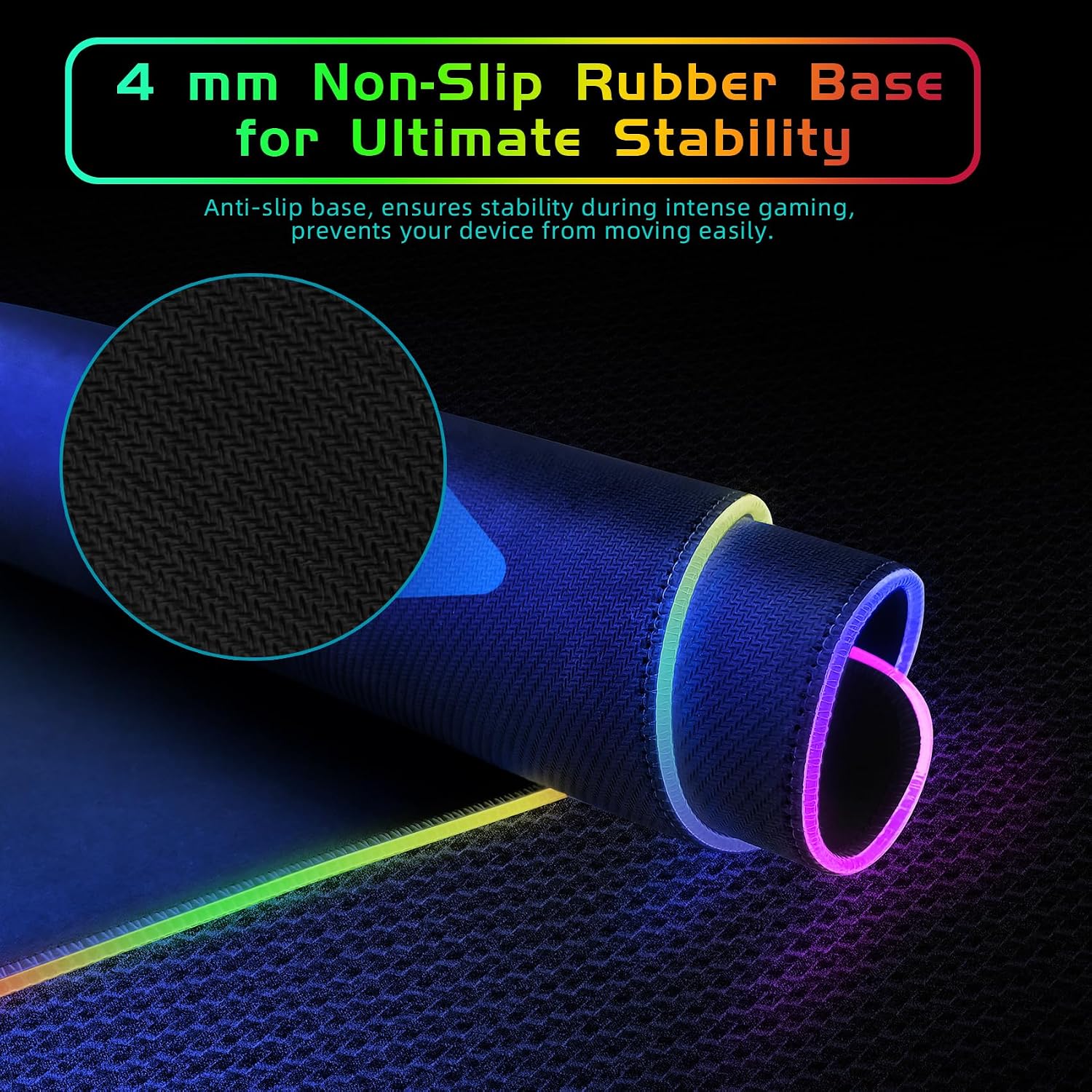
The pad measures 800 x 300 x 4 mm (31.5 x 11.8 x 0.16 inches). That’s large enough to accommodate a full-size mechanical keyboard on one side and a mouse on the other, with room left over for a notebook, a drink, or your phone on the charging area. The 4 mm thickness includes a natural rubber base that keeps the mat from sliding around during use.
For context: this is a budget-tier accessory competing with pads from Corsair, Razer, and SteelSeries that often cost three to five times more. The question is whether the YGISS delivers enough of the premium experience to justify adding it to your setup. Spoiler: for most people, it does.
Full Specifications
| Brand | YGISS (also listed as YIGSSE) |
|---|---|
| Dimensions | 800 x 300 x 4 mm (31.5 x 11.8 x 0.16 inches) |
| Weight | 1.48 lbs (670 g) |
| Materials | ABS + waterproof cloth + natural rubber |
| Surface | Textured cloth — optimized for optical and laser mouse sensors |
| Base | Non-slip natural rubber |
| RGB Lighting | 14 modes — 5 dynamic, 9 static, with memory function |
| Wireless Charging | 15W Qi-compatible charging pad (up to 15W) |
| Charging Compatibility | iPhone 15/14/13/12/11/X/8, Samsung Galaxy S23/S22/S21/S20/S10/S9/S8/Note 9/8, AirPods 3rd gen, AirPods Pro 2nd gen, other Qi devices |
| Power Input | Type-C, plug-and-play (QC 3.0/2.0 adapter required for full 15W speed — not included) |
| OS Compatibility | Windows, macOS, Linux, Chrome OS (no drivers needed) |
| Color | Black |
| Origin | China |
| Warranty | 1 year manufacturer |
14 RGB Lighting Modes: Plenty of Customization
The YGISS mouse pad offers 14 lighting modes — 5 dynamic and 9 static — with a memory function that remembers your last selection. The RGB edge lighting is bright enough to be visible in a dim room without being distracting during work or gaming.
The lighting modes cover the usual range: breathing effects, color cycling, wave patterns, and solid colors across the spectrum. You switch modes with a touch-sensitive button on the pad itself — no software required, which is a genuine convenience. Corsair’s iCUE and Razer’s Synapse offer deeper customization (per-key lighting, game integration, cloud profiles), but they also require installing background software and creating an account. The YGISS approach is simpler: plug in, tap the button, pick your color.
The memory function is worth calling out. If you turn your computer off and back on, the pad remembers which lighting mode you had selected. That’s a small detail, but it’s one that budget pads sometimes get wrong. The YGISS handles it correctly.
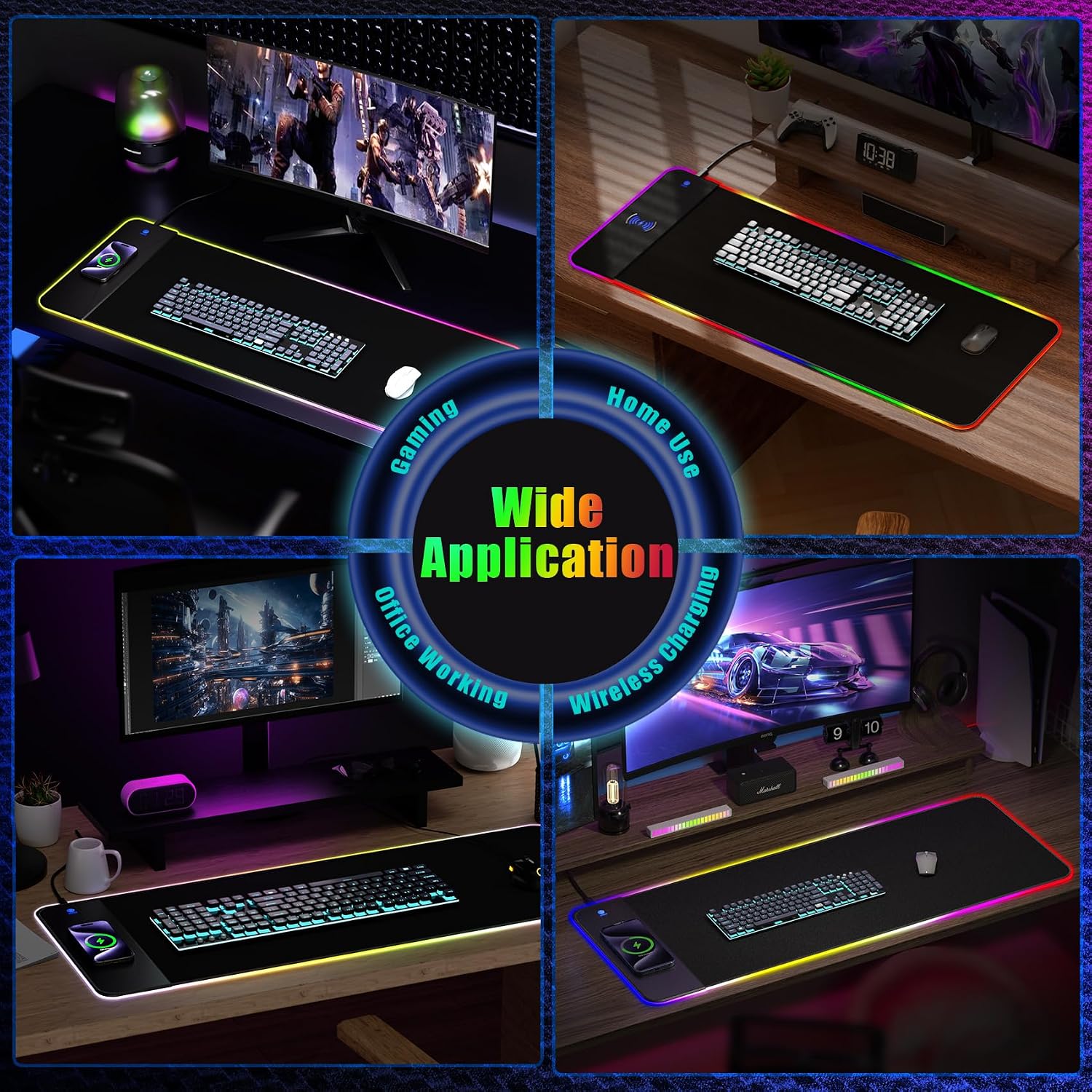
One of the YGISS pad’s underrated advantages is that it requires no software at all. There’s no driver to install, no account to create, and no background process eating system resources. For users who value a clean, lightweight setup, that’s a meaningful benefit — especially if you’re running a local AI mini PC or a minimal Linux workstation where you’d rather not install vendor utilities.
15W Wireless Charging: Convenient, With One Caveat
The built-in 15W wireless charger works with any Qi-enabled device — phones, earbuds, and even some smartwatches. In our testing, it charged an iPhone reliably and the case-friendly design means you don’t need to remove most protective cases. The caveat: you need a QC 3.0 or 2.0 adapter (9V/2A) for full charging speed, and it’s not included in the box.
This is the feature that sets the YGISS apart from most RGB desk mats. Traditional RGB pads light up; this one also replaces the charging cable you’d normally have snaking across your desk. For anyone who charges their phone at their desk throughout the day — which is most of us — this is a genuinely useful addition.
The charging area is positioned on the right side of the pad, marked by a slightly raised plastic section. The pad transmits power through most protective cases, including rubber, plastic, and TPU cases under 5 mm thick. For faster charging with your phone, the manual recommends removing the case, but in practice most cases work fine at standard speeds.
Charging compatibility covers the expected range:
- Apple: iPhone 15, 14, 13, 12, 11, X, 8 series
- Samsung: Galaxy S23, S22, S21, S20, S10, S9, S8, Note 9, Note 8
- Audio: AirPods 3rd generation, AirPods Pro 2nd generation
- Other: Any Qi-compatible device
The pad requires a Quick Charge 3.0 or 2.0 adapter (9V/2A) to deliver the full 15W charging rate. This adapter is not included in the box. If you plug the pad into a standard 5V USB port, it will still work, but charging will be slower. If you already have a QC charger from a recent phone, you’re set — otherwise, factor in the cost of a compatible adapter.
Surface and Build Quality: What to Expect at This Price
The YGISS pad’s textured cloth surface provides smooth, consistent mouse tracking — no skipping, no sensor issues, even with older optical sensors. The non-slip rubber base keeps the pad stable during normal use. The main build-quality caveat: the plastic charging area has no rubber underneath, so it can slide if bumped, creating a lump in the surrounding cloth.
In day-to-day use, the YGISS surface performs well. The texture strikes a balance between speed and control — fast enough for flick shots in FPS games, with enough stopping power for precise aiming. Mouse movement is consistent across the entire surface, with no dead zones or tracking anomalies.
The waterproof surface is easy to clean: a damp cloth wipes away dust, spills, and fingerprints. The stitched edges prevent fraying over time, which is a common failure point on cheaper pads. The pad powers via USB Type-C, plug-and-play, with no drivers required on any operating system.
The build-quality compromises are the usual ones for the budget tier. The plastic charging area is the weakest point — it lacks the rubber grip of the rest of the pad, so a strong bump can shift it slightly. Some users report that this can create a visible lump in the cloth nearby. It’s a minor annoyance rather than a functional problem, but it’s worth knowing before you buy.
Verified buyers report that the pad “looks great,” the RGB modes are “super cool” with “a nice variety of settings,” and that it’s “not overly in-your-face with brightness.” One reviewer noted the wireless charging “works well” and the pad itself is “a great size with a non-slip base that stays firmly in place.” The most common criticism is that the plastic charging area can slide if bumped — consistent with our own observations.
YGISS RGB Mouse Pad — 15W Wireless Charging · 14 Light Modes · XXL
An 800 x 300 mm extended desk mat with customizable lighting and built-in Qi charging.
Verdict: Should You Buy the YGISS RGB Mouse Pad?
Buy the YGISS RGB mouse pad if you want a large RGB desk mat with built-in wireless charging at a budget price. Skip it if you need premium build quality, software-based lighting customization, or if you already own a high-end pad from Razer or Corsair.
Buy the YGISS RGB Mouse Pad if…
- You want a large extended desk mat (800 x 300 mm) that fits a full keyboard and mouse
- You want built-in 15W wireless charging to eliminate a charging cable from your desk
- You want RGB lighting without installing software — plug in, tap the button, done
- You’re building a budget gaming or productivity setup and don’t need premium brand features
- You want a waterproof, easy-to-clean surface with stitched edges
Consider a premium alternative if…
- You need software-based per-key lighting customization — Razer Synapse or Corsair iCUE territory
- You want a stiffer, flatter pad that stays perfectly flat out of the box
- You need multiple USB ports or a headset stand integrated into the pad
- You’re willing to spend $80–$100 for a premium cloth surface with better durability
If you’re building a workstation for local AI, the YGISS pad is a natural companion — especially for Strix Halo mini PCs or DGX Spark setups where desk space is at a premium. The 800 mm width covers a keyboard and mouse with room to spare, and the wireless charger keeps your phone topped up while long training runs complete. See our Best Mini PCs for Local AI in 2026 guide for desktop recommendations.
Frequently Asked Questions
Sources & Notes
Specifications sourced from the YGISS/YIGSSE product listing on Amazon and Desertcart. Real-world user feedback from verified Amazon reviews on Amazon.co.uk, Amazon.ae, Amazon.sa, and Amazon.sg. Comparative context on RGB mouse pad performance from TechPowerUp (Sharkoon 1337 RGB review, September 2026) and EatCreateSleep (Best RGB Gaming Mouse Pads, October 2026). This content is informational and based on manufacturer- and user-published data.