
Minisforum MS-S1 Max Review: Strix Halo, 128GB and 10GbE in a Mini Workstation
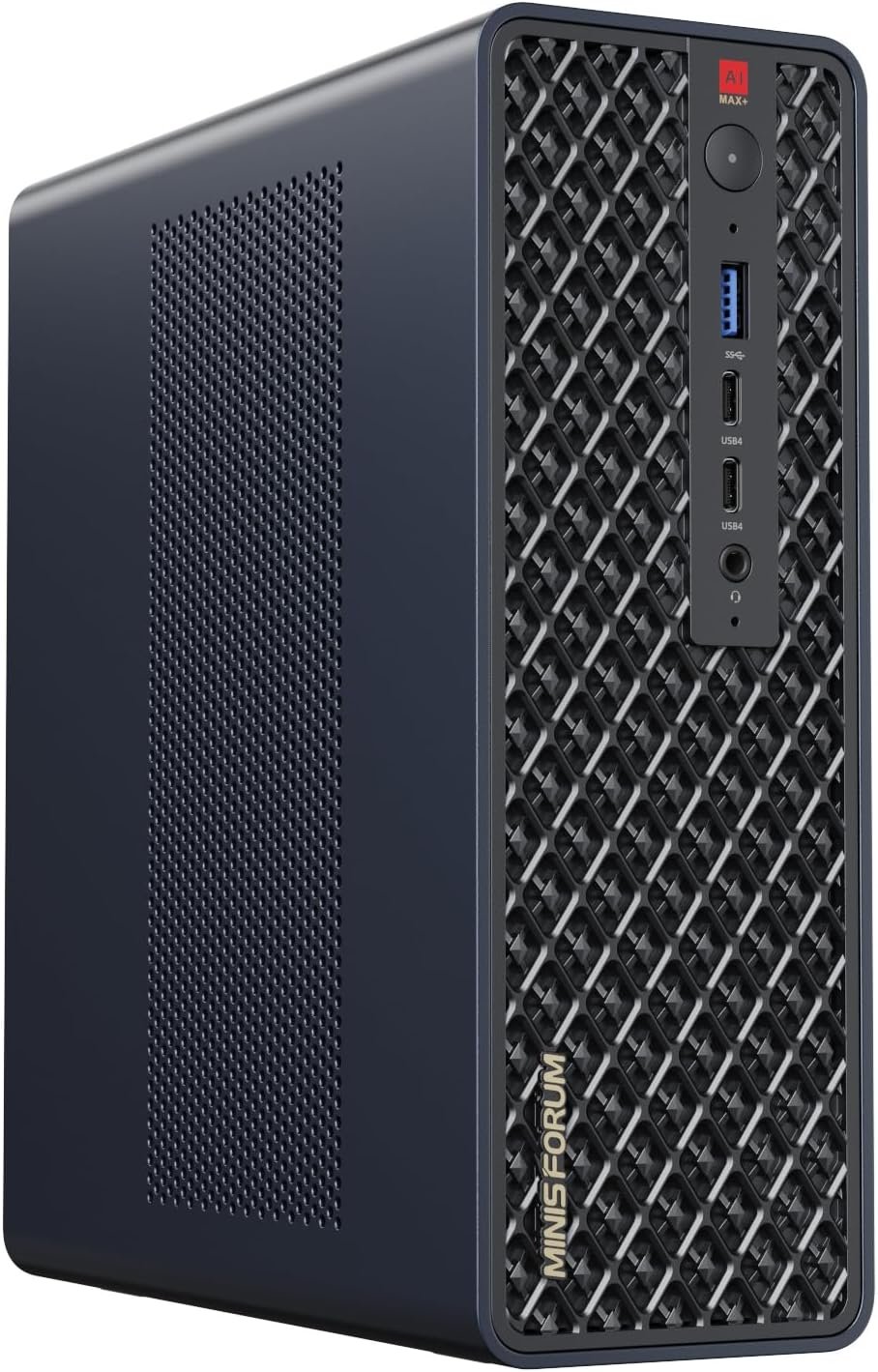
The MS-S1 Max is Minisforum’s take on an AI workstation: AMD’s Ryzen AI Max+ 395 running at up to 160W, 128GB of unified memory, two 10GbE ports, two USB4 v2 ports and a PCIe slot, all in a 2.8 kg aluminum box with a built-in power supply. It is one of the most capable mini PCs you can buy, and one of the loudest at idle until you tune it.
In short
8.0 / 10
The MS-S1 Max is the best-equipped Strix Halo mini PC for local AI and professional work: 128GB of fast memory for 70B–120B models, the full 16-core Ryzen AI Max+ 395 at up to 160W, dual 10GbE and USB4 v2. Buy it for large language models, heavy multitasking and a fast network; skip it if you want silence without tuning, upgradeable memory, or the best gaming performance per dollar.
Specifications
Ryzen AI Max+ 395 with Radeon 8060S, 128GB of LPDDR5X-8000, two M.2 slots, two USB4 v2 and two USB4 ports, two 10GbE ports, Wi-Fi 7, a PCIe x16 slot wired at x4 and an internal 320W power supply.
| Component | Specification |
|---|---|
| Processor | AMD Ryzen AI Max+ 395 (Zen 5) · 16 cores / 32 threads · up to 5.1GHz · 50 TOPS NPU |
| Power modes | Performance 160W peak / 130W sustained · Rack 140/120W · Balanced 130/110W · Quiet 110/80W |
| Graphics | Radeon 8060S · 40 RDNA 3.5 compute units · up to 96GB of shared memory in Windows |
| Memory | 128GB LPDDR5X-8000, soldered (a 64GB version is also sold) |
| Storage | 2TB NVMe SSD · 2× M.2 2280 PCIe 4.0 slots, RAID 0/1 |
| USB | 2× USB4 v2 80Gbps (rear) · 2× USB4 40Gbps (front) · USB-A ports · DisplayPort 2.0 over the USB4 ports |
| Display | 1× HDMI 2.1 (up to 8K60) plus the USB4 ports · no native DisplayPort |
| Network | 2× 10GbE (Realtek) · Wi-Fi 7 (MediaTek MT7925) · Bluetooth 5.4 |
| Expansion | Internal PCIe x16 slot, wired PCIe 4.0 x4 |
| Power supply | Internal 320W |
| Size / weight | 222 × 206 × 77 mm · 2.8 kg · 2U rack and VESA mounting |
Design and connectivity
A solid aluminum box that can sit on a desk or in a 2U rack, with the best connectivity of any Strix Halo mini PC: two 10GbE ports, two 80Gbps USB4 v2 ports and an internal PCIe slot.
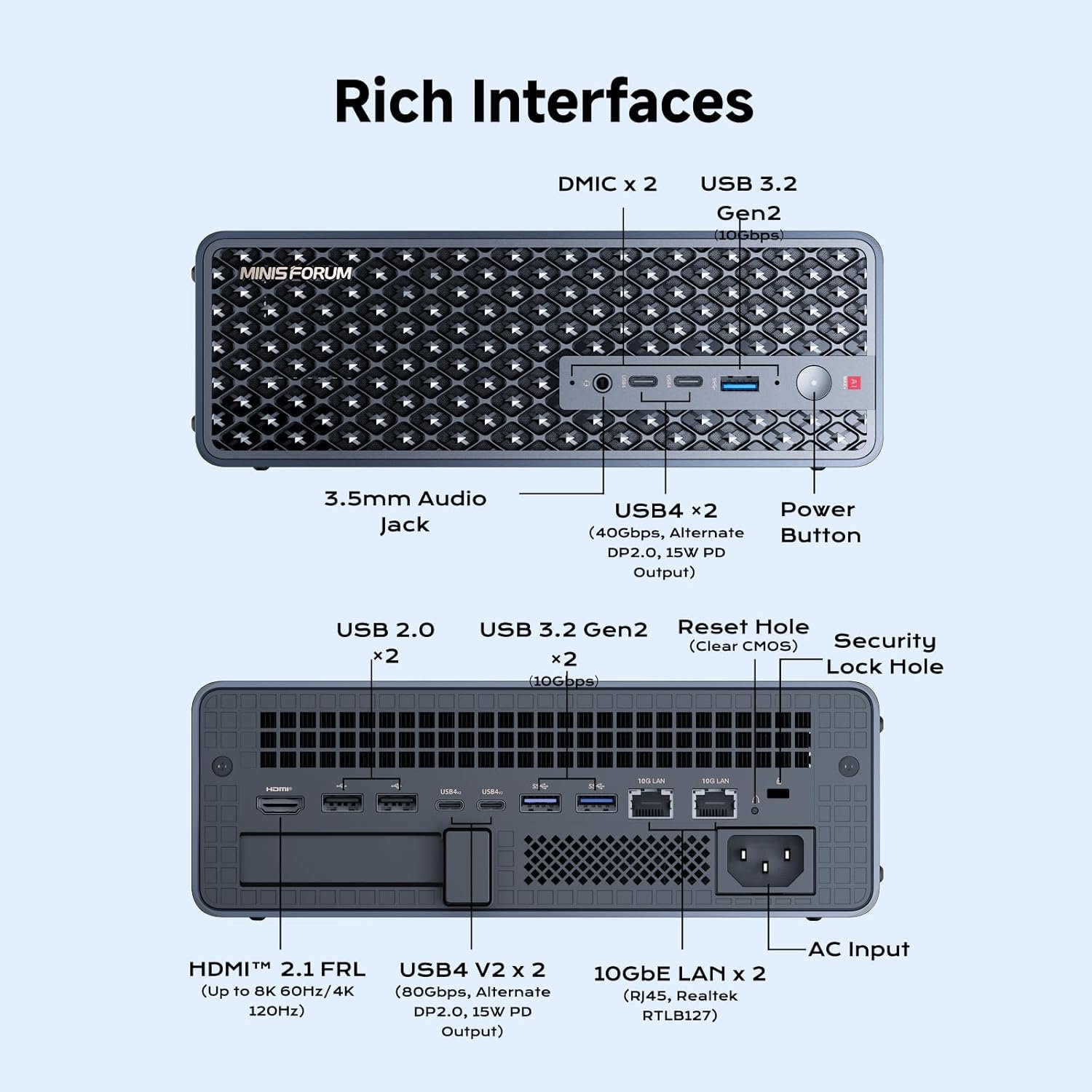
Notebookcheck praised the sturdy, easy-to-open aluminum case. The connectivity is what sets it apart from the GMKtec EVO-X2 and other Strix Halo boxes: two 10GbE ports for fast access to a NAS or to share models on a network, USB4 v2 for 80Gbps external storage, and an internal PCIe slot for a network or storage card. Two weak points: there is only one HDMI port and no native DisplayPort (extra screens go through USB4), and Notebookcheck found the ventilation poor for cards in the PCIe slot.
Performance
About 37,300 points in Cinebench R23 multi-core in Performance mode: desktop-class multi-core speed in a mini PC.
| Test | Multi-core | Single-core |
|---|---|---|
| Cinebench R23 | 37,334 | 2,052 |
| Cinebench 2024 | 1,912 | 116 |
| Cinebench R20 | 14,564 | 801 |
The 160W limit lets the 16 Zen 5 cores stretch out in long renders, compiles and video exports. The Radeon 8060S is the strongest integrated GPU in a mini PC, close to an RTX 4060 desktop card in 3DMark, and RandomGaminginHD reported more than 60 frames per second at high settings in recent AAA games. For gaming alone, a mini PC with a dedicated GPU gives more frames for the money; see our gaming mini PCs over $1,000.
Local AI
128GB lets the GPU use up to 96GB in Windows, enough for 70B and 120B models. Mixture-of-experts models run fast; large dense models fit but answer slowly.
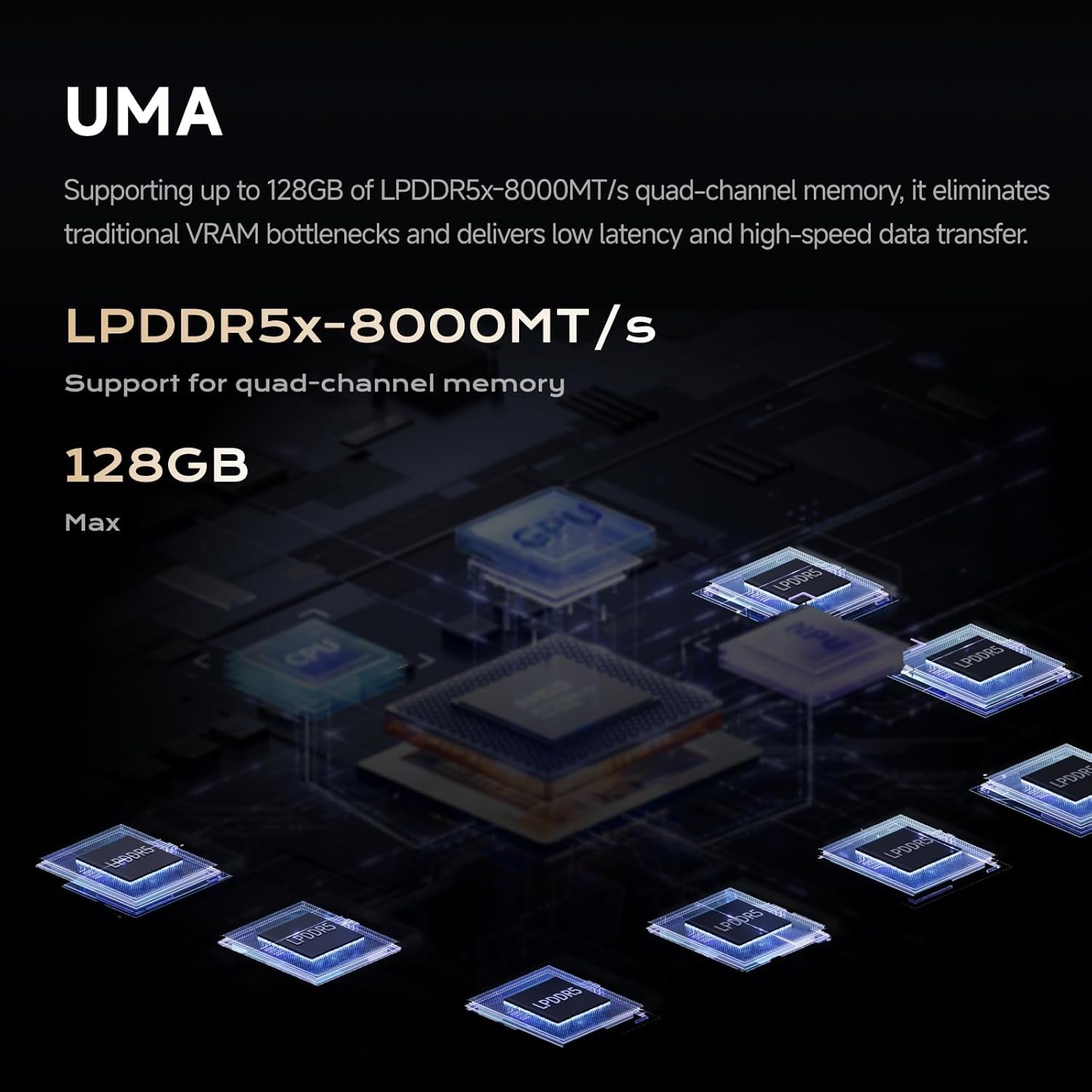
Notebookcheck did not run language models, but the same Ryzen AI Max+ 395 with 128GB has been measured widely. Generation speed depends on how much of the model is read for each word, through a memory bus of about 256 GB/s:
| Model | Type | Tokens per second |
|---|---|---|
| Qwen3-30B-A3B | Mixture-of-experts, about 3B active | about 72–95 |
| 7–8B models | Dense | about 42–53 |
| GPT-OSS 120B | Mixture-of-experts, about 5B active | about 31 (LM Studio) to 54 (tuned llama.cpp) |
| Llama 70B | Dense | about 5–6 |
The MS-S1 Max adds two things for AI work: the higher power limit can speed up prompt processing, and the 10GbE ports make it a practical shared AI server. ServeTheHome called it one of its favorite systems for local AI. The 50 TOPS NPU powers Windows features but matters little for chatbots. Our best mini PC for local AI guide compares it with cheaper options.
Noise and power
Too loud at idle in Performance mode as shipped; a BIOS update and the quieter modes fix most of it, at some cost in speed.
Notebookcheck’s main criticism was idle noise in Performance mode; BIOS 1.03 reduced it, and the UEFI lets you set the fan curves yourself. ServeTheHome measured about 42–43 dBA under sustained load, which it considered acceptable for the performance, while TechRadar flagged audible fans under load. StarryHope lists about 32dB at idle and 42dB at full load in Quiet mode, against 37dB and 48dB in Performance mode. ETA Prime measured about 236W from the wall under full load. For a desk you sit at all day, Balanced or Quiet mode is the sensible default.
Alternatives
| Model | Key difference | Choose it if |
|---|---|---|
| GMKtec EVO-X2 | Same chip, smaller and quieter, 2.5GbE, 64GB or 128GB | You want Strix Halo in a smaller box and don’t need 10GbE. Review |
| Minisforum N5 Max | Same chip in a 5-bay NAS with dual 10GbE | You want to store your files and run AI in one box. Review |
| Peladn HO5 | Ryzen AI 9 HX 370, 32GB, OCuLink | You only run 7B–14B models and want to spend far less. Review |
Pros and cons
- 128GB unified memory, up to 96GB for the GPU
- Full Ryzen AI Max+ 395 at up to 160W
- Two 10GbE and two USB4 v2 80Gbps ports
- Internal PCIe slot and 320W power supply
- Sturdy aluminum case, rack mountable
- Loud at idle in Performance mode as shipped
- Soldered memory
- One HDMI port, no native DisplayPort
- Poor ventilation for PCIe cards
- Expensive, especially after the 2026 memory price rise
| Category | Score |
|---|---|
| Local AI and large models | 9.0 |
| CPU performance | 9.5 |
| Connectivity and expansion | 9.5 |
| Gaming (integrated graphics) | 7.5 |
| Noise | 6.0 |
| Value | 6.5 |
Verdict
8.0/10 — the most complete Strix Halo mini PC, for people who will use its 128GB and its network; tune the fans before you judge it.
If you run large language models, share them across a network or need workstation-class multi-core performance in a small box, the MS-S1 Max has no real rival among mini PCs: 128GB, 160W, 10GbE and USB4 v2 together. If you only run small models, a Ryzen AI 9 HX 370 mini PC costs a fraction of the price, and if you mainly game, a mini PC with a dedicated graphics card is faster for the money.
FAQ
Is the Minisforum MS-S1 Max good for local AI?
Yes, it is one of the best mini PCs for it. With 128GB, the GPU can use up to 96GB in Windows, enough for GPT-OSS 120B (about 31 to 54 tokens per second in published tests on the same chip) or a 70B dense model (about 5 tokens per second).
Can I upgrade the memory?
No. The LPDDR5X memory is soldered, so choose the 128GB version if you plan to run large models. Storage can be expanded through the second M.2 slot.
Is the MS-S1 Max loud?
In Performance mode, yes: Notebookcheck found it too loud at idle until a BIOS update, and the fans are audible under load. Balanced and Quiet modes, and the fan curves in the UEFI, make it much quieter at some cost in speed.
MS-S1 Max or GMKtec EVO-X2?
Same processor. The MS-S1 Max adds dual 10GbE, USB4 v2, a PCIe slot and a higher power limit; the EVO-X2 is smaller and quieter. Choose the MS-S1 Max for a networked AI server or workstation, the EVO-X2 for a desk machine.
Can it play games?
Yes. The Radeon 8060S is close to an RTX 4060 desktop card in 3DMark and runs many recent games at 1080p and 1440p with upscaling, but a mini PC with a dedicated GPU gives more frames for the money.
Related
Sources
- Notebookcheck, Minisforum MS-S1 Max review (Sept 2025)
- StarryHope, MS-S1 Max specifications and review roundup (ServeTheHome, TechRadar, ETA Prime)
- Strix Halo tokens per second, compiled from Level1Techs, llm-tracker.info and ServeTheHome
- Strix Halo LLM speeds, consolidated measurements (Sept 2026)
- Minisforum product page and specifications (checked October 2026)