
Best Mini PC for Students in 2026: Top 5 Ranked for College
Five mini PCs ranked by real student value: performance for coding and coursework, longevity across a 4-year degree, expandability, and total cost of ownership. From $310 to under $1,000.
A mini PC makes sense for students who study at a fixed desk and already own — or plan to buy — a monitor. You get more performance per dollar than a laptop, better thermals (no throttling), easy multi-monitor support, and a machine that can grow with you through the degree. The picks below are chosen specifically for value, longevity, and real student workloads — not for brand prestige or flashy specs that don’t translate to coursework.
Best overall for students: ACEMAGIC M5 (i5-14500HX, 14 cores, expandable to 64GB, Windows 11 Pro) — serious CPU headroom for coding, VMs, and heavy multitasking. Best budget pick: ACEMAGIC K1 (Ryzen 4300U 28W, $310) — triple 4K, Win 11 Pro, and real CPU performance above N150/N97 at the lowest price in this ranking. Best for longevity: ACEMAGIC Retro X5 — upgradeable RAM up to 128GB and Ryzen AI 9 HX 370 for a machine that won’t feel slow in year 4.
Why a Mini PC Makes Sense for Students
Students often buy laptops out of habit — but for those who study primarily at a desk, a mini PC paired with a good monitor delivers more value in almost every dimension. A $500 mini PC outperforms a $500 laptop in sustained CPU tasks because it doesn’t need to manage heat in a thin chassis. Mini PCs run cooler, hold their clock speeds longer, and give you more RAM and storage for the same budget.
The trade-off is real: a mini PC is desk-bound. You need a monitor, keyboard, and mouse. But if 80%+ of your study time happens at your desk, a mini PC is the smarter investment.
How We Rank Mini PCs for Students
Our criteria weight three things: value for money, longevity over a 4-year degree, and real student workload performance.
| Criterion | Weight | Why it matters for students |
|---|---|---|
| CPU performance (sustained) | High | Coding, compiling, running multiple apps — 4 years of this |
| RAM upgradeability | High | Needs grow year by year — SO-DIMM slots are essential |
| Total cost of ownership | High | Price + expected upgrades over 4 years, not just sticker price |
| Storage expandability | Medium | Projects and datasets grow — dual M.2 slots are a bonus |
| Display output | Medium | Dual monitors = better productivity for most students |
| Gaming performance | Low | A bonus if present, not a requirement |
Quick Comparison — All 5 Picks
| # | Model | CPU | RAM | Upgradeable? | Best for |
|---|---|---|---|---|---|
| 1 | ACEMAGIC M5Best Overall | i5-14500HX · 14C · 55W | 16GB DDR4 (→64GB) | ✓ SO-DIMM | Coding, VMs, heavy multitasking |
| 2 | Beelink SER9 Pro AIBest Gaming | Ryzen AI 9 HX 370 · 12C | 32GB LPDDR5 | ✕ Soldered | All-round + gaming + AI features |
| 3 | ACEMAGIC Retro X5Best Longevity | Ryzen AI 9 HX 370 · 12C | 32GB DDR5 (→128GB) | ✓ SO-DIMM | Future-proof · grows with you |
| 4 | KAMRUI Pinova P2Triple 4K | Ryzen 4300U · 4C | 16GB DDR4 (→64GB) | ✓ SO-DIMM | Multi-monitor · non-tech students |
| 5 | ACEMAGIC K1Best Budget | Ryzen 4300U · 4C · 28W | 16GB DDR4 | ✓ SO-DIMM | Budget triple 4K · Win 11 Pro |
#1 — ACEMAGIC M5: Best Overall Mini PC for Students
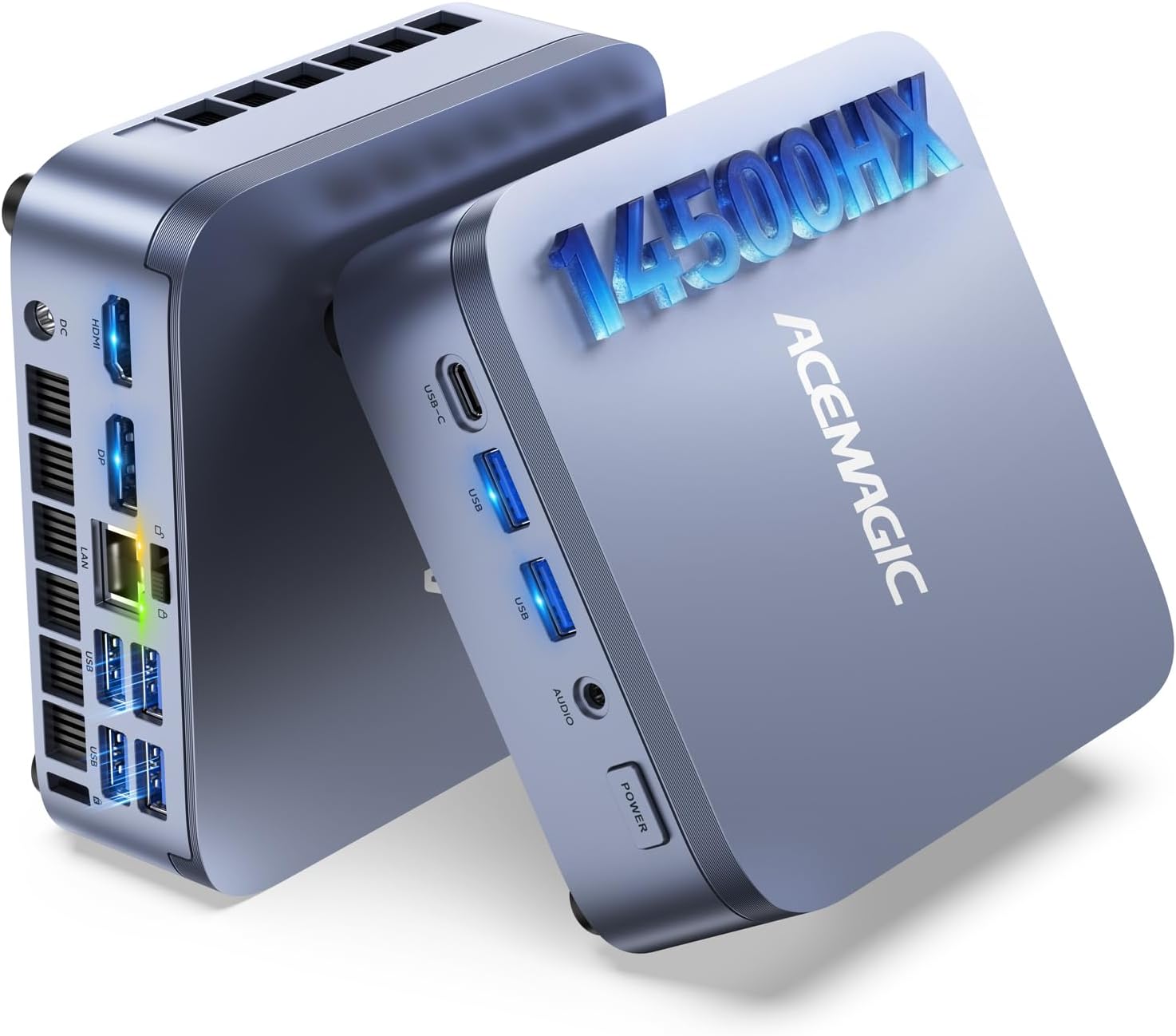
The ACEMAGIC M5 earns the top spot because it solves the most important student problem: your workloads will grow over 4 years, and your machine needs to keep up. The i5-14500HX’s 14 cores handle whatever a first-year student throws at it — and still have headroom when a final-year CS student is running Docker clusters, compiling large codebases, and attending video lectures simultaneously. The 55W sustained TDP means it doesn’t throttle under load the way laptop chips do.
Two critical features for longevity: user-accessible SO-DIMM slots (expand from 16GB to 64GB — DDR4 is cheap) and dual M.2 NVMe slots. Windows 11 Pro is included — relevant for students connecting to university VPNs, running Hyper-V for virtual machines, or using Remote Desktop.
✓ Pros
- 14-core HX CPU — handles 4 years of growing workloads
- SO-DIMM slots — upgrade RAM yourself as needed
- Windows 11 Pro — VPN, Hyper-V, Remote Desktop
- Dual M.2 — add storage without replacing the main drive
- Triple 4K — dual or triple monitor study setup
✕ Watch out for
- No gaming GPU — Intel UHD only
- Raptor Lake-HX (2022 arch) — not newest platform
- No AI NPU for Copilot+ features
Affiliate link · Commission earned on qualifying purchases at no extra cost to you
#2 — Beelink SER9 Pro AI: Best All-Round + Gaming Option
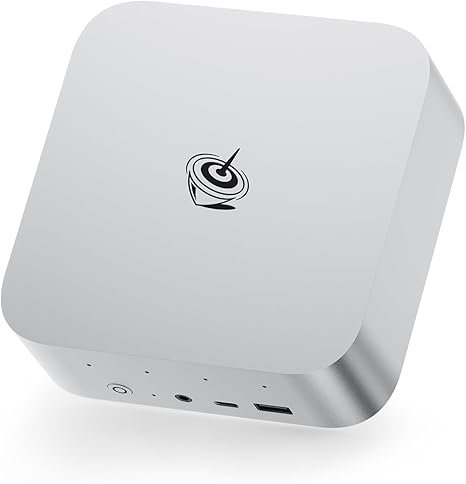
The Beelink SER9 Pro AI covers the widest range of student needs: Zen 5 CPU performance for demanding coursework, Radeon 890M graphics for 1080p gaming in downtime, and the 50 TOPS NPU for AI-assisted tools. The key limitation for a 4-year horizon: 32GB of LPDDR5 is soldered — it cannot be upgraded. 32GB is comfortable today, but ambitious CS or data science students may feel constrained in year 3 or 4.
✓ Pros
- Radeon 890M — 1080p gaming at no extra cost
- Latest Zen 5 architecture + 50 TOPS NPU
- Beelink brand — reliable support, wide community
- Wi-Fi 7 — fastest wireless of any pick here
✕ Watch out for
- Soldered RAM — 32GB is the ceiling, no upgrade possible
- No OCuLink for future eGPU
#3 — ACEMAGIC Retro X5: Best for Long-Term Longevity
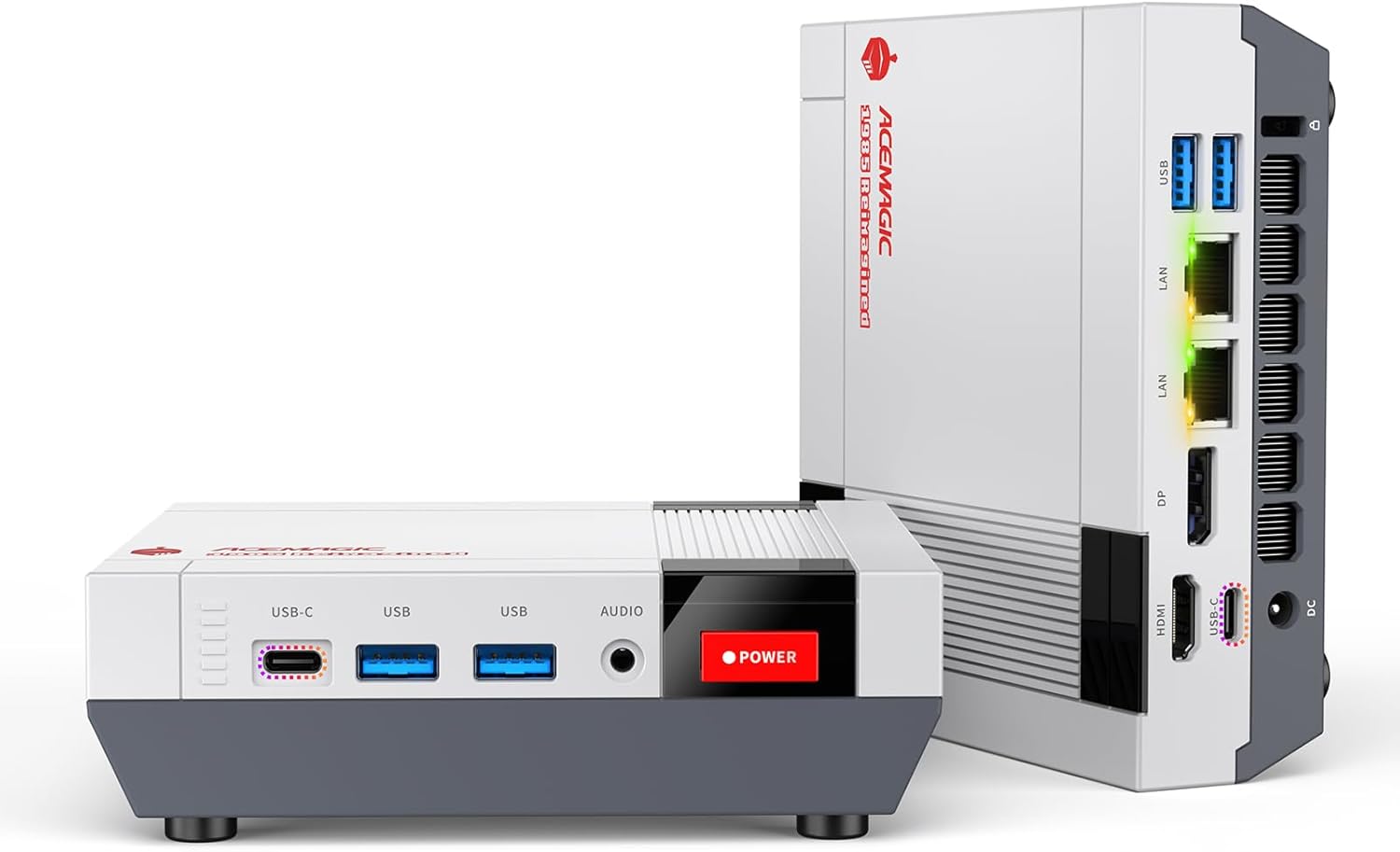
The ACEMAGIC Retro X5 makes the best case as the best investment for a full 4-year degree. It combines Ryzen AI 9 HX 370 Zen 5 performance with user-accessible SO-DIMM DDR5 slots supporting up to 128GB. Start with 32GB in year one, add 64GB or 96GB in year three when you’re running serious data science or VM workloads. No other mini PC in this ranking allows this level of RAM expansion.
✓ Pros
- SO-DIMM to 128GB — most upgradeable student mini PC
- Ryzen AI 9 HX 370 + 50 TOPS NPU — current-gen
- Radeon 890M — light gaming capable
- USB4 for eGPU if gaming needs grow later
✕ Watch out for
- DDR5 SO-DIMM bandwidth lower than LPDDR5
- ACEMAGIC less established than Beelink for support
- 128GB upgrade kits cost $200–$300
#4 — KAMRUI Pinova P2: Best for Triple-Monitor Study Setup
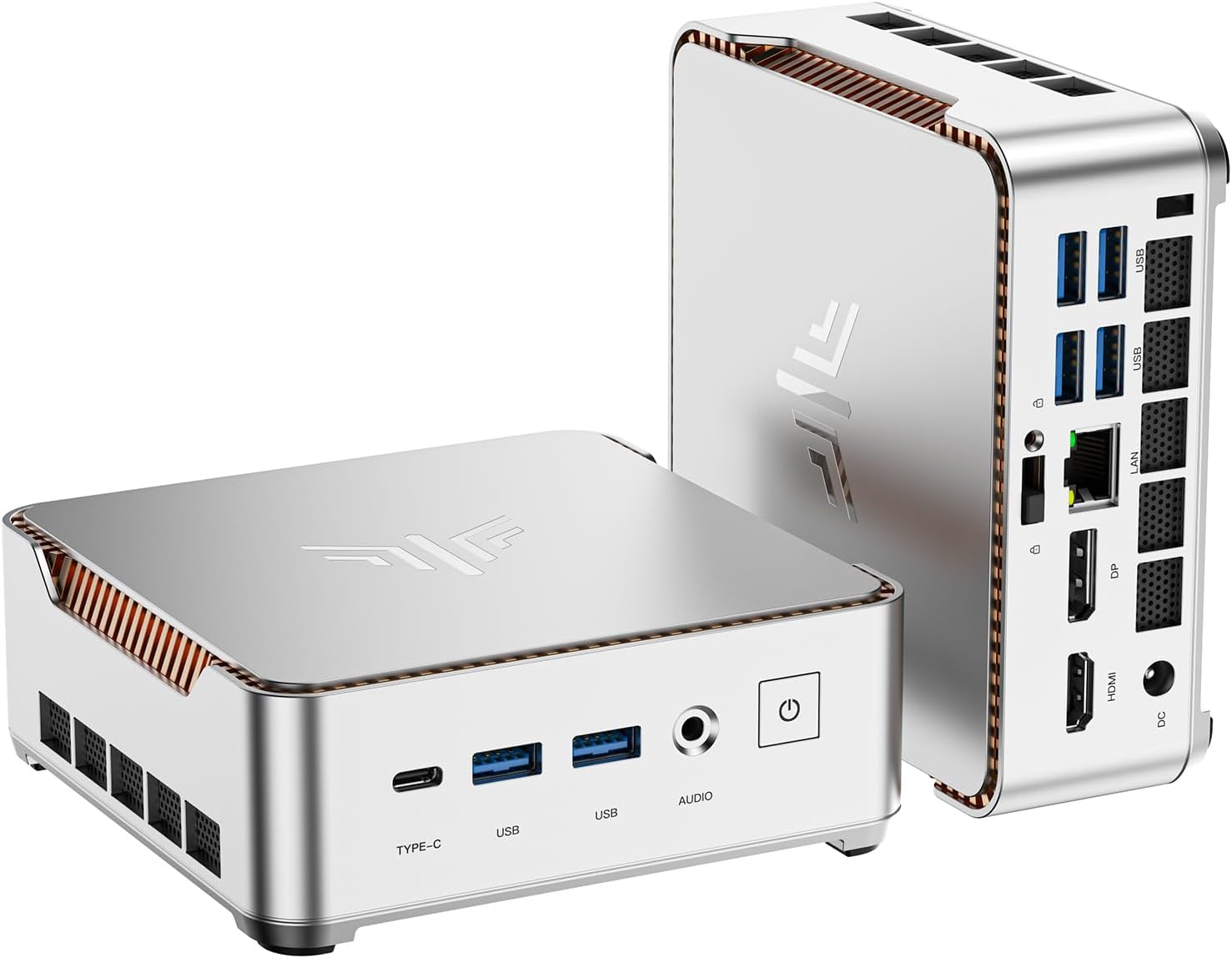
The KAMRUI Pinova P2 stands out with triple 4K@60Hz display output via HDMI 2.0 + DisplayPort 1.4 + USB-C — for students who want a three-screen setup at $329. The Ryzen 4300U handles Office, web, video calls, and HD video without strain. Not the right pick for CS students running compilers or VMs — excellent for humanities, business, and non-technical students who need multiple screens.
✓ Pros
- Triple 4K@60Hz — unique at this price
- $329 — affordable triple-monitor mini PC
- SO-DIMM → expandable to 64GB DDR4
- VESA mount — zero desk footprint
✕ Watch out for
- Ryzen 4300U (2020) — slow for coding/VMs
- Not suitable for CS/engineering heavy workloads
#5 — ACEMAGIC K1: Best Budget Entry — Triple 4K for $310
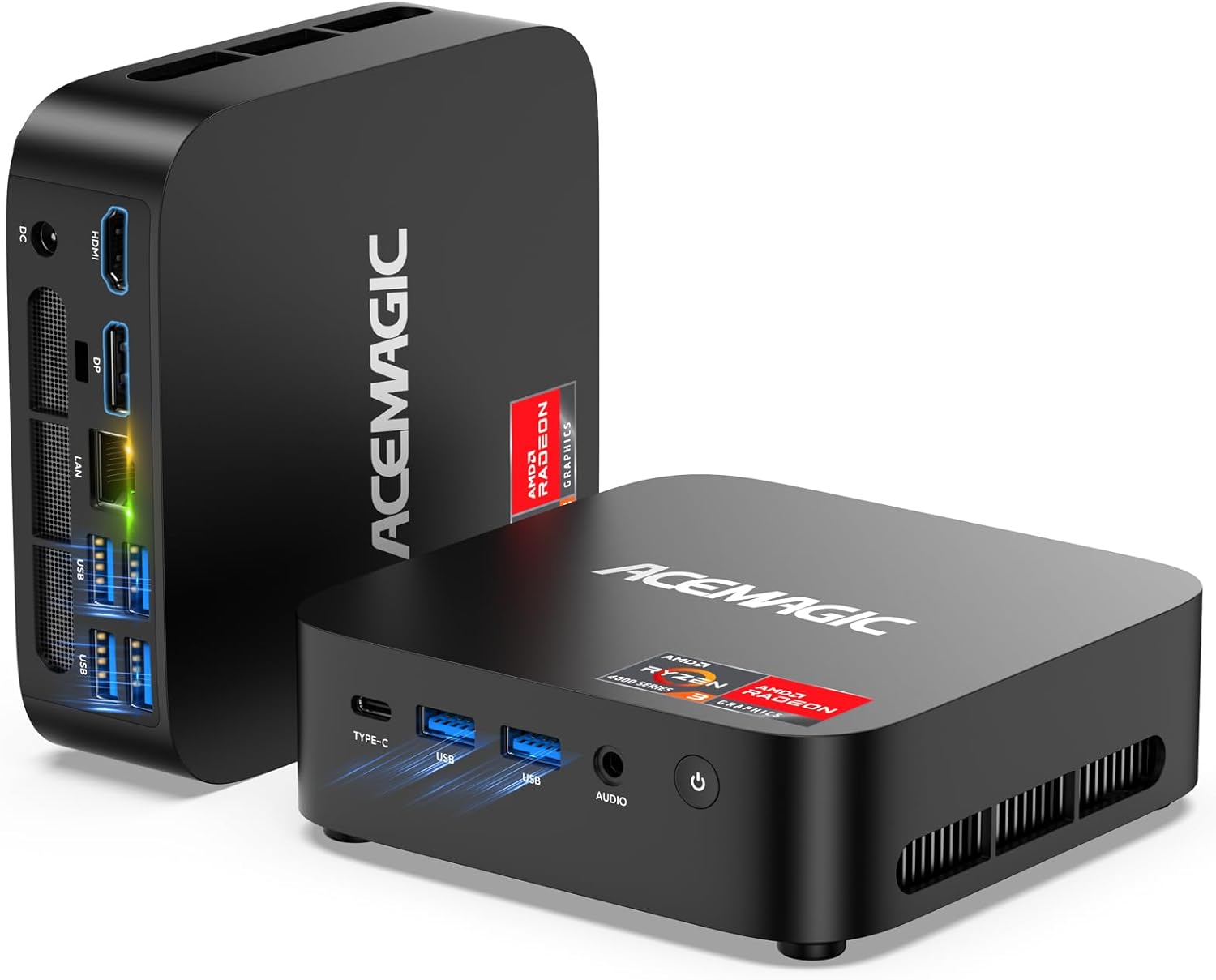
At $310, the ACEMAGIC K1 is the most budget-friendly way to get a triple 4K display, Windows 11 Pro, and genuine CPU performance in a student mini PC. ACEMAGIC runs the Ryzen 4300U at its full 28W TDP — rather than throttling it to 15W as many budget mini PCs do — which delivers noticeably better multi-core performance than N150/N97 alternatives. For students managing multiple research windows, lecture recordings, and Office documents simultaneously across three screens, the K1 is hard to match at this price.
The context matters: the Ryzen 4300U is a 2020 Zen 2 chip. It lags behind Zen 5 processors in picks 1–3 for CPU-intensive workloads like compilation, Docker environments, or ML training. For non-technical students — humanities, business, law, social sciences — who spend their time on Office, web research, video calls, and streaming, the K1 is an excellent value. Amazon customer reviews back this up. Windows 11 Pro is a welcome bonus at this price point, covering VPN access and Remote Desktop for university networks.
| CPU | AMD Ryzen 3 4300U — 4C/4T — Zen 2 — 2.7/3.7GHz — 28W Full TDP |
|---|---|
| RAM | 16GB DDR4 — SO-DIMM (user upgradeable) |
| Storage | 512GB NVMe SSD — expandable up to 4TB |
| Displays | HDMI 2.0 + DisplayPort 1.4 + USB-C (DP Alt) — 3× 4K@60Hz simultaneous |
| Network | Gigabit Ethernet — Wi-Fi — Bluetooth |
| OS | Windows 11 Pro — genuine, pre-installed |
| Size | 5.05 × 5.05 × 1.61″ — 1.1 lbs — VESA mount included |
✓ Pros
- $310 — most affordable in this ranking
- 28W full TDP — outperforms N150/N97 in CPU workloads
- Triple 4K@60Hz — three-screen study setup at this price
- Windows 11 Pro — VPN, Remote Desktop for university networks
- SO-DIMM upgradeable — add RAM as needs grow
- VESA mount — zero desk footprint when mounted
- Positive Amazon customer reviews for build & thermals
✕ Watch out for
- Ryzen 4300U (2020 Zen 2) — not for CS/dev heavy use
- No hardware NPU — no Windows Copilot+ AI acceleration
- Gigabit Ethernet only — no 2.5GbE
- Not suitable for gaming beyond casual titles
Affiliate link · 10% commission until November 2026 · No extra cost to you
Making Your Mini PC Last 4+ Years
The biggest mistake students make is buying for year-one workloads. A machine that feels fast in first year may feel slow by final year — especially in technical courses where complexity grows substantially.
Prioritise upgradeable RAM above everything else
RAM is the single most important upgrade for extending a mini PC’s useful life. Of the 5 picks here, the ACEMAGIC M5, ACEMAGIC Retro X5, KAMRUI Pinova P2, and ACEMAGIC K1 all have accessible SO-DIMM slots. The Beelink SER9 Pro AI does not — 32GB is its ceiling.
Add a second M.2 drive rather than replacing the first
Project files, datasets, and media accumulate fast. Mini PCs with dual M.2 slots (ACEMAGIC M5, ACEMAGIC Retro X5) let you add a second NVMe drive without touching your operating system.
Match the machine to your field
CS, engineering, and data science students should budget for at least the ACEMAGIC M5 tier. Non-technical students on a tight budget can start confidently with the ACEMAGIC K1 at $310 — it covers office, browsing, and triple-monitor productivity without compromise.
2nd — ACEMAGIC M5: upgradeable to 64GB DDR4, HX-class CPU headroom, dual M.2
3rd — KAMRUI P2 / ACEMAGIC K1: upgradeable SO-DIMM, but 2020 CPU limits ceiling for technical students
4th — Beelink SER9 Pro AI: best CPU/GPU today but soldered RAM limits future flexibility
Frequently Asked Questions
Rankings are based on published CPU benchmark data, manufacturer specifications, and real-world use case analysis. This article contains affiliate links — we earn a commission on qualifying purchases at no extra cost to you. Our editorial picks are independent of commission rates.