
KAMRUI Pinova P2 Review: Triple 4K Mini PC for $329 — Worth It?
Three 4K monitors from a $329 mini PC. The KAMRUI Pinova P2 makes a compelling case for home office setups and multi-monitor productivity — if you know what it can and can’t do. Honest review inside.
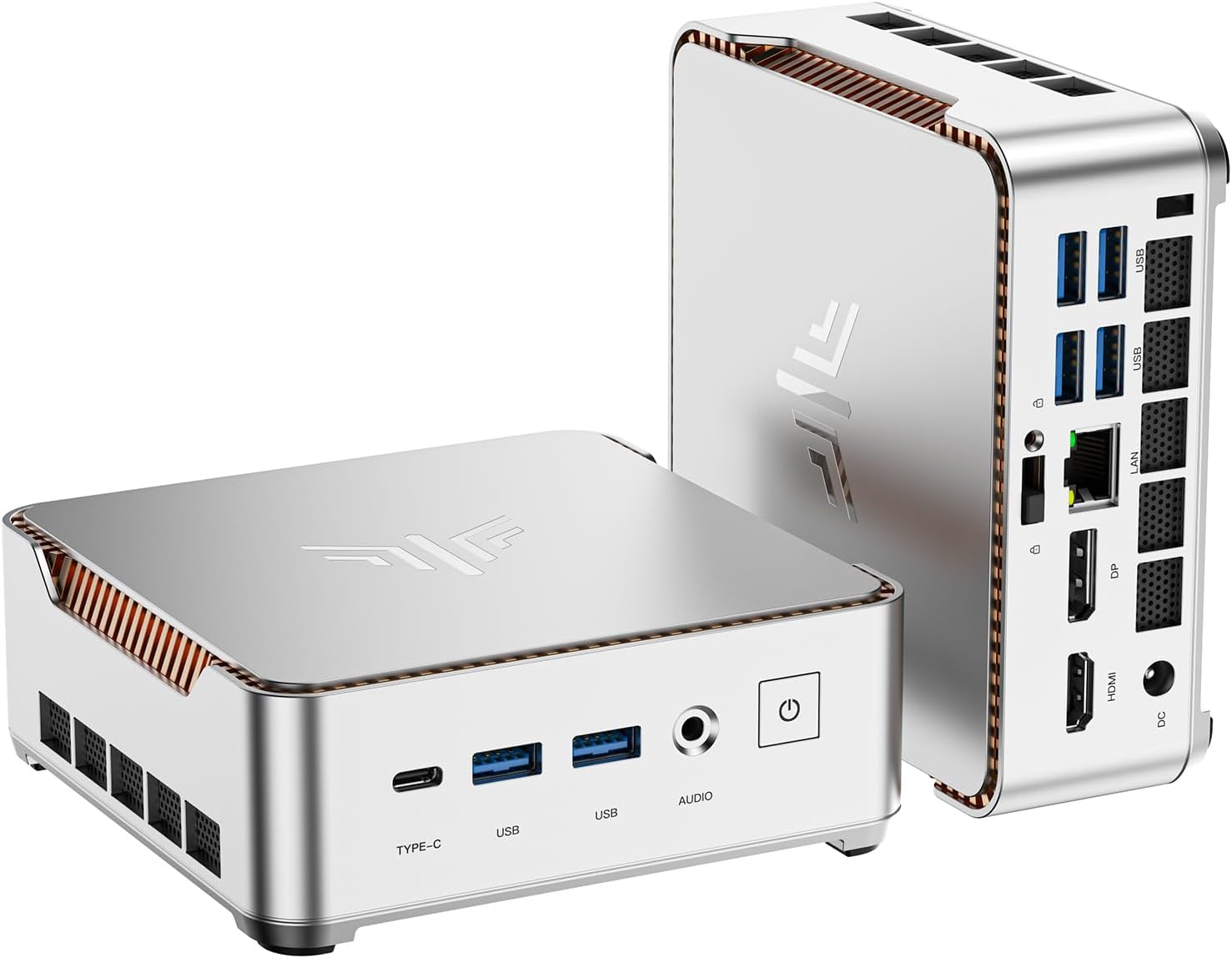
The KAMRUI Pinova P2 does one thing better than any other mini PC at this price: it drives three 4K@60Hz monitors simultaneously. For home office users who need a triple-display productivity setup without spending $600+, it’s a compelling option. The Ryzen 4300U handles everyday tasks — Office, web browsing, video calls, HD video — comfortably. It is not a gaming machine, not a video editing workstation, and not a replacement for modern-generation mini PCs. But as an affordable triple-4K home office solution, it has few competitors at $329.
The Triple 4K Feature — What It Actually Means
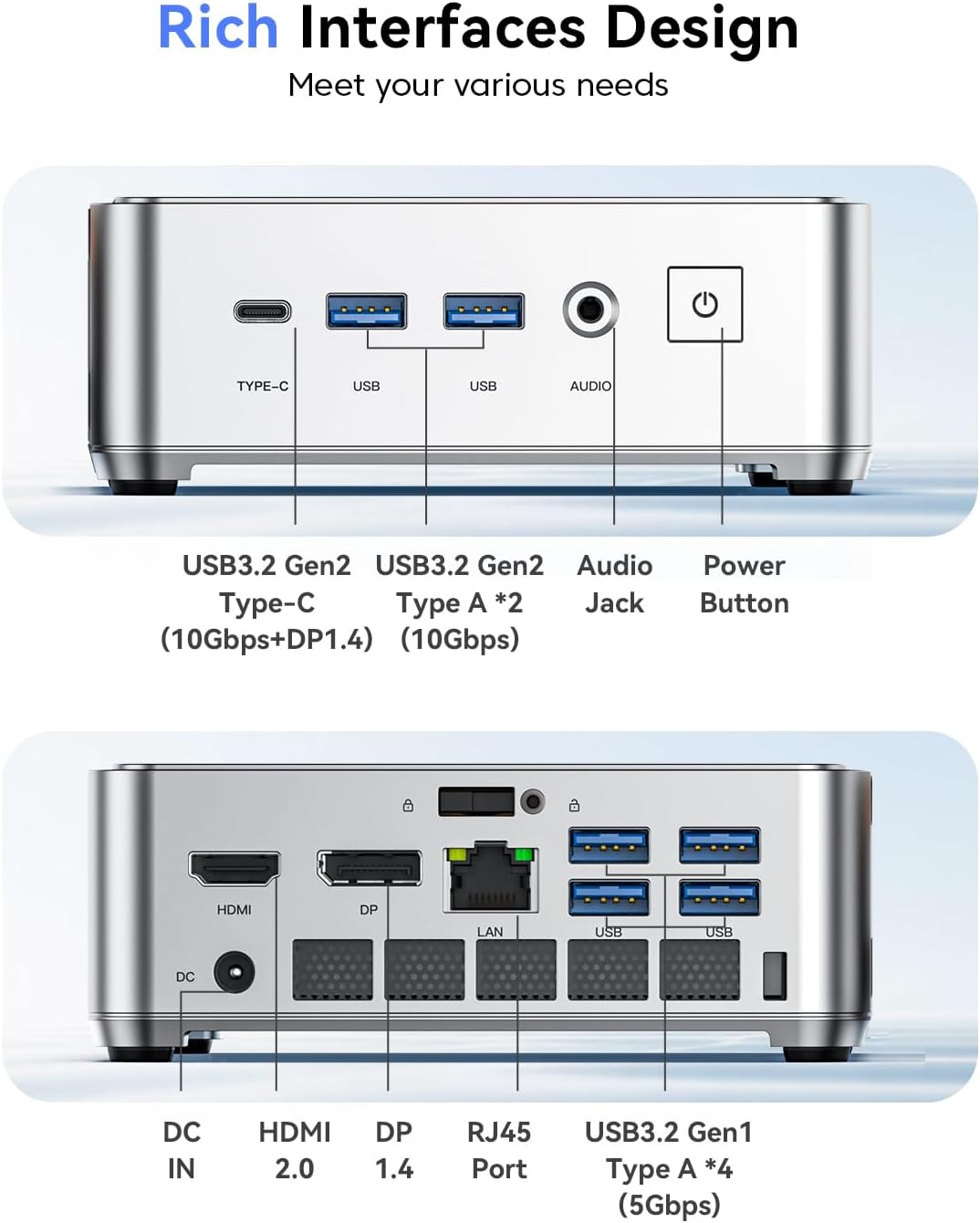
The KAMRUI Pinova P2 supports three simultaneous 4K@60Hz displays via HDMI 2.0 + DisplayPort 1.4 + USB-C (DisplayPort Alt Mode). At $329, this is genuinely unusual — most mini PCs at this price point support only two displays.
Triple monitor support sounds impressive, but it’s worth understanding what drives it and where the limits are. The AMD Ryzen 4300U’s integrated Radeon graphics engine natively supports multiple display outputs. The P2 breaks them out across three physically separate ports — HDMI, DisplayPort, and USB-C — each capable of 4K@60Hz independently. All three can be active simultaneously for a true triple-screen setup.
All 3 outputs can drive 4K@60Hz displays simultaneously
What the triple 4K won’t do: render GPU-intensive content simultaneously across three screens smoothly. The integrated Radeon GPU (5 CUs, 1400 MHz) is powerful enough to drive three 4K displays for desktop use, video calls, spreadsheets, and HD video — but it’s not designed for gaming or GPU-accelerated creative software across three screens at once. For a home office with three monitors showing different applications, it’s excellent. For three screens of gaming, you need something else entirely.
Full Specifications
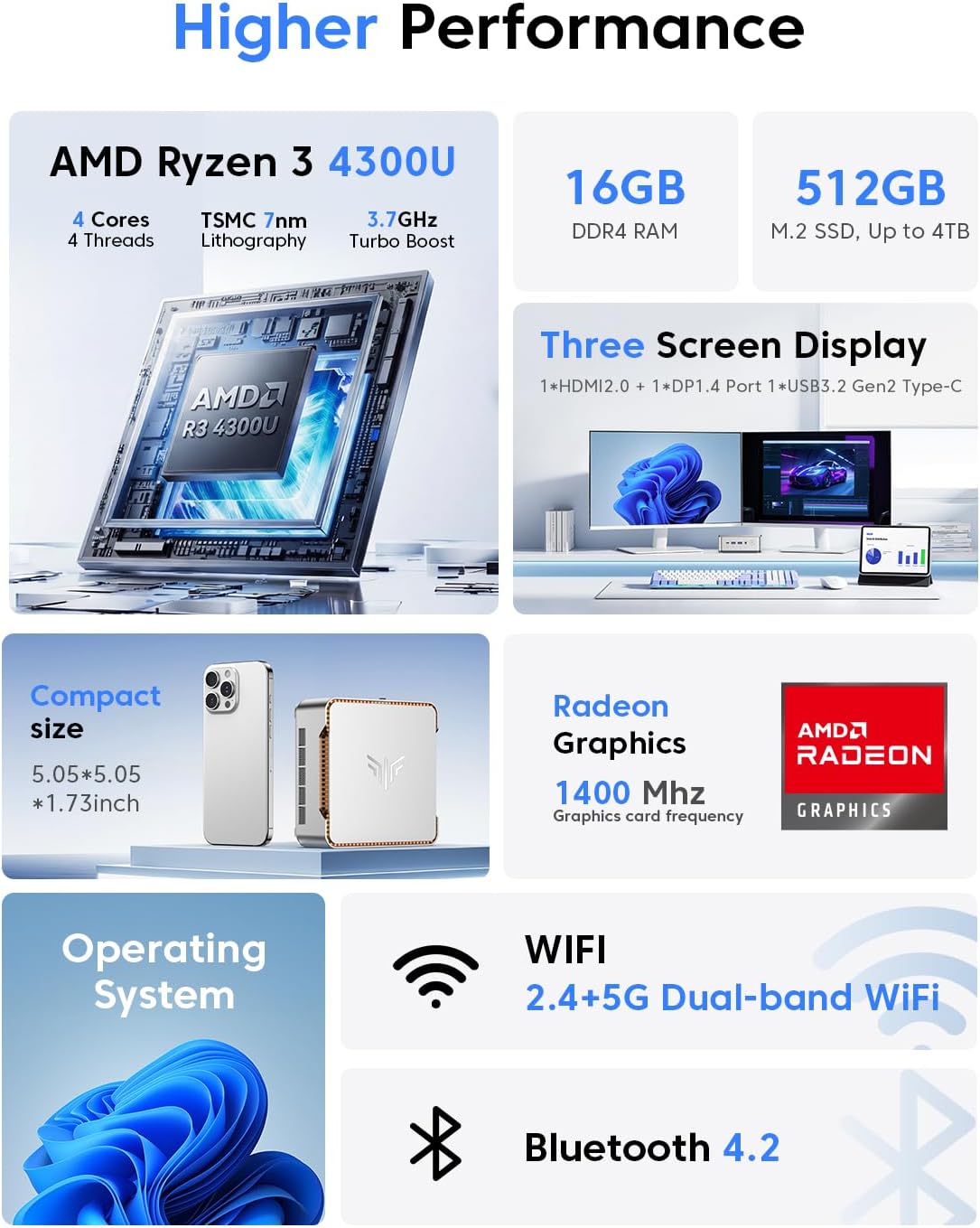
The KAMRUI Pinova P2 uses AMD’s Ryzen 4300U — a Zen 2 processor from 2020. It’s not the latest architecture, but its 4 cores at up to 3.7 GHz, combined with 16GB DDR4 and a fast NVMe SSD, handle everyday productivity tasks reliably.
| CPU | AMD Ryzen 4300U — 4C/4T — Zen 2 — up to 3.7 GHz — 15W TDP |
|---|---|
| GPU (integrated) | AMD Radeon Graphics — 5 CUs — up to 1,400 MHz |
| RAM | 16GB DDR4 — dual SO-DIMM (upgradeable to 64GB) |
| Storage | 512GB M.2 NVMe PCIe 3.0 — 2nd M.2 SATA slot available |
| Display outputs | HDMI 2.0 + DP 1.4 + USB-C (DP Alt Mode) — up to 3× 4K@60Hz simultaneous |
| USB | 2× USB 3.2 Gen2 Type-A (10 Gbps) · 1× USB 3.2 Gen2 Type-C |
| Networking | Gigabit Ethernet · Wi-Fi (dual-band) · Bluetooth |
| Size | 5.05 × 5.05 × 1.73 inches — VESA mount included |
| OS | Windows 11 (pre-installed) |
| Price | $329.99 on Amazon |
CPU & Everyday Performance
The Ryzen 4300U is a competent everyday processor. In published Cinebench R23 data from Notebookcheck and user benchmarks, it scores approximately 4,500–5,500 points multi-core and around 1,150–1,250 points single-core — solid for a 15W mobile chip, though roughly 3–4× slower than current Ryzen AI 9 HX 370 machines in multi-threaded work.
In practice, this means the P2 handles everything on this list without struggle:
- Web browsing with 20–30 browser tabs open
- Microsoft Office (Word, Excel, PowerPoint) — multiple documents simultaneously
- Video calls via Zoom, Teams, Google Meet — including background blur
- 4K video playback via YouTube or local files (hardware-accelerated)
- Light photo editing (Lightroom mobile, Google Photos)
- Email, calendar, note-taking apps
- Music streaming, podcast apps, media players
Where it shows its age: compiling large codebases, batch photo/video export, running multiple virtual machines, or any sustained CPU-intensive workload over 10+ minutes. These tasks will run, just more slowly than on a 2024/2025 mini PC.
Performance Ratings for Home Office Use

Design, Size & Build Quality
The KAMRUI Pinova P2 measures 5.05 × 5.05 × 1.73 inches — about the footprint of a CD case. It weighs under 500g, includes a VESA mount for behind-monitor installation, and fits easily in a laptop bag for travel.
The silver aluminum chassis is clean and understated — not flashy, which is appropriate for a home office or corporate desk. KAMRUI’s recent thermal redesign (mentioned in the product listing) has improved heat dissipation compared to the original P2 chassis. The fan is effectively silent at idle and quiet under moderate load — this is a 15W processor, so thermal demands are modest.
RAM is user-upgradeable via two SO-DIMM slots (up to 64GB DDR4), and there’s a second M.2 slot for additional storage — practical for users who plan to expand over time. Port placement is straightforward: display outputs and data ports are clearly separated, and the VESA mount included in the box means zero desk footprint when mounted behind a monitor.
Who Is the KAMRUI Pinova P2 For?
Pros & Cons
✓ What We Like
- Triple 4K@60Hz — unique at this price point
- $329 — the most affordable triple-display mini PC available
- Compact size — VESA mountable, zero desk footprint
- RAM upgradeable to 64GB — future-proofed
- Second M.2 slot for extra storage
- USB 3.2 Gen2 (10 Gbps) — fast data transfers
- Quiet under typical home office load
- 12-month warranty + lifetime technical support
✕ Watch Out For
- Ryzen 4300U is a 2020 chip — not latest generation
- Not suitable for gaming or demanding creative work
- Gigabit Ethernet only — no 2.5GbE
- Wi-Fi standard not confirmed (likely Wi-Fi 5)
- USB-C display requires DP Alt Mode monitor or adapter
- Single Ethernet port — no dual LAN
Final Verdict
The KAMRUI Pinova P2 fills a genuine gap in the market: it’s the most affordable way to run three 4K monitors from a mini PC. If that’s your goal — a triple-display home office or trading station without spending $500+ — the P2 delivers exactly what it promises. The Ryzen 4300U is older hardware, but for the workloads it’s designed for (productivity, Office, video calls, media), it’s entirely sufficient.
Where we’d push you toward something else: if you have any gaming ambitions, any creative workload beyond basic photo viewing, or if you want the latest CPU architecture for longevity. For those needs, the extra investment in a Ryzen AI 9 HX 370 mini PC is justified. But for a clean, quiet, VESA-mounted triple-4K productivity machine at $329 with room to upgrade RAM later — the KAMRUI Pinova P2 is hard to argue against.
Frequently Asked Questions
CPU performance data cited in this review is sourced from published Notebookcheck benchmarks and Cinebench R23 community results for the AMD Ryzen 4300U. No sample unit was provided for this review — all performance information is based on publicly available data. This review was produced as part of an Amazon Associates campaign. Our editorial scores reflect our honest assessment of the product’s value relative to its price and use case.